manuals.online logo
Brands
  1. Home
  2. •
  3. Brands
  4. •
  5. TRENDnet
  6. •
  7. Antenna
  8. •
  9. TRENDnet TEW-OA08OK User manual

TRENDnet TEW-OA08OK User manual

Other manuals for TEW-OA08OK

1

Other TRENDnet Antenna manuals

TRENDnet TEW-AO12O User manual

TRENDnet

TRENDnet TEW-AO12O User manual
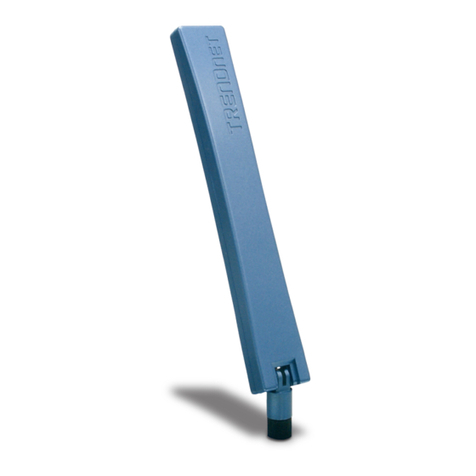
TRENDnet TEW-AI86D User manual

TRENDnet

TRENDnet TEW-AI86D User manual

TRENDnet TEW-AO08O User manual

TRENDnet

TRENDnet TEW-AO08O User manual

TRENDnet TEW-IA06D User manual

TRENDnet

TRENDnet TEW-IA06D User manual

TRENDnet TEW-AI86DB User manual

TRENDnet

TRENDnet TEW-AI86DB User manual

TRENDnet TEW-AI86D User manual

TRENDnet

TRENDnet TEW-AI86D User manual

TRENDnet TEW-OA14DK User manual

TRENDnet

TRENDnet TEW-OA14DK User manual

TRENDnet TEW-OA14D User manual

TRENDnet

TRENDnet TEW-OA14D User manual

TRENDnet TEW-ASAL1 User manual

TRENDnet

TRENDnet TEW-ASAL1 User manual

TRENDnet TEW-AI75OB - 11a/g 7/5dBi Indoor Omni Directional... User manual

TRENDnet

TRENDnet TEW-AI75OB - 11a/g 7/5dBi Indoor Omni Directional... User manual

TRENDnet TEW-AO46S User manual

TRENDnet

TRENDnet TEW-AO46S User manual

TRENDnet TEW-IA06D User manual

TRENDnet

TRENDnet TEW-IA06D User manual

TRENDnet TEW-AI07OB User manual

TRENDnet

TRENDnet TEW-AI07OB User manual

TRENDnet TEW-AI75O User manual

TRENDnet

TRENDnet TEW-AI75O User manual

TRENDnet TEW-OA14DK User manual

TRENDnet

TRENDnet TEW-OA14DK User manual

TRENDnet TEW-AO14D - User manual

TRENDnet

TRENDnet TEW-AO14D - User manual

TRENDnet TEW-OA24D User manual

TRENDnet

TRENDnet TEW-OA24D User manual

TRENDnet TEW-AO46S User manual

TRENDnet

TRENDnet TEW-AO46S User manual

TRENDnet TEW-AO14D - User manual

TRENDnet

TRENDnet TEW-AO14D - User manual

TRENDnet TEW-AI75O User manual

TRENDnet

TRENDnet TEW-AI75O User manual

TRENDnet TEW-OA24D - 24dBi Outdoor Directional Antenna B... Manual

TRENDnet

TRENDnet TEW-OA24D - 24dBi Outdoor Directional Antenna B... Manual

TRENDnet TEW-AO10O User manual

TRENDnet

TRENDnet TEW-AO10O User manual

TRENDnet TPE-104GS User manual

TRENDnet

TRENDnet TPE-104GS User manual

TRENDnet TEW-OA08OK User manual

TRENDnet

TRENDnet TEW-OA08OK User manual
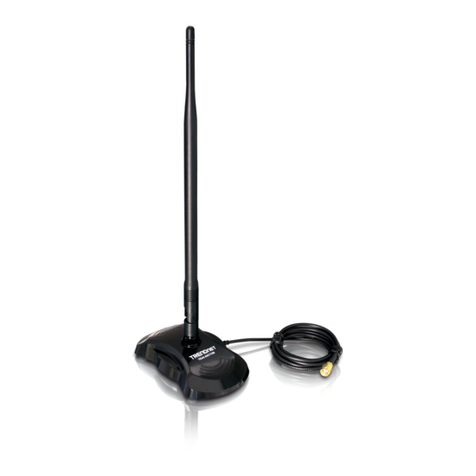
Popular Antenna manuals by other brands

DAVIS Windex AV 3160 installation instructions

DAVIS

DAVIS Windex AV 3160 installation instructions

Belden Hirschmann BAT-ANT-N-14G-IP23 Mounting instruction

Belden

Belden Hirschmann BAT-ANT-N-14G-IP23 Mounting instruction

Vtronix YHK Fitting instructions

Vtronix

Vtronix YHK Fitting instructions

KVH Industries TracVision 6 Technical manual

KVH Industries

KVH Industries TracVision 6 Technical manual

Leica Geosystems GS10 user manual

Leica Geosystems

Leica Geosystems GS10 user manual

Sirio Antenne Gain-Master manual

Sirio Antenne

Sirio Antenne Gain-Master manual

Sony VCA-41 Installation/connections

Sony

Sony VCA-41 Installation/connections

ZCG Y100 Series installation guide

ZCG

ZCG Y100 Series installation guide

Advantech Wireless INTREPID120 Assembly instructions

Advantech Wireless

Advantech Wireless INTREPID120 Assembly instructions

Cerio ANT-10AO installation guide

Cerio

Cerio ANT-10AO installation guide

Alfa Network APA-L01 Specifications

Alfa Network

Alfa Network APA-L01 Specifications

Naval PR-422CA Operation manual

Naval

Naval PR-422CA Operation manual

Feig Electronic ID ISC.ANTH200/200 Series manual

Feig Electronic

Feig Electronic ID ISC.ANTH200/200 Series manual

TERK Technologies TV44 owner's manual

TERK Technologies

TERK Technologies TV44 owner's manual

TERK Technologies SIR3 owner's manual

TERK Technologies

TERK Technologies SIR3 owner's manual

Directive Systems & Engineering DSE2324LYRMK quick start guide

Directive Systems & Engineering

Directive Systems & Engineering DSE2324LYRMK quick start guide

HP J8999A instructions

HP

HP J8999A instructions

MobilSat MSP-S Mounting instructions

MobilSat

MobilSat MSP-S Mounting instructions
manuals.online logo
manuals.online logoBrands
  • About & Mission
  • Contact us
  • Privacy Policy
  • Terms and Conditions

Copyright 2025 Manuals.Online. All Rights Reserved.

Copyright ©2005. All Rights Reserved. TRENDware International, Inc.
TRENDnet
TRENDware, USA
What's Next in Networking
TEW-OA08OK
Version 01.14.05
8dBi Omni Directional Outdoor Antenna.
Quick Installation Guide
Antenne extérieure omnidirectionnelle 8dBi
Guide d'installation rapide
Omnidirektionale 8dBi-Außenantenne
Kurzanleitung zur Installation
Guía de instalación rápida del
servidor de impresora G inalámbrico de 1 puerto paralelo y 2 puertos USB 2.0
Table of Contents
English ......................................................................................................
Troubleshooting ........................................................................................
1
1
2
3
7
1. Prepare for Installation ......................................................................
2. Product Detail .....................................................................................
3. Hardware Installation ........................................................................
Thank you for purchasing the TRENDnet TEW-OA08OK 8dBi Omni Directional
Outdoor Antenna.
This guide will help you set up your Omni Directional Outdoor Antenna.
Following the installations should be quick and easy. If you run into problems,
please refer to the Troubleshooting section. If you need further technical
support, please visit www.TRENDNET.com or call technical support by phone.
Verify Package Contents
Please make sure you have everything in the box:
1
1. Prepare for Installation
English QIG
English
TEW-OA08OK
Nuts: 4
Plastic Wall Anchors: 4
Quick Installation Guide
Washers: 4
N-type male to Reverse SMA
female connector cable
Tapping Screws: 4
Pole Clamps: 2
Copyright ©2004. All Rights Reserved. TRENDware International, Inc.
TRENDnet
TRENDware, USA
What's Next in Networking
TEW-OA08OK
Version 01.14.05
8dBi Omni Directional Outdoor Antenna.
Quick Installation Guide
Antenne extérieure omnidirectionnelle 8dBi
Guide d'installation rapide
Omnidirektionale 8dBi-Außenantenne
Kurzanleitung zur Installation
Guía de instalación rápida del
servidor de impresora G inalámbrico de 1 puerto paralelo y 2 puertos USB 2.0
2
2. Product Detail
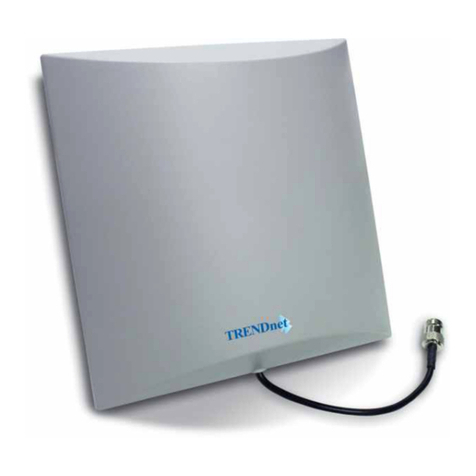
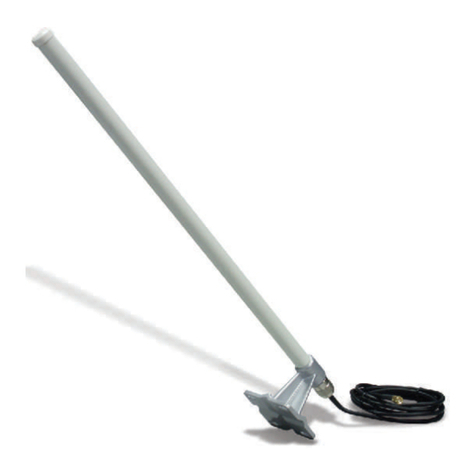
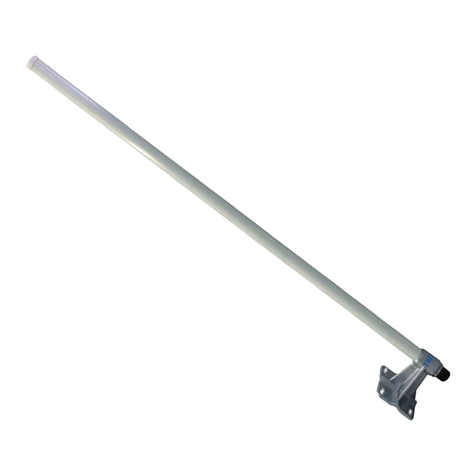
The Omni Directional Outdoor Antenna has a strong metal base that can either
be mounted on a wall or pole.
English
3
3. Hardware Installation
1. Open the hardware bags carefully and put the hardware in separate groups.
If the hardware is pre-assembled, please disassemble it and place them
together in one group.
2. Place the TEW-OA08OK against the desired location, having the bottom of
the metal base pressed against the wall.
English
Wall Mounting
3. Securely mount the TEW-OA08OK on the wall with four tapping screws. Use
the for plastic wall anchors when necessary.
4English
Your hardware installation is now complete.
4. Connect the N-type male to Reverse SMA female connector cable to the
TEW-OA08OK and connect the other end of the cable to a Wi-Fi Access
Point.
5
1. Open the hardware bags carefully and put the hardware in separate groups.
If the hardware is pre-assembled, please disassemble it and place them
together in one group.
2. Have the bottom of metal base face up and mount the desired pole (2.5 cm
recommended) on top of the metal base as shown below.
English
Pole Mounting
3. Insert the two Pole Clamps into the metal base.
6English
Your hardware installation is now complete.
4. First insert the washer and then the nut onto the Pole Clamps and tighten
each nut. Be careful not to over tighten the nuts.
5. Connect the N-type male to Reverse SMA female connector cable to the
TEW-OA08OK and connect the other end of the cable to a Wi-Fi Access
Point.
7
Technical Support Hours
7:00AM ~ 6:00PM, Monday through Friday
Pacific Standard Time (except holidays)
Contact Technical Support
Telephone: +1-310-626-6252
Fax: +1-310-626-6267
Website: www.TRENDNET.com
E-mail: [email protected]
Troubleshooting
Q1:
A1:
Q2:
A2:
Q3:
A3:
Why do some of my wireless PCs receive a Wi-Fi signal, and other
PCs get a weaker signal?
The TEW-OA08OK is an Omni Directional antenna and can only send
and receive signals from a specified radius. You can adjust the position of
the Wireless Access Point, extend your TEW-OA08OK at an optimal
location, or move the wireless PCs closer to the Wireless Access Point.
My access point indicates that it is receiving power, and my laptop is
within range of the TEW-OA08OK. However, I am not receiving any
signals.
Make sure that you connected the antenna to the Wi-Fi Access Point.
Use the N-type to Reverse SMA connector cable to connect your Access
Point to the TEW-OA08OK.
Why won't the TEW-OA08OK work with my IEEE 802.11a Wireless
Router?
The TEW-OA08OK is designed only for IEEE 802.11b or 802.11g
Wireless Access Points. Please use the TEW-OA08OK with compatible
wireless devices.
If you have any questions regarding the TEW-OA08OK 8dBi Omni Directional
Outdoor Antenna, please contact Trendware Technical Support Department.
Certifications
This equipment has been tested and found to comply with FCC and CE Rules. Operation is
subject to the following two conditions:
(1) This device may not cause harmful interference.
(2) This device must accept any interference received including interference that may cause
undesired operation.
Copyright ©2005. All Rights Reserved. TRENDware International, Inc.
TRENDnet
TRENDware, USA
What's Next in Networking
@
Product Warranty Registration
Please take a moment to register your product online.
Go to TRENDware’s website at http://www.TRENDNET.com
TRENDware International, Inc.
3135 Kashiwa Street
Torrance, CA 90505
http://www.TRENDNET.com