mode will stay on for a period up to 24 hours, however for best results it is recommended to
remove the food within 6 hours of the completion of the set cooking time.
6. To exit “WARM” mode and end the cooking process press Cancel button.
Canceling or Stopping a Cooking Program
oDuring the programming steps you may wish to cancel a selection and return to the previous
screen. To do this simply Press Cancel button.
oDuring the cooking process you may wish to stop cooking. To do this simply Press Cancel
button.
Pressure Release and Removing Cooked Food
After the cooking timer has completed and you have exited “WARM” mode the cooking process has
been completed. Before you are able to unlock the lid and remove your food the pressure cooker
must first release all of the pressure inside.
WARNING: never attempt to force the lid open. If the lid will not open easily it means there is
still pressure inside the cooker that must be released before the lid can be opened. Always make
sure the Float Valve (3) has returned to the lowered position before attempting to open the lid.
There are two methods of Pressure Release:
oNatural Release – this is the default method of pressure release and requires no additional
steps or button presses from the user after exiting “WARM” mode. This method allows the
cooker to cool down and slowly release pressure by itself while in the “Warm” mode. This
process will take several minutes (normally between 10-45 minutes) depending on the
amount of food in the cooker. During Natural Release hot steam will slowly eject from the
pressure cooker through the vents in the Pressure Limit Valve (1).
oQuick Release – this method allows the user to vent steam from the cooker and release
pressure in a shorter amount of time. After exiting “WARM” mode you can perform a quick
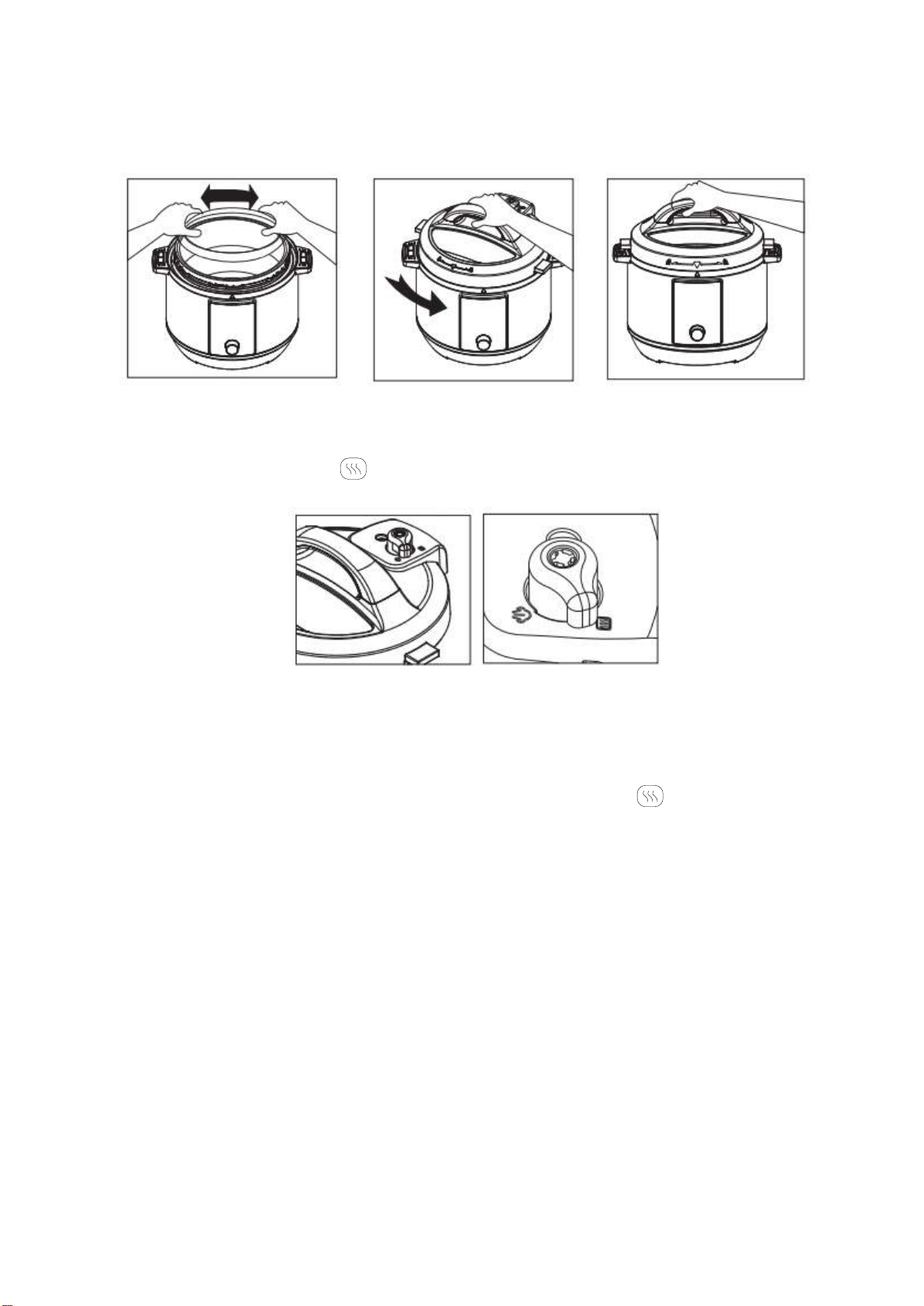
release by moving the Pressure Limit Valve (1) to the Release Pressure Setting .
oCAUTION: hot steam will immediately start ejecting from the vents in the Pressure
Limit Valve (1). Keep your hand and face clear of the vents and wear an oven mitt or
rubber gloves when moving the Pressure Limit Valve (1) to avoid burning.
As the cooker releases pressure the Float will begin to lower. When the cooker has released all of
the pressure the Float will be at the low point setting as it was before the cooking process started.
Once the Float has fully lowered it is safe to open the lid and transfer your food to a serving plate.
oTIP: for foods with large liquid volume or starch content, use the Natural Release method. If
Quick Release is used with these types of food thick liquid can be ejected from the Pressure
Limit Valve (1) and cause splattering during pressure release.
Menu operation step
“Rice”
This function use for cooking rice. Prepare the ingredient, connect power. Press “ Rice” button,
screen will show the default cooking time. Rotate the knob to adjust cooking time. Default pressure
level of this function is “Low”. Press “Pressure Level” button, can choose “Low, Mid, High” different