
EnglishDeutsch
 logo
Brands
  1. Home
  2. •
  3. Brands
  4. •
  5. U-Line
  6. •
  7. Rack & Stand
  8. •
  9. U-Line H-2508 User manual

U-Line H-2508 User manual

Other U-Line Rack & Stand manuals

U-Line H-1978 User manual

U-Line

U-Line H-1978 User manual

U-Line H-3900 User manual

U-Line

U-Line H-3900 User manual
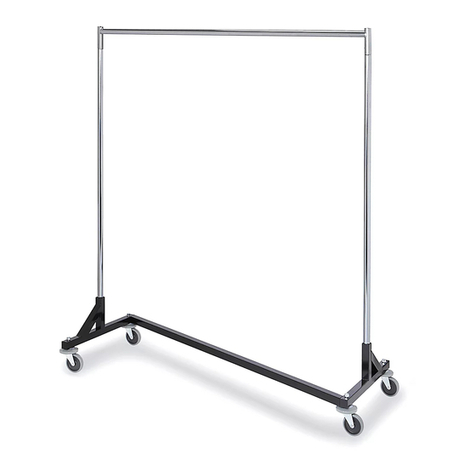
U-Line Z-Rack User manual

U-Line

U-Line Z-Rack User manual

U-Line H-3330 User manual

U-Line

U-Line H-3330 User manual

U-Line H-4683 User manual

U-Line

U-Line H-4683 User manual

U-Line H-4203 User manual

U-Line

U-Line H-4203 User manual

U-Line H-3330 User manual

U-Line

U-Line H-3330 User manual

U-Line H-2923 User manual

U-Line

U-Line H-2923 User manual

U-Line H-4455 User manual

U-Line

U-Line H-4455 User manual

U-Line Н-3788 User manual

U-Line

U-Line Н-3788 User manual

U-Line H-3790 User manual

U-Line

U-Line H-3790 User manual

U-Line H-2924 User manual

U-Line

U-Line H-2924 User manual

U-Line H-3847-ADD User manual

U-Line

U-Line H-3847-ADD User manual

U-Line H-7096 User manual

U-Line

U-Line H-7096 User manual

U-Line H-3450 User manual

U-Line

U-Line H-3450 User manual

U-Line H-3331 User manual

U-Line

U-Line H-3331 User manual

U-Line H-10033 User manual

U-Line

U-Line H-10033 User manual

U-Line H-4283 User manual

U-Line

U-Line H-4283 User manual

U-Line H-10465 User manual

U-Line

U-Line H-10465 User manual

U-Line H-3786 User manual

U-Line

U-Line H-3786 User manual

U-Line H-6328 User manual

U-Line

U-Line H-6328 User manual

U-Line H-2953 User manual

U-Line

U-Line H-2953 User manual

U-Line H-5817 User manual

U-Line

U-Line H-5817 User manual

U-Line H-1060 User manual

U-Line

U-Line H-1060 User manual

Popular Rack & Stand manuals by other brands

Salamander Acadia AC/W/L400/WH Assembly instructions

Salamander

Salamander Acadia AC/W/L400/WH Assembly instructions

Fohhn VAT-09 Mounting instruction

Fohhn

Fohhn VAT-09 Mounting instruction

ricoo FS0522 quick start guide

ricoo

ricoo FS0522 quick start guide

AMSOIL BMK-22 Installation and service instructions

AMSOIL

AMSOIL BMK-22 Installation and service instructions

Kargo Master 48220 installation guide

Kargo Master

Kargo Master 48220 installation guide

Milestone AV Technologies SIMPLICITY SLF2 installation instructions

Milestone AV Technologies

Milestone AV Technologies SIMPLICITY SLF2 installation instructions

ricoo S1222 installation instructions

ricoo

ricoo S1222 installation instructions

Ready-Set-Mount RSMCM602 instruction manual

Ready-Set-Mount

Ready-Set-Mount RSMCM602 instruction manual

VidaBox VB MNT FFS2 installation guide

VidaBox

VidaBox VB MNT FFS2 installation guide

Welch Allyn 48960 Assembly instructions

Welch Allyn

Welch Allyn 48960 Assembly instructions

Arkon CM035-ST-2 installation instructions

Arkon

Arkon CM035-ST-2 installation instructions

PROEL PLWIN60C user manual

PROEL

PROEL PLWIN60C user manual

Agilent Technologies E2609B installation guide

Agilent Technologies

Agilent Technologies E2609B installation guide

Mustang MV-ARM4 installation guide

Mustang

Mustang MV-ARM4 installation guide

Mounting Solutions WRM-320 manual

Mounting Solutions

Mounting Solutions WRM-320 manual

ShelterIt 21208 installation instructions

ShelterIt

ShelterIt 21208 installation instructions

Pyle PMKSPAD1 manual

Pyle

Pyle PMKSPAD1 manual

SPL RackPack?4 1040 manual 

SPL

SPL RackPack?4 1040 manual 

https://manuals.online logo
https://manuals.online logoBrands
  • About & Mission
  • Contact us
  • Privacy Policy
  • Terms and Conditions

Copyright 2026 Manuals.Online. All Rights Reserved.

0110 IH-2508PAGE 1 OF 2
1-800-295-5510
uline.com
ADJUSTABLE PALLET
STAND
H-2508
SAFETY INSTRUCTIONS
INSTALLATION INSTRUCTIONS
WARNING! Follow these safety instructions to
avoid any personal injuries.
1. Raise and lower the pallet stand only from side with
lifting handles and handle bar.
2. Do not raise or lower the pallet stand while loaded.
3. Do not stand on the pallet stand.
4. Do not crawl under the pallet stand at any time.
5. Keep hands, feet, and foreign objects out from
underneath pallet stand.
6. Do not exceed maximum loading capacity of 5,000
pounds.
7. Insure pallet stand is evenly loaded for safety.
8. Visually check that the top of the scissor leg is
securely in lock notch.
9. Make sure all operator safety labels are in place.
Spring must be installed prior to use of the Pallet Stand.
NOTE: For spring installation two people are
recommended.
1. Handle bar has three settings. The Middle, or neutral
setting, is for storage only. The Left setting is for
moving the stand from the storage position into the
first position only or vice versa. The Right setting is for
is for moving the stand from the first position to the
second or third position and vice versa.
2. Move handle bar securely into the Left setting.
3. Lift stand from the storage position into the first
operating position using a lift handle and
handle bar.
NOTE: Be sure the unit is locked into position
before proceeding on to the next step.
4. Slide the handle bar from the Left into the Right
setting.
5. Lift stand from the first operating position to the third
operating position.
NOTE: Be sure the unit is locked into position
before proceeding on to the next step.
6. The unit should be in the third operating position
(raised all the way). Attach springs to washers that
are located in-between the scissor legs, just above
the pivot point.
0110 IH-2508PAGE 2 OF 2
OPERATING INSTRUCTIONS
WARNING LABELS
WARRANTY
1. The Adjustable Pallet Stand has three operating
heights at 19", 28" and 33". The unit collapses down
to 9" for storage only.
2. To raise the stand from the storage position into the
first operating position, slide the handle bar from
the Middle setting to the Left setting. Grip one lifting
handle and the handle bar and lift the stand until it
locks into the first operating position.
3. To raise the stand from the first operating position
to a higher operating position, slide the handle bar
into the Right setting. Grip one lifting handle and the
handle bar and lift the stand until it locks into the
desired operating position.
4. To lower the stand into the first operating position,
slide the handle bar into the Right setting. Grip
one lifting handle and slightly raise the platform to
unlock it’s position. Grip the handle bar and lower
the stand into the first operating position.
5. To lower the stand into the storage position from the
first operating position, slide the handle bar to the
Left setting. Grip one lifting handle and slightly raise
the platform to unlock it’s position. Grip the handle
bar and lower the stand into the storage position.
1. WARNING! To adjust height engage handle bar
and lift on either lifting handle to engage positive
locking device.
2. WARNING! Grip here.
3. WARNING! Keep clear of pinch point.
This product is warranted for 90 DAYS from date of
purchase to be free of manufacturing defects in
material and workmanship. The manufacturer’s
obligation hereunder is limited to repairing such
products during the warranty period, provided the
product is sent prepaid back to the factory.
This warranty does not cover normal wear of parts or
damage resulting from any of the following: negligent
use or misuse of the product, use or application contrary
to installation instructions, or disassembly, repair or
alteration by any person prior to authorization from a
factory representative.
LIFTING HANDLE
HANDLE BAR
LIFTING HANDLE
1
2
3
