Uniden BTSC1500 User manual
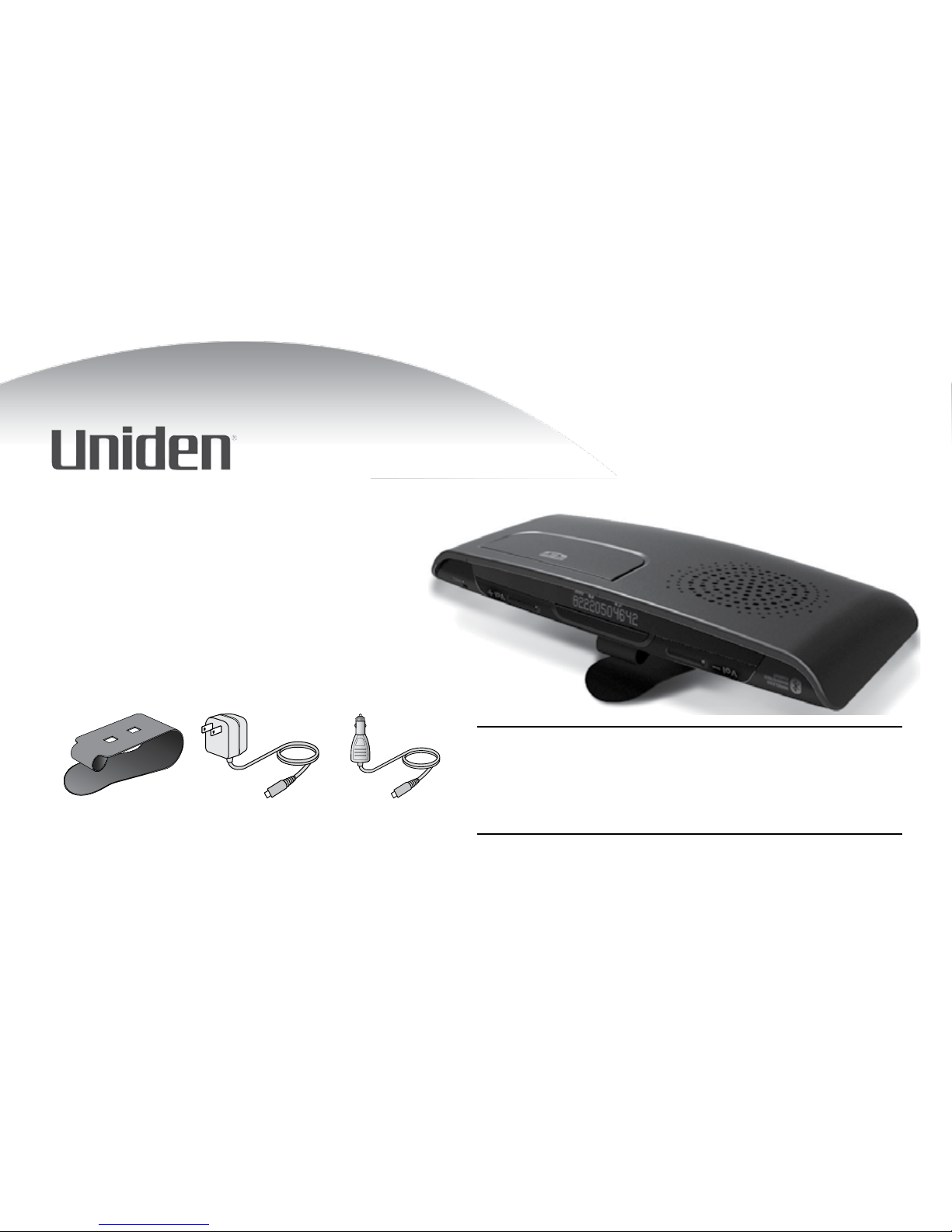
BTSC1500
Bluetooth Travel Kit
User’s Guide
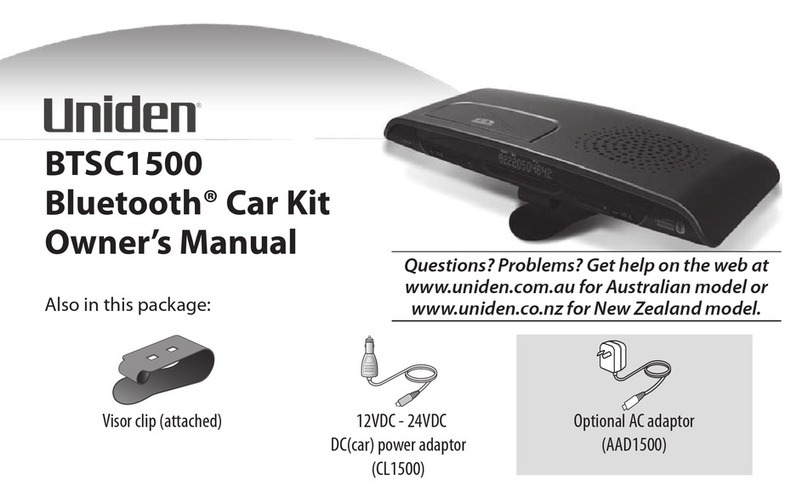
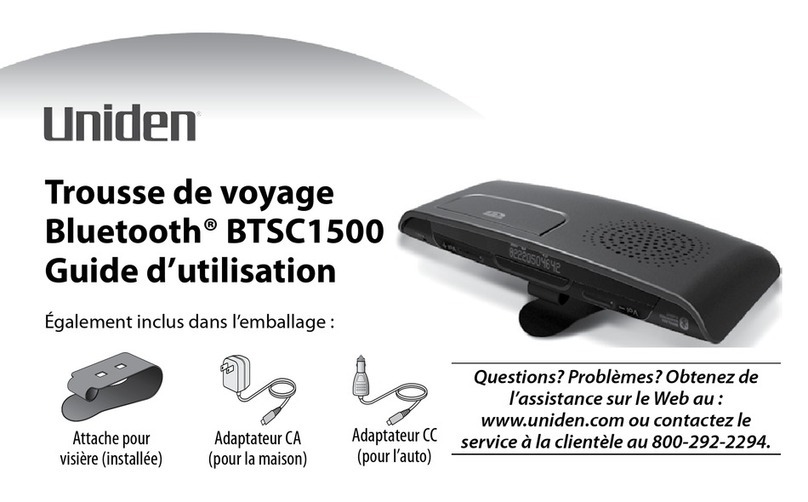
Also in this package:
Questions? Problems? Get help on the web at
www.uniden.com
or call our Customer Service line at
800-292-2294.
Visor clip AC (indoor)
power adapter
DC (travel)
power adapter
2
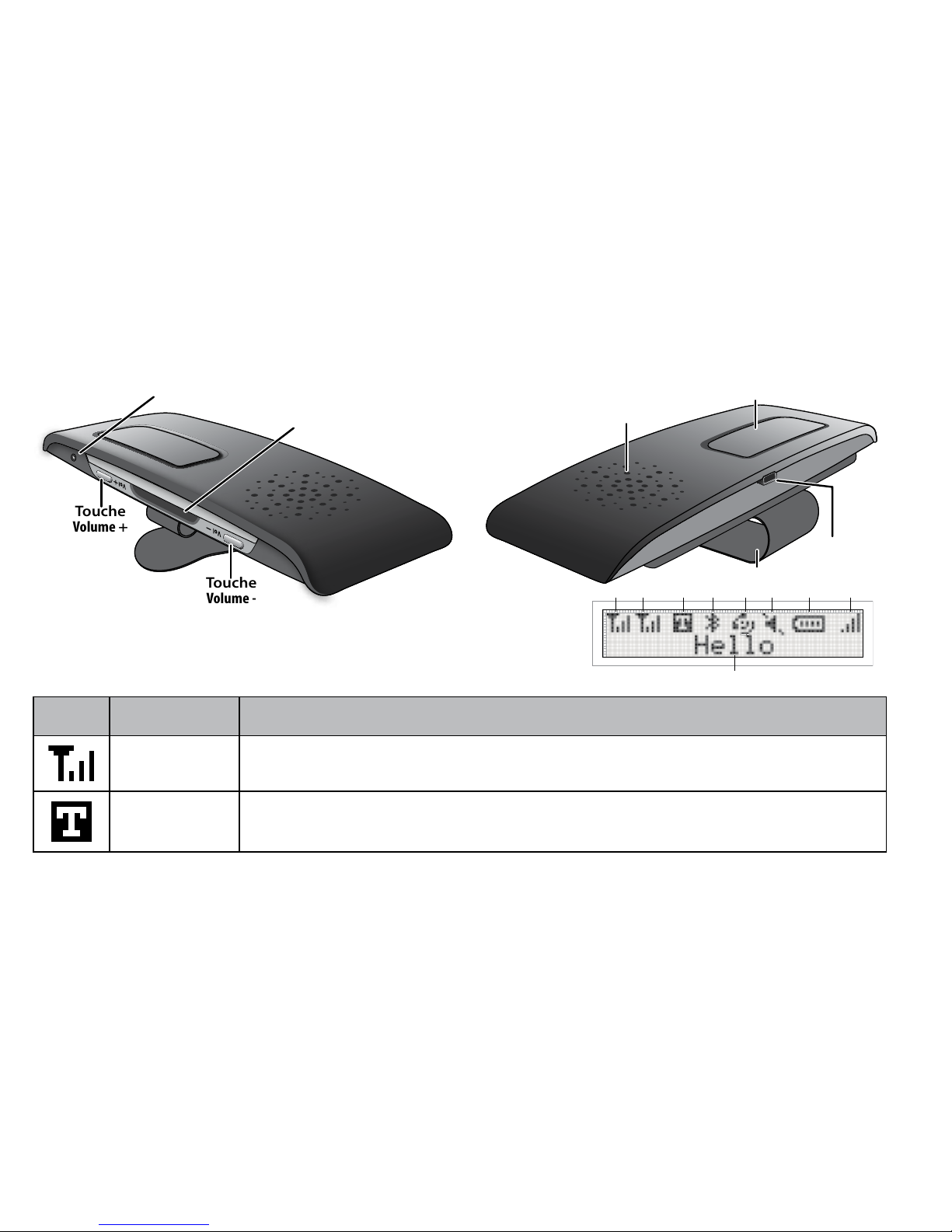
Getting to Know the Travel Kit
Reading the display icons
Icon Name What it means
Signal strength Shows the relative strength of the Bluetooth signal (appears separately for each
connection).
Text to speech Text to speech mode is on.
Achage
Microphone
Touche
Volume +
Touche
Volume -
Avant
Achage
Microphone
Touche
Volume +
Touche
Volume -
Avant
Attache pour
visière
Connecteur
d‘alimentation
Touche
multifonction
Haut-parleur
Arrière
Attache pour
visière
Connecteur
d‘alimentation
Touche
multifonction
Haut-parleur
Arrière
3
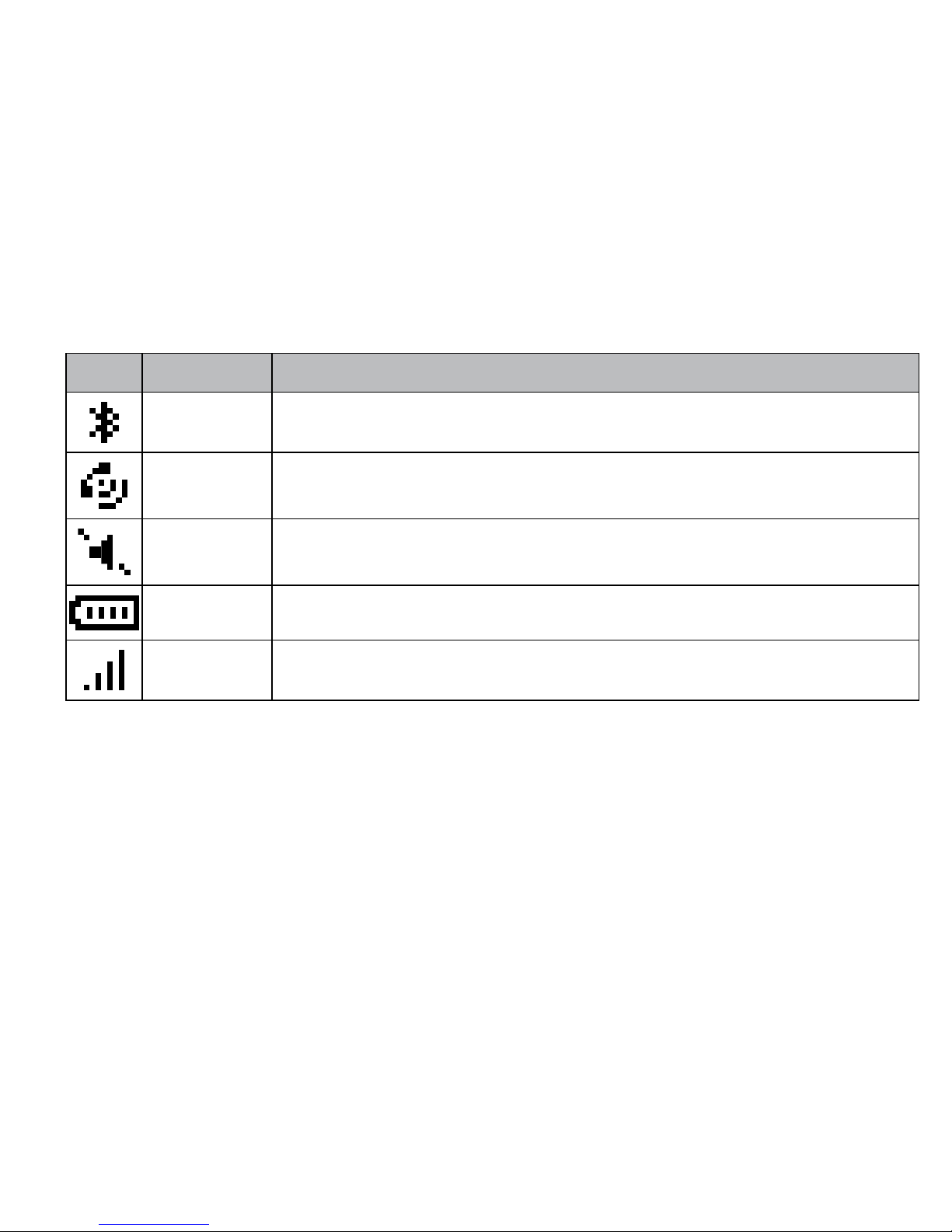
Icon Name What it means
Bluetooth The travel kit is currently paired to a Bluetooth device.
Call activation The travel kit is on an active call.
Mute The microphone is muted.
Battery Shows the relative strength of the battery.
Volume level Shows the current volume level.

4
Using the Buttons
Button Press to Press & hold (2 seconds) to Press & hold (4
seconds) to
Multi-
function
In standby: redial the last number.
While a call is ringing: answer the
call.
On a call: hang up.
-
-
-
In standby: activate voice dialing.
While a call is ringing: reject the call.
On a call: transfer the call to your
phone (and back).
-
-
-
In standby: turn the
travel kit o.
-
Volume
Up
In standby: see the outgoing call
log.
On a call: increase the volume.
-
-
In standby: activate voice dialing on
your second phone.
-
On a call: put the
current call on hold
and switch to a
waiting call.
-
Volume
Down
In standby: see the received call log.
On a call: decrease the volume.
-
-
In standby: redial the last number on
your second phone.
On a call: mute the microphone.
-
-
On a call: hang up the
current call and switch
to a waiting call.
-
The buttons only activate the function when you release them.

5
Setting Up Your Travel Kit
Charge the Battery
Before using your travel kit, charge the battery for at least 3 hours. Charging the battery
completely (and keeping it charged) will help you get the longest possible talk and
standby time out of the battery. (On average, the battery provides about 12 hours of talk
time and about 10 days of standby time.)
Connect either adapter to the power connector on the back of the travel kit. Connect
the AC adapter to any standard 120 V AC (regular indoor) power outlet. Connect the DC
adapter to any standard 12 V DC (regular automobile) power outlet.
Use ONLY the power adapters supplied with the travel kit! Using any other adapter
could damage your travel kit, create a re hazard, or cause a risk of electric shock!
Pair the Travel Kit to your Bluetooth Phone
Pairing is like “introducing” two Bluetooth devices and giving them permission to
connect to each other. If you want to use the travel kit with more than one phone, you
need to pair it with each phone separately. Once you pair a phone to the travel kit, the
two devices can connect automatically whenever they can detect each other.

6
Make sure the travel kit is powered o and the power adapter is not connected (you can’t use the
travel kit while it’s charging).
Press and hold
Multi-function
until the display shows Pairing Mode and you hear the Pairing
melody. This means the travel kit is visible to other Bluetooth devices.
On your phone, start a search for Bluetooth travel kits or hands-free devices. (This process may
take several seconds, and it will be dierent for each mobile phone; see your phone’s owner’s
manual for detailed instructions.)
Your phone should discover a device called a BTSC-1500 or a Handsfree device.When your
phone asks if you want to pair with this device, answer yes.
When your phone prompts you for a PIN code or password to pair with the BTSC-1500, enter
0000.
When the travel kit is paired, connected displays and the travel kit beeps. Your phone might
display a conrmation message, also.
Your phone might ask if you want to change the travel kit’s name; generally, you should only
change the name if you have more than one BTSC-1500 that you use with this phone.
1)
2)
3)
4)
5)
6)
7)

7
Connecting to your phone
Most phones connect to the travel kit as soon as you pair it; if yours won’t, turn the
travel kit o and back on. If the travel kit still won’t connect, check your phone’s owner’s
manual for additional information.
Once the travel kit is paired:
Each time you turn the travel kit on, it automatically connects to whatever device it
was connected to last.
If the travel kit loses the connection (e.g., if your phone is out of range), it should
reconnect automatically when it detects the phone again. To manually reconnect,
press
Multi-function
.
If the travel kit is inactive for 10 minutes, the display turns o. It turns back on if it
detects activity or a button press. If there is more than 1 hour without a Bluetooth
connection, it will automatically turn itself o.
Inverting the Travel Kit
The travel kit can operate upside down so you can clip it to either side of your visor.
To reverse the visor clip: press in on the two tabs that come through the holes in the clip,
and slide the clip out. Rotate the clip 180 degrees and slide it back in.

8
To invert the display: press & hold
Volume Up
and
Volume Down
(at the same time) for 2
seconds.
Using Your Travel Kit
To turn on the travel kit, press and hold
Multi-function
until the display shows Hello and
you hear the Power-on melody (this takes about 8 seconds).
To turn o the travel kit, press and hold
Multi-function
until the display shows Goodbye
and you hear the Power-o melody (this takes about 4 seconds).
Making and Receiving Calls
To make a call
Just dial from your phone as usual. Your phone should automatically send the call to the
travel kit. If it doesn’t, press and hold
Multi-function
for 2 seconds to send the call to the
travel kit manually.
To answer a call
Press
Multi-function
while the call is ringing.

9
Common Tasks
Hang up a call During a call, press
Multi-function
.
Reject a call Press and hold
Multi-function
until you hear a long beep (about 2 seconds).
Change the volume During a call, press
Volume Up
for more volume or
Volume Down
for less volume.
Mute the
microphone
To mute the microphone so the caller can’t hear you, press and hold
Volume Down
for about
2 seconds. While the microphone is muted, the travel kit plays a melody every 10 seconds to
remind you. To turn the microphone back on, press either
Volume Up
or
Volume Down
.
Open the call log With the phone in standby, press
Volume Up
to see the outgoing call log or
Volume Down
to
see the incoming call log. To dial the number on the display, press
Multi-function
.
Redial the last
dialed number
With the phone in standby, press
Multi-function
. When the phone displays the number, press
Multi-function
again.
Activate voice
dialing
With the phone in standby, press & hold
Multi-function
for about 2 seconds. When you hear
a beep, you can use any command you have already programmed into your phone. (The phone
must support voice dialing.)
Send a call back to
your phone.
Press and hold
Multi-function
for 2 seconds. The travel kit sends the call to the phone &
disconnects from the phone.

10
Special Features
Caller ID Announce
When a call comes in, the travel kit sounds a ring tone and displays Caller ID information.
In addition, the travel kit uses text-to-speech to announce the caller’s phone number. To
turn text-to-speech o (and back on), press
Volume Up
&
Volume Down
at the same time.
Call Waiting
When another call comes in while you’re on the phone, the travel kit sounds a tone and
displays Caller ID information for the waiting call.
To put your current call on hold and switch to the waiting call, press and hold
Volume
Up
until you hear 2 long beeps (about 4 seconds). When you release the button, you’ll
be connected to the waiting call. When you want to switch back to the current call,
press and hold
Volume Up
again to switch back to the current call.
To hang up your current call and switch to the waiting call, press and hold
Volume
Down
until you hear 2 long beeps (about 4 seconds). When you release the button,
you’ll be connected to the waiting call.
To use this feature, you must subscribe to Call Waiting through your service provider,
and your phone must support the hands-free prole.
Other manuals for BTSC1500
2
Table of contents
Other Uniden Automobile Accessories manuals