Valcom V-119RT User manual

VSP-V-119RT
Issue 6
1947119M
V-119RT
19 STATION ROTARY-TONE INTERCOM
GENERAL
These instructions provide identification, installation,
operation, connection and maintenance information
for the V-119RT intercom unit.
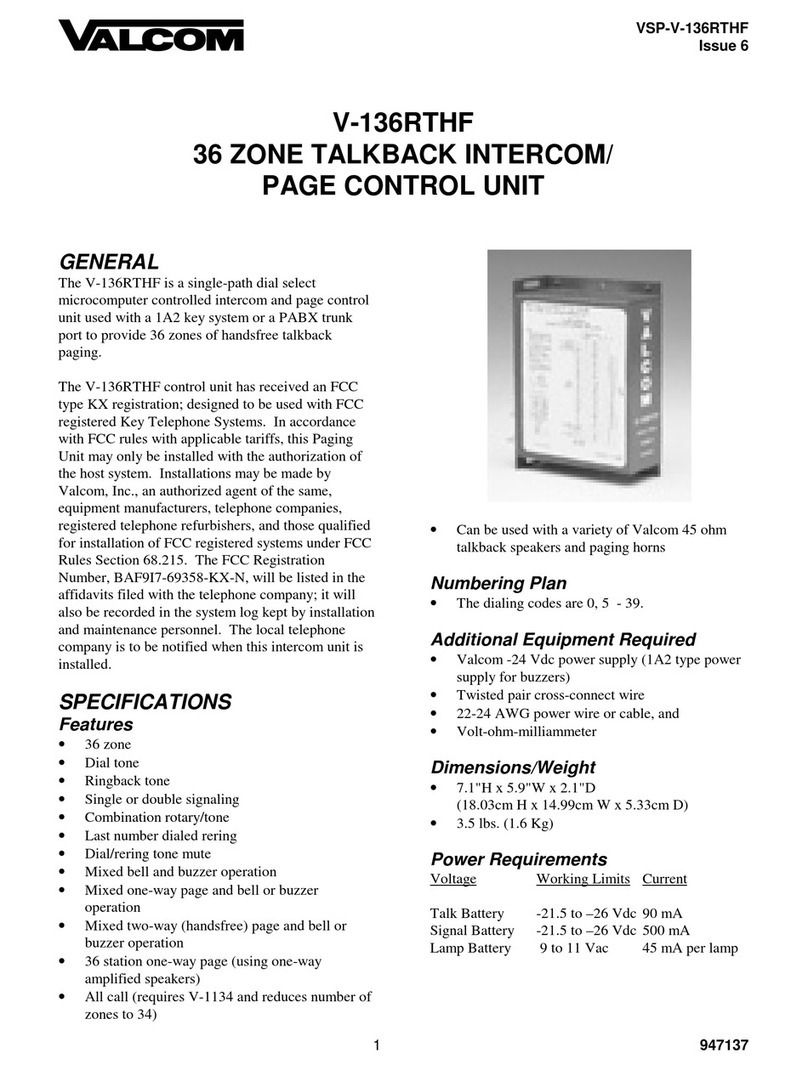
The V-119RT is a single-path dial select
microprocessor controlled intercom unit to be used
with 1A2 Key Telephone Systems.
This paging unit has received an FCC type KX
registration and is designed to be used with FCC
registered key telephone systems. Installations may
be made by Valcom, Inc., telephone equipment
manufacturers, telephone companies, registered
telephone refurbishers, and those qualified for
installation of FCC registered systems under FCC
Rules Section 68.215.
In accordance with FCC rules with applicable tariffs,
this intercom unit may only be installed with the
authorization of the owner of the host system.
The FCC Registration Number
BAF9I7-69366-KX-N, will be listed in the affidavits
filed with the telephone company; it will also be
recorded in the system log kept by installation and
maintenance personnel. The local telephone
company is to be notified of the FCC Registration
Number when this intercom unit is installed.
This equipment generates and uses radio frequency
energy and if not installed and used properly, that is,
in strict accordance with the manufacturer's
instructions, may cause interference to radio and
television reception. It has been tested and found to
comply with the limits for a Class B computing
device, in accordance with the specifications in
Subpart J of Part 15 of the FCC Rules, which are
designed to provide reasonable protection against
such interference. If this unit does cause interference
to radio and television reception, which can be
determined by turning the equipment off and on, the
user is encouraged to try to correct the interference by
one or more of the following measures:
•Reorient the receiving antenna.
•Relocate the equipment with respect to the
receiver.
•Plug the equipment into a different branch
circuit.
•Move the equipment away from the receiver.
SPECIFICATIONS
Purpose
•To provide 19 stations of intercom signaling to
1A2 key systems.
Applications
•1A2 key systems
Features
•19 stations or zones
•Dial tone
•Ringback tone
•Last number dialed re-ring (tone only)
•Conference calling on tone dial systems
•Personal signaling (tone only)
•Combined rotary and tone dialing
Capacity
•The capacity of the V-119RT is 19 stations.
•One talkpath.

2947119M
Numbering Plan
•The dialing codes are: 0, 1, 3-9, 20-29.

Dimensions/Weight
•7.1" H x 5.9" W x 2.1" D
•(18.03cm H x 14.99cm W x 5.33cm D)
•3.5 lbs. (1.6 kg)
Power Requirements
Voltage Working Limits Current
Talk battery –21.5 to –26 Vdc 100 mA
Signal battery –21.5 to –26 Vdc 150 mA
Lamp battery 9V to 11 Vac 45 mA
per lamp
Electrical Characteristics
Parameters Working Limits
Input Imp. T and R 600 Ohm (incl. inst.)
Signal Contacts 0.5 amps
Signaling Time 1.0 sec.
Dial Pulses 8-12 PPS
60-40 Break ratio
+10%
Tone Signals Industry Standard
Frequency
Bandwidth 3%
Twist 6db
Detect 40 MS
Interdigital Time 40 MS
Environmental
Temperature 0/ to 50/ C
Humidity 0/ to 85/ Non-precip.
INSTALLATION
These instructions cover only the installation
procedures for the Valcom V-119RT. Consult
the installation instructions for other equipment that
may be used.
Precautions
All precautions have been taken at the factory to
insure that the equipment functions properly. To
insure proper operation and to prevent equipment
damage, please observe the following:
•Unplug the power supply before making any
connections to the control unit.
•Do not locate the control unit closer than 18
inches or farther than 5 feet from the power
supply.
•Do not use a lamp tester to check signals, use a
voltmeter. A lamp tester when first applied is a
short circuit to electronic circuits.
•Do not apply power to the control unit until all
connections have been double-checked.
Mounting
Mount the V-119RT on a 7" KTU mounting, relay
rack, or on the wall.
Connections
__ 1. Fasten a 25 pair female amphenol ended
cable to the unit and terminate all leads on a
66 type block.
__ 2. Strap A ground, B ground and lamp ground
audible signal ground common at power
supply.
__ 3. Refer to Figure 1 for connecting block
layout and connections.
__ 4. Refer to Figure 2 for connections to 1A2
Key Systems.
OPERATION
To place an intercom call, go off-hook and dial tone
will be heard. Dial the number of the desired zone or
station. Dial tone will be broken after the first
number is dialed. A one second ringback tone will
indicate that the called station is being signaled.
Last Number Dialed Re-Ring
To re-ring the same station, press the "*" button. The
station will be signaled as long as the "*" is pressed.
Personal Signaling
When initiating a call, press the "*" and then the
station number. A double tone will be sent to the
called station.
Conference Calling
To dial a new number (tone dial only), or to initiate a
conference call, press the "#" button. Dial tone will
be returned to the calling party. Dial new number.

3947119M
CIRCUIT DESCRIPTION
This unit provides the common equipment necessary
to supply 19 stations of dial select intercom when
connected to 1A2 or equivalent telephone systems.
Detailed Description
When a station user lifts handset to make an ICM
call, the switchhook contacts in the telephone close
the tip and ring to form a loop which returns battery
back to turn on a transistor which operates relay and
logic circuit to return dial tone and lamp battery to
telephone set. The logic circuit receives dialing
information and operates relays and circuitry to
supply ringing or buzzer voltage to the station
selected.
TECHNICAL ASSISTANCE
When trouble is reported, verify that:
•All telephone sets are in proper working order;
•Power is being supplied to the unit;
•There are no broken connections at the
connecting block;
•The conductors of color-coded cables are
terminated in the proper order.
If trouble still exists, the test equipment listed below
shall be required:
•Volt-ohm-multimeter
•Tone-dial single line instrument (for tone-dial
systems)
•Telephone test set
•Clip leads
Test lamps must not be used to check voltages. They
can damage electronic circuits. When a hand test set
is used to check voltages, the results will be
misleading.
Before proceeding further, check the voltages at the
connecting block. An undetected blown fuse or low
voltage will cause improper control operation. DC
voltage measurements are made with respect to (+)
ground.
If the trouble has not been located, refer to Table 1.
This chart identifies symptoms of some possible
problems and solutions.
If a spare unit is available, continue to troubleshoot
by substituting the spare unit for the specified unit.
If, after all the required tests have been performed,
the trouble still exists, assistance in troubleshooting is
available from the factory. When calling, you should
have a VOM, a telephone test set and several clip
leads available and be calling from the job site. Call
(540) 427-3900 and ask for Technical Support, or
call (540) 427-6000 for Valcom Automated Support
or visit our website at http://www.valcom.com.
The V-119RT is not field repairable. Valcom
equipment contains no user serviceable parts
inside. Valcom, Inc. maintains service facilities in
Roanoke, VA. Should repairs be necessary, attach a
tag indicating company name, address, phone
number, contact person, and the nature of the
problem. Send the unit to:
Valcom, Inc.
Repair and Return Dept.
5614 Hollins Road
Roanoke, VA 24019-5056

4947119M
TABLE 1
TROUBLESHOOTING CHART
PROBLEM PROBABLE CAUSE AND CORRECTION
No side tone.
No dial tone.
No lamps.
No audible signal at station
dialed.
Check "A" battery connections, polarity and voltage.
Check "B" battery connections, polarity and voltage.
Check lamp supply voltage and input. Verify that grounds are common at
power supply.
Check signal voltage at supply and frame locations. Verify that grounds are
common at power supply.
VALCOM LIMITED WARRANTY
Valcom, Inc. warrants its products to be free from defects in materials and workmanship under conditions of normal use and service
for a period of one year from the date of shipment. The obligation under this warranty shall be limited to the replacement, repair or
refund of any such defective device within the warranty period, provided that:
1. inspection by Valcom, Inc. indicates the validity of the claim,
2. the defect is not the result of damage, misuse, or negligence after the original shipment.
3. the product has not been altered in any way or repaired by others and that factorysealed units are unopened (A service
charge plus parts and labor will be applied to units defaced or physically damaged),
4. freight charges for the return of products to Valcom are prepaid,
5. all units ‘out of warranty’ are subject to a service charge. The service charge will cover minor repairs (Major repairs will be
subject to additional charges for parts and labor).
This warranty is in lieu of and excludes all other warranties, expressed or implied, and in no event shall Valcom, Inc. be
liable for any anticipated profits, consequential damages, loss of time or other losses incurred by the buyer in connection
with the purchase, operation, or use of the product.
This warrantyspecifically excludes damage incurred in shipment. In the event a product is received in damaged condition, the
carrier should be notified immediately. Claims for such damage should be filed with the carrier involved in accordance with the
F.O.B. point.
Headquarters: In Canada
Valcom, Inc. CMX Corporation
1111 Industry Avenue 35 Van Kirk Drive #11 and 12
Roanoke, VA 24013 Brampton, Ontario L7A1A5
Phone: (540) 427-3900 Phone: (905) 456-1072
FAX: (540) 427-3517 FAX: (905) 456-2269

5947119M
26
1
27
2
28
3
29
4
30
5
31
6
32
7
33
8
34
9
35
10
36
11
37
12
38
13
39
14
40
15
41
16
42
17
43
18
44
19
45
20
46
21
47
22
48
23
49
24
50
25
W/BL
BL/W
W/O
O/W
W/GR
GR/W
W/BR
BR/W
W/S
S/W
R/BL
BL/R
R/O
O/R
R/G
G/R
R/BR
BR/R
R/S
S/R
BK/BL
BL/BK
BK/O
O/BK
BK/G
G/BK
BK/BR
BR/BK
BK/S
S/BK
Y/BL
BL/Y
Y/O
O/Y
Y/G
G/Y
Y/BR
BR/Y
Y/S
S/Y
V/BL
BL/V
V/O
O/V
V/G
G/V
V/BR
BR/V
V/S
S/V
ABC DEF
T
R
LB
L
LG
RET 0
PC
STA 0
RET 1
STA 1
RET 3
STA 3
RET 4
STA 4
RET 5
STA 5
RET 6
STA 6
RET 7
STA 7
RET 8
STA 8
RET 9
STA 9
RET 20
STA 20
RET 21
STA 21
RET 22
STA 22
RET 23
STA 23
RET 24
STA 24
RET 25
STA 25
RET 26
STA 26
RET 27
STA 27
RET 28
STA 28
RET 29
STA 29
AUD G
AUD S
AG
AB
BG
BB
66B350
SPLIT BLOCK
ICM KEYS
POWER SUPPLY
ICM KEYS
PAGE CONTROL
INTERCOM
BELLS OR
BUZZERS
18 Vac OR
105 Vac
AUDIBLE
SIGNAL
POWER SUPPLY
NOTES:
1) AUDIBLE SIGNAL:
18 Vac BUZZ OR
105 Vac RING
2) POWER SUPPLY:
A BATT. –24 Vdc
FILTERED
B BATT. –24 Vdc
UNFILTERED
3) AUDIBLE GND.,
LAMP GND., A GND.
AND B GND. MUST
BE COMMON AT
POWER SUPPLY
4) FOR TONE DIAL
OPERATION:
*PROVIDES RERING
# PROVIDES RESET
FOR CONFERENCE
FIGURE 1: Connecting Block Arrangement for V-119RT

6947119M
26
1
27
2
28
3
29
4
30
5
31
6
32
7
33
8
34
9
35
10
36
11
37
12
38
13
39
14
40
15
41
16
42
17
43
18
44
19
45
20
46
21
47
22
48
23
49
24
50
25
W/BL
BL/W
W/O
O/W
W/GR
GR/W
W/BR
BR/W
W/S
S/W
R/BL
BL/R
R/O
O/R
R/G
G/R
R/BR
BR/R
R/S
S/R
BK/BL
BL/BK
BK/O
O/BK
BK/G
G/BK
BK/BR
BR/BK
BK/S
S/BK
Y/BL
BL/Y
Y/O
O/Y
Y/G
G/Y
Y/BR
BR/Y
Y/S
S/Y
V/BL
BL/V
V/O
O/V
V/G
G/V
V/BR
BR/V
V/S
S/V
ABC DEF
T
R
LB
L
LG
R0
PC
S0
R1
S1
R3
S3
R4
S4
R5
S5
R6
S6
R7
S7
R8
S8
R9
S9
R20
S20
R21
S21
R22
S22
R23
S23
R24
S24
R25
S25
R26
S26
R27
S27
R28
S28
R29
S29
AUD G
AUD S
AG
AB
BG
BB
66B350
SPLIT BLOCK
FIGURE 2:
C nnecti ns t 1A2 Key System
Multiple to
All Phones
TIP
Telephone
Intercom
Button
RING
LAMP
GND
Power
Supply
LAMP
GROUND
LAMP
SUPPLY
Bell or
Buzzer in
Telephone
able from
ontrol Unit
AUDIBLE
GROUND
AUDIBLE
SUPPLY
A GND
A BATT
(-24VDC)
B GND
B BATT
(-24VDC)
LAMP

7947119M
BATTERY
FEED
A GROUND
A BATTERY
TIP
RING
MICROPROCESSOR
TONE DECODER
K1
K2
K8
POWER
SUPPLY
B GROUND
B BATTERY
LAMP SUPPLY
LAMP
PAGE CONTROL
R29
R1
R0
AUDIBLE
GROUND
AUDIBLE
SUPPLY
S29
S28
S21
S20
S9
S8
S2
S1
K1
K3
K4
K5 K1
K2
K2
K3
K4
K5
K6
K7
V-119RT SIMPLIFIED SCHEMATIC
K8
K8
Table of contents
Other Valcom Intercom System manuals

Valcom
Valcom V-2926 User manual

Valcom
Valcom VIP-176 User manual

Valcom
Valcom V-2928 User manual

Valcom
Valcom V-1109RTHF User manual

Valcom
Valcom V-2901 User manual

Valcom
Valcom VIP-9890-CB User manual

Valcom
Valcom VIP-429A-D-IC User manual

Valcom
Valcom V-2900 User manual

Valcom
Valcom V-2924A User manual

Valcom
Valcom VIP-422A-IC User manual

Valcom
Valcom VIP-172L-BRASS/SS User manual

Valcom
Valcom VIP-160A-IC User manual

Valcom
Valcom V-1074 User manual

Valcom
Valcom V-2925 User manual

Valcom
Valcom IP bold series Installation instructions

Valcom
Valcom V-2924A User manual

Valcom
Valcom V-1074 User manual

Valcom
Valcom V-2901A User manual

Valcom
Valcom V-2924A User manual

Valcom
Valcom VIP-176A User manual