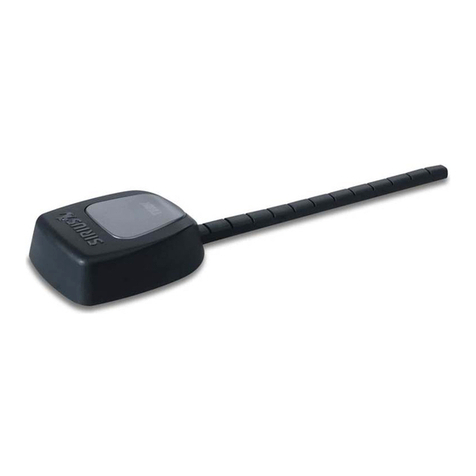
2.4/5 GHz Junction Box Wi-Fi Antenna
Antenna Positioning (cont.):
2. Remove the cover plate from the front of the junction box using a standard screwdriver.
3. Loosen the pivot screws on both sides of the junction box using a Phillips head screwdriver.
4. Loosen the positioning screws on both sides of the junction box using a Phillips head screwdriver.
5. Grip both positioning screws between thumbs and index ngers, and rotate the antenna to the desired position.
6. Hold one positioning screw in place and tighten the other screw at the desired position. Then, tighten the second
positioning screw.
7. Tighten the pivot screws to lock the antenna’s position.
Note 3: Do not reinstall the cover plate until after the antenna is positioned within the drywall as described in the next steps.
Junction Box Installation and Connection:
Note 4: The Junction Box Wi-Fi Antenna can be installed in many dierent environments / locations. The procedures in this
step describe a common in-wall installation environment.
Note 5: The following installation steps assume the location of the access point has already been selected.
Note 6: Reminder: When installing the junction box into the wall, ensure the articulation arc is at the top of the junction box
for an upward pointing RF beam, or the bottom of the junction box for an downward pointing RF beam.
1. Trace the outline of the junction box on the drywall at the location of desired antenna placement.
2. Cut out the traced section of drywall with a utility knife or other tool. Remove the cut section of drywall.
3. Run a cable snake or pull cord inside drywall from the access point (AP) to the mounting hole for the junction box.
4. Attach the pull cord to the connector side of the antenna’s cables.
5. Pull the cables through the rectangular hole in the drywall.
6. Install the edge of the junction box with the cables into the rectangular cut out in the drywall rst.
7. Rotate the other side of the junction box into the hole just after the cable end of the junction box antenna clears the inside
of the drywall.
8. Push the junction box fully into the hole until the face of the junction box is ush with the drywall.
9. Tighten the four junction box wall anchors by tightening the wall anchor screws with a Phillips head screwdriver. Ensure
the junction box is secured within the drywall.
10. Cover the junction box with the wall plate that shipped with the antenna.
11. Connect the cables to the AP.