67
User Manual Viscount Choir Master
1. Important notes ............................................................................... 69
1.1 Looking after the product ........................................................................69
1.2 Notes about the manual ............................................................................70
2. Introduction ..................................................................................... 71
3. Connections and controls................................................................. 72
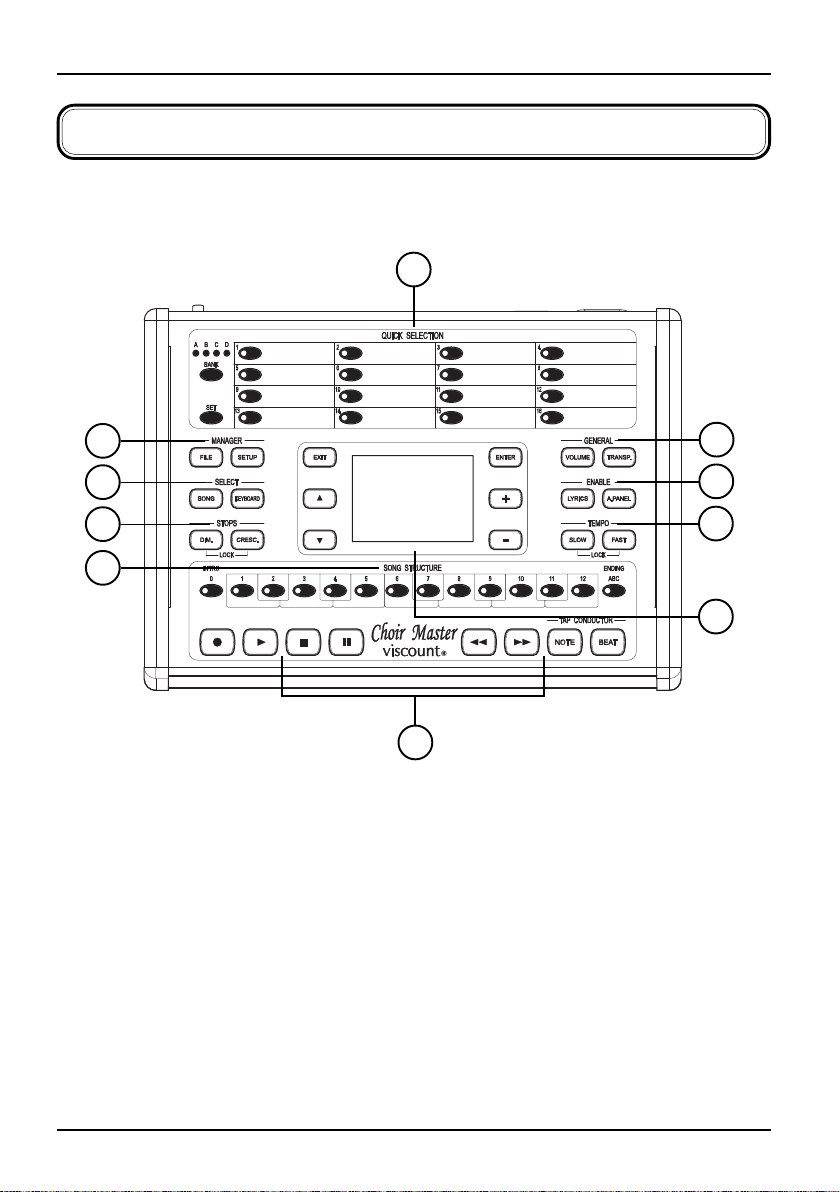
3.1 Front panel .................................................................................................72
3.2 Rear panel ...................................................................................................75
4. Finding and loading a song ............................................................. 77
4.1 Song Select function ..................................................................................77
4.2 Searching by digits .....................................................................................80
4.3 Searching by notes .....................................................................................81
5. Playing a song .................................................................................. 83
5.1 Main video page and play ......................................................................... 83
5.2 Tap Conductor advancement ...................................................................85
5.3 Adjusting the play speed ...........................................................................89
5.4 Adjusting volume and transposition .......................................................90
5.5 Controlling the organ stops ...................................................................... 91
5.6 Song lyrics display ......................................................................................93
6. Quick Selection locations ................................................................. 96
7. Recorder ........................................................................................... 98
7.1 First recording ............................................................................................99
7.2 Overdubbing ............................................................................................100
8. File Manager .................................................................................. 103
8.1 Copying files or folders ...........................................................................105
8.2 Moving files or folders ............................................................................107
INDEX