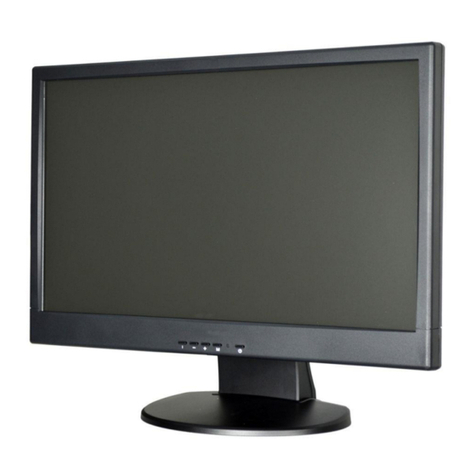
Vista VFS132WHDA Guide

Installation and user instructions for:
VFS32WHDA
VFS132WHDA Installation and User
manual

TABLE OF CONTENTS
⚫CE information ------------------------------------------------------------------------ 1
⚫Safety precautions -------------------------------------------------------------------- 1
⚫Before you begin ------------------------------------------------------------------- 2
1. Scope -------------------------------------------------------------------------------------- 4
2. Functional specification ------------------------------------------------------------- 4
3. Controls and indicators -------------------------------------------------------------- 7
4. OSD Menu -----------------------------------------------------------------------------10
5. Regulatory Info ------------------------------------------------------------------- 23
6. Mechanical -------------------------------------------------------------------24
⚫Wall mount notes ---------------------------------------------------------------------25
⚫Base Assembly Installation------------------------------------------------------- 26

1
CE INFORMATION
The product must be installed according to the currently valid installation regulations for
EMC to guarantee the designed use and to prevent EMC problems.
The device supplied with this manual is according to the EC, EMC Directive,
2014/30/EU & LVD 2014/35/EU
SAFETY PRECAUTIONS
1. Do not modify the three-prong grounding type monitor power plug in any way.
2. Operate this unit only from the type of power source indicated on the label.
3. Do not block or cover ventilation openings on the back or bottom of the monitor cabinet.
4. Do not place this monitor near a radiator or heating vent.
5. Do not push objects of any kind through cabinet openings. This may result in fire or
electrical shock.
6. Before adding attachments always ask a service technician to perform routine safety
tests to determine that equipment is in safe operating condition. Ground potential tests
should be part of the routine safety check made by the service technician.
7. Do not place monitor on an unstable surface, stand, or shelf where it may fall and injure
personnel or damage equipment.
8. Route power cords so that they cannot be walked upon or tripped over. Do not allow
anything to rest on the power cord.
9. Do not install monitor in wet areas, or where it may be exposed to rain or water. Do not
spill liquid of any kind on the unit.
10.Unplug the power cord from the unit before cleaning the display. Use only a damp cloth.
Do not use alcohol, spirits, or ammonia to clean the display. DO NOT ATTEMPT TO
CLEAN THE INTERIOR OF THIS UNIT- THIS ACTION MUST BE PERFORMED BY
THE SERVICE TECHNICIAN AS REQUIRED DURING NORMAL MAINTENANCE.
11.Refer all servicing to qualified service personnel. REMOVAL OF BACK COVER BY
UNAUTHORIZED PERSONNEL MAY EXPOSE THE USER TO DANGEROUS
VOLTAGES OR OTHER HAZARDS.
12.Unplug the unit immediately and notify the service technician:
A. If liquid has been spilled into the display or the display has been exposed to rain or
water.
B. If the unit has been dropped or the casing is damaged.
C. If fuses continue to blow.
D. If the power cord is damaged or frayed.
E. If a distinct change from normal operation is apparent.
When replacement parts are required, be sure that the service technician uses components
specified by the manufacturer which have the same characteristics as the original parts.
UNAUTHORIZED SUBSTITUTIONS MAY RESULT IN FIRE, ELECTRICAL SHOCK OR
OTHER HAZARDS.
Upon completion of any service or repairs, ask the technician to perform safety checks to
determine that the equipment is in safe operating condition.
WARNING: SERIOUS SHOCK HAZARDS EXIST WITHIN THE COVERS OF THIS
MONITOR. DO NOT OPEN THE COVERS UNDER ANY CIRCUMSTANCES,
THERE ARE NO USER SERVICEABLE COMPONENTS INSIDE

2
Before You Begin
Read these instructions before installing or operating this product.
Note: This installation should be made by a qualified service person and should conform to
local codes.
This manual provides installation and operation information. To use this document, you
must have the following minimum qualifications:
A basic knowledge of CCTV systems and components
A basic knowledge of electrical wiring and low-voltage electrical connections
Intended use
Only use this product for its designated purpose; refer to the product specification and user
documentation.
Customer Support
For assistance in installing, operating, maintaining and troubleshooting this product refer to
this document and any other documentation provided. If you still have questions, please
contact Norbain Technical Support and Sales:
Norbain SD, Inspired, Easthampstead RD, Bracknell , RG12 1YQ, England.
UK +44 (0) 118 912 5000
Note: You should be at the equipment and ready with details before calling Technical
Support.
Conventions Used in this Manual
Boldface or button icons highlight command entries. The following WARNING, CAUTION
and Note statements identify potential hazards that can occur if the equipment is not
handled properly:
* WARNING:
Improper use of this equipment can cause severe bodily injury or equipment
damage.
** Caution:
Improper use of this equipment can cause equipment damage.
Note: Notes contain important information about a product or procedure.

3
This apparatus is manufactured to comply with the radio interference.
A Declaration of Conformity in accordance with the following EU standards has
been made. The manufacturer declares that the product supplied with this
document is compliant the provisions of the EMC Directive 2014/30/EU, the CE
Marking Directive 93/68 EEC and all associated amendments.
All lead-free products offered by the company comply with the requirements of
the European law on the Restriction of Hazardous Substances (RoHS)
directive: 2011/65/EU, which means our manufacture processes and products
are strictly “lead-free” and without the hazardous substances cited in the
directive.
The crossed-out wheeled bin mark symbolizes that within the European Union
the product must be collected separately at the product end-of-life. This
applies to your product and any peripherals marked with this symbol. Do not
dispose of these products as unsorted municipal waste.
* This symbol indicates electrical warnings and cautions.
** This symbol indicates general warnings and cautions.
NORBAIN SD reserves the right to make changes to the product and specification of the
product from time to time without prior notice.
WARNINGS AND CAUTIONS:
To reduce the risk of fire or electric shock, do not insert any metallic objects through the
ventilation grills or other openings on the equipment.
WARNING
This is a Class A product. In a domestic environment this product may cause radio
interference in which case the user may be required to take adequate measures.
CAUTION
WARNING: TO REDUCE THE RISK OF ELECTRIC SHOCK,
DO NOT REMOVE COVER (OR BACK).
NO USER-SERVICABLE PARTS INSIDE.
REFER SERVICING TO QUALIFIED SERVICE PERSONNEL.
RISK OF ELECTRIC SHOCK
DO NOT OPEN

4
1. Scope
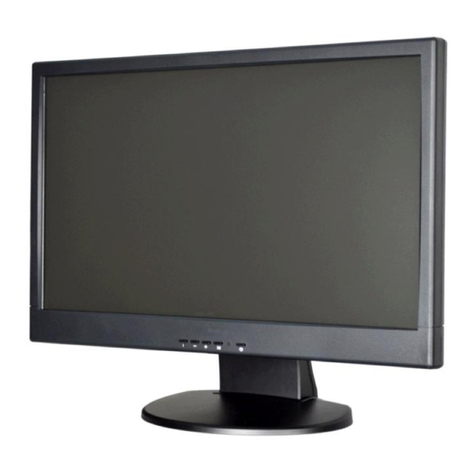
This specification is used to define the performance of VFS32WHDA color TFT LED
monitor. This system also supports both video input and PC input. In video input
mode, the system can automatically detect the CVBS, AHD and TVI signal. In PC
mode, this system can support up to 1920 x 1080 VESA standard.
The user friendly OSD menu is also provided to make this system easy to operate.
2. Functional Specifications
2.1 Power Supply
The power supply spec is listed below, AC INPUT
AC power input range
:
Rated voltage 100 –240 Vac +/- 10%,47~63Hz, 0.74 Amps
max.
* Power consumption:60 W max.
* Power efficiency:80% typical at normal line input and fullload.
2.2 Video Characteristics
Composite Video (CVBS) / AHD 2.0 1080P / TVI 2.0 1080P: 1.0 Vp-p (0.5 –1.5Vpp),
Automatic switching from 75 unbalanced termination to Hi-Z with
loop-throughoperation.
Y/C (S-video): 1.0 Vp-p (0.5 –1.5Vpp), Automatic switching from 75 unbalanced
Termination to Hi-Z with loop-through operation.
2.3 PC Input
⚫VGA Input
Analog RGB: 0.707 Vp-p. Support VESA StandardTiming
⚫HDMI Input
HDMI Compatible Interface Digital Signal: TMDS. HDCP: HDCP 1.1
2.4 Audio Input
Signal Level: 1.0 Vrms

5
2.5 Environmental
Temperature
Operating: 00C to +400C
Storage: -200C to +600C
Humidity
Operating: 10% to 85% (non-condensing)
Storage: 10% to 95% (non-condensing)
2.6 EDID
This series of displays support EDID, but does not support DDC2B function.

6
2.7 Connectors
A B C D E F G HI
A. AUDIO OUTPUT: Phone Jack, Stereo.
B. AUDIO INPUT: Phone Jack, Stereo.
C. AHD/TVI/CVBS OUT –Analog HD - AHD / TVI 2.0 & Analog SD –CVBS (PAL /
NTSC) Loop through output.
D. AHD/TVI/CVBS IN –Analog HD - AHD / TVI 2.0 & Analog SD –CVBS (PAL / NTSC)
input.
E. S-VIDEO (Y/C) INPUT: Mini-DIN 4 pins Connector.
F. .VGA INPUT: D-SUB 15 pins Connector.
G. HDMI INPUT: HDMI Connector.
H. AC Input: AC Power Plug IEC 320, C14
I. Power Switch: Power Switch Press the Switch to turn ON or turn OFF the monitor
Power

7
Set up sequence
1.
Make sure the power of PC and/or Video source were turned off.
2.
Plug the Video signal and VGA cable to monitor.
3.
Turns the PC and/or Video source power on.
4.
Plug the AC power cord onto AC Socket.
(Use reverse sequence to tear down the monitor)
3.Controls and indicators
AB CDE F
A. “ ”Source button
⚫Press the button to show source menu. Select HDMI, S-Video, VGA and
VIDEO(AHD/TVI/CVBS) input signal

8
B. “ ”Down buttons
⚫Press the buttons to scrolling the cursor to desired function.
⚫Press the buttons to decrease the value of selected function in sub OSD menu.
C. “ ”Up button
⚫Press the buttons to scrolling the cursor to desired function.
⚫Press the buttons to increase the value of selected function in sub OSD menu.
D. “ ”Menu button
⚫Press the button to show the OSD main menu.
⚫As a confirmation key during the OSD operation.
E. “ ” Power button
Press the button to turn ON or turn OFF the monitor
F. POWER LED Indication
⚫Green - Power on
⚫LED light off - Power off / Sleep mode (PC/HDMI mode only)
Table of contents
Other Vista Monitor manuals
Vista
Vista VFS-200LED Guide
Vista
Vista PVM10CAMN User manual

Vista
Vista PVM19CAM User manual
Vista
Vista PVM27DEC User manual
Vista
Vista VK2-PVMxxDEC Series User manual
Vista
Vista VFS24/32HDIP User manual
Vista
Vista VK2-PVM27CAM User manual
Vista
Vista VLFSM15D_h User manual

Vista
Vista TV14 Operation instructions

Vista
Vista VFS-200/HI-LITE Series User manual
Vista
Vista VM215 User manual

Vista
Vista VK2-PVM10CAM User manual
Vista
Vista DIAMOND User manual
Vista
Vista VFSM15 User manual

Vista
Vista VFS-300 Series Guide

Vista
Vista VK2-PVM32CAM User manual

Vista
Vista PVM27CAM User manual
Vista
Vista VFS100LEDe Series User manual
Vista
Vista VFS-221WHDA User manual
Vista
Vista VFS-300LED Guide