8
START USING YOUR RANGEHOOD
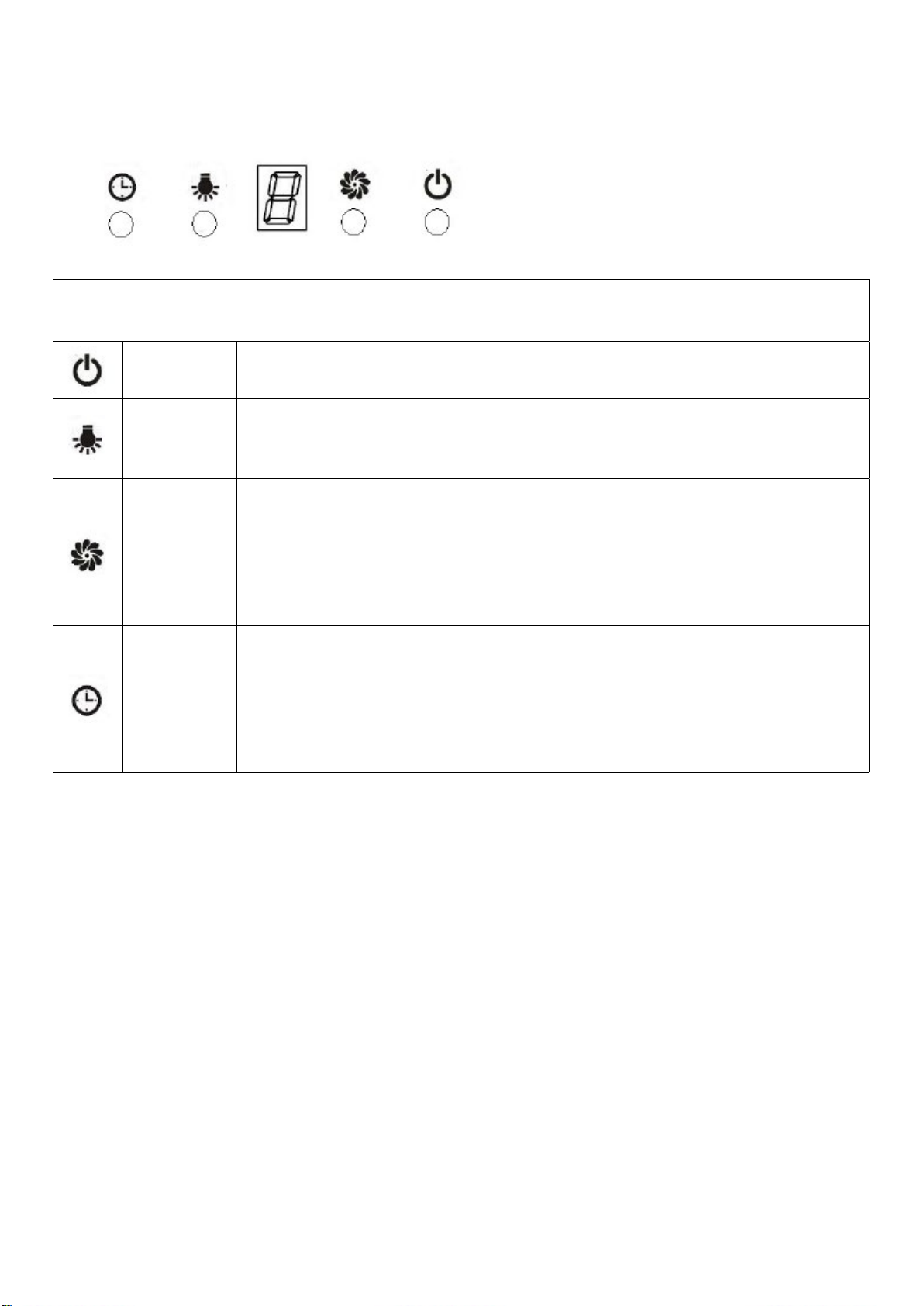
Electronic button with LED display & remote
After connecting to power, the control panel will be lighted and the buzzer will sound once.
Theoutputisoandthehoodenterintostandbymode.
On/O Switchestheventilationonando.
Light Switchesthelightonando.PleasenotetheLampisnotundercontrolof
theon/obutton.
Ventilation
Speed
The motor has the low speed, mid. speed and high speed.
When the hood is working with low speed, LED display will show 1.
Press the button, then the hood will transfer to the mid speed for working;
the LED will show 2 , press the speed button again , the hood will transfer
to the high speed for working immediately. And so on…
Timer
This is a 9 minute timer. When the hood is working, press this button to set
a time for motor operation. Press the button ,LED display will be shown
9.8.7.6until0,WhenLCDshows0,thehoodwillbeoautomaticallyand
the lamp will extinguish. If keep pressing “Timer” button, the hood will go in
or go out “Timer” function.
Connecting the remote control
• A New remote control has to establish a new connection to the cooker hood when used for
rsttime.Oneremotecontrolcouldpossiblycontrolseveralcookerhoodatthesametime.
Connection process between remote control and Rangehood
• Within 15S after the cooker hood connects to the power supply, long press for 5 seconds, the
indicatorslightbeginashingfromonebuttontoanother,thecookerhoodisinconnection
mode,pressanybuttononremotecontroltoconrmtheconnection.Theconnectionprocess
nishedandtheremotecontrolcanbeusedforspeedselection,lightingandtimersetting.
• If you want to connect again, you will need to clear the code that has been set up previously.
• Toclearthecode,pressfor5seconds,theindicatorslightbeginashingfromonebuttontoa
other, the cooker is in connection mode. Then, press again for 5 seconds, the previous
connection code is cleared.
• When the previous code has been cleared, the cooker hood back to standby mode, press
for5seconds,theindicatelightashingfromonebuttontoanother,thecookerhoodisin
connectionmode,then,pressanybuttononremotecontroltoconrmtheconnection.