Contents Index
Contents 4
Index
4
Customizing the pen 90
Adjusting tip feel and double-click 91
Adjusting eraser feel 92
Advanced tip and eraser pressure settings 92
Customizing tool buttons 93
Customizing tilt sensitivity 94
Customizing pen display functions 94
Customizing the ExpressKeys 95
Customizing the Touch Rings 96
Button functions 97
Using and customizing the Radial Menu 104
Working with Display Toggle 105
Application-specific settings 106
Creating an application-specific setting 107
Changing application-specific settings 108
Removing application-specific settings 108
Working with multiple tools 109
Renaming the tablet in the tablet list 110
TROUBLESHOOTING 111
Testing Cintiq 112
Testing controls and input tools 114
Testing the hardware control buttons 115
Testing the ExpressKeys 115
Testing the Touch Rings 115
Testing a pen 116
Display troubleshooting 117
General display problems 117
VGA problems 120
Pen tablet troubleshooting 121
General problems 121
Pen problems 123
Multi-touch problems 126
Windows-specific problems 127
Mac-specific problems 128
Technical support options 130
Obtaining software updates 131
FREQUENTLY ASKED QUESTIONS 132
CARE AND MAINTENANCE 134
Caring for Cintiq 134
Replacing the pen nib 135
OTHER USEFUL INFORMATION 137
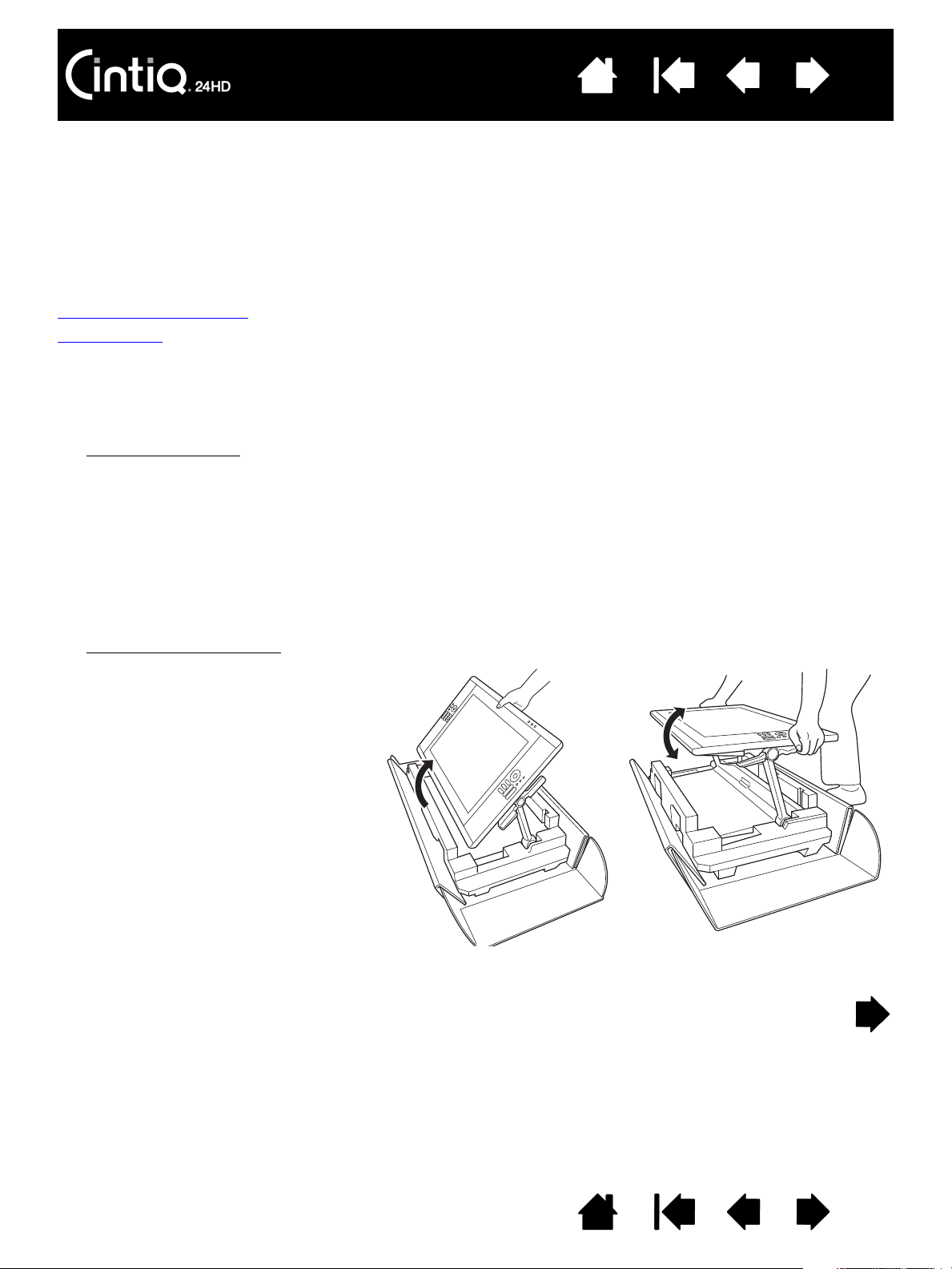
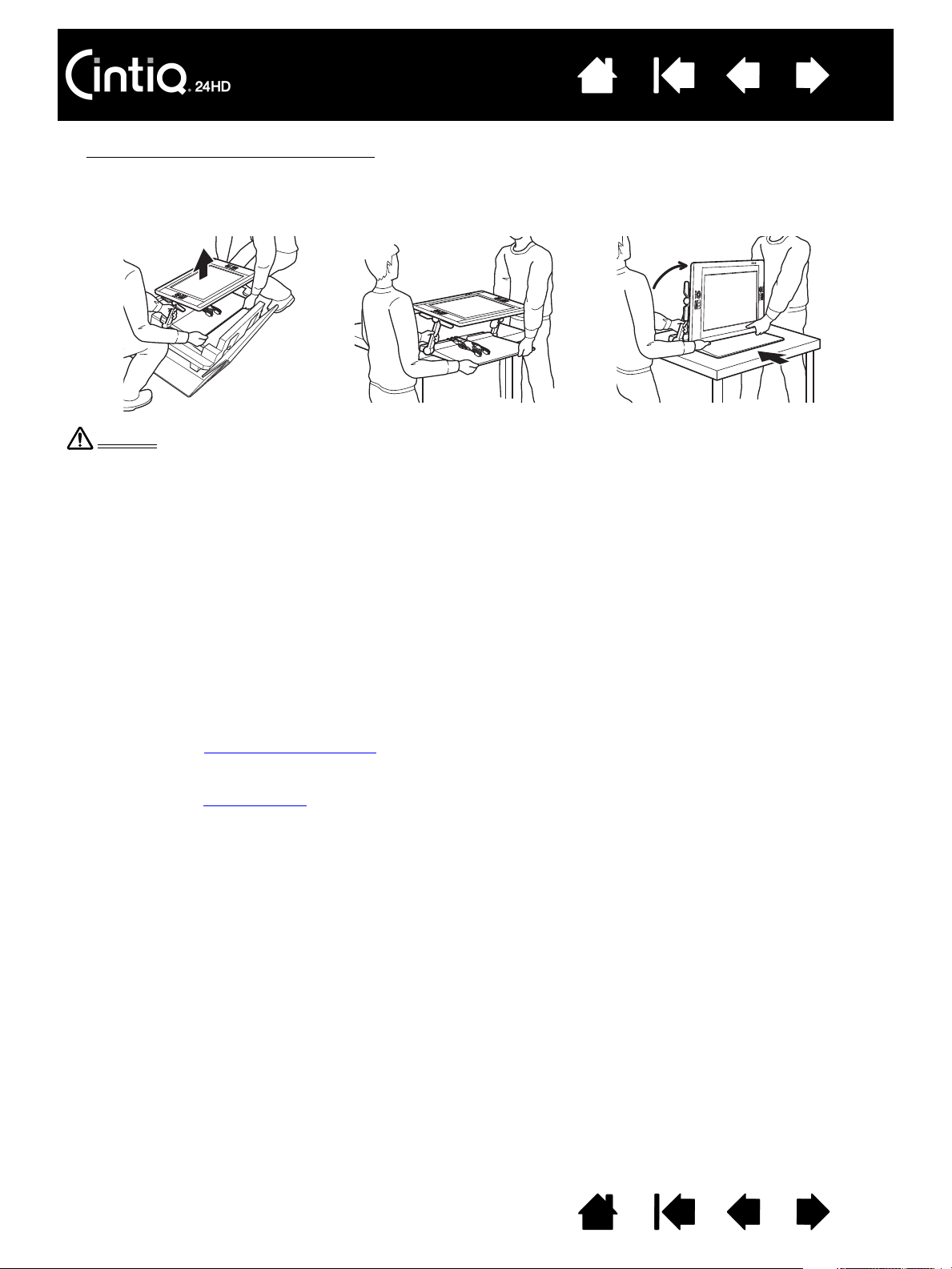
Removing Cintiq from the display stand 138
Mounting Cintiq on the display stand 141
Using an alternate mount or stand 144
Uninstalling Cintiq 145
Managing preferences 146
Installing multiple tablets 147
Using applications integrated for tablet control 148
Importing expert settings 149
Pen and digital ink capabilities in Windows 150
Product information 151
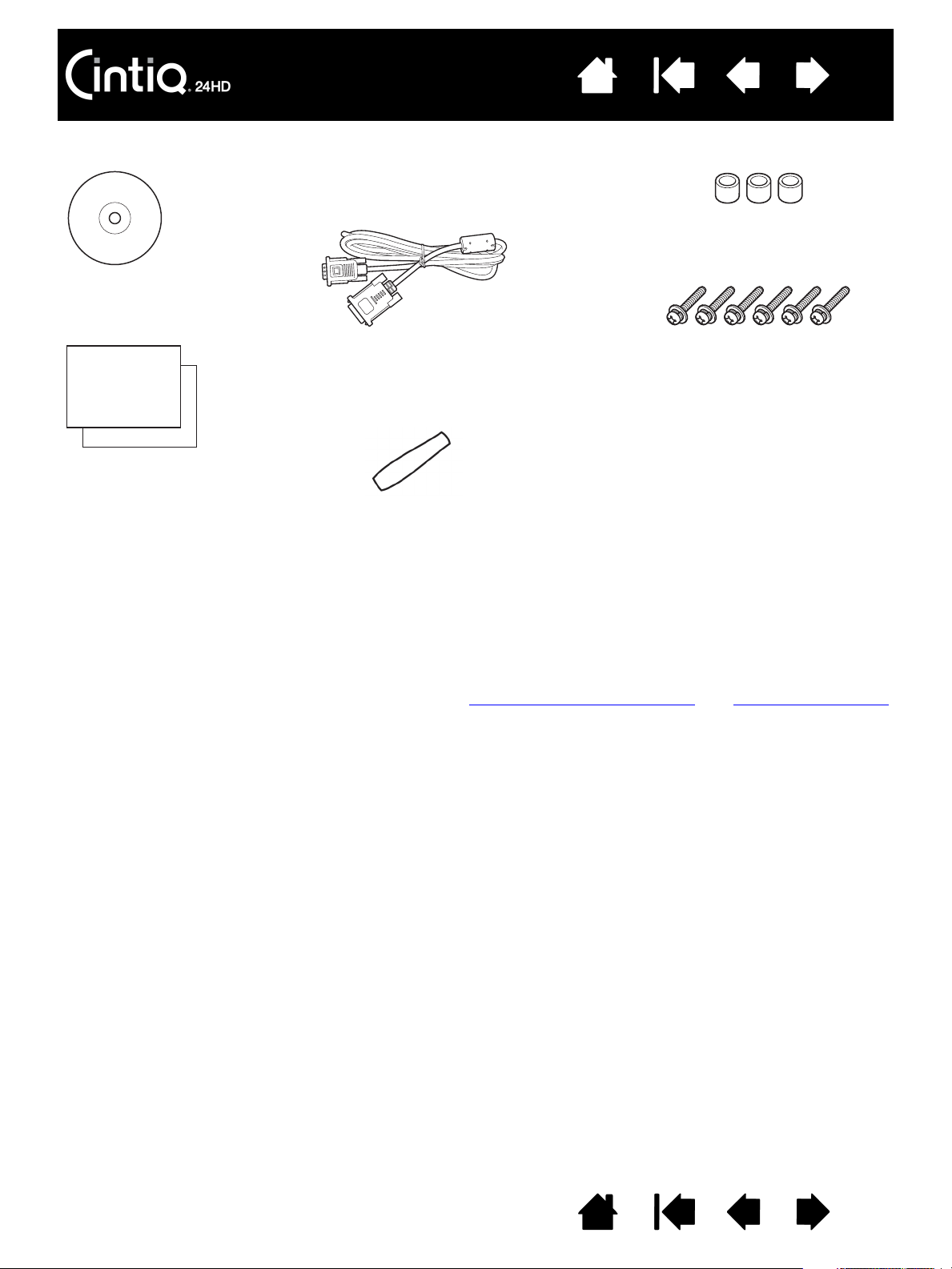
Ordering parts and accessories 152
Available parts and accessories 152
GLOSSARY 153
INDEX 156