manuals.online logo
Brands
  1. Home
  2. •
  3. Brands
  4. •
  5. WeiderPro
  6. •
  7. Home Gym
  8. •
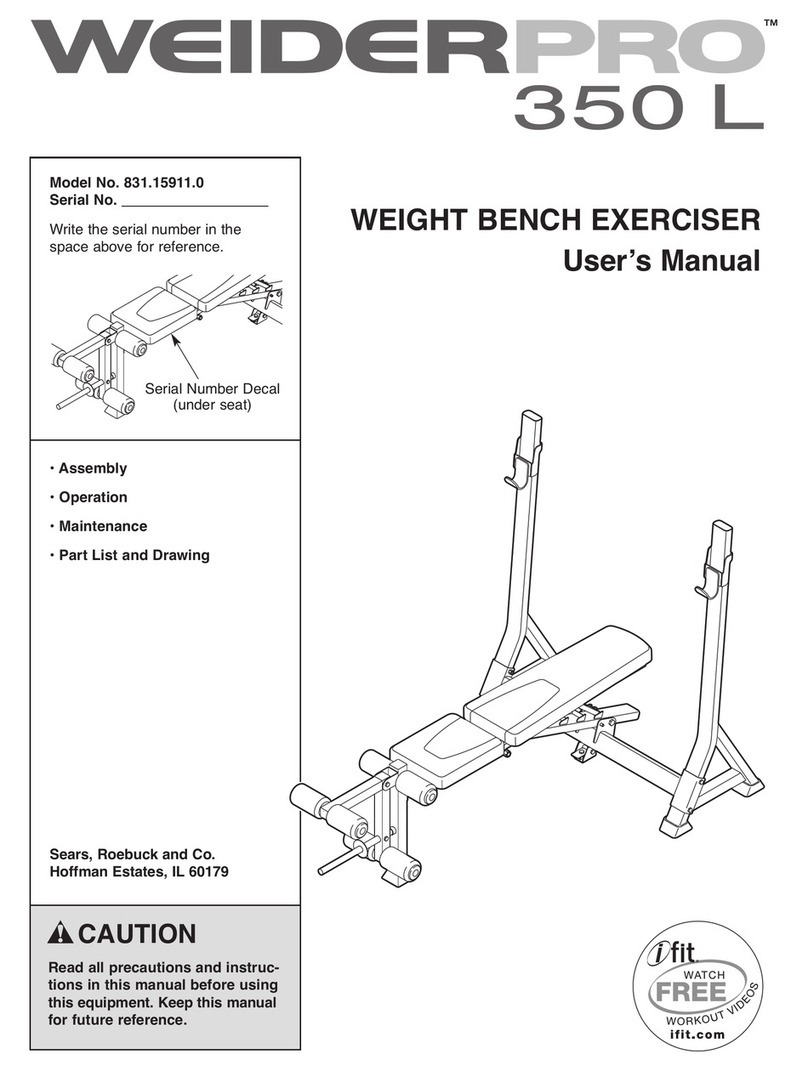
  9. WeiderPro Pro 350 L Bench User manual

WeiderPro Pro 350 L Bench User manual

This manual suits for next models

2

Other WeiderPro Home Gym manuals

WeiderPro 831.15911.0 User manual

WeiderPro

WeiderPro 831.15911.0 User manual

WeiderPro 831.15906.0 User manual

WeiderPro

WeiderPro 831.15906.0 User manual

WeiderPro 831.154020 User manual

WeiderPro

WeiderPro 831.154020 User manual

WeiderPro Pro 435 Bench Quick start guide

WeiderPro

WeiderPro Pro 435 Bench Quick start guide

WeiderPro 831.15706.0 User manual

WeiderPro

WeiderPro 831.15706.0 User manual

WeiderPro 9648 WESY96480 User manual

WeiderPro

WeiderPro 9648 WESY96480 User manual

WeiderPro 225 User manual

WeiderPro

WeiderPro 225 User manual

WeiderPro PRO 450 L User manual

WeiderPro

WeiderPro PRO 450 L User manual

WeiderPro Pro 435 Bench Operating and maintenance manual

WeiderPro

WeiderPro Pro 435 Bench Operating and maintenance manual

WeiderPro Pro 4500 User guide

WeiderPro

WeiderPro Pro 4500 User guide

WeiderPro 831.14933.0 User manual

WeiderPro

WeiderPro 831.14933.0 User manual

WeiderPro Pro 4500 User manual

WeiderPro

WeiderPro Pro 4500 User manual

WeiderPro Pro 435 Bench System manual

WeiderPro

WeiderPro Pro 435 Bench System manual

WeiderPro Pro 420 Bench User manual

WeiderPro

WeiderPro Pro 420 Bench User manual

WeiderPro 831.15925.0 User manual

WeiderPro

WeiderPro 831.15925.0 User manual

WeiderPro 831.15948.1 User manual

WeiderPro

WeiderPro 831.15948.1 User manual

WeiderPro 30963.0 User manual

WeiderPro

WeiderPro 30963.0 User manual

WeiderPro Pro 420 Bench Quick start guide

WeiderPro

WeiderPro Pro 420 Bench Quick start guide

WeiderPro Pro 4500 Quick start guide

WeiderPro

WeiderPro Pro 4500 Quick start guide

WeiderPro Pro 435 Bench User manual

WeiderPro

WeiderPro Pro 435 Bench User manual

WeiderPro Pro 4000 User guide

WeiderPro

WeiderPro Pro 4000 User guide

WeiderPro 831.14922.2 User manual

WeiderPro

WeiderPro 831.14922.2 User manual

WeiderPro 335 User manual

WeiderPro

WeiderPro 335 User manual

WeiderPro Pro 440 Dc Ybt Bench Quick start guide

WeiderPro

WeiderPro Pro 440 Dc Ybt Bench Quick start guide

Popular Home Gym manuals by other brands

T.D.S. 3501 Assembly instructions

T.D.S.

T.D.S. 3501 Assembly instructions

Body Solid EXM1950 Assembly instructions

Body Solid

Body Solid EXM1950 Assembly instructions

Horizon Fitness OXFORD 6 manual

Horizon Fitness

Horizon Fitness OXFORD 6 manual

Energetics Multi Trainer 5.1 owner's manual

Energetics

Energetics Multi Trainer 5.1 owner's manual

Precor Discovery Series owner's manual

Precor

Precor Discovery Series owner's manual

Matrix MG-PL Series Service manual

Matrix

Matrix MG-PL Series Service manual

Reebok Tbr2i Manuale d'istruzioni

Reebok

Reebok Tbr2i Manuale d'istruzioni

Weider 8300 Hard Drive manual

Weider

Weider 8300 Hard Drive manual

Pure Fitness 8526HE owner's manual

Pure Fitness

Pure Fitness 8526HE owner's manual

Weider 8700 I Bedienungsanleitung

Weider

Weider 8700 I Bedienungsanleitung

Bowflex Sport 001-6961 Assembly instructions

Bowflex

Bowflex Sport 001-6961 Assembly instructions

NordicTrack E8200 Competition Bench Bedienungsanleitung

NordicTrack

NordicTrack E8200 Competition Bench Bedienungsanleitung

Insportline RW600 user manual

Insportline

Insportline RW600 user manual

Weider WEMC10161 user manual

Weider

Weider WEMC10161 user manual

Body Solid GHYP-345 owner's manual

Body Solid

Body Solid GHYP-345 owner's manual

Evo TAHOE 5105 user manual

Evo

Evo TAHOE 5105 user manual

ParaBody 40 Assembly instructions

ParaBody

ParaBody 40 Assembly instructions

JLL Ventus Pro Air Power instruction manual

JLL

JLL Ventus Pro Air Power instruction manual

manuals.online logo
manuals.online logoBrands
  • About & Mission
  • Contact us
  • Privacy Policy
  • Terms and Conditions

Copyright 2025 Manuals.Online. All Rights Reserved.

Serial Number Decal
(under seat)
CAUTION
Read all precautions and instruc-
tions in this manual before using
this equipment. eep this manual
for future reference.
Model No. WEBE15910.0
Serial No.
Write the serial number in the
space above for reference.
USERʼS MANUAL
www.weiderfitness.com
QUESTIONS?
If you have questions, or if parts are
damaged or missing, DO NOT
CONTACT THE STORE; please
contact Customer Care.
IMPORTANT: Please register this
product (see the limited warranty
on the back cover of this manual)
before contacting Customer Care.
CALL TOLL-FREE:
1-877-992-5999
Mon.–Fri., 6 a.m.–6 p.m. MT
Sat. 8 a.m.–4 p.m. MT
ON THE WEB:
www.weiderservice.com
2
TABLE OF CONTENTS
WARNINGDECALPLACE ENT ..............................................................2
IPORTANTPRECAUTIONS ................................................................3
BEFOREYOUBEGIN ......................................................................4
PARTIDENTIFICATIONCHART ..............................................................5
ASSE BLY ...............................................................................6
ADJUST ENT ...........................................................................11
EXERCISEGUIDELINES ...................................................................13
PARTLIST ..............................................................................14
EXPLODEDDRAWING ....................................................................15
ORDERINGREPLACE ENTPARTS ..................................................BackCover
LI ITEDWARRANTY..............................................................BackCover
WARNING DECAL PLACEMENT
WEIDER PRO is a trademark of ICON IP, Inc.
This drawing shows the location(s) of the warning decal(s). If a decal is missing or illegible, see
the front cover of this manual and request a free replacement decal. Apply the decal in the
location shown. Note: The decal(s) may not be shown at actual size.
3
WARNING: To reduce the risk of serious injury, read all important precautions and
instructions in this manual and all warnings on your weight bench before using your weight bench.
ICON assumes no responsibility for personal injury or property damage sustained by or through the
use of this product.
1. Before beginning any exercise program,
consult your physician. This is especially
important for persons over age 35 or per-
sons with pre-existing health problems.
2. Read all instructions in this manual and all
warnings on the weight bench before using
the weight bench.
3. It is the responsibility of the owner to ensure
that all users of the weight bench are ade-
quately informed of all precautions.
4. The weight bench is intended for home use
only. Do not use the weight bench in a com-
mercial, rental, or institutional setting.
5. eep the weight bench indoors, away from
moisture and dust. Place the weight bench
on a level surface, with a mat beneath it to
protect the floor or carpet. Make sure that
there is enough clearance around the weight
bench to mount, dismount, and use the
weight bench.
6. Inspect and properly tighten all parts regu-
larly. Replace any worn parts immediately.
7. The weight bench is designed to support a
maximum user weight of 300 lbs. (136 kg)
and a maximum total weight of 510 lbs.
(231 kg). Do not place more than 210 lbs.
(95 kg), including a barbell and weights, on
the weight rests. Do not place more than
130 lbs. (59 kg) on the leg lever. Note: The
weight bench does not include a barbell or
weights.
8. Always wear athletic shoes for foot protec-
tion while using the weight bench.
9. Always keep children under age 12 and pets
away from the weight bench.
10. Do not use a barbell that is longer than 6 ft.
(1.8 m) with the weight bench.
11. Always place the same amount of weight on
both ends of your barbell. Always keep
some weight on both ends of the barbell
while adding or removing weights to prevent
the barbell from tipping.
12. Before using the leg lever, place a barbell
with the same amount of weight on the
weight rests to balance the weight bench.
13. Always exercise with a partner. When you
are performing bench press exercises, your
partner should stand behind you to catch
the barbell if you cannot complete a repeti-
tion.
14. Before using the backrest in the level posi-
tion or in an inclined position, make sure
that the backrest support is properly
inserted (see ADJUSTING THE BAC REST
on page 11).
15. Over exercising may result in serious injury
or death. If you feel faint or if you experience
pain while exercising, stop immediately and
cool down.
IMPORTANT PRECAUTIONS

4
Seat
Leg Lever
Weight Rest
Weight Tube
Backrest
Pin
Upright
Backrest Support
BEFORE YOU BEGIN
Thank you for selecting the new WEIDER PRO™
350 L weight bench. The 350 L weight bench offers a
selection of exercises designed to develop the major
muscle groups of the body. Whether your goal is to
tone your body, build dramatic muscle size and
strength, or improve your cardiovascular system, the
weight bench will help you to achieve the specific
results you want.
For your benefit, read this manual carefully before
using the weight bench. If you have questions after
reading this manual, please see the front cover of this
manual. To help us assist you, note the product model
number and serial number before contacting us. The
model number and the location of the serial number
decal are shown on the front cover of this manual.
Before reading further, please review the drawing
below and familiarize yourself with the parts that are
labeled.
ASSE BLED DI ENSIONS:
Height: 4 ft. 4 in. (132 cm)
Width: 3 ft. 9 in. (114 cm)
Depth: 6 ft. 1 in. (185 cm)
5
M16 Washer (41)
M8 Locknut (32)
M8 Washer (30)
M6 x 40mm Screw (34)
M6 x 16mm Screw (33)
M4 x 16mm Screw (37)
M8 x 45mm Bolt (43)
M8 x 55mm Bolt (31)
M8 x 60mm Bolt (35)
M10 x 70mm Bolt (36)
M10 x 100mm Bolt (39)
M16 x 120mm Bolt (40)
M16 x 240mm Bolt (13)
M6 Washer (44)
M10 Locknut (38)
M16 Locknut (42)
Weight Tube
Bushing (29)
PART IDENTIFICATION CHART
See the drawings below to identify small parts used in assembly. The number in parentheses by each drawing is
the key number of the part, from the PART LIST near the end of this manual. Note: If a part is not in the hard-
ware kit, check to see if it has been preattached. To avoid damaging parts, do not use power tools for
assembly.
6
1.
Orient the Crossbar (5) and an Upright (1) as
shown.
Attach the Crossbar (5) to the Upright (1) with
two 10 x 100mm Bolts (39) and two 10
Locknuts (38). Do not tighten the Locknuts
yet.
Attach the Crossbar (5) to the other Upright
(1) in the same way.
39
38
38
51
1
ASSEMBLY
• To hire an authorized service technician to
assemble the weight bench in your home, call
1-800-445-2480.
• Assembly requires two persons.
• Because of its size and weight, assemble the
weight bench in the location where it will be
used. Make sure that there is enough clear-
ance to walk around the weight bench as you
assemble it.
• Place all parts in a cleared area and remove
the packing materials. Do not dispose of the
packing materials until you complete all
assembly steps.
• To identify small parts, see page 5.
• The following tools (not included) may be
required for assembly:
two adjustable wrenches
one standard screwdriver
one Phillips screwdriver
Assembly will be more convenient if you have a
socket set, a set of open-end or closed-end
wrenches, or a set of ratchet wrenches.
To make assembly easier, read the
assembly tips in the box above before
you begin.
2. Orient the Front Leg (10) and the ain Frame
(7) as shown.
Attach the Front Leg (10) to the ain Frame (7)
with three 8 x 60mm Bolts (35), six 8
Washers (30), and three 8 Locknuts (32). Do
not tighten the Locknuts yet.
2
1
7
10
35
35
30
30
32
32
7
3. Orient the Folding Lever (6) as shown, and
insert it into the lower bracket on the Crossbar
(5).
Attach the Folding Lever (6) to the Crossbar (5)
with an 8 x 60mm Bolt (35) and an 8
Locknut (32). Do not overtighten the Locknut;
the Folding Lever should pivot freely.
Then, attach the Folding Lever (6) and the
Spring (17) with an 8 x 45mm Bolt (43), an
8 Washer (30), and an 8 Locknut (32).
Tighten the Locknut until three threads of
the Bolt are below the Locknut.
3
4. Attach the ain Frame (7) to the Crossbar (5)
with an 16 x 120mm Bolt (40) and an 16
Locknut (42). Do not overtighten the Locknut;
the Main Frame should pivot freely.
Attach the tether on the Pin (22) to the
Crossbar (5) with an 4 x 16mm Screw (37).
Then, insert the Pin (22) through the Crossbar
(5) and the ain Frame (7).
See steps 1 and 2. Tighten the 10 Locknuts
(38) and the 8 Locknuts (32).
4
5. Orient the Leg Lever (11) and the Weight Tube
(12) as shown.
Attach the Weight Tube (12) to the Leg Lever
(11) with an 8 x 55mm Bolt (31), two 8
Washers (30), a Weight Tube Bushing (29), and
an 8 Locknut (32).
Press the Bumper (25) onto the end of the
Weight Tube (12).
Apply some of the included grease to an 10 x
70mm Bolt (36).
Attach the Leg Lever (11) to the Front Leg (10)
with the 10 x 70mm Bolt (36) and an 10
Locknut (38). Do not overtighten the Locknut;
the Leg Lever must pivot easily.
5
43
32
6
17
30
32 35
5
7
40
5
32 30
29
38
36
25
Grease
30 31
12
11
10
42
22
37
8
6. Attach the Seat (15) to the ain Frame (7) with
four 6 x 16mm Screws (33).
7. Identify Backrest Frames A and B (8, 9) and ori-
ent them so that the welded tubes are in the
locations shown.
Then, identify the Backrest Support (4) and the
Short Axle (3). Insert the Short Axle through the
Backrest Support.
Next, press a Backrest Frame (8, 9) onto each
end of the Short Axle (3).
Attach the Backrest (16) to the Backrest
Frames (8, 9) with four 6 x 40mm Screws (34)
and four 6 Washers (44).
6
7
15
7
33
16
9
8
4
3
44
34
44
34
44
34
44
34
33
Welded
Tubes
9
8. Apply grease to an 16 x 240mm Bolt (13).
Align the welded tubes on the Backrest Frames
(8, 9) with the welded tube on the ain Frame
(7).
Attach the Backrest Frames (8, 9) to the ain
Frame (7) with the 16 x 240mm Bolt (13), two
16 Washers (41), and an 16 Locknut (42).
Do not overtighten the Locknut; the
Backrest Frames must pivot easily.
Set the Backrest Support (4) in an adjustment
bracket on the ain Frame (7).
9. Insert a Pad Tube (14) through the Front Leg
(10).
Slide a Foam Pad (28) onto each end of the
Pad Tube (14). Then, press a Pad Cap (27) into
each end of the Pad Tube.
Repeat this step to attach the other Pad
Tubes (not shown), Foam Pads (28), and Pad
Caps (27) to the Leg Lever (11).
8
9
13
8, 9
42
7
4
41
41
27
27
27
10
11
28
28
28
14 28
Grease
10
11. Make sure that all parts are properly tightened before you use the weight bench. The use of the
remaining parts will be explained in ADJUST ENT, beginning on page 11.
10. Slide a Weight Rest (2) onto an Upright (1).
Insert the hook on the Weight Rest into an
adjustment hole in the Upright. Make sure that
the Weight Rest is securely engaged in an
adjustment hole.
Repeat this step on the other side of the
weight bench.
Make sure that the Weight Rests (2) are at
the same height.
10
2
Adjustment
Holes
Hook
1