9
EN
Topic:
long press - hold down the button to set
the time.
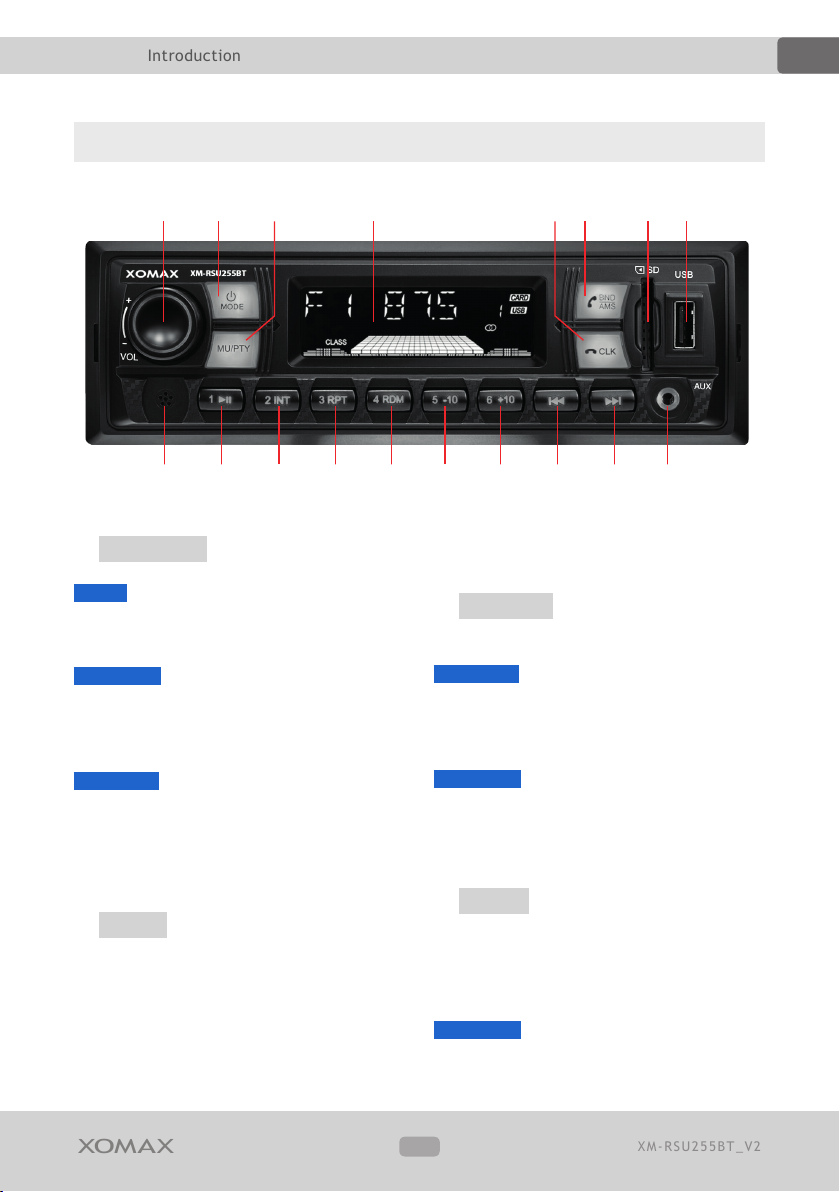
6�/BAND/AMS Accept or start a call/
Frequency band/Automatic frequency
scan
[in telephony mode]: press the button to
answer a call.
[in radio mode]:
brief press - press the button to switch
between frequency bands: FM1, FM2 or
FM3.
long press - starts the automatic
frequency scan and stores the found
radio stations.
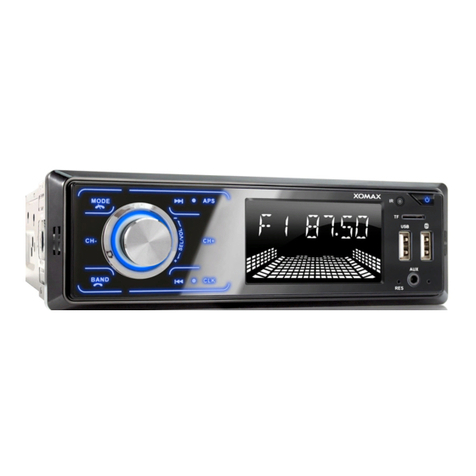
7SD SD-card slot
The SD card slot is added for reading
of SD-/SDHC/SDXC-cards in following
formats: FAT32 or exFAT le system.
Maximal supported volume: 128GB.
8USB USB-plug
The USB plug is added for reading of
USB ash drives in following formats:
FAT32 or exFAT le system.
Maximal supported volume: 128 GB.
Other USB devices such as an
external harddisc can not be supported.
9Bluetooth microphone
The microphone is used during hand-
free phone calling via Bluetooth. The
microphone should not be blocked to
achieve the best possible sound quality.
A1/< Stored radio stations/Play or
pause
[in play mode]: starts / pauses the
playback.
[in radio mode]: stored radio station "1".
B2/INT Stored radio stations/Intro
function
[in play mode]: rst 10 seconds play-
back of each track
[in radio mode]: stored radio station "2".
C3/RPT Stored radio stations/Repeat
[in play mode]: random playback: [REP
ONE] or [REP ALL].
[in radio mode]: stored radio station "3".
D4/RDM Stored radio stations/
Random
[in play mode]: random playback
[in radio mode]: stored radio station "4".
E5/-10 Stored radio stations/10
tracks skip/Previous folder
[in play mode]:
brief press 10 tracks skip backwards.
long press skip to the previous folder.
[in radio mode]: stored radio station "5".
F6/+10 Stored radio stations/10
tracks skip/Next folder
[in play mode]:
brief press 10 tracks skip forwards.
long press skip to the next folder.
[in radio mode]: stored radio station "6".
G8Previous track/Frequency band
scan
[in play mode]:
brief press skip to the previous track.
long press fast rewind.
[in radio mode]: