MyPBX U100/U200 Installation Guide
3/16
ABOUT MYPBX U100 & U200
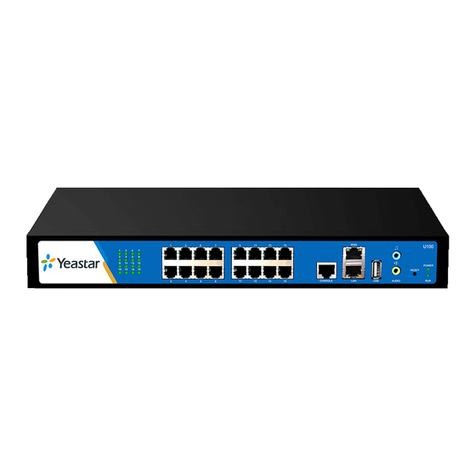
MyPBX U100 is a 1U rack mount model IP PBX for up to 25 concurrent calls and 100 users.
Internally, it supports network access to ISDN BRI, PSTN, GSM/UMTS and VoIP. High performance,
stability and compatibility, combined with rich functionality make MyPBX U100 perfectly suited
for your business communication.
MyPBX U200 is a workhorse designed for companies requiring up to 50 concurrent calls and 200
users. It supports PSTN, ISDN BRI lines, GSM/UMTS networks and VoIP. Also, it is equipped with
an audio input port and an audio output port. MyPBX U200 is truly unrivalled for features and
value.
The scalability of MyPBX U100 & U200 is impressive. With the deployment of MyPBX U100 &
U200, the company will no more worry about the high expansion costs and the waste of their
previous investment. The modular technology enables the company to freely choose the
combination of FXO, FXS, BRI, GSM, and UMTS modules as required, and just add on the type of
modules that are needed for future expansion. For example, if 2 more PSTN lines are required,
they needn’t bother to buy a new PBX. Just add another O2 module (2 FXO ports) is OK. Also, the
new user account is free of charge. The company is not going to pay any license fees for new
employees.
Moreover, MyPBX U100 & U200 has perfect interoperability with mainstream IP Phone brands
such as Yealink, Snom, Grandstream, Aastra, Polycom and Cisco. Auto provisioning of Yealink,
Snom, Cisco, Aastra and Polycom IP phones would greatly save time on configurations when
there is bulk extensions to register.
Besides, customers from different countries will all feel comfortable while using MyPBX U100 &
U200. Because they are able to select their local language for Web GUI and Voice Prompt.
Furthermore, it is renowned for its user-friendly web configuration panel which is easy accessible
and self-evident making configuration a trouble-free job.
This Guide explains how to install MyPBX U100 & U200, how to configure MyPBX U100 & U200
via web interface, how to add extensions, and make/receive calls via PSTN lines.