manuals.online logo
Brands
  1. Home
  2. •
  3. Brands
  4. •
  5. ZENEC
  6. •
  7. Car Receiver
  8. •
  9. ZENEC ZE-MC5600 - BT COMPATIBILITY LIST V1.9 User manual

ZENEC ZE-MC5600 - BT COMPATIBILITY LIST V1.9 User manual

Other manuals for ZE-MC5600 - BT COMPATIBILITY LIST V1.9

2

This manual suits for next models

1

Other ZENEC Car Receiver manuals

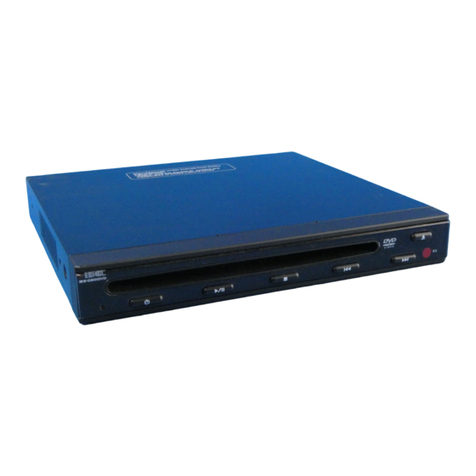
ZENEC ZE-050DVD User manual

ZENEC

ZENEC ZE-050DVD User manual

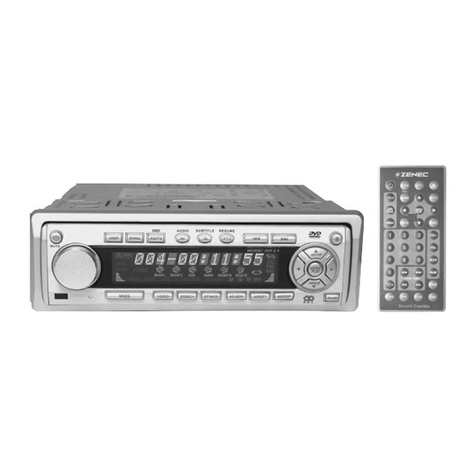
ZENEC DVD & MP3 User manual

ZENEC

ZENEC DVD & MP3 User manual

ZENEC ZE-MC190 User manual

ZENEC

ZENEC ZE-MC190 User manual

ZENEC ZE-MC290 User manual

ZENEC

ZENEC ZE-MC290 User manual

ZENEC Z-E6150 User manual

ZENEC

ZENEC Z-E6150 User manual

ZENEC ZE-MC192 User manual

ZENEC

ZENEC ZE-MC192 User manual

ZENEC ZE-MC192 User manual

ZENEC

ZENEC ZE-MC192 User manual

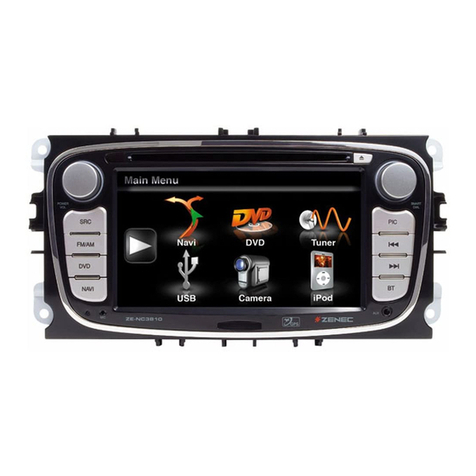
ZENEC ZE-NC3141D User manual

ZENEC

ZENEC ZE-NC3141D User manual

ZENEC ZE-160DVD User manual

ZENEC

ZENEC ZE-160DVD User manual

ZENEC ZE-NC2041D User manual

ZENEC

ZENEC ZE-NC2041D User manual

ZENEC ZE-MC194 User manual

ZENEC

ZENEC ZE-MC194 User manual
ZENEC ZE-NC4110 - MOUNTING INSTRUCTIONS FOR SANTA... User manual

ZENEC

ZENEC ZE-NC4110 - MOUNTING INSTRUCTIONS FOR SANTA... User manual

ZENEC ZE-100DVD User manual

ZENEC

ZENEC ZE-100DVD User manual

ZENEC ZE-MC2000 User manual

ZENEC

ZENEC ZE-MC2000 User manual

ZENEC ZE-MC170 User manual

ZENEC

ZENEC ZE-MC170 User manual

ZENEC ZE-NC2010 User manual

ZENEC

ZENEC ZE-NC2010 User manual

ZENEC ZE-MC5600 - BT COMPATIBILITY LIST V1.9 User manual
ZENEC

ZENEC ZE-MC5600 - BT COMPATIBILITY LIST V1.9 User manual

ZENEC Z-E2015 User manual

ZENEC

ZENEC Z-E2015 User manual

ZENEC ZE-NC2040 User manual

ZENEC

ZENEC ZE-NC2040 User manual

ZENEC ZE-NC2010 User manual

ZENEC

ZENEC ZE-NC2010 User manual

ZENEC ZE-NC2010 User manual

ZENEC

ZENEC ZE-NC2010 User manual

ZENEC Z-E3215-MKII Application guide

ZENEC

ZENEC Z-E3215-MKII Application guide

ZENEC ZE-MU703 User manual

ZENEC

ZENEC ZE-MU703 User manual

ZENEC ZE-30MP3 User manual

ZENEC

ZENEC ZE-30MP3 User manual
Popular Car Receiver manuals by other brands

Linear Series LS5050 Operation and installation manual

Linear Series

Linear Series LS5050 Operation and installation manual

Kenwood KRC-160 instruction manual

Kenwood

Kenwood KRC-160 instruction manual

Sony XR-CA430X Service manual

Sony

Sony XR-CA430X Service manual

T+A Elektroakustik K1 CD-RECEIVER operating instructions

T+A Elektroakustik

T+A Elektroakustik K1 CD-RECEIVER operating instructions

SoundMax SM-CDM1052 instruction manual

SoundMax

SoundMax SM-CDM1052 instruction manual

Xtrons HD107HD user manual

Xtrons

Xtrons HD107HD user manual

Mopar RB3 manual

Mopar

Mopar RB3 manual

Clarion ADDZEST DMZ615 owner's manual

Clarion

Clarion ADDZEST DMZ615 owner's manual

Sony XAV-601BT Specifications

Sony

Sony XAV-601BT Specifications

PIE GM12-POD/S Operation manual

PIE

PIE GM12-POD/S Operation manual

Hyundai H-910H instruction manual

Hyundai

Hyundai H-910H instruction manual

Sony XR-C6100 Service manual

Sony

Sony XR-C6100 Service manual

Sony CDX-L600X - Fm/am Compact Disc Player Installation/connections

Sony

Sony CDX-L600X - Fm/am Compact Disc Player Installation/connections

Motorola VWA63 Service manual

Motorola

Motorola VWA63 Service manual

Sound Storm STM93R user manual

Sound Storm

Sound Storm STM93R user manual

Nextar D3201 instruction manual

Nextar

Nextar D3201 instruction manual

Alpine CDE-163BT owner's manual

Alpine

Alpine CDE-163BT owner's manual

Kenwood KDC-X303 quick start guide

Kenwood

Kenwood KDC-X303 quick start guide

manuals.online logo
manuals.online logoBrands
  • About & Mission
  • Contact us
  • Privacy Policy
  • Terms and Conditions

Copyright 2025 Manuals.Online. All Rights Reserved.

MOUNTING INSTRUCTIONS SKODA
MOUNTING INSTRUCTIONS
Hebeln Sie vorsichtig die Kunst-
stoffblende ab. Fangen Sie im
unteren Bereich an.
Lever up the cover carefully.
Always start with the bottom area
of the cover.
1
Lösen Sie die Verankerung des
Quadlock-Steckers und ziehen Sie
diesen Hebel nach oben.
The Quadlock plug on the backside
of the head unit can be unlocked
by lifting the lever up towards the
wires.
Ziehen Sie nun den Quadlock
Stecker vom Gerät. Lösen Sie nun
noch den Antennenstecker.
Pull out the Quadlock plug and also
remove the antenna plug.
3
4
Ihr Fahrzeug ist mit einem
elektronischem Eigendiagnose-System
(DME) ausgestattet. Um unbeabsichtigte
Fehlermeldungen zu vermeiden, trennen
Sie bitte unbedingt vor Montagebeginn
den negativen Pol von der Batterie.
Für einen optimalen Halt montieren Sie
die beiliegenden Führungsschienen
(No.11) mit den entsprechenden
Schrauben (No.10).
Verbinden Sie den CAN-Bus Adapter
(Abbildung ähnlich) an den
vorgesehenen Stecker.
Tampering with the on-board electrical
system might cause an error code
to be stored in the DME. It is thus
recommended to disconnect the GND
wire of the negative battery pole before
you start any installation work.
For best stability of unit inside the
dashboard, please mount the die-cast
rails (No.11/packing list), using the
appropiate screws (No.10/packing list).
Bevor Sie beginnen: Before you start:
Montage:
Entfernen Sie nun die vier kleinen
Blenden, hinter denen sich die Torx
Schrauben befinden. Lösen Sie die
vier Torx Schrauben und ziehen Sie
das Gerät aus dem Radioschacht.
Now remove the four small covers
of the Torx screws. Unscrew all
the Torx head screws that fix the
radio to the dashboard.
Pull the head unit out.
2
1
2
34
Installation:
Der Radioschacht ist nun frei.
Es kann mit der Montage
des ZE-MC5600 begonnen
werden.
The radio slot is now ready for the
installation of the ZE-MC5600.
5
Schliessen Sie die Stecker an das
ZE-MC5600 an und schieben Sie
das Gerät in den Radioschacht.
Vergewissern Sie sich, das Sie alle
benötigten Kabel der Media-Link-
Box oder der Rückfahrkamera ange-
schlossen haben. Der Anschlussplan
gibt Ihnen Auskunft über weitere
Anschlussmöglichkeiten.
Befestigen Sie das Gerät mit den
vier Torx Schrauben.
Connect both the Quadlock and
antenna plugs to the ZE-MC5600
and insert the radio into the slot.
Consult the wiring diagram to see,
how to connect a rear view camera
or media link box. Affix the E>GO
unit with the four Torx screws.
6
Montieren Sie die neue Radioblende
aus dem Skoda Original Zubehör.
Beginnen Sie im oberen Bereich.
Mount the new cover (original Skoda
accessory). Start inserting the upper
end of the trim bezel.
7
Die Installation ist beendet.
The installation is finished.
8
5
6
8
7
ACR AG
Bohrturmweg 1
CH-5330 Bad Zurzach
Schweiz
www.acr.eu
Fachhandelspartner/Dealer
ZE-NA2000
NO. ITEM SKETCH MAP QUANTITY
1 Main unit 1
2 Media link box 1
3 Line out cable 1
420 pins
wiring harness 1
5 iPod cable 1
63.5 mm
audio cable 1
7 Microphone 1
8 Remote control 1
9Bolts for
box mounting 4
10 Bolts for
unit mounting 4
11 Guide tracks 2
12 User manual 1
13 Mounting
manual 1
14 Cleaning towel 1
15 CAN-Bus Interface 1
Anschlußdiagramm/Electrical Connections Overall Diagram
Packliste/Packing list
MOUNTING INSTRUCTIONS SKODA