2
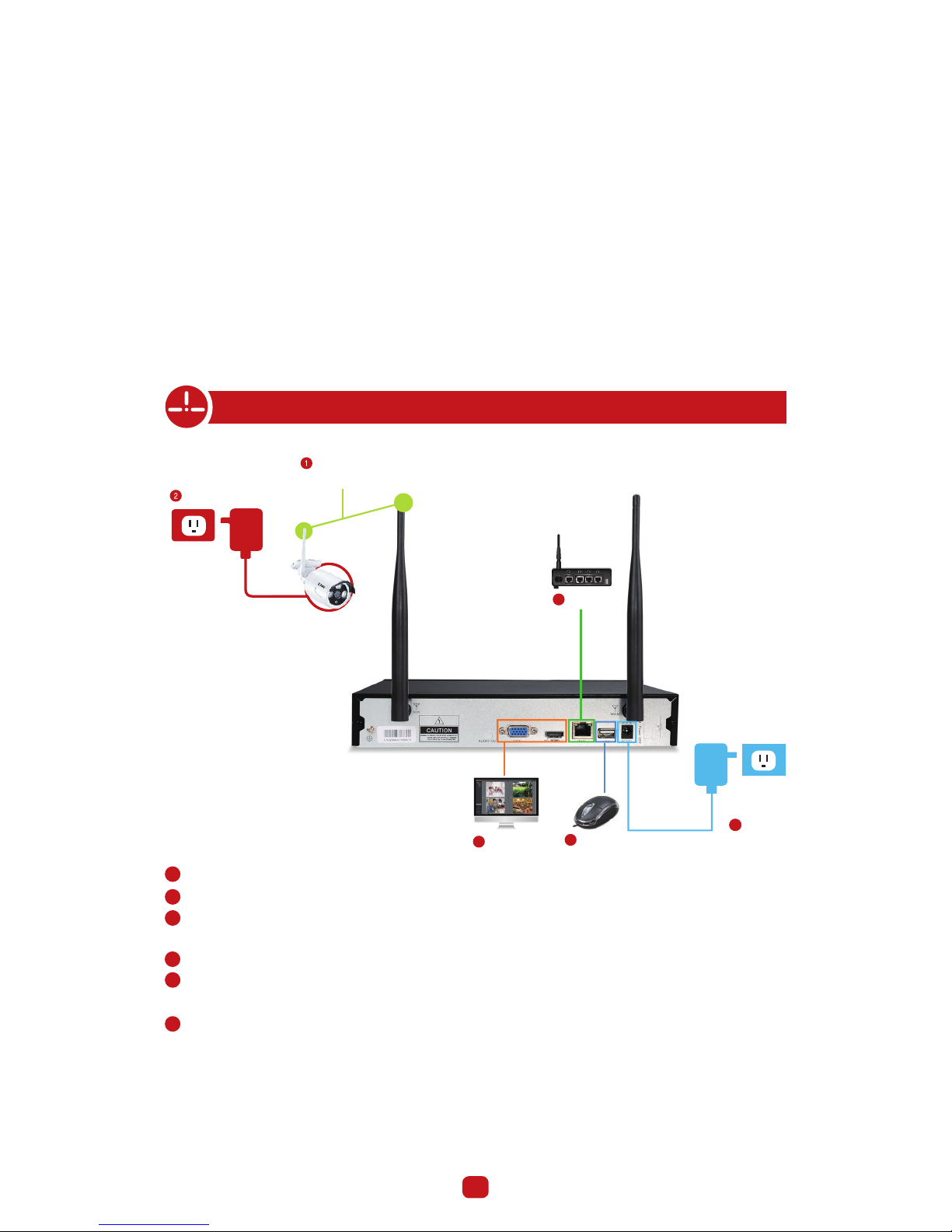
1. Connecting your system
Camera
Antennas
interface
Router
Power
Monitor/TV Mouse
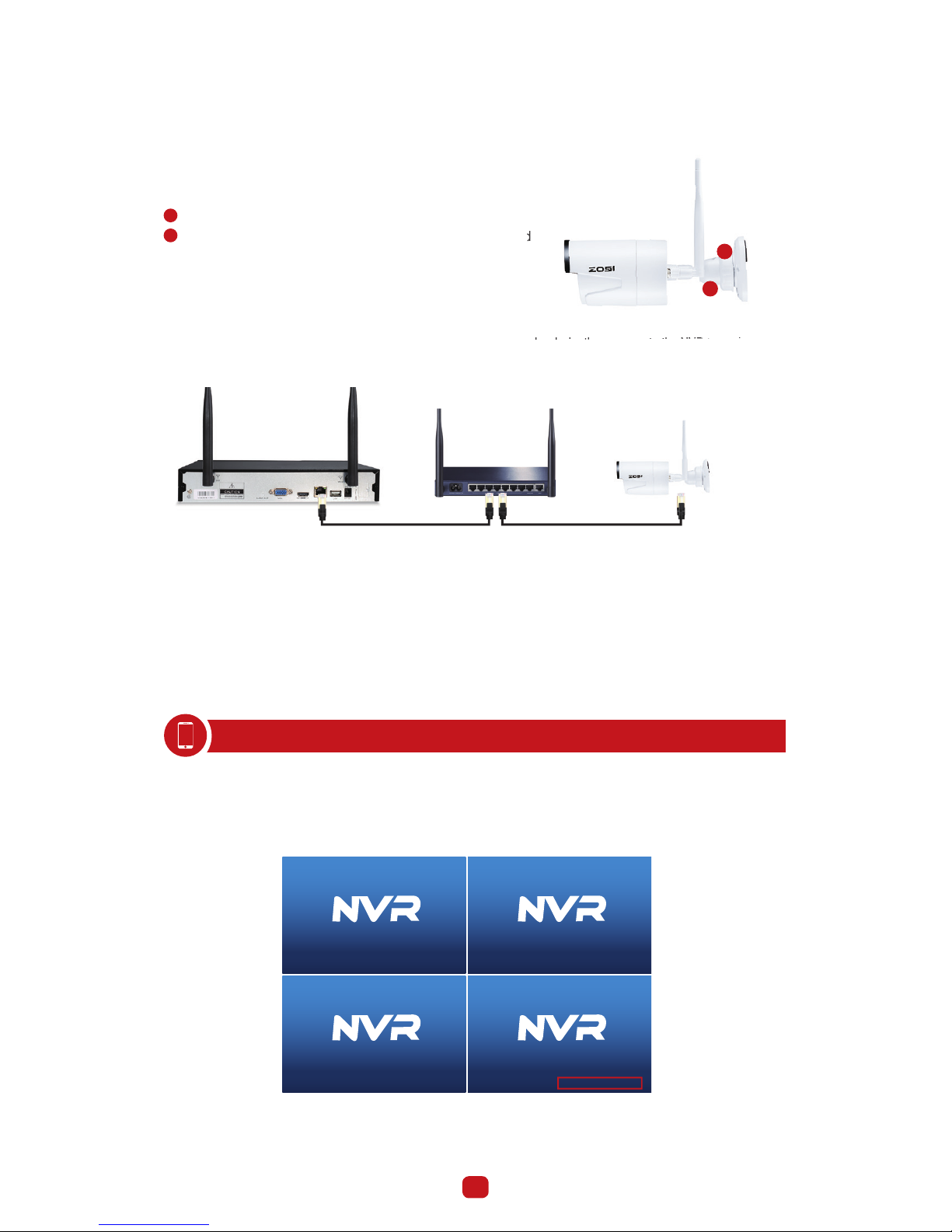
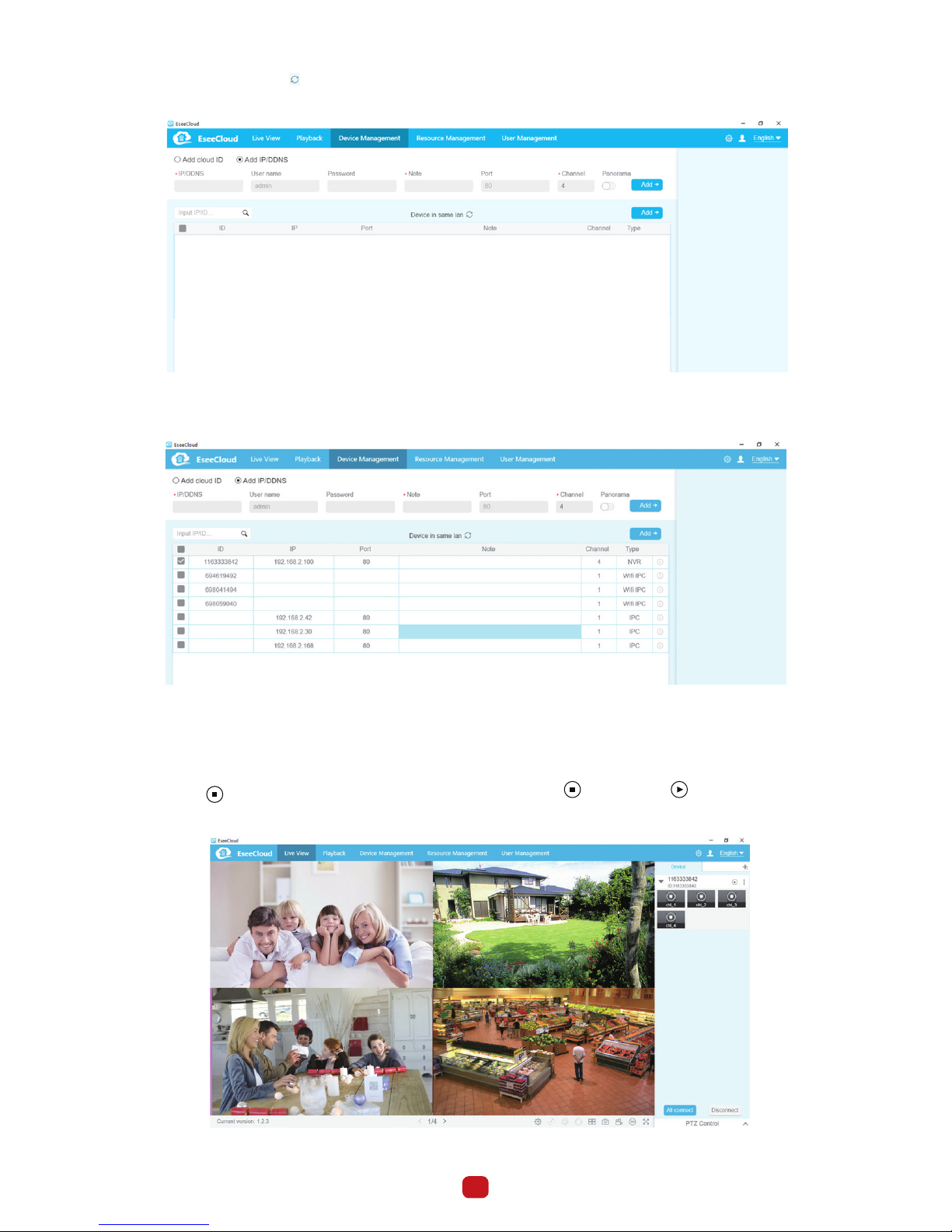
Within seconds, you should see the cameras’ image live view on the monitor.
Username: admin
Password: None (means empty, no need to input anything, just click login)
Tips:
To protect your privacy, please right click the mouse > Go to System Setup > System Admin > User > set password to change
your password.
Install the antennas for cameras and the NVR.
Connect the cameras to their power supplies (smaller 12V 1A power adapter).
Connect the NVR to Router with an Ethernet cable. IP Camera Video inputs: Just in case any of your cameras are out of
WiFi range, you can connect cameras to router with an Ethernet cable.
Connect a monitor to the NVR via its HDMI or VGA port (HDMI and VGA cables are not included).
Plug the mouse (included) into the USB port at the rear panel of NVR.You will then be able to operate the NVR with the
mouse.
Connect the NVR to its power supply (bigger 12V 2A power adapter).
45
6
3
3
1
2
4
5
6
Statement
Thank you for purchasing this product. ZOSI is committed to providing its customers with a high quality, reliable security
solution. ZOSI cannot assume responsibility for any consequences resulting from the use thereof.
Before Installation
This product may require cabling. It is strongly recommended that all products and components be tested prior to
installation.
Applications
The system is a standalone system. It will need to be connected to a monitor to start live view (Such as PC monitor, TV,etc)
By adding a 3.5" SATA hard drive to the NVR, you can record&playback recordings from the cameras.
By connecting the NVR to the Internet, you can view the cameras anywhere anytime.
Tips
These instructions are to assist your installation of the system and remote surveillance.For more instructions and details,
please contact us.
Tech Support
For products introduction& specifications, please visit www.zositech.com.
For FAQ and troubleshooting, please visit ZOSI Help center https://support.zositech.com
If you need customer suppor
t, email us and expect response within 24 hours:
[email protected]