Version 1.02 www.acs.com.hk
Page 2 of 61
www.acs.com
.hk
Table of Contents
1.0. Introduction .............................................................................................................4
2.0. ACR330 Hardware Overview...................................................................................5
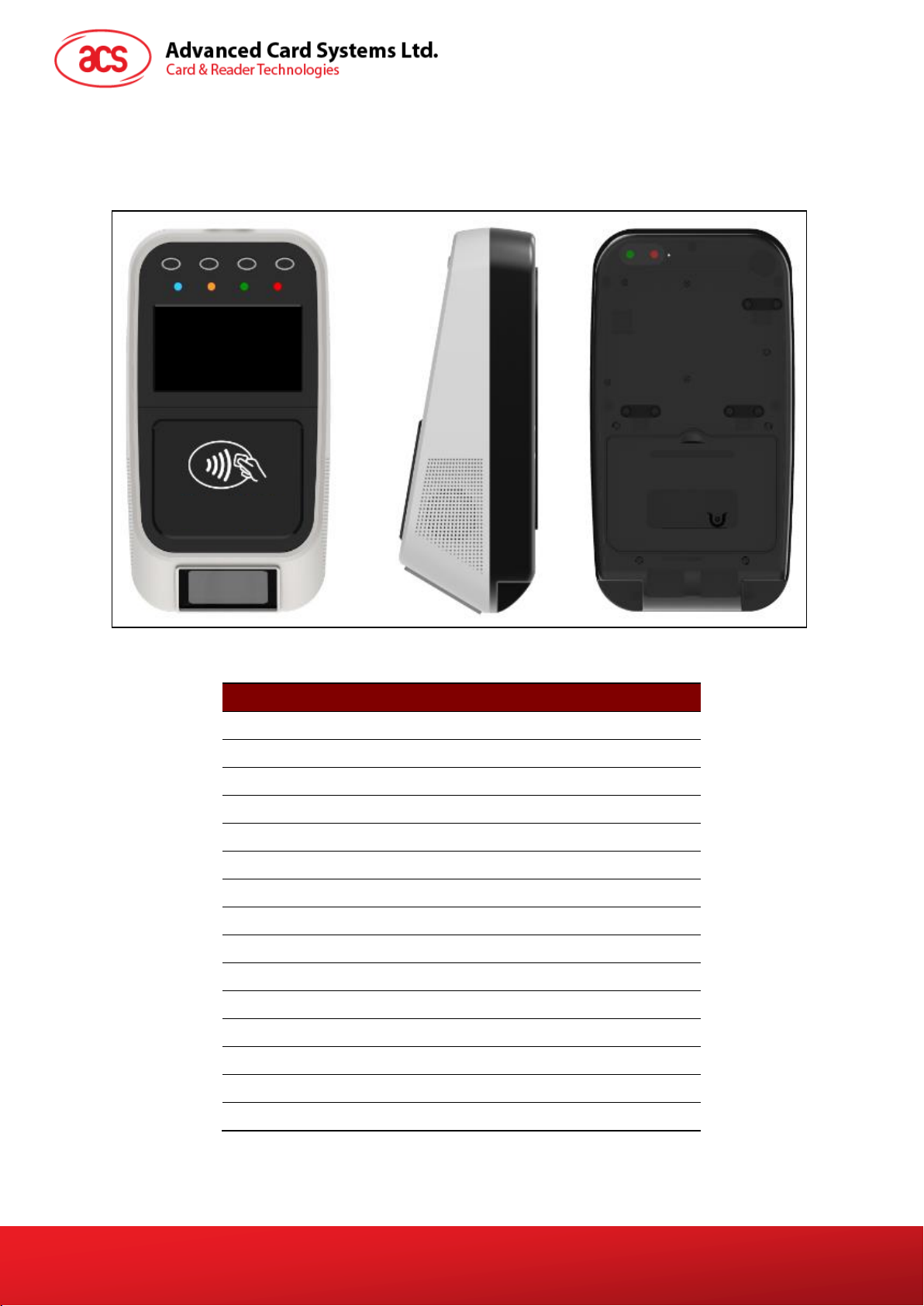
2.1. Parts of the Reader................................................................................................................5
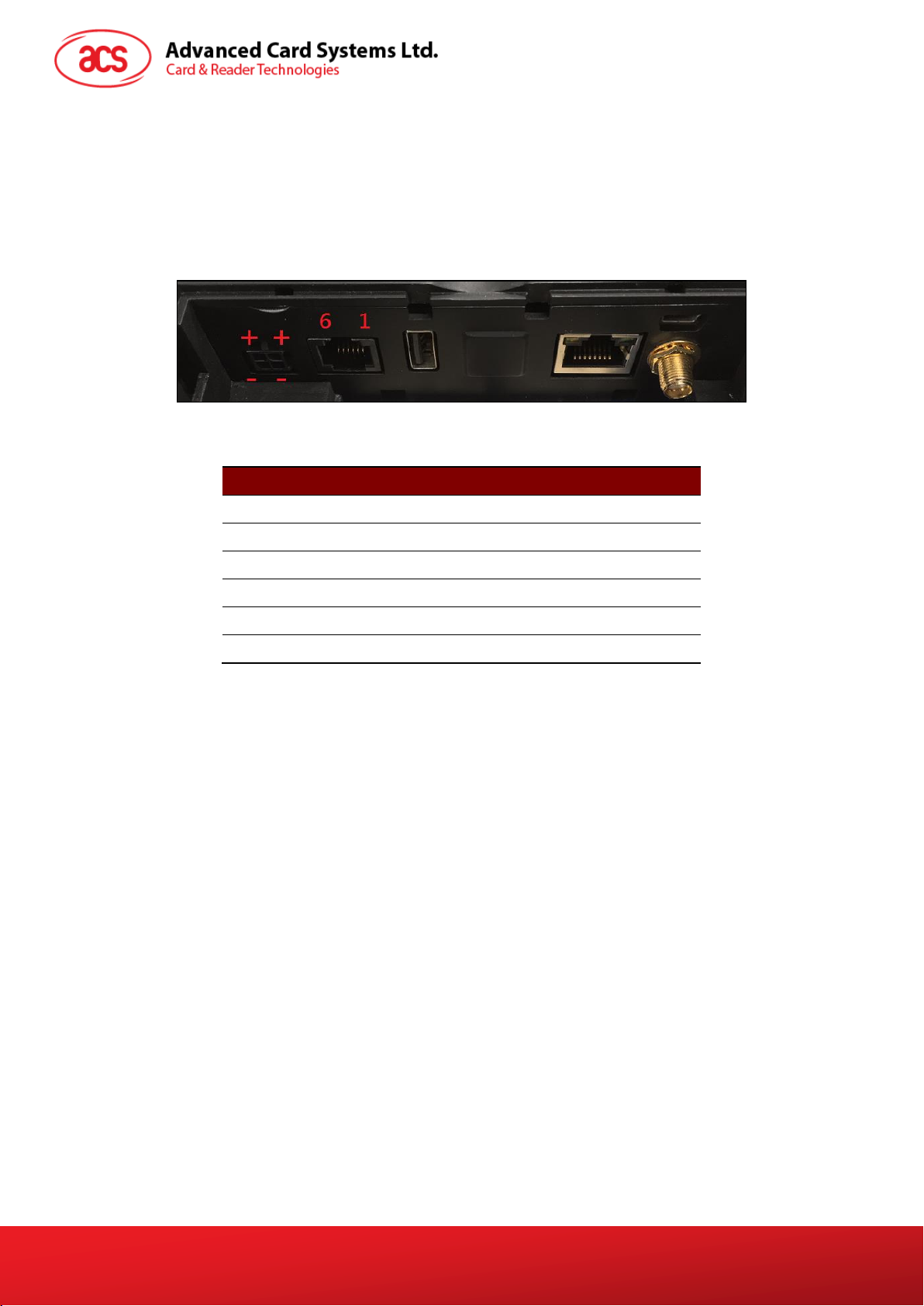
2.1.1. Connection Ports...........................................................................................................6
2.1.2. Input Power, RS232, RS485 Pin Assignment...............................................................7
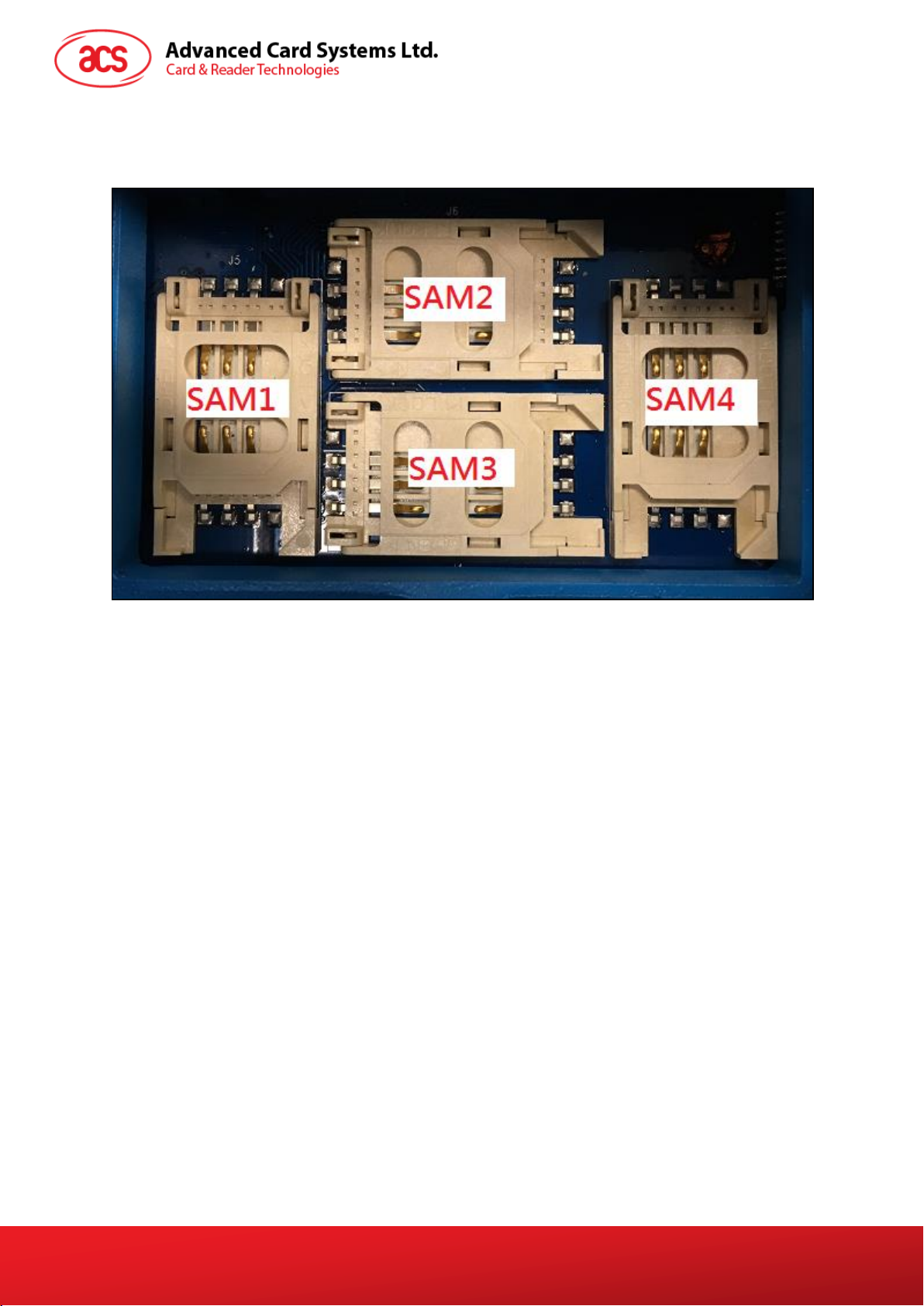
2.1.3. SAM Slot Arrangement .................................................................................................8
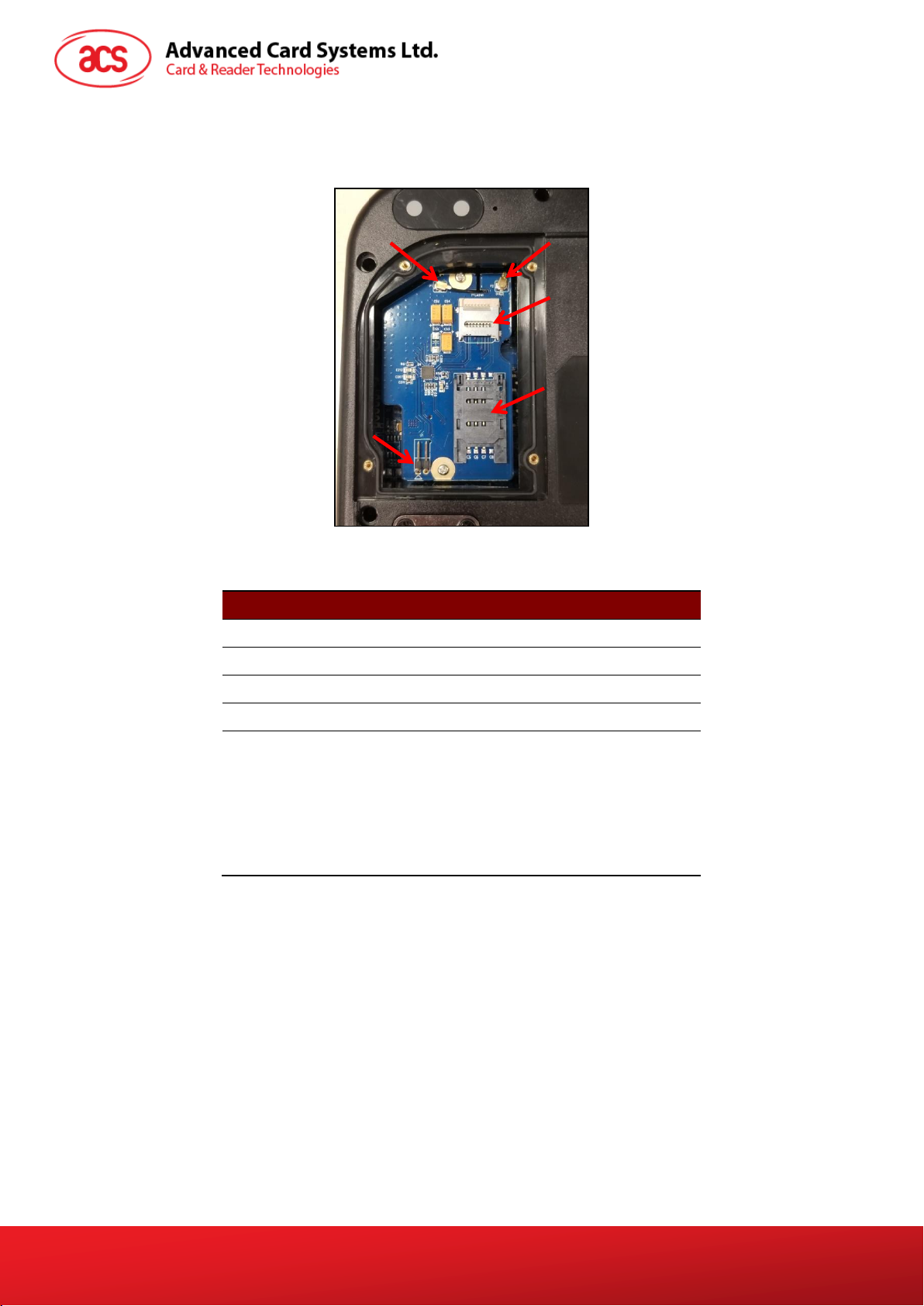
2.1.4. LTE Board Description..................................................................................................9
2.2. ACR330 EVK Components..................................................................................................10
2.3. Installing the Back Mount.....................................................................................................11
2.3.1. Preparing the Components.........................................................................................11
2.3.2. Installing ACR330 using a Vertical Pole .....................................................................16
2.3.3. Installing the ACR330 using a Horizontal Pole...........................................................23
2.4. Turning the Device ON/OFF................................................................................................30
2.4.1. Turning on the Device.................................................................................................30
2.4.2. Turning off the Device.................................................................................................30
2.5. Accessing the ACR330 through a PC using LAN................................................................31
2.6. Replacing the Real Time Clock (RTC) Battery....................................................................34
3.0. ACR330 Software Overview..................................................................................36
3.1. C++ Software Block Diagram ..............................................................................................36
3.2. Java Software Block Diagram..............................................................................................37
3.3. ACR330 Demo.....................................................................................................................38
3.3.1. Contactless Module.....................................................................................................38
3.3.2. Connectivity Module....................................................................................................43
3.3.3. Barcode Module..........................................................................................................48
3.3.4. GPS Module................................................................................................................50
3.3.5. Card Slot Module ........................................................................................................51
3.3.6. LED/Speaker Settings Module....................................................................................52
3.3.7. Settings Module ..........................................................................................................54
3.3.8. Power OFF Module.....................................................................................................55
3.4. Installing an Application.......................................................................................................56
3.4.1. Method 1: Loading the Application via USB Thumb Drive..........................................56
3.4.2. Method 2: Loading the Application to the Device .......................................................57
3.5. Removing the Installed Application .....................................................................................59
3.6. Changing the Application Directory (For FW1.7.10 and below)..........................................60
3.7. Re-flashing the Device.........................................................................................................61
List of Figures
Figure 1 : ACR330 Parts.......................................................................................................................5
Figure 2 : ACR330 Connection Ports.....................................................................................................6
Figure 3 : ACR330 Input Power .............................................................................................................7
Figure 4 : SAM Slot Arrangement ..........................................................................................................8
Figure 5 : LTE Board Components ........................................................................................................9
Figure 6 : ACR330 EVK Components..................................................................................................10
Figure 7 : Pole Hole Position................................................................................................................11
Figure 8 : Power Button........................................................................................................................30
Figure 9 : Jumper Location...................................................................................................................31
Figure 10 : RSR232 Debug Console Cable .........................................................................................31
Figure 11 : Ethernet Port......................................................................................................................32
Figure 12 : RJ11 Serial Port.................................................................................................................33
Figure 13 : C++ Software Block Diagram.............................................................................................36