Switch Management
1-2
management only synchronizes the configuration file, including any configuration
updates, with the backup management.
• Upon the failure or “hot” removal of the master Management Module within a
stackable configuration, the following occurs:
- A “Trap” is sent, a “Log event” is logged, the switch is re-booted and the backup
Management Module takes over without loss of configuration settings.
- The fail-over time of master management to that of the backup management in
a medium-size stackable configuration is approximately 2 minutes.
Consequently network traffic is disrupted during the fail-over period.
- The backup management’s “Backup Master” state changes to a “Master” state
and the switch Unit IDs will also reflect the new change.
- All ports will still be active and the switch will continue forwarding traffic in a
normal operative manner.
- If a Management Module were to be re-installed, the newly-installed
Management Module would assume the role of “Master” agent with the
incumbent one changing status to that of “Backup Master” agent.
Closed-Loop Stack
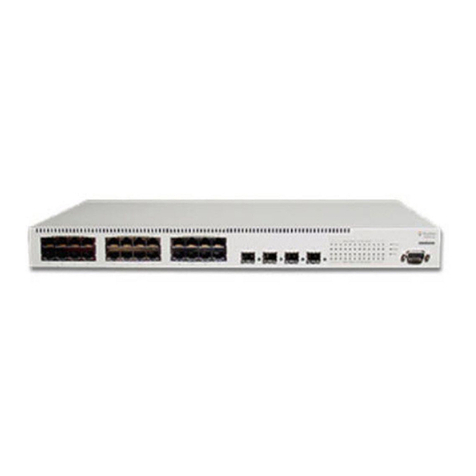
Up to three OS-6148 switches can be stacked together by installing optional
Stacking Modules. The OS-6100-RST-KIT Redundant Stacking Module kit allows
you to configure a closed-loop architecture that provides fault-tolerant operation of
the stack. If a switch or stacking module fails, or if a stacking cable is disconnected,
the entire stack will reboot and will subsequently resume normal operation and
management via the redundant stacking cable (Closed Loop). Also, any changes to
the stack including powering down of a unit or the insertion of a unit will cause the
stack to reboot.
Note: The Redundant Stacking Module must be installed with the master Management
Module in Unit 1 only. If backup management is used in conjunction with the
closed-loop feature, the backup Management Module must be installed in Unit 2.
Required Connections
Console Port (Out-of-Band) Connections
Attach a VT100 compatible terminal or a PC running a terminal emulation program
to the serial port on the switch’s rear panel. Use the null-modem cable provided with
this package, or use a null modem connection that complies with the wiring
assignments shown in “Pin Assignments” on page B-1 of this guide.
When attaching to a PC, set terminal emulation type to VT100, specify the port used
by your PC (i.e., COM 1~4), and then set communications to 8 data bits, 1 stop bit,
no parity, and 9600 bps (for initial configuration). Also be sure to set flow control to
“none.” (Refer to “Configuring the Serial Port” on page 2-14 for a complete
description of configuration options.)
Note: If the default settings for the management agent’s serial port have been
modified and you are having difficulty making a console connection, you can
display or modify the current settings using a Web browser as described under
“Console Configuration” on page 3-5.