manuals.online logo
Brands
  1. Home
  2. •
  3. Brands
  4. •
  5. Amiro
  6. •
  7. Personal Care Product
  8. •
  9. Amiro Eye Rejuvenation RF Device User manual

Amiro Eye Rejuvenation RF Device User manual

Other Amiro Personal Care Product manuals

Amiro ARF001 User manual

Amiro

Amiro ARF001 User manual

Amiro ARF001 User manual

Amiro

Amiro ARF001 User manual

Amiro ARF001 User manual

Amiro

Amiro ARF001 User manual

Amiro S1 User manual

Amiro

Amiro S1 User manual

Popular Personal Care Product manuals by other brands

DC-Connex DCX-L201 user manual

DC-Connex

DC-Connex DCX-L201 user manual

MPVTruma MicroDrop CalimeroJet instruction manual

MPVTruma

MPVTruma MicroDrop CalimeroJet instruction manual

Bosch PHA230 instruction manual

Bosch

Bosch PHA230 instruction manual

Beautify 4000001 care guide

Beautify

Beautify 4000001 care guide

MEIYATI Pro Spa quick start guide

MEIYATI

MEIYATI Pro Spa quick start guide

Blossom LED M3 R24 installation guide

Blossom

Blossom LED M3 R24 installation guide

Philips HB875/01 user manual

Philips

Philips HB875/01 user manual

Orliman SITLIVE OSL3120 INSTRUCTIONS FOR USE AND PRESERVATION

Orliman

Orliman SITLIVE OSL3120 INSTRUCTIONS FOR USE AND PRESERVATION

GE T8 Basic service manual

GE

GE T8 Basic service manual

Pretika ST102 Instructions for use & warranty information

Pretika

Pretika ST102 Instructions for use & warranty information

Beurer FC 76 Instructions for use

Beurer

Beurer FC 76 Instructions for use

Pebble Grey 500.40.70-75 manual

Pebble Grey

Pebble Grey 500.40.70-75 manual

PUSH ortho quick start guide

PUSH

PUSH ortho quick start guide

Dermlite DL3N instructions

Dermlite

Dermlite DL3N instructions

DERMAPEN SEMI user manual

DERMAPEN

DERMAPEN SEMI user manual

Carex SunLite user guide

Carex

Carex SunLite user guide

Roper Rhodes Intense Installation & Aftercare Instructions

Roper Rhodes

Roper Rhodes Intense Installation & Aftercare Instructions

Interacoustics Titan IMP440 Setup & installation

Interacoustics

Interacoustics Titan IMP440 Setup & installation

manuals.online logo
manuals.online logoBrands
  • About & Mission
  • Contact us
  • Privacy Policy
  • Terms and Conditions

Copyright 2025 Manuals.Online. All Rights Reserved.

User Manual
Eye Rejuvenation RF Device
* We appreciate you buying an AMIRO product. The user manu-
al's images of the item, its accessories, and its user interface are
merely for reference.
● Carefully read these instructions before using for your safety.
● Please save this manual for future reference.
● When transferring ownership of the product to others, please include
this manual.
Contents
I. Product Information
II. Instructions
III. Care Advice
IV. Safety Precautions
V. Table of Common Malfunctions
I. Product Information
Product description
This product is a device for eye skin care. Using it with the
AMIRO Eye Mask for Eye Rejuvenation RF Device can effec-
tively improve the eye skin.
Product specifications
● Product name: Eye Care Machine
● Product model: ABF206
● Product size: 140x25x25 mm
● Net weight: 90.3g
● Size of electrode contact surface: 18x18 mm
● Rated input: 5V⎓2A
● Battery capacity: 700mAh 3.7 V
● Country of origin: China
Product list
AMIRO Eye Rejuvenation RF Device x 1
AMIRO Eye Mask for Eye Rejuvenation RF Device x 4
1
Charging cable x1
User manual x1
II. Instructions
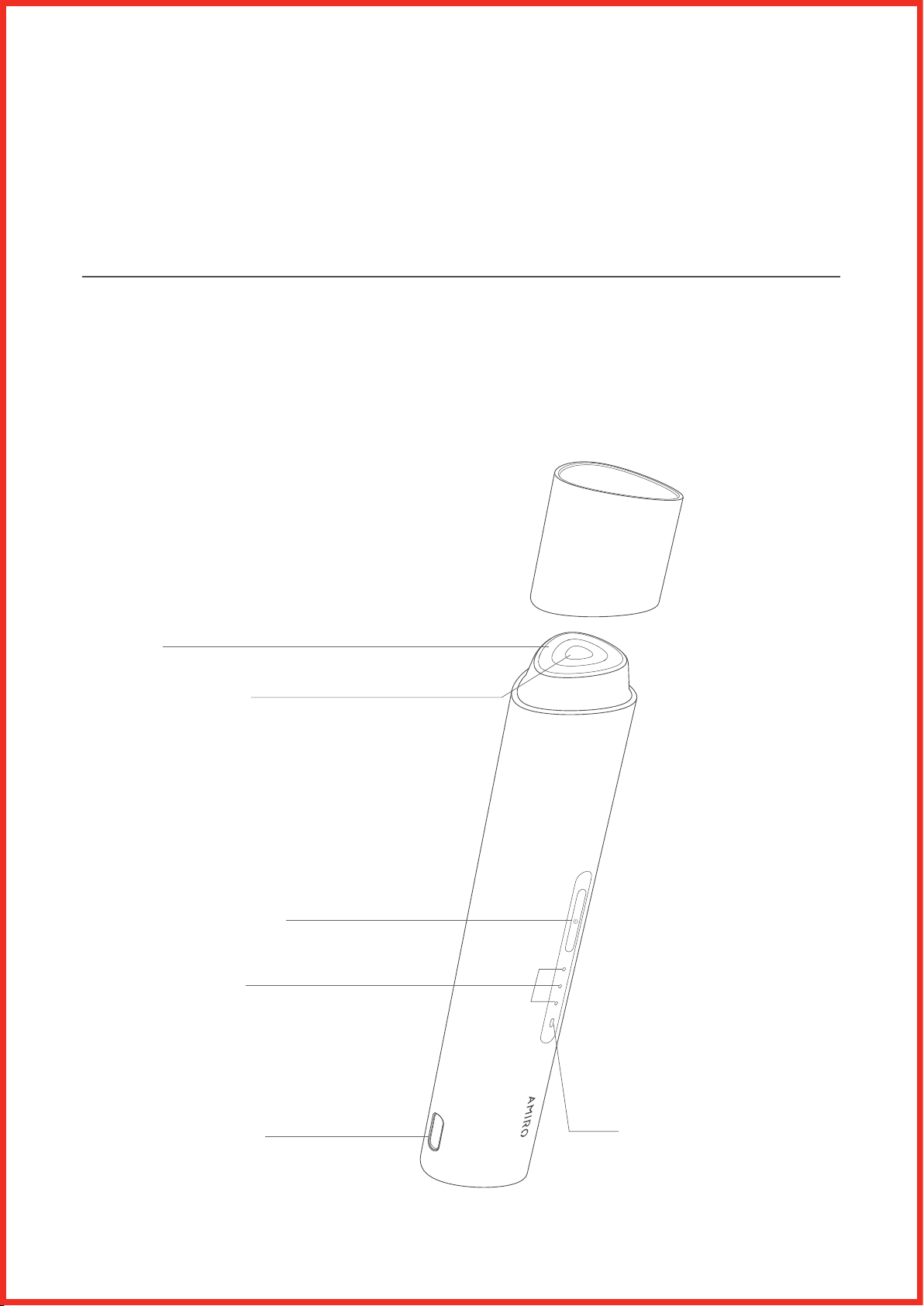
Device illustration
Charging indicator
Level 1•
Level 2••
Level 3•••
Electrode
Temperature sensor
Switch/intensity button
Type-C charging port Power indicator
2
Operating procedure
1. Charging
● Connect the charging cable to a power adapter (rated inputs ≤15W
and has a compliance certification such as CQC).
● Insert the Type-C connector of the charging cable completely into the
charging port of the device.
● When charging starts, the mode/power indicator starts flashing
● The device is fully charged when the power indicator is lit up.
● The device cannot be used when charging.
● Lay the device down when charging to prevent it tipping over.
Lay down on the charging side
Lay down on the front side
3
2. Powering on and off
● When the device is switched off, long press the switch/intensity button
for 2s to turn on the device.
● The device will automatically turn off if no operation and no contact
with skin is made within 60 seconds after being powered on.
● Long press the switch/intensity button for 2s to power off the device.
3. Intensity selection
● The device’s default intensity is Level 1 (1 indicator on) when first pow-
ered on; it remembers the last intensity used when it is powered on subse-
quently.
● After switching on, press the switch/intensity button briefly to switch
intensity. The intensities are switched in the cycle of 1-2-3-2-1, and the
intensity light changes accordingly.
● The highest intensity is 3 (3 lights) and the lowest is 1 (1 light).
4. Power indicator
● The white light is on when the power is higher than 21% and the red
light is on when the power is lower than 20%.
● When the device is switched off, press the switch/intensity button to see
the power status.
● The power indicator is on when the device is switched on.
5. Low-power protection
● The low-power protection mode is turned on when the power is less
than 5%.
● Press the switch/intensity button and the red light flashes 10 times.
● Long press the switch/intensity button and the device does not power
on.
● When the device enters low battery protection, charge it before using it
again.
4

III. Care Advice
● Set intensity to Level 1 when using the device for the first time
● Use the device 2 to 3 times per week
* Use the device with AMIRO Eye Mask for Eye Rejuvenation RF Device
for better effect
5
Care steps
Step 1: Makeup removal and cleansing
● Remove makeup, cleanse your face, and apply toner to keep your face
moisturized.
Step 2: Put on the eye mask
Using matching eye masks is recommended
* How to use AMIRO Eye Mask for Eye Rejuvenation RF Device
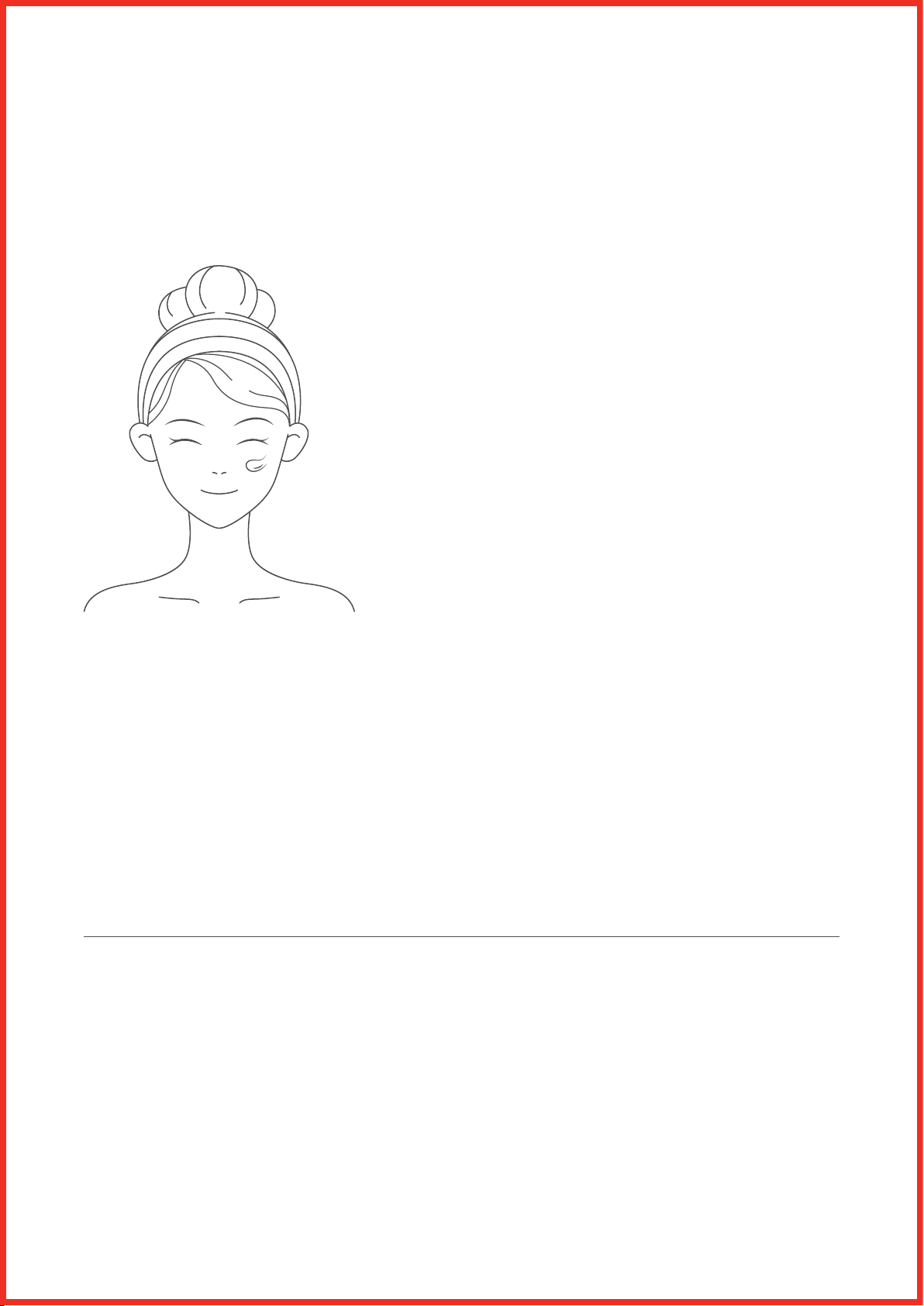
● Dry your hands, take out the freeze-dried eye mask and gently apply to
your under-eye skin
● Take out the active moisture eye mask and cover it on the freeze-dried
eye mask
6
Step 3: Eye care
* The whole care procedure takes about 4 minutes and the device auto-
matically powers off after that.
● Switch on the device and select an intensity level that suits you.
● Press the head of the device against the under-eye skin and the device
will start working after a brief vibration (refer to technique illustration).
● During the care procedure, press on the left and right eyes alternatively.
● After a 4-minute care procedure, the device vibrates for 0.5s before
powering off automatically.
Treatment techniques (introduction and illustrations)
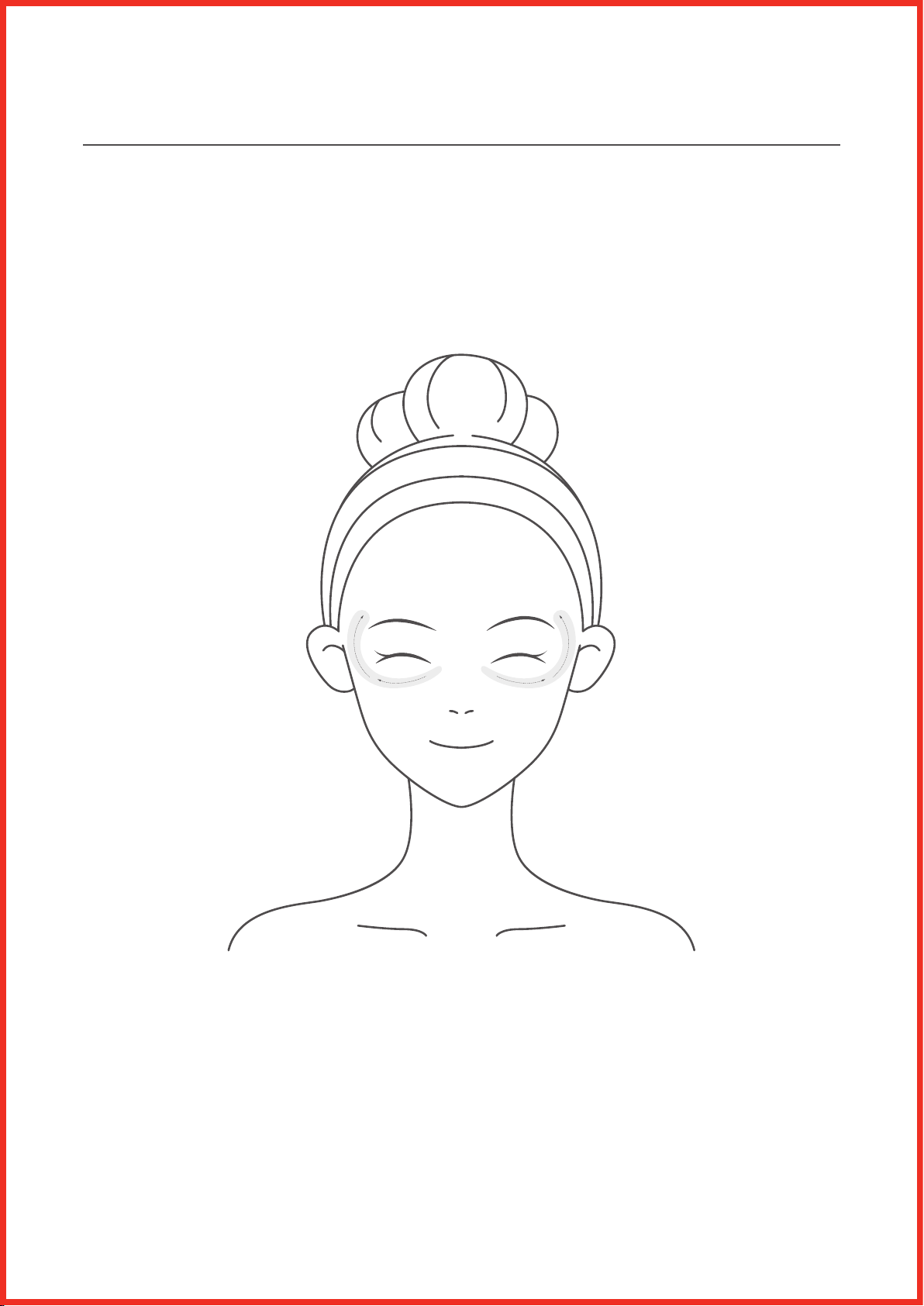
● Use on the left and right eyes alternatively, for under-eye lines, corners
of eyes and arch of eyebrows.
● Press each area for 1-2s, (change to the next area when you feel obvious
heat and electric current), and keep the head of the device tight against
the skin.
[Note: Do not use the device on the eyeballs and upper eyelids, or on the
same area for too long].
7
Step 4: Care finished
● When using the device with an eye mask, keep the mask on for another
5-10 minutes, massage the skin around the eyes until the essence is ab-
sorbed.
Step 5: Device maintenance
● After the care routine, wipe off the residue on the device with a slightly
wet soft cloth or wet tissue before putting it back in the storage box or
pouch.
IV. Safety Precautions
Tips:
Carefully read all [Safety Precautions] before using the product and
adhere to all guidelines in this handbook.
* [Warning]: Failure to follow the instructions may result in adverse
effects.
8