manuals.online logo
Brands
  1. Home
  2. •
  3. Brands
  4. •
  5. Analog Devices
  6. •
  7. Computer Hardware
  8. •
  9. Analog Devices LTC3728EG User manual

Analog Devices LTC3728EG User manual

Other Analog Devices Computer Hardware manuals
Analog Devices EVAL-ADuCM420QSP1Z User manual

Analog Devices

Analog Devices EVAL-ADuCM420QSP1Z User manual

Analog Devices ADAV4622 User manual

Analog Devices

Analog Devices ADAV4622 User manual

Analog Devices AD9883A User manual

Analog Devices

Analog Devices AD9883A User manual

Analog Devices ADM1060 User manual

Analog Devices

Analog Devices ADM1060 User manual

Analog Devices ADSP-21065L EZ-KIT Lite User manual

Analog Devices

Analog Devices ADSP-21065L EZ-KIT Lite User manual

Analog Devices EVAL-ADPA1106 User manual

Analog Devices

Analog Devices EVAL-ADPA1106 User manual

Analog Devices HPUSB User manual

Analog Devices

Analog Devices HPUSB User manual

Analog Devices DC2745A Quick setup guide

Analog Devices

Analog Devices DC2745A Quick setup guide

Analog Devices ADP1046A User manual

Analog Devices

Analog Devices ADP1046A User manual

Analog Devices VisualDSP++ 5.0 User manual

Analog Devices

Analog Devices VisualDSP++ 5.0 User manual

Analog Devices ADM8611 User manual

Analog Devices

Analog Devices ADM8611 User manual

Analog Devices ADSP-2106x SHARC User manual

Analog Devices

Analog Devices ADSP-2106x SHARC User manual

Analog Devices SHARC ADSP-21020 User manual

Analog Devices

Analog Devices SHARC ADSP-21020 User manual

Analog Devices Linear LTM 4700 User manual

Analog Devices

Analog Devices Linear LTM 4700 User manual

Analog Devices EZ-KIT Lite ADSP-BF537 User manual

Analog Devices

Analog Devices EZ-KIT Lite ADSP-BF537 User manual

Analog Devices ADRV902 Series User manual

Analog Devices

Analog Devices ADRV902 Series User manual

Analog Devices Linear ADP5070 Quick setup guide

Analog Devices

Analog Devices Linear ADP5070 Quick setup guide

Analog Devices EVAL-ADAU1772Z User manual

Analog Devices

Analog Devices EVAL-ADAU1772Z User manual

Analog Devices ADSP-21000 User guide

Analog Devices

Analog Devices ADSP-21000 User guide

Analog Devices ADSST-EM-3040 User manual
Analog Devices

Analog Devices ADSST-EM-3040 User manual

Analog Devices SHARC ADSP-2136 Series Application guide

Analog Devices

Analog Devices SHARC ADSP-2136 Series Application guide

Analog Devices adsp-2100 User manual

Analog Devices

Analog Devices adsp-2100 User manual

Analog Devices ADDS-218X-ICE-2.5V User manual

Analog Devices

Analog Devices ADDS-218X-ICE-2.5V User manual

Analog Devices AD9284-250EBZ User manual

Analog Devices

Analog Devices AD9284-250EBZ User manual

Popular Computer Hardware manuals by other brands

Toshiba TOSVERT VF-MB1/S15 IPE002Z Function manual

Toshiba

Toshiba TOSVERT VF-MB1/S15 IPE002Z Function manual

Shenzhen MEITRACK MVT380 user guide

Shenzhen

Shenzhen MEITRACK MVT380 user guide

TRENDnet TEW-601PC - SUPER G MIMO WRLS PC CARD user guide

TRENDnet

TRENDnet TEW-601PC - SUPER G MIMO WRLS PC CARD user guide

StarTech.com CF2IDE18 instruction manual

StarTech.com

StarTech.com CF2IDE18 instruction manual

Texas Instruments LMH0318 Programmer's guide

Texas Instruments

Texas Instruments LMH0318 Programmer's guide

Gateway 8510946 user guide

Gateway

Gateway 8510946 user guide

Devon IT TC2D Quick setup guide

Devon IT

Devon IT TC2D Quick setup guide

Krüger & Matz Air Shair2 owner's manual

Krüger & Matz

Krüger & Matz Air Shair2 owner's manual

Crystalio VPS-2300 quick guide

Crystalio

Crystalio VPS-2300 quick guide

MYiR FZ3 user manual

MYiR

MYiR FZ3 user manual

Protech Systems BC-K200 Quick reference guide

Protech Systems

Protech Systems BC-K200 Quick reference guide

Miranda DENSITE series DAP-1781 Guide to installation and operation

Miranda

Miranda DENSITE series DAP-1781 Guide to installation and operation

Sierra Wireless Sierra Wireless AirCard 890 quick start guide

Sierra Wireless

Sierra Wireless Sierra Wireless AirCard 890 quick start guide

Leadtek Killer Xeno Pro Quick installation guide

Leadtek

Leadtek Killer Xeno Pro Quick installation guide

Star Cooperation FlexTiny 3 Series Instructions for use

Star Cooperation

Star Cooperation FlexTiny 3 Series Instructions for use

Hotone Ampero user manual

Hotone

Hotone Ampero user manual

Connect Tech Xtreme/104-Express user manual

Connect Tech

Connect Tech Xtreme/104-Express user manual

Yealink WF50 user guide

Yealink

Yealink WF50 user guide

manuals.online logo
manuals.online logoBrands
  • About & Mission
  • Contact us
  • Privacy Policy
  • Terms and Conditions

Copyright 2025 Manuals.Online. All Rights Reserved.

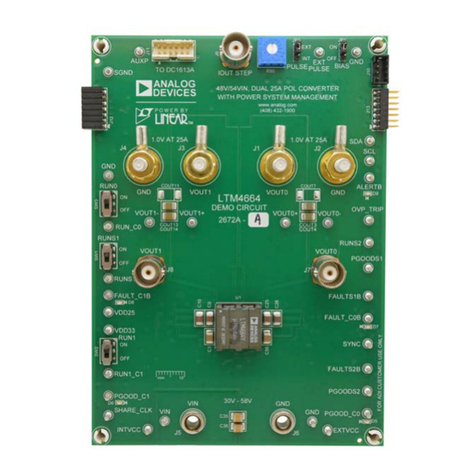
QUICK START GUIDE FOR DEMONSTRATION CIRCUIT 542
DUAL PHASE, DUAL OUTPUT SYNCHRONOUS BUCK CONVERTER
1
LTC3728EG
DESCRIPTION
Demonstration circuit 542 is a dual output, dual
phase step down converter, which is controlled
by the LTC3728EG. Output #1 can be configured
for either 5.0V or 3.3V and output #2 can be
configured for either 3.3V or 2.5V. The maximum
load for both rails is 12A. The input voltage
range of the DC542 is 8V to 24V.
The DC542 also contains a footprint for a 5.5V
boost converter bias supply whose output is
connected to EXTVCC. See the “Optional Bias
Supply” section for more details.
Design files for this circuit board are avail-
able. Call the LTC factory.
Table 1.Performance Summary
PARAMETER CONDITION VALUE
Minimum Input Voltage 8V
Maximum Input Voltage 24V
V
OUT1
V
IN
= 8V to 24V, I
OUT
= 0A to 12A 5.0V ± 3% / 3.3V ± 3%
V
OUT2
V
IN
= 8V to 24V, I
OUT
= 0A to 12A 3.3V ± 3% / 2.5V ± 3%
QUICK START PROCEDURE
Demonstration circuit 542 is easy to set up. Re-
fer to Figure 1 for the proper setup of the meas-
urement equipment and follow the procedure
below:
1. With power off, connect the input voltage
source and the load. The load cables should
be sized for 12 Amps and the input cables
should be sized for 15 Amps.
2. The jumpers should be placed in their default
positions as shown in Figure 1.
3. If a constant current electronic load is used,
preset the load current to about 1A or less
before applying power to the input. Other-
wise, the foldback current limit function of the
LTC3728 may be triggered during startup.
4. Apply power to the input and set the input
voltage to 12V. The voltage for output #1
should be 5.0V ± 3% and the voltage for out-
put #2 should be 3.3V ± 3%. Increase the
load on both rails to 12.0A. The two outputs
should still be within regulation.
5. Keep the input voltage at 12.0V and the load
at 12.0A for both rails. Measure the DC input
current. It should be less than 9.4A.
6. Remove input power from the converter. Set
the voltage for output #1 to 3.3V using
jumper JP5 and the voltage for output #2 to
2.5V using JP4. Repeat step #4. The voltage
for output #1 should be 3.3V ± 3% and the
voltage for output #2 should be 2.5V ± 3%.
7. Adjust the input voltage and load current to
the desired levels within their limits and ob-
serve the regulation, output ripple, load step
response, efficiency and other parameters.
QUICK START GUIDE FOR DEMONSTRATION CIRCUIT 542
DUAL PHASE, DUAL OUTPUT SYNCHRONOUS BUCK CONVERTER
2
Note: When measuring the output voltage ripple,
care must be taken to avoid a long ground lead
on the oscilloscope probe. Connect the probe tip
to VOUT and the probe’s ground ring to GND.
Make the connections as short as possible. For
output #1, measure the ripple directly across
C35 and for output #2, measure across C36.
See Figure 2.
Figure 1. Setup for measurement equipment.
Figure 2. Output ripple measurement.
QUICK START GUIDE FOR DEMONSTRATION CIRCUIT 542
DUAL PHASE, DUAL OUTPUT SYNCHRONOUS BUCK CONVERTER
3
OPTIONAL BIAS SUPPLY
The DC542 also contains a footprint for a 5.5V
boost converter bias supply whose output is
connected to EXTVCC. The input of this bias
supply can be connected to one of the following:
1) VIN, if VIN<5V
2) VOUT1 for VOUT1 <5V and VIN>5V.
The latter connection will provide higher effi-
ciency. If this bias supply is stuffed, please keep
the following points in mind:
1) If the input voltage of the optional bias supply
is connected to VIN, then the board will need
to be slightly modified to ensure that the
voltage on the EXTVCC pin of the
LTC3728EG does not exceed the voltage on
the VIN pin. These are the modifications:
a) Remove resistor R8.
b) Tie the (+) end of C3 to the (+) end of
C21.
2) If the input voltage of the optional bias supply
is connected to output #1, precautions need
to be taken to make sure that the voltage on
the EXTVCC pin of the LTC3728EG does not
exceed the voltage on the VIN pin during
turn-on of the main converter. Follow the
steps below:
a) Put jumper JP6 in the “0” position to tie
the RUN1 signal to ground.
b) Turn-on the main input voltage and set to
desired level.
c) Put jumper JP6 in the “1” position to turn-
on output #1.
3) If a different power MOSFET configuration is
used or the switching frequency is increased,
then be sure to measure the current flowing
into the EXTVCC pin and make sure the cur-
rent will not exceed the maximum output cur-
rent of the bias supply. At 3.3V input, the
maximum output current of the bias supply is
200mA.
For further assistance, contact the factory.
QUICK START GUIDE FOR DEMONSTRATION CIRCUIT 542
DUAL PHASE, DUAL OUTPUT SYNCHRONOUS BUCK CONVERTER
4
QUICK START GUIDE FOR DEMONSTRATION CIRCUIT 542
DUAL PHASE, DUAL OUTPUT SYNCHRONOUS BUCK CONVERTER
5
Mouser Electronics
Authorized Distributor
Click to View Pricing, Inventory, Delivery & Lifecycle Information:
Analog Devices Inc.:
DC542A