Antari AF-5 User manual

1
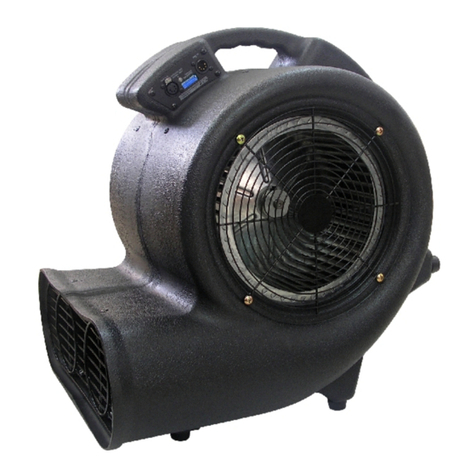
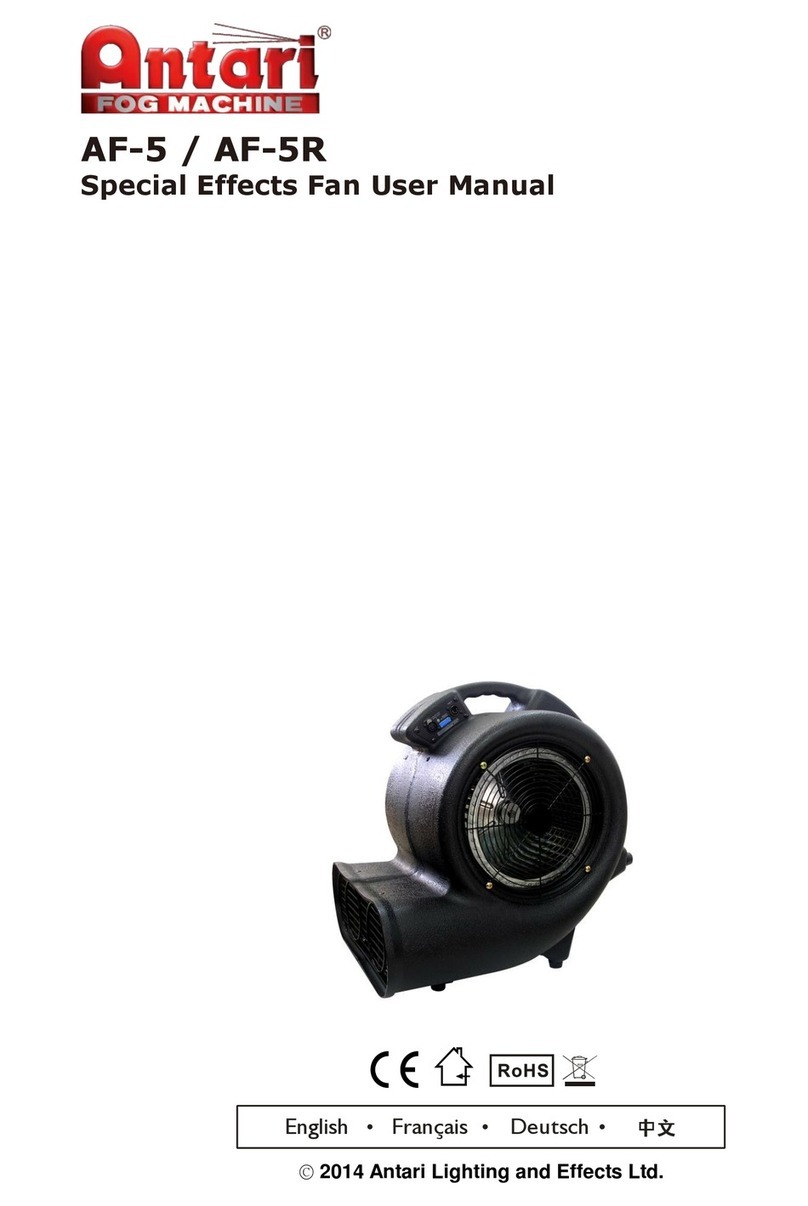
AF-5 Fan USER MANUAL
English Français Deutsch• • •
2010 Antari Lighting and Effects Ltd.

2

3
Antari AF-5 Special Effects Fan User Manual
Congratulations on the purchase of your new Antari AF-5 Special Effects Fan. Prior to use, we
suggest that you carefully read all of the instructions. By following the suggestions found in this
user manual, you can look forward to the reliable and satisfactory performance of your Antari AF-5
Special Effects Fan for years to come.
- Caution:
1. Operate only with adult supervision.
2. Keep hands off and do not insert anything into the fan.
3. This fan is not water-resistant. Avoid splash water.
4. Unplug the machine when it is not in use or unattended.
5. Prevent the vents from being blocked by anything.
- Wind Speed Control
The wind speed of the fan can be adjusted in three steps using the rotary switch, the wireless
remote control, or a DMX controller.
1. Manual Control:
Manual Control Panel
For manual control set DIP switch no. 10 to position OFF.

4
2. Wireless Control:
DMX / DIP Switch Section
For wireless control set DIP switch no. 10 to position ON.
At first, the wireless remote control must be registered with the machine.
When the fan is powered on, the LED indicator on the control panel will flash for about 15
seconds. Within this period, press button A on the remote control to register it with the
machine.
It is possible to register up to 5 remote controls with a machine at the same time. When
registered, a remote control can control an unlimited number of machines in parallel.
W-1 Wireless Remote Control
Button A on the remote control allows for incremental adjustment of the fan speed: first
Button B stops the fan.
Each time a button is actuated, the LED indicator on the control panel will flash once to
indicate proper signal transmission.

5
* Wireless remote control is an optional accessory.
If your fan comes without a wireless remote, the LED indicator will not flash when the fan is
powered on. Also, turning DIP switch no. 10 to “ON” will not work either.
3. DMX Control:
The machine uses one DMX channel for adjusting the fan speed.
DMX setting:
DMX value
Function
0~10
fan off
11~92
low speed
93~174
medium speed
175~255
high speed
DMX control will override both manual and wireless control functions.
DMX addressing by DIP switches:
DIP
1
2
3
4
5
6
7
8
9
10
Ch.
1
2
4
8
16
32
64
128
256
Wireless control
on/off
- Technical Specifications
Model
AF-5
Power supply
AC 100~120 V, 50/60 Hz or AC 220~240 V, 50/60 Hz
Horsepower
1 HP
Dimensions (LxWxH)
530 x 470 x 490 mm
Vent dimensions
454 x 153 mm
Weight
17.5 kg
*Please read and save these instructions*

6
Antari AF-5 Special Effects Fan Mode d'emploi
Nous vous félicitons pour l'achat de votre nouvelle Antari AF-5 Special Effects Fan. En vue d'utiliser
correctement votre nouvel appareil, veuillez lire attentivement ce mode d'emploi. Si vous
respectez les instructions suivantes, vous profiterez d'une performance solide et convaincante de
votre Antari AF-5 Special Effects Fan pour de nombreuses années.
- Attention :
1. L'usage de cet appareil n'est prévu que pour les adultes.
2. Eloigner les mains et ne jamais insérer des objets au ventilateur.
3. L’appareil a été conçu pour un emploi dans des locaux clos. Ne pas utiliser à l’extérieur. Evitez les
projections d'eau.
4. Mettre la machine hors de service quand vous n'utilisez pas la machine.
5. Ne jamais desservir les ouvertures de la machine.
- Ajuster la vitesse de vent
La vitesse du ventilateur est ajustable en trois pas grâce au commutateur rotatif, la
télécommande sans fil, ou un contrôleur DMX.
1. Opération manuelle
Commutateur rotatif pour l'opération manuelle
Pour choisir l'opération manuelle, mettez l‘interrupteur DIP 10 à OFF.
Ajustez la vitesse comme souhaité avec le commutateur rotatif avec les positions arrêt

7
2. Opération sans fil
Section DMX/Interrupteurs DIP
Pour choisir l'opération sans fil, mettez l‘interrupteur DIP 10 à ON.
Au début, la télécommande sans fil doit être enregistré avec la machine.
Quand le ventilateur est mis en service, l'indicateur LED clignote environ 15 secondes. Pour
l'enregistrement, appuyez sur la bouton A sur la télécommande pendant cette période.
Il est possible d'enregistrer jusqu'à 5 télécommandes avec une machine. Quand enregistrée,
une télécommande peut contrôler des machines illimitée en même temps.
W-1 Télécommande sans fil
Appuyez sur la bouton A sur la télécommande pour ajuster la vitesse de vent : première
pression : lent → pression suivante : moyen → pression suivante : vite.
Pour désactiver le ventilateur, appuyez sur la bouton B.
Chaque fois vous pressez un bouton, l'indicateur LED clignote.

8
* La télécommande sans fil est facultatif.
Quand le ventilateur est lviré sans télécommande, l'indicateur LED ne clignote pas quand le
ventilateur es mis en service. Autre fois, l'interrupteur DIP numéro 10 ne marche pas en position
"ON".
3. Opération DMX
L'appareil a un canal de contrôle pour le réglage de la vitesse du ventilateur.
Réglages DMX :
Valeur DMX
Fonction
0~10
ventilateur arrêt
11~92
vitesse lent
93~174
vitesse moyen
175~255
vitesse vite
En mode contrôle par DMX, il n'est plus possible de contrôler la machine manuellement ou sans
fil avec la télécommande.
Ajustez l'adresse DMX par interrupteurs DIP :
DIP
1
2
3
4
5
6
7
8
9
10
Canal
1
2
4
8
16
32
64
128
256
Sans fil
marche/arrêt
- Caractéristiques Techniques
Modèle
AF-5
Alimentation
AC 100~120 V, 50/60 Hz ou AC 220~240 V, 50/60 Hz
Puissance
1 HP
Dimensions (LxlxH)
530 x 470 x 490 mm
Dimensions ventilateur
454 x 153 mm
Poids
17,5 kg
Lisez et gardez ces instructions.

9
Antari AF-5 Special Effects Fan Bedienungsanleitung
Vielen Dank, dass Sie sich für eine Antari-Maschine entschieden haben. Vor der Benutzung bitte
unbedingt diese Bedienungsanleitung sorgfältig lesen. Wenn Sie die Hinweise in dieser
Bedienungsanleitung beachten, können Sie sich in den nächsten Jahren auf eine zuverlässige und
überzeugende Leistung Ihrer Antari-Maschine freuen.
- Achtung:
1. Nur für Erwachsene. Betreiben Sie die Maschine niemals unbeaufsichtigt.
2. Hände fernhalten. Es dürfen keine fremden Gegenstände in das Gebläse gelangen.
3. Diese Maschine ist nicht wasserdicht. Vermeiden Sie Spritzwasser.
4. Trennen Sie bitte die Maschine nach dem Betrieb vom Netz.
5. Decken Sie niemals die Luftöffnungen der Maschine ab.
- Windgeschwindigkeit einstellen
Die Windgeschwindigkeit des Gebläses lässt sich in drei Stufen mit dem Drehschalter, der
Funkfernbedienung oder einem DMX-Controller einstellen.
1. Manueller Betrieb
Drehschalter für manuellen Betrieb
Stellen Sie für den manuellen Betrieb DIP-Schalter Nr. 10 auf OFF.
Stellen Sie dann mit dem Drehschalter die gewünschte Leistungsstufe für das Gebläse ein: aus

10
2. Funksteuerung
DMX-Anschlüsse/DIP-Schalter
Stellen Sie für die Funksteuerung DIP-Schalter Nr. 10 auf OFF.
Die Funkfernbedienung muss zunächst auf die Maschine adressiert werden.
Nach dem Anschluss ans Netz blinkt der LED-Indikator ca. 15 Sekunden lang. Zur Adressierung
drücken Sie während dieses Zeitraums die Taste A auf der Fernbedienung.
Bis zu 5 Fernbedienungen können gleichzeitig auf eine Maschine adressiert werden. Mit einer
adressierten Fernbedienung lässt sich eine unbegrenzte Anzahl von Maschinen parallel
steuern.
W-1 Funkfernbedienung
Mit der Taste A auf der Fernbedienung kann die Leistung des Gebläses stufenweise eingestellt
werden; erster Tastendruck: niedrige Geschwindigkeit, zweiter Tastendruck: mittlere
Geschwindigkeit, dritter Tastendruck: hohe Geschwindigkeit.
Taste B schaltet das Gebläse aus.
Other manuals for AF-5
2
Table of contents
Languages:
Other Antari Fan manuals
Popular Fan manuals by other brands

ELTA FANS
ELTA FANS H03VV-F installation guide

Hunter
Hunter 20714 Owner's guide and installation manual

Emerson
Emerson CARRERA VERANDA CF542ORB00 owner's manual

Hunter
Hunter Caraway Owner's guide and installation manual

Panasonic
Panasonic FV-15NLFS1 Service manual

Kompernass
Kompernass KH 1150 operating instructions