User Manual
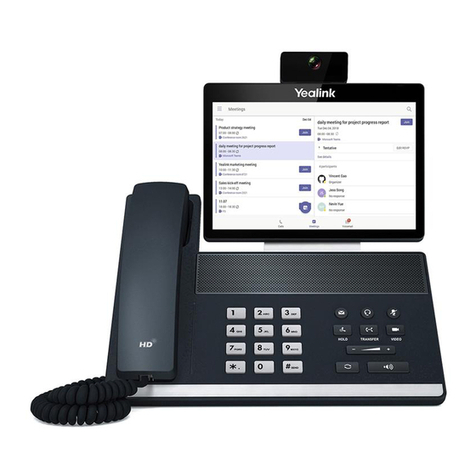
UT880
3
Table of Contents
1. Introduction .....................................................................................................................................................................................6
1.1 Getting Started.......................................................................................................................................................7
1.2 Contents.................................................................................................................................................................7
1.3 Symbols.................................................................................................................................................................7
1.4 Safety Cautions .....................................................................................................................................................8
2. Introduction to UT880..................................................................................................................................................................... 9
2.1 Components Check ............................................................................................................................................... 9
2.2 UT880 Front View ..............................................................................................................................................10
2.3 UT880 Rear View ...............................................................................................................................................11
2.4 UT880 Picture .....................................................................................................................................................12
2.5 Features ...............................................................................................................................................................13
3. Phone set-up ..................................................................................................................................................................................14
3.1 Getting Started Installation..................................................................................................................................14
3.1.1 Installation ........................................................................................................................................14
3.1.2 Get the Phone IP Address ...................................................................................................................15
3.1.2.1 Using DHCP..................................................................................................................................................15
3.1.2.2 Using Static IP...............................................................................................................................................16
3.2 Setting up SIP...................................................................................................................................................... 16
3.2.1 Enter SIP Account .............................................................................................................................16
4. Basic Features ............................................................................................................................................................................... 17
4.1 Making a Call ......................................................................................................................................................18
4.1.1 Using DIALPAD to make a call ..........................................................................................................18
4.1.2 Using REDIAL Button .......................................................................................................................18
4.1.3 Using HISTORY ...............................................................................................................................19
4.1.4 Using CONTACTS ............................................................................................................................19
4.1.5 Making Video Call.............................................................................................................................19
4.2 Receiving Calls ...................................................................................................................................................20
4.2.1 Picking up the Receiver......................................................................................................................20
4.2.2 Using Speaker Phone .........................................................................................................................20
4.2.3 Using Headset ...................................................................................................................................20
4.3 Call Pick-up.........................................................................................................................................................21
4.4 Features During a Call.........................................................................................................................................21