manuals.online logo
Brands
  1. Home
  2. •
  3. Brands
  4. •
  5. Ascon tecnologic
  6. •
  7. Controllers
  8. •
  9. Ascon tecnologic K32L Installation and operation manual

Ascon tecnologic K32L Installation and operation manual

Other Ascon tecnologic Controllers manuals

Ascon tecnologic Y39H User manual

Ascon tecnologic

Ascon tecnologic Y39H User manual

Ascon tecnologic Y39 User manual

Ascon tecnologic

Ascon tecnologic Y39 User manual

Ascon tecnologic K 1E Series Installation and operation manual

Ascon tecnologic

Ascon tecnologic K 1E Series Installation and operation manual

Ascon tecnologic TLK 33 User manual

Ascon tecnologic

Ascon tecnologic TLK 33 User manual

Ascon tecnologic TLY26 User manual

Ascon tecnologic

Ascon tecnologic TLY26 User manual

Ascon tecnologic K32 Installation and operation manual

Ascon tecnologic

Ascon tecnologic K32 Installation and operation manual

Ascon tecnologic KM3-L Installation and operation manual

Ascon tecnologic

Ascon tecnologic KM3-L Installation and operation manual

Ascon tecnologic TLK41 User manual

Ascon tecnologic

Ascon tecnologic TLK41 User manual

Ascon tecnologic K48 Installation and operation manual

Ascon tecnologic

Ascon tecnologic K48 Installation and operation manual

Ascon tecnologic TLZ35 User manual

Ascon tecnologic

Ascon tecnologic TLZ35 User manual

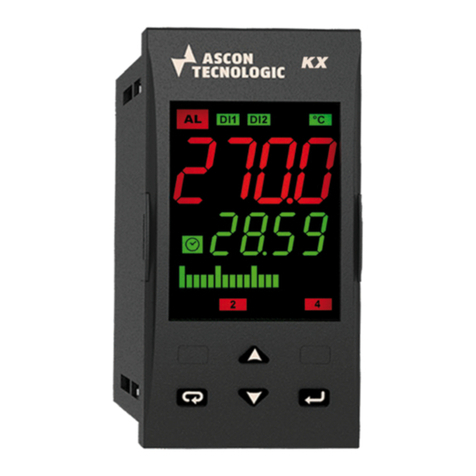
Ascon tecnologic KX6 Series Installation and operation manual

Ascon tecnologic

Ascon tecnologic KX6 Series Installation and operation manual

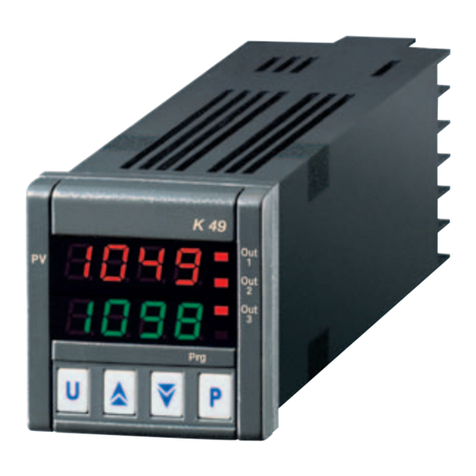
Ascon tecnologic K49 Installation and operation manual

Ascon tecnologic

Ascon tecnologic K49 Installation and operation manual

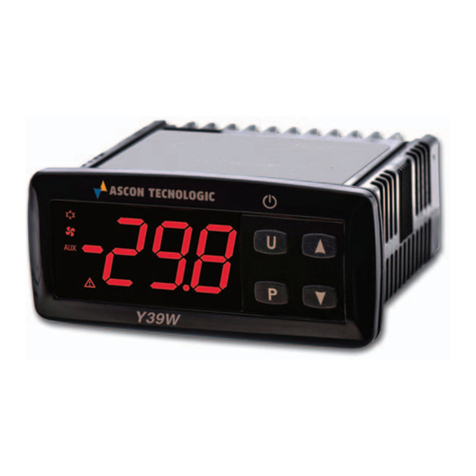
Ascon tecnologic Y39W User manual

Ascon tecnologic

Ascon tecnologic Y39W User manual

Ascon tecnologic K 5P Series Installation and operation manual

Ascon tecnologic

Ascon tecnologic K 5P Series Installation and operation manual

Ascon tecnologic e31 Series User manual

Ascon tecnologic

Ascon tecnologic e31 Series User manual

Ascon tecnologic Y33S User manual

Ascon tecnologic

Ascon tecnologic Y33S User manual

Ascon tecnologic KM5P Series Installation and operation manual

Ascon tecnologic

Ascon tecnologic KM5P Series Installation and operation manual

Ascon tecnologic Y39SE User manual

Ascon tecnologic

Ascon tecnologic Y39SE User manual

Ascon tecnologic X5 Series User manual

Ascon tecnologic

Ascon tecnologic X5 Series User manual

Ascon tecnologic TLK41 User manual

Ascon tecnologic

Ascon tecnologic TLK41 User manual

Ascon tecnologic KX5P Installation and operation manual

Ascon tecnologic

Ascon tecnologic KX5P Installation and operation manual

Ascon tecnologic TLZ 12 P User manual

Ascon tecnologic

Ascon tecnologic TLZ 12 P User manual

Ascon tecnologic TLY25 User manual

Ascon tecnologic

Ascon tecnologic TLY25 User manual

Ascon tecnologic X34 User manual

Ascon tecnologic

Ascon tecnologic X34 User manual

Popular Controllers manuals by other brands

Sunricher SR-ZV9003T3-RGBW-US Installation

Sunricher

Sunricher SR-ZV9003T3-RGBW-US Installation

Ksenia intro Installation and configuration manual

Ksenia

Ksenia intro Installation and configuration manual

Inovance CAN200 Series manual

Inovance

Inovance CAN200 Series manual

Gauzy LC6 FLEX Controller Installation and operation guide

Gauzy

Gauzy LC6 FLEX Controller Installation and operation guide

Viking SLP-1 Technical practice

Viking

Viking SLP-1 Technical practice

CKD KBX-30E-U Series instruction manual

CKD

CKD KBX-30E-U Series instruction manual

Sharp Energy Sun Flux User manual & installation guide

Sharp Energy

Sharp Energy Sun Flux User manual & installation guide

Yamaha RCX40 user manual

Yamaha

Yamaha RCX40 user manual

AB Quality PowerFlex 400 Frames D-H Service bulletin

AB Quality

AB Quality PowerFlex 400 Frames D-H Service bulletin

Yamaha MJC8 owner's manual

Yamaha

Yamaha MJC8 owner's manual

AL-KO ATC operating instructions

AL-KO

AL-KO ATC operating instructions

Savant SmartControl 2 Deployment guide

Savant

Savant SmartControl 2 Deployment guide

GameSir T3S user manual

GameSir

GameSir T3S user manual

Kostal inveor operating manual

Kostal

Kostal inveor operating manual

Emerson Yarway 20-55 Operating and safety instructions

Emerson

Emerson Yarway 20-55 Operating and safety instructions

CoCo ACM-LV24 Quick installation guide

CoCo

CoCo ACM-LV24 Quick installation guide

Brooks SLA5810/20 Installation and operation manual

Brooks

Brooks SLA5810/20 Installation and operation manual

SIGMA TEK SR 011 Technical manual

SIGMA TEK

SIGMA TEK SR 011 Technical manual

manuals.online logo
manuals.online logoBrands
  • About & Mission
  • Contact us
  • Privacy Policy
  • Terms and Conditions

Copyright 2025 Manuals.Online. All Rights Reserved.

Ascon Tecnologic - K32L Line - ENGINEERING MANUAL - PAG. 1
K32L
CONTROLLER WITH
HIGH INPUT ACCURACY
Engineering Manual
22/10 - Code: ISTR_M_K32L_E_10_--
Ascon Tecnologic S.r.l.
Viale Indipendenza 56, 27029 Vigevano (PV) - ITALY
Tel.: +39 0381 69871/FAX: +39 0381 698730
www.ascontecnologic.com
e-mail: [email protected]
1. OUTLINE DIMENSIONS (mm)
1.1 Dimensions
K32L
1032
1032
1098.
1098.
PV
Out
Prg
1
2
3
4
P
U
28
5.5
78
35
64
3434
Brackets
“Butterfly” brackets:
Panel + Gasket
12 mm max.
Screw type bracket:
Panel + Gasket
29 mm max.
29
71
1.2 Mounting requirements
This instrument is intended for permanent installation, for
indoor use only, in an electrical panel which encloses the
rear housing, exposed terminals and wiring on the back.
Select a mounting location having the following characteristics:
1. It should be easily accessible;
2. There are minimum vibrations and no impact;
3. There are no corrosive gases;
4. There are no water or other fluids (i.e. condensation);
5. The ambient temperature is in accordance with the
operative temperature (0... 50°C);
6. The relative humidity is in accordance with the instrument
specifications (20... 85%);
When the maximum front protection (IP65) is desired, the
optional screw type bracket must be mounted (see the
“How to Order” paragraph).
2. CONNECTION DIAGRAM
OUT 12VDC (max. 20 mA)
INPUT
OUT1OUT2OUT3OUT4
Power
supply
SSR: 10mA/10VDC
TC/mV
Pt100
4... 20 mA active
PTC-NTC
4... 20 mA passive (2 wires)
Ext.
gen.
0/4... 20 mA active
0... 50/60 mV; 0... 1 V; 0/1... 5 V; 0/2... 10 V
RS485
B GND A
DI2DI1
RELAYS: Out-1, 2: 8A-AC1 (3A-AC3)/250VAC
RELAYS: Out-3, 4: 5A-AC1 (2A-AC3)/250VAC
2.1 General notes about wiring
1. Do not run input wires together with power cables.
2. External components (like zener barriers, etc.) connected
between sensor and input terminals may cause errors in
measurement due to excessive and/or not balanced line
resistance or possible leakage currents.
3. When a shielded cable is used, the protection shield
should be connected to ground at one point only.
4. Pay attention to the line resistance; a high line resistance
may cause measurement errors.
2.2 Inputs
2.2.1 Thermocouple Input
2
1
+
-
External resistance: 100Ωmax., maximum error 0.5% of span.
Cold junction: Automatic compensation between 0... 50°C.
Cold junction accuracy: 0.1°C/°C after a warm-up of
20 minutes.
Input impedance: > 1 MΩ.
Calibration: According to EN 60584-1.
Note: For TC wiring use proper compensating cable
preferable shielded.
2.2.2 Infrared Sensor Input
Exergen
2
1
+
-
External resistance: Not relevant.
Cold junction: Automatic compensation between 0... 50°C.
Cold junction accuracy: 0.1°C/°C.
Input impedance: > 1 MΩ.
Ascon Tecnologic - K32L Line - ENGINEERING MANUAL - PAG. 2
2.2.3 RTD (Pt 100) Input
3
RTD
1
2
Input circuit: Current injection (135 µA).
Line resistance: Automatic compensation up to 20Ω/wire
with maximum error ±0.1% of the input span.
Calibration: According to EN 60751/A2.
Note: The resistance of the 3 wires must be the same.
2.2.4 Thermistors Input
3
PTC/NTC
1
Input circuit: Current injection (25 µA).
Line resistance: Not compensated.
2.2.5 V and mV Input
mV
V
+
__
2
1
+
Input impedance: > 1 MΩ
Accuracy: ±0.5% of Span or ±1 dgt @ 25°C.
2.2.6 mA Input
0/4... 20 mA input wiring for passive transmitter
using the auxiliary pws
+
_
+
_
4... 20 mA
2 wires
transmitter
4
1
Input impedance: < 51Ω.
Accuracy: ±0.5% of Span or ±1 dgt @ 25°C.
Protection: NOT protected from short circuit.
Internal auxiliary PWS: 10 VDC (±10%), 20 mA max..
0/4... 20 mA input wiring for passive transmitter
using an external pws
+
_
+
_
1
2
0/4...20 mA
Passive
transmitter
_
External
PWS +
0/4... 20 mA input wiring for active transmitter
1
2
0/4...20 mA
Active
transmitter
-
+
-
+
2.2.7 Logic Inputs
Safety notes:
• Do not run logic input wiring together with power cables;
• Use an external dry contact capable to switch 0.5 mA, 5 VDC;
• The instrument needs 150 ms to recognize a contact
status variation;
• Logic inputs are not insulated by the measuring input.
A double or reinforced insulation between logic inputs and
power line must be assured by the external elements.
Logic input driven by dry contact
Digital
Input 1
7
65
Digital
Input 2
2.3 Outputs
Safety notes:
• To avoid electrical shocks, connect power line at last.
• For supply connections use No. 16 AWG or larger wires
rated for at last 75°C.
• Use copper conductors only.
• SSR outputs are not insulated. A reinforced insulation
must be assured by the external solid state relays.
2.3.1 Output 1 (OUT1)
Relay Output
NONCC
24
2322
Contact rating: • 8 A /250 V cosj=1
• 4 A /250 V cosj=0.4
Operation: 1 x 10⁵
SSR Output
SSR
24
2322
+-
Logic level 0: Vout < 0.5 VDC;
Logic level 1: • 12 V ±20% @ 1 mA;
• 10 V ±20% @ 20 mA.
Note: This output is not insulated. A double or reinforced
insulation between instrument output and power supply
must be assured by the external solid state relay.
Ascon Tecnologic - K32L Line - ENGINEERING MANUAL - PAG. 3
2.3.2 Output 2 (OUT2)
Relay Output
NONCC
21
2019
Contact rating: • 8 A /250 V cosj=1
• 4 A /250 V cosj=0.4
Operation: 1 x 10⁵
SSR Output
SSR
21
2019
+-
Logic level 0: Vout < 0.5 VDC;
Logic level 1: • 12 V ±20% @ 1 mA;
• 10 V ±20% @ 20 mA.
Note: This output is not insulated. A double or reinforced
insulation between instrument output and power supply
must be assured by the external solid state relay.
2.3.3 Output 3 (OUT3)
Relay Output
1817
NOC
Contact rating: • 5 A /250 V cosj= 1;
• 1 A /250 V cosj= 0.4.
Operation: 1 x 10⁵.
SSR Output
SSR
18
17
-+
Logic level 0: Vout < 0.5 VDC;
Logic level 1: • 12 V ±20%, 15 mA max.;
• 10 V ±20% @ 20 mA.
Note: This output is not insulated. A double or reinforced
insulation between instrument output and power supply
must be assured by the external solid state relay.
2.3.4 Output 4 (OUT4)
Relay Output
1615
NOC
Contact rating: • 5 A /250 V cosj= 1;
• 1 A /250 V cosj= 0.4.
Operation: 1 x 10⁵.
SSR Output
SSR
16
15
-+
Logic level 0: Vout < 0.5 VDC;
Logic level 1: • 12 V ±20% @ 1 mA;
• 10 V ±20% @ 20 mA.
Note: This output is not insulated. A double or reinforced
insulation between instrument output and power supply
must be assured by the external solid state relay.
2.4 Serial Interface
RS-485
B/B’
A/A’
C/C’
B/B’
A/A’
GND
8
10
9
B/B’
A/A’
GND
8
10
9
Master
K32L (Slave)
Interface type: - Insulated (50 V) RS-485;
-Not insulated TTL;
Voltage levels: According to EIA standard;
Protocol type: MODBUS RTU;
Byte format: 8 bit with no parity;
Stop bit: 1 (one);
Baud rate:
Programmable between 1200... 38400 baud;
Address: Programmable between 1... 255.
Notes: 1. RS-485 interface allows to connect up to 30
devices with one remote master unit.
2. The cable length must not exceed 1.5 km at
9600 baud.
3. A description of the signal sense of the voltage
appearing across the interconnection cable as
defined by EIA for RS-485 follows:
• The “A” terminal of the generator shall be
negative with respect to the “B” terminal for a
binary 1 (MARK or OFF) state.
• The “A” terminal of the generator shall be
positive with respect to the “B” terminal for a
binary 0 (SPACE or ON).
Ascon Tecnologic - K32L Line - ENGINEERING MANUAL - PAG. 4
2.5 Power Supply
Power Supply
14
13
Supply Voltage: • 12 VAC/DC (±10%);
• 24 VAC/DC (±10%);
• 100... 240 VAC (±10%).
Current consumption: 5 W max.
Notes: 1. Before connecting the instrument to the power
line, make sure that line voltage is equal to the
voltage shown on the identification label;
2. To avoid electrical shock, connect power line at
the end of the wiring procedure;
3. For supply connections use No. 16 AWG or larger
wires rated for at last 75°C.
4. Use copper conductors only.
5. The polarity of the power supply has no importance;
6. The power supply input is NOT fuse protected.
Please, provide a T type 1A, 250 V fuse externally.
3. TECHNICAL CHARACTERISTICS
3.1 Technical specification
Case:
Plastic, self-extinguishing degree: V-0 according to UL 94;
Front protection: IP 65 (when the optional screw type bracket
is mounted) for indoor locations according to EN 60070-1;
Terminals protection: IP 20 according to EN 60070-1;
Installation: Panel mounting;
Terminal block: 24 M3 screw terminals for cables of
0.25... 2.5 mm2(AWG22... AWG14) with connection diagram;
Dimensions: 78 x 33, depth 75.5 mm, (3.07 x 1.30 x 2.97 in.)
Panel cutout: 71(-0... +0.5) mm x 29(-0... +0.5)mm
2.80(-0... +0.023) x 1.14(-0... +0.023) in.];
Weight: 180 g max..
Power supply: • 12 VAC/DC (±10% of the nominal value);
• 24 VAC/DC (±10% of the nominal value);
•
100... 240 VAC (±10% of the nominal value);
Power consumption: 5 VA max.;
Insulation voltage: 2300 V rms according to EN 61010-1;
Display:
4 digit double display, red and green h: 7 mm;
Display updating time: 500 ms;
Sampling time: 130 ms;
Resolution: 30000 counts;
Total Accuracy: ±0.5% F.S.V. ±1 digit @ 25°C of room
temperature;
Electromagnetic compatibility and safety requirements
Compliance: Directive EMC 2004/108/CE (EN 61326-1),
directive LV 2006/95/CE (EN 61010-1);
Installation category: II;
Pollution category: 2;
Temperature drift: It is part of the global accuracy;
Operating temperature: 0... 50°C (32... 122°F);
Storage temperature: -30... +70°C (-22... +158°F);
Humidity: 20... 85% RH, not condensing;
Protections: WATCH DOG (hardware/software) for the
automatic restart.
4. HOW TO ORDER
Model
K32L (*) - = Controller with high sensitivity input
Power supply
F= 12 VAC/DC
H= 100... 240 VAC
L= 24 VAC/DC
Analogue input + 2 Digital Inputs (always present)
C= J, K, R, S, T, PT100, 0/12...60 mV
E= J, K, R, S, T, PTC, NTC, 0/12...60mV
I= 0/4... 20 mA
V= 0... 1V, 0/1... 5V, 0/2... 10V
Output 1 (OUT1)
R= Relay SPDT 8 A (resistive load)
O= VDC for SSR
Output 3 (OUT3)
-= Not available
R= Relay SPST 5 A (resistive load)
O= VDC for SSR
Output 4 (OUT4)
-= Not available
R= Relay SPST 5 A (resistive load)
O= VDC for SSR
Serial Communications
-= TTL Modbus
S= RS485 Modbus
Output 2 (OUT2)
-= Not available
R= Relay SPDT 8 A (resistive load)
O= VDC for SSR
- -
Packaging
-= “Butterfly” type brackets (standard)
V= Screw type bracket
-
= Reserved Codes
(*) Please add the letter S if you want the “Sensitive
Touch” keyboard. (capacitive type keyboard).
Ascon Tecnologic - K32L Line - ENGINEERING MANUAL - PAG. 5
5. CONFIGURATION PROCEDURE
5.1 Introduction
When the instrument is powered, it starts immediately to work
according to the parameters values loaded in its memory.
The instrument behaviour and its performances are
governed by the value of the stored parameters.
At the first start up the instrument uses a “default” parameters
set (factory parameter set); this set is a generic one (e.g. a
TC J input is programmed).
We recommend to modify the parameter set to suit your
application (e.g. set the right input type, Control strategy,
define an alarm, etc.).
To change these parameters you will need to enter the
“Configuration procedure”.
D [6] Unit (Engineering Unit) parameter allows to set the
temperature units in accordance with the user needs
(°C/°F).
Be careful! Do not change the Engineering Unit during
process control as the temperature values inserted by
the user (thresholds, limits etc.) are not automatically
rescaled by the instrument.
5.1.1 Access levels to the parameter
modifications and their password
The instrument have one complete parameter set. We call
this set “Configuration parameter set” (or “Configuration
parameters”).
The access to the configuration parameters is protected by a
programmable password (password level 3).
The configuration parameters are collected in various
groups. Every group defines all parameters related with a
specific function (e.g. control, alarms, output functions).
Note: The instrument will show only the parameters consistent
with the specific hardware and in accordance with the
value assigned to the previous parameters (e.g. if you
set an output as “not used” the instrument masks all
other parameters related with this output).
5.2 Instrument behaviour at Power ON
At Power ON the instrument can start in one of the following
mode depending on its configuration:
Auto mode without program functions:
–The upper display shows the measured value;
–The lower display shows the Set point value;
–The decimal figure of the less significant digit of the lower
display is OFF;
–The instrument is performing the standard closed loop control.
Manual mode (oPLo):
–The upper display shows the measured value;
–The lower display shows alternately the power output and
the message oPLo;
–The instrument does not perform Automatic control;
–The control output is equal to 0% and can be manually
modified by and buttons.
Stand by mode (St.bY):
–The upper display shows the measured value;
–The lower display shows alternately the set point value and
the message St.bY or od;
–The instrument performs no control (the control outputs
are OFF);
–The instrument is working as an indicator.
Auto mode with automatic program start up:
–The upper display shows the measured value;
–The lower display
shows
one of the following information:
• The operative set point (when it is performing a ramp);
• The time of the segment in progress (when it is perfor-
ming a soak);
• The set point value alternate with the message St.bY.
–In all cases, the decimal figure of the less significant digit
of the lower display is lit.
We define all the above described conditions as “Standard
Display”.
5.3 Entering the configuration mode
1. Push the button for more than 3 seconds.
The upper display shows PASS while the lower display
shows 0.
2. Using and buttons set the programmed password.
Notes: 1. The factory default password for configuration
parameters is equal to 30.
2. All parameter modifications are protected by a time
out. If no button is pressed for more than 10 seconds
the instrument returns automatically back to the
Standard display, the new value of the last selected
parameter is lost and the parameter modification
procedure is closed. Sometimes can be useful to
enter the parameter configuration procedure with
no timeout (e.g.: the first time an instrument is
configured). In this case, use a password equal to
the previously set password + 1000 digits
(e.g.: 1000 + 30 [default] = 1030).
It is always possible to manually end the parameter
configuration procedure (see the next paragraph).
3. During parameter modification the instrument
continues to control the process. In certain
conditions, when a configuration change can
produce a heavy bump to the process, it is
advisable to temporarily stop the control during the
programming operations (the control output will be
Off). In this case, use a password equal to 2000 +
the programmed value (e.g. 2000 + 30 = 2030).
The control will restart automatically when the
configuration procedure will be manually closed.
3. Push the button.
If the password is correct the display shows the acronym
of the first parameter group preceded by the symbol “]”.
In other words the upper display shows: ]inP.
The instrument is in configuration mode.
5.4 Exiting the configuration mode
Push the button for more than 5 seconds, the instrument
will return to the “Standard display”.
Ascon Tecnologic - K32L Line - ENGINEERING MANUAL - PAG. 6
5.5 Keyboard functions during the
parameter modification
A short pression on the button allows to exit the current
parameter group and select the next one. A long pres-
sion allows to close the configuration parameter proce-
dure (the instrument returns to the “Standard display”).
When the upper display is showing a group and the lower
display is blank,
allows to enter in the selected group.
When the upper display is showing a parameter and the
lower display is showing its value, it allows to store the
selected value and to go to the next parameter within
the same group.
Increases the value of the selected parameter.
Decreases the value of the selected parameter.
+ These buttons allow to return to the previous group.
Proceed as follows:
Push the button and maintaining the pressure push
the button. At this point, release both the buttons.
Note: The group selection is cyclic as well as the selection
of the parameters in a group.
5.6 Factory reset - Default parameters
loading procedure
Sometimes, e.g. when you re-configure an instrument
previously used for other works or from other people or when
you have made too many errors during configuration and
you decided to re-configure the instrument, it is possible to
restore the factory configuration.
This action allows to put the instrument in a defined
condition (the condition it was at first Power ON).
The default data are those typical values loaded in the
instrument before being shipped from factory.
To load the factory default parameter set, proceed as follows:
1. Press the button for more than 5 seconds;
2. The upper display will show PASS while the lower display
shows 0;
3. By and buttons set the value -481;
4. Push button;
5. The instrument turns OFF all LEDs for some seconds,
then the upper display will show dfLt (default) and then
all LEDs are turned ON for 2 seconds. At this point the
instrument it will restart as for a new Power ON.
The procedure is complete.
Note: The complete list of the default parameter is available
in Appendix A.
5.7 All parameters configuration
In the following pages we will describe all the parameters of
the instrument. However, the instrument will only show the
parameters applicable to its hardware options in accordance
with the specific instrument configuration (i.e. setting AL1t
[Alarm 1 type] equal to nonE [not used], all parameters
related with the alarm 1 will be skipped).
]inP Group - Main and auxiliary input
configuration
[2] SEnS - Input type
Available: Always.
Range: • When the code of the input type is equal to c
(see “How to order” at Chapter 4):
J TC J (0... 1000°C/32... 1832°F);
crAL TC K (0... 1370°C/32... 2498°F);
S TC S (0... 1760°C/32... 3200°F);
r TC R (0... 1760°C/32... 3200°F);
t TC T (0... 400°C/32... 752°F);
ir.J Exergen IRS J (0... 1000°C/32... 1832°F);
ir.cA Exergen IRS K (0... 1370°C/32... 2498°F);
Pt1 RTD Pt 100 (-200... 850°C/-328... 1562°F);
0.50 0... 50 mV linear;
0.60 0... 60 mV linear;
12.60 12... 60 mV linear;
• When the code of the input type is equal to e:
J TC J (0... 1000°C/32... 1832°F);
crAL TC K (0... 1370°C/32... 2498°F);
S TC S (0... 1760°C/32... 3200°F);
r TC R (0... 1760°C/32... 3200°F);
t TC T (0... 400°C/32... 752°F);
ir.J Exergen IRS J (0... 1000°C/32... 1832°F);
ir.cA Exergen IRS K (0... 1370°C/32... 2498°F);
Ptc PTC KTY81-121 (-55... 150°C/-67... 302°F);
ntc NTC 103-AT2 (-50... 110°C/-58... 230°F);
0.50 0... 50 mV linear;
0.60 0... 60 mV linear;
12.60 12... 60 mV linear;
• When the code of the input type is equal to i:
0.20 0... 20 mA linear;
4.20 4... 20 mA linear;
• When the code of the input type is equal to v:
0.1 0... 1 V linear;
0.5 0... 5 V linear;
1.5 1... 5 V linear;
0.10 0... 10 V linear;
2.10 2... 10 V linear.
Notes: 1. When a TC input is selected and a decimal figure
is programmed (see the next parameter) the max.
displayed value becomes 999.9°C or 999.9°F.
2. Any modification to the SEnS parameter setting
will force the following changes:
[3] dP = 0;
[4] SSc = -1999;
[5] FSc = 9999.
[3] dP - Decimal point position
Available: Always.
Range: When [2] SenS = Linear input: 0... 3.
When [2] SenS is different from linear input: 0 or 1.
Note: Any modification to the dP parameter setting will
produce a change to the parameters related with it
(e.g.: set points, proportional band, etc.).
Ascon Tecnologic - K32L Line - ENGINEERING MANUAL - PAG. 7
[4] SSc - Initial scale read-out for linear inputs
Available: When a linear input is selected by [2] SenS.
Range: -1999 to 9999.
Notes: 1. SSc allows the scaling of the analogue input to set
the minimum displayed/measured value. The instru-
ment shows a measured value up to 5% less than
SSc value, then an underrange error.
2. It is possible to set an initial scale read-out higher
than the full scale read-out in order to obtain a
reverse read-out scaling:
E.g.: 0 mA = 0 mBar, 20 mA = -1000 mBar (vacuum).
[5] FSc - Full scale read-out for linear input
Available: When a linear input is selected by [2] SenS.
Range: -1999... 9999
Notes: 1. FSc allows the scaling of the analogue input to
set the maximum displayed/measured value. The
instrument shows a measured value up to 5%
higher than [5] FSc value, then an overrange error.
2. It is possible to set a full scale read-out lower
than the initial scale read-out in order to obtain a
reverse read-out scaling:
E.g.: 0 mA = 0 mBar, 20 mA = -1000 mBar (vacuum).
[6] unit - Engineering unit
Available: When a temperature sensor is selected by [2] SenS.
Range: °c = Celsius;
°F = Fahrenheit.
Note: The instrument does not rescale the temperature
values inserted by the user (thresholds, limits etc.).
[7] FiL - Digital filter on the measured value
Available: Always.
Range: oFF (No filter);
0.1... 20.0 s.
Note: This is a first order digital filter applied to the measured
value. For this reason it will affect: the measured
value, the control action and the alarms behaviour.
[8] inE -
Selection of the Sensor Out of Range type
that will enable the safety output value
Available: Always.
Range: our When an overrange or an underrange is de-
tected, the power output will be forced to the
value of [9] oPE parameter;
or When an overrange is detected, the power
output will be forced to the value of [9] oPE;
ur When an underrange is detected, the power
output will be forced to the value of [9] oPE.
[9] oPE - Safety output value
Available: Always.
Range: -100... 100% (of the output).
Notes: 1. When the instrument is programmed with one
control action only (heat or cool), setting a
value outside of the available output range, the
instrument wil use Zero (0).
E.g.: When heat action only has been
programmed, and oPE is equal to -50% (cooling)
the instrument will use the Zero value.
2. When ON/OFF control is programmed and an out
of range is detected, the instrument will perform
the safety output value using a fixed cycle time
equal to 20 seconds.
[10] diF1 - Digital input 1 function
Available: When the instrument is equipped with digital inputs.
Range: oFF No function;
1 Alarm Reset [status];
2 Alarm acknowledge (ACK) [status];
3 Hold of the measured value [status].
4 Stand by mode of the instrument [status].
When the contact is closed the instrument oper-
ates in stand by mode;
5
HEAt with SP1 and CooL with “SP2” [status]
(see “Note about digital inputs”);
6 Timer Run/Hold/Reset [transition].
A short closure allows to start/stop the timer
count while a prolonged closure (greater than
10 seconds) resets the timer;
7 Timer Run [transition] a short closure allows to

start timer execution;
8 Timer reset [transition] a short closure allows to
reset timer count;
9 Timer run/hold [Status].
- Contact closed = timer RUN;
- Contact open = timer Hold,
10 Program Run [transition].
The first closure starts the program execution,
the second closure restarts the program execu-
tion from the beginning;
11 Program Reset [transition]. A contact
closure resets the program execution;
12 Program Hold [transition]. The first closure
holds the program execution the second contin-
ues the program execution;
13 Program Run/Hold [status]. When the contact
is closed the program is running;
14 Program Run/Reset [status].
- Contact closed = Program run;
- Contact open = Program reset;
15
Instrument in Manual mode (Open Loop) [status];
16 Sequential set point selection [transition]
(see “Note about digital inputs”);
17 SP1/SP2 selection [status];
18 Binary selection of the set point made by digital
input 1 (less significant bit) and digital input 2
(most significant bit) [status];
19 Digital input 1 will work in parallel to the
button while digital input 2 will work in parallel to
the button.
20 Timer Run/Reset.
[11] diF2 - Digital input 2 function
Available: When the instrument is equipped with digital inputs.
Range: oFF No function;
1 Alarm Reset [status].
2 Alarm acknowledge (ACK) [status];
3 Hold of the measured value [status];
4 Stand by mode of the instrument [status]
When the contact is closed the instrument oper-
ates in stand by mode;
5
HEAt with SP1 and CooL with “SP2” [status]
(see “Note about digital inputs”);
6 Timer Run/Hold/Reset [transition]
A short closure allows to start/stop the timer
count while a prolonged closure (greater than
10 seconds) resets the timer;
7 Timer Run [transition] a short closure allows to
Ascon Tecnologic - K32L Line - ENGINEERING MANUAL - PAG. 8
start timer execution;
8 Timer reset [transition] a short closure allows to
reset timer count;
9 Timer run/hold [Status].
- Contact closed = timer RUN;
- Contact open = timer Hold,
10 Program Run [transition].
The first closure allows to start program execu-
tion but a second closure restart the program
execution from the beginning.
11 Program Reset [transition]. A contact closure
allows to reset program execution.
12
Program Hold [transition]. The first closure al-
lows to hold program execution and a second
closure continue program execution.
13 Program Run/Hold [status]. When the contact
is closed the program is running.
14 Program Run/Reset [status].
- Contact closed = Program run;
- Contact open = Program reset;
15
Instrument in Manual mode (Open Loop) [status];
16 Sequential set point selection [transition]
(see “Note about digital inputs”);
17 SP1/SP2 selection [status];
18 Binary selection of the set point made by digital
input 1 (less significant bit) and digital input 2
(most significant bit) [status];
19 Digital input 1 will work in parallel to the
button while digital input 2 will work in parallel to
the button;
20 Timer Run/Reset.
Notes about digital inputs:
1. When diF1 or diF2 (e.g. diF1) is equal to 5 the
instrument operates as follows:
• When the contact is open, the control action is an hea-
ting action and the active set point is SP1.
• When the contact is closed, the control action is a coo-
ling action and the active set point is SP2.
2. When diF1 is equal to 18, diF2 setting is forced to 18
and diF2 value and cannot perform another additional
function.
3. When diF1 and diF2 are equal to 18, the set point
selection will be in accordance with the following table
Dig In1 Dig. In2 Operative set point
Off Off Set point 1
On Off Set point 2
Off On Set point 3
On On Set point 4
4.
When diF1 is equal to 19, diF2 setting is forced to
up.du
and 19 value and cannot perform another additional function.
5. When a “Sequential set point selection” is used, every
closure of of the logic input increases the value of SPAT
(active set point) of one step.
The selection is cyclic -> SP1 -> SP2 -> SP3 -> SP4.
]out Group - Output parameters
[12] o1F - Out1 function
Available: Always.
Range: nonE Output not used. With this setting, Out1 sta-
tus can be driven directly from serial link;
H.rEG Heating output;
c.rEG Cooling output;
AL Alarm output;
t.out Timer output;
t.HoF Timer out - OFF in Hold;
P.End Program end indicator;
P.HLd Program hold indicator;
P. uit Program wait indicator;
P.run Program run indicator;
P.Et1 Program Event 1;
P.Et2 Program Event 2.
or.bo Out-of-range or burn out indicator;
P.FAL Power failure indicator;
bo.PF Out-of-range, burn out and Power Failure
indicator;
diF1
The output repeates the digital input 1 status
;
diF2
The output repeates the digital input 2 status
;
St.By Stand By status indicator;
on Out 1 forced to ON.
Notes: 1. When two or more outputs are programmed in the
same way, these outputs will be driven in parallel.
2. The power failure indicator will be reset when the
instrument detects an alarm reset command by
button, digital input or serial link.
3. When no control output is programmed, all the
relative alarm (when present) will be forced to
nonE (not used).
[13] o1.AL - Alarms linked up with Out 1
Available: When [12] o1F = AL.
Range: 0... 31 with the following rule:
+1 Alarm 1;
+2 Alarm 2;
+4 Alarm 3;
+8 Loop break alarm;
+16 Sensor break (burn out).
Example 1: Setting 3 (2 + 1) the output will be driven by the
alarm 1 and 2 (OR condition).
Example 2: Setting 13 (8 + 4 + 1) the output will be driven by
alarm 1 + alarm 3 + loop break alarm.
[14] o1Ac - Out 1 action
Available: When [12] o1F is different from nonE.
Range: dir Direct action;
rEU Reverse action;
dir.r Direct action with reversed LED indication;
rEU.r
Reverse action with reversed LED indication.
Notes: 1. Direct action: The output repeats the status of
the driven element.
Example: The output is an alarm output with direct
action. When the alarm is ON, the relay will be
energized (logic output 1).
2. Reverse action: The output status is the opposite
of the status of the driven element.
Example: The output is an alarm output with
reverse action. When the alarm is OFF, the relay
will be energized (logic output 1). This setting is
usually named “fail-safe” and it is generally used
in dangerous process in order to generate an
alarm when the instrument power supply goes
OFF or the internal watchdog starts.
Ascon Tecnologic - K32L Line - ENGINEERING MANUAL - PAG. 9
[15] o2F - Out2 function
Available: When the instrument has out 2 option.
Range: nonE Output not used. With this setting, Out 2
status can be driven directly from serial link;
H.rEG Heating output;
c.rEG Cooling output;
AL Alarm output;
t.out Timer output;
t.HoF Timer out - OFF in Hold;
P.End Program end indicator;
P.HLd Program hold indicator;
P. uit Program wait indicator;
P.run Program run indicator;
P.Et1 Program Event 1;
P.Et2 Program Event 2.
or.bo Out-of-range or burn out indicator;
P.FAL Power failure indicator;
bo.PF
Out of range, burnout and Power Failure indicator;
diF1 The output repeates the digital input 1 status;
diF2 The output repeates the digital input 2 status;
St.By Stand By status indicator;
on Out 2 forced to ON.
For other details see [12] O1F parameter.
[16] o2.AL - Alarms linked up with Out 2
Available: When [15] o2F = AL.
Range: 0... 31 with the following rule:
+1 Alarm 1;
+2 Alarm 2;
+4 Alarm 3;
+8 loop break alarm;
+16 Sensor break (burn out).
For more details see [13] o1.AL parameter.
[17] o2Ac - Out 2 action
Available: When [15] o2F is different from nonE.
Range: dir Direct action;
rEU Reverse action;
dir.r Direct action with reversed LED indication;
rEU.r Reverse action with reversed LED indication.
For more details see [14] o1.Ac parameter.
[18] o3F - Out 3 function
Available: When the instrument has out 3 option
Range: nonE Output not used. With this setting, Out 3 sta-
tus can be driven directly from serial link;
H.rEG Heating output;
c.rEG Cooling output;
AL Alarm output;
t.out Timer output;
t.HoF Timer out - OFF in Hold;
P.End Program end indicator;
P.HLd Program hold indicator;
P. uit Program wait indicator;
P.run Program run indicator;
P.Et1 Program Event 1;
P.Et2 Program Event 2.
or.bo Out-of-range or burn out indicator;
P.FAL Power failure indicator;
bo.PF
Out of range, burnout and Power Failure indicator;
diF1
The output repeates the digital input 1 status
;
diF2
The output repeates the digital input 2 status
;
St.By Stand By status indicator;
on Out 3 forced to ON.
For other details see [12] O1F parameter.
[19] o3.AL - Alarms linked up with Out 3
Available: When [18] o3F = AL.
Range: 0... 31 with the following rule:
+1 Alarm 1;
+2 Alarm 2;
+4 Alarm 3;
+8 loop break alarm;
+16 Sensor break (burn out).
For more details see [13] o1.AL parameter
[20] o3Ac - Out 3 action
Available: When [18] o3F is different from nonE.
Range: dir Direct action;
rEU Reverse action;
dir.r Direct action with reversed LED indication;
rEU.r
Reverse action with reversed LED indication.
For more details see [14] o1.Ac parameter.
[21] o4F - Out 4 function
Available: When the instrument has out 4 option
Range: nonE Output not used. With this setting, Out 4 sta-
tus can be driven directly from serial link;
H.rEG Heating output;
c.rEG Cooling output;
AL Alarm output;
t.out Timer output;
t.HoF Timer out - OFF in Hold;
P.End Program end indicator;
P.HLd Program hold indicator;
P. uit Program wait indicator;
P.run Program run indicator;
P.Et1 Program Event 1;
P.Et2 Program Event 2.
or.bo Out-of-range or burn out indicator;
P.FAL Power failure indicator;
bo.PF
Out of range, burnout and Power Failure indicator;
diF1
The output repeates the digital input 1 status
;
diF2
The output repeates the digital input 2 status
;
St.By Stand By status indicator;
on Out 4 forced to ON.
For other details see [12] O1F parameter.
[22] o4.AL - Alarms linked up with Out 4
Available: When [21] o4F = AL.
Range: 0... 31 with the following rule:
+1 Alarm 1;
+2 Alarm 2;
+4 Alarm 3;
+8 loop break alarm;
+16 Sensor break (burn out).
For more details see [13] o1.AL parameter
[23] o4Ac - Out 4 action
Available: When [21] o4F is different from nonE.
Range: dir Direct action;
rEU Reverse action;
dir.r Direct action with reversed LED indication;
rEU.r
Reverse action with reversed LED indication.
For more details see [14] o1.Ac parameter.
Ascon Tecnologic - K32L Line - ENGINEERING MANUAL - PAG. 10
]AL1 Group - Alarm 1 parameters
[24] AL1t - Alarm 1 type
Available: Always.
Range: • When one or more outputs are programmed as
control output:
nonE Alarm not used;
LoAb Absolute low alarm;
HiAb Absolute high alarm:
LHAb Absolute band alarm:
SE.br Sensor break;
LodE Deviation low alarm (relative);
HidE Deviation high alarm (relative);
LHdE Relative band alarm.
• When no output is programmed as control output:
nonE Alarm not used;
LoAb Absolute low alarm;
HiAb Absolute high alarm;
LHAb Absolute band alarm;
SE.br Sensor break.
Notes: 1. The relative and deviation alarms are “relative” to
the operative set point value.
LoAb
OUT
AL1
AL1
PV
HAL1
time
HiAb
offoffoff OUT
AL1
AL1
PV
HAL1
time
offoffoff
ON ON ON ON
LHAb
PV
AL1H HAL1
time
offoffoff
LHde
OUT
AL1
AL1L HAL1
PV
AL1H
SP
HAL1
time
OUT
AL1
-AL1L HAL1
offoffoff
ON ON ON ON
2. The (SE.br) sensor break alarm will be ON when
the display shows ---- indication.
[25] Ab1 - Alarm 1 function
Available: When [24] AL1t is different from nonE.
Range: 0... 15 with the following rule:
+1 Not active at Power ON;
+2 Latched alarm (manual reset);
+4 Acknowledgeable alarm;
+8 Relative alarm not active at set point change.
Example:
Setting Ab1 equal to 5 (1+4), alarm 1 will be
“Not active at Power ON” and “Acknowledgeable”.
Notes: 1. The “Not active at Power ON” selection allows to

inhibit the alarm function at instrument Power ON
or when the instrument detects a transfer from:
- Manual mode (oplo) to auto mode;


- Stand-by mode to auto mode.
The alarm will be automatically enabled when the
measured value reaches, for the first time, the alarm
threshold plus or minus the hysteresis (in other
words, when the initial alarm condition disappears).
PWR ON
AL1
PV
tempo
offoff
Ab1 = +1
Ab1 = +0
offoff
ON ON
ON
2. A “Latched alarm” (manual reset) is an alarm that
remains active even if the conditions that generated
the alarm no longer persist. Alarm reset can be
done only by an external command
(button, digital inputs or serial link).
Reset Allarme
AL1
PV
tempo
offoff
Ab1 = +2
Ab1 = +0
offoff
ON
ON
Reset Allarme
3. An “Acknowledgeable” alarm is an alarm that can
be reset even if the conditions that generated the
alarm are still present. Alarm acknowledge can
be done only by an external command
( button, digital inputs or serial link).
Riconoscimento allarme (ACK) Riconoscimento allarme (ACK)
AL1
PV
tempo
offoff
Ab1 = +4
Ab1 = +0
offoff off
ON
ON ON
4. A “Relative alarm not active at set point change”
is an alarm that masks the alarm condition after
a set point change until process variable reaches
the alarm threshold plus or minus hysteresis.
Sp2
Sp1 PV
time
Ab1 = +8
Ab1 = +0
ON offoff
AL1
offoffoff
AL1
ON ON ON
ON
Note: The instrument does not store in EEPROM the alarm
status. For this reason, all the alarm status will be lost
if a power down occurs.
[26] AL1L - For High and low alarms, it is the low
limit of the AL1 threshold
- For band alarm, it is low alarm threshold
Available: When [24] AL1t is different from nonE or
[24] AL1t is different from SE.br.
Range: From - 1999 to [27] AL1H engineering units.
[27] AL1H - For High and low alarms, it is the high
limit of the AL1 threshold
- For band alarm, it is high alarm threshold
Available: When [24] AL1t is different from nonE or
[24] AL1t is different from SE.br.
Range: From [26] AL1L to 9999 engineering units.
[28] AL1- Alarm 1 threshold
Available: When:
- [24] AL1t = LoAb, Absolute low alarm;
- [24] AL1t = HiAb, Absolute high alarm;
- [24] AL1t = LodE, Deviation low alarm (relative);
- [24] AL1t = LidE, Deviation high alarm (relative).
Range: From [26] AL1L to [27] AL1H engineering units.