5
3. Turnotheheadphone.
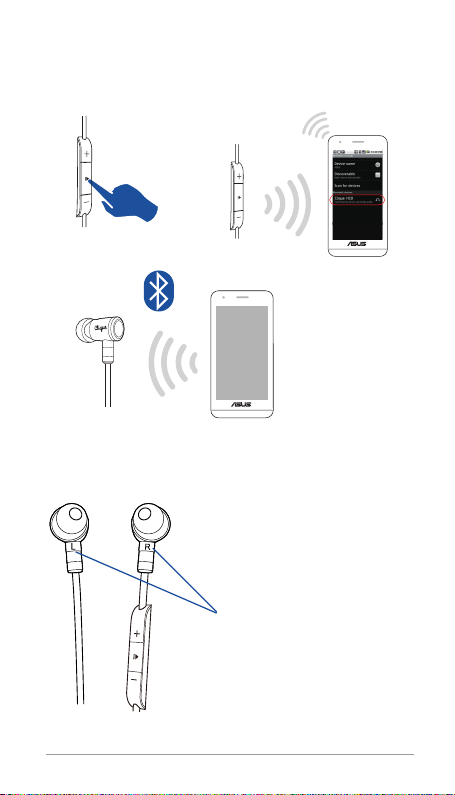
4. LongpressthePowerbuttonofH10untiltheLEDindicatorstartsashing
alternatingredandgreen.
5. Nowpairtoyourseconddevice(i.e.phone)followingtheBluetoothPairing
instructions.
6. TurnBluetoothbackononyourrstdevice(i.ephone).Youwillhearatone
whentherstdeviceconnects.Device1and2arenowsimultaneously
connectedtoyourheadphone.Toswitchandplayaudiofromthealternate
connecteddevice,pausethecurrentmusicdeviceandthenpressplayon
thealternatedevice.
Reconnecting
• Uponpowerup,theheadphonewillautomaticallyattempttoreconnectto
thelastconnecteddevice.
Note:Ifautomaticreconnectionwasnotsuccessful,gotoyourBluetoothmenu
andmanuallyconnecttotheheadphone.
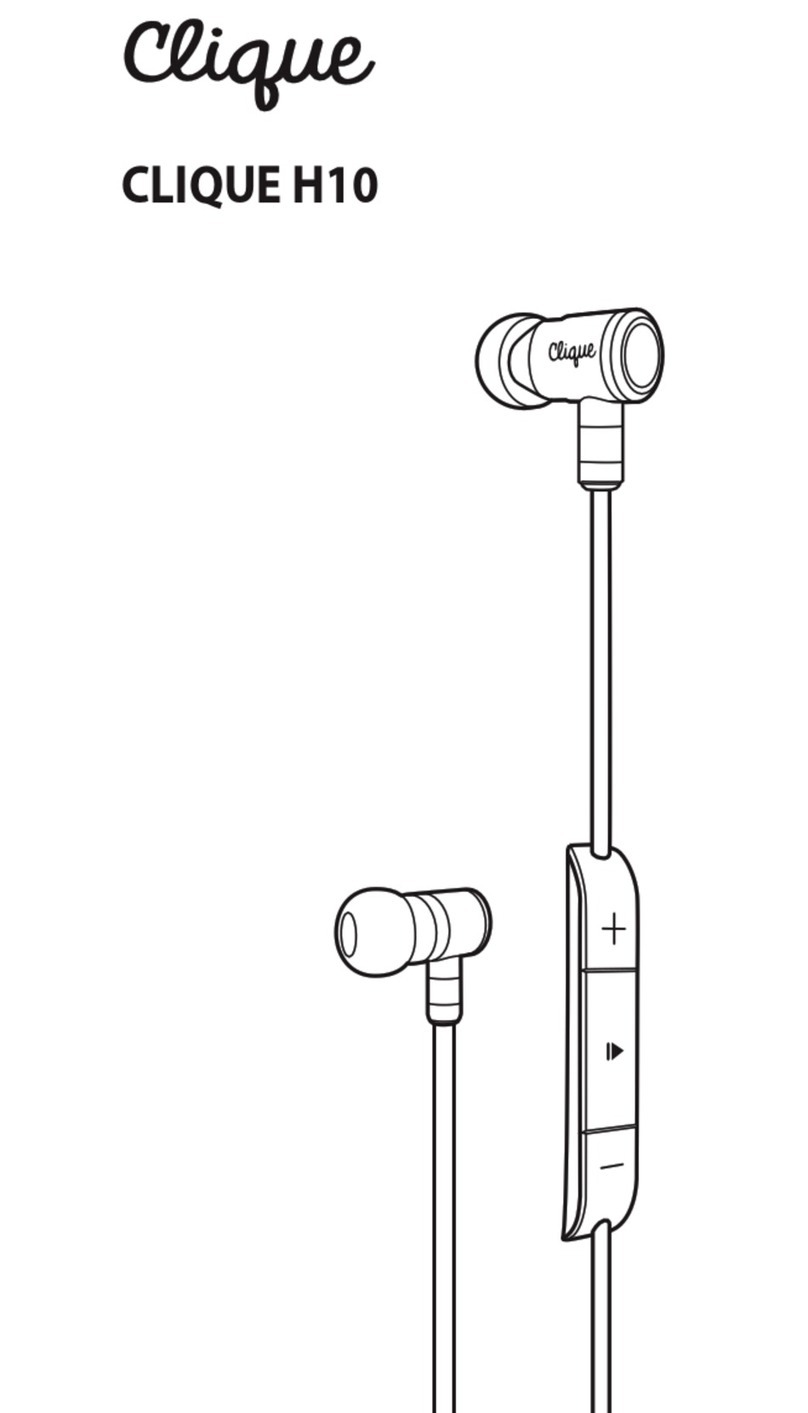
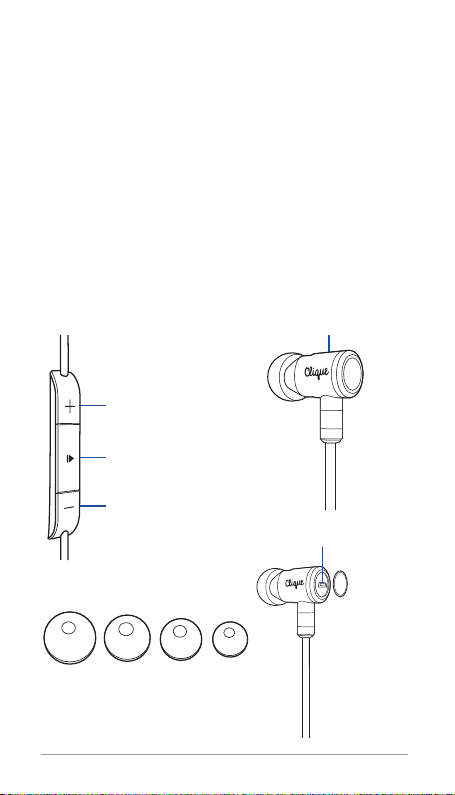
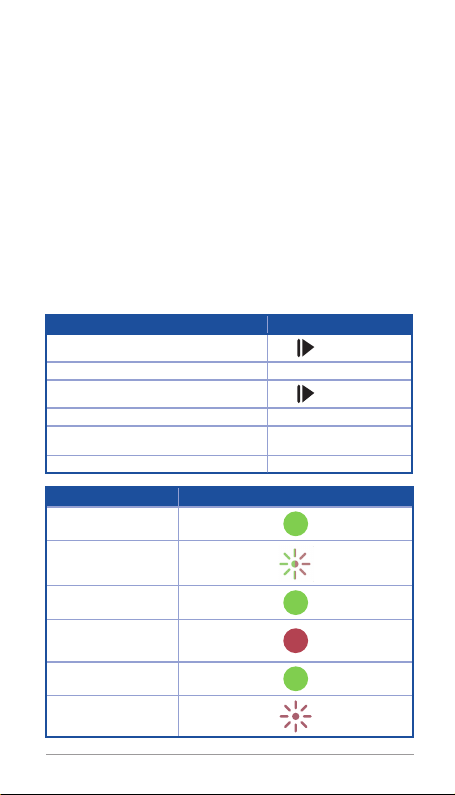
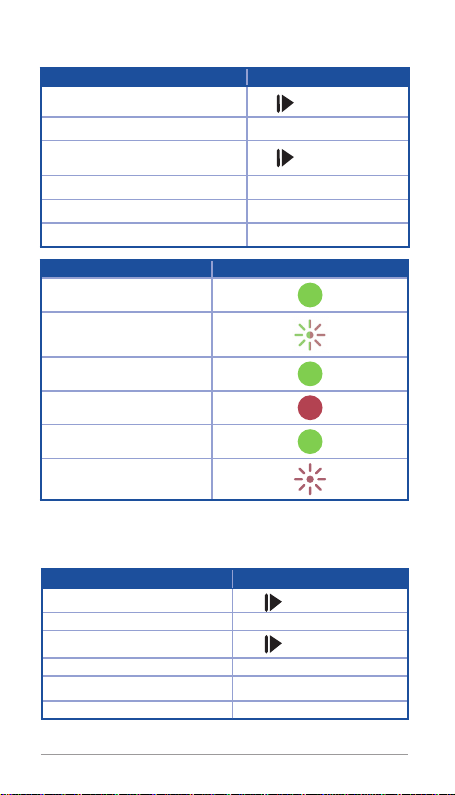
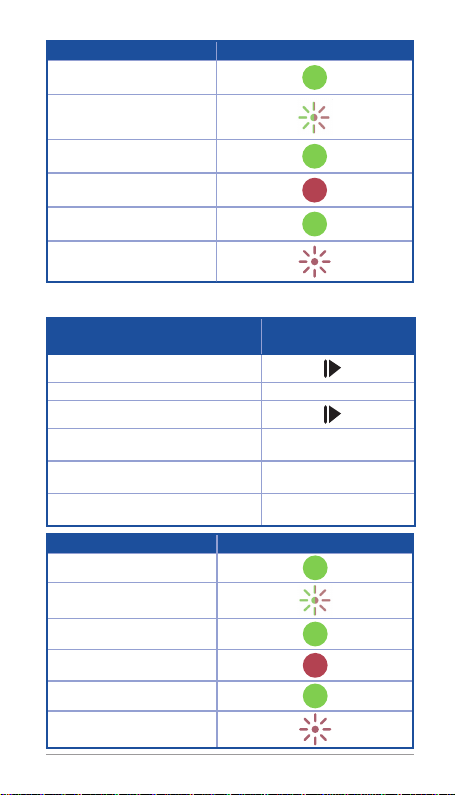
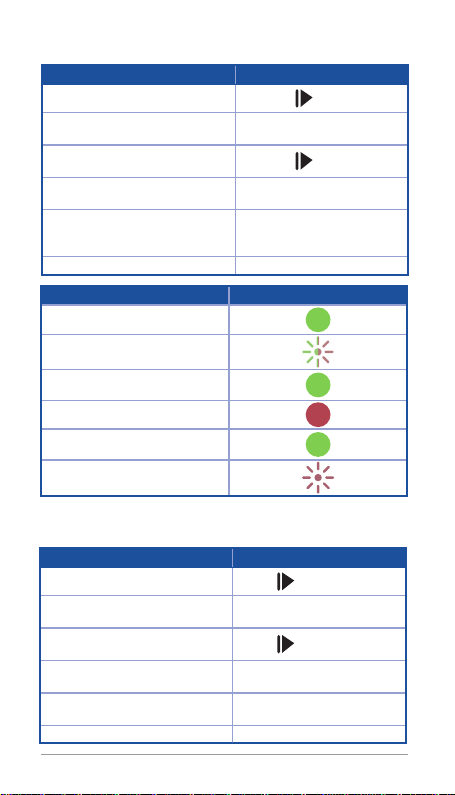
Controlling & Indicators
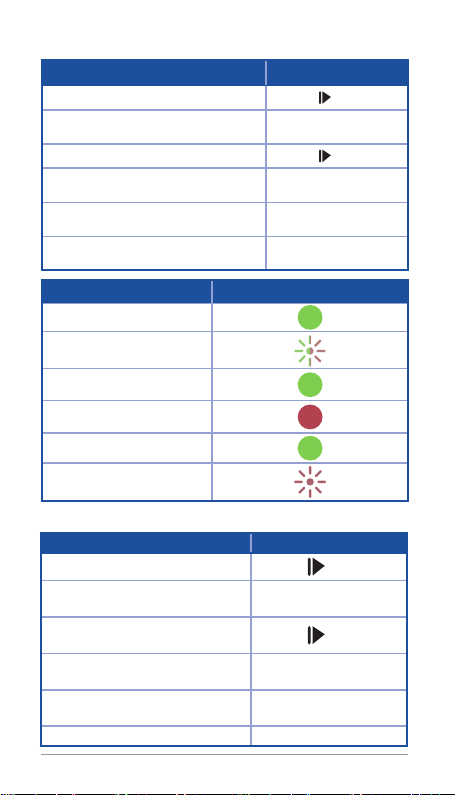
Functions Talk Button Action
Power on/o Press .
Volume Up/Down/Next/Previous Track Press+/-.
Play/Pause/Answer/End call Press .
Dismiss Call (During an incoming call) Press+/-simultaneously.
Mute/Unmute Call (During call) Press+/-simultaneously.
Battery Readout Press+/-simultaneously.
Status LED & Verbal Indicator
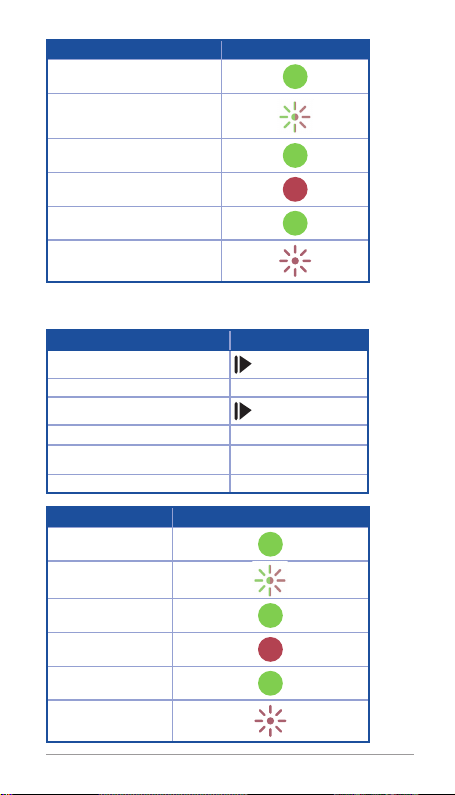
Powered on
Pairing
Connected
Charging
Charged
Low battery