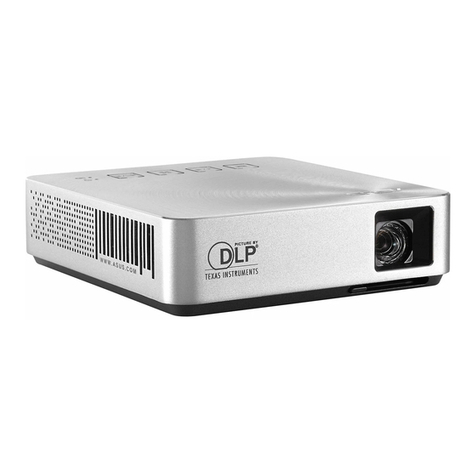
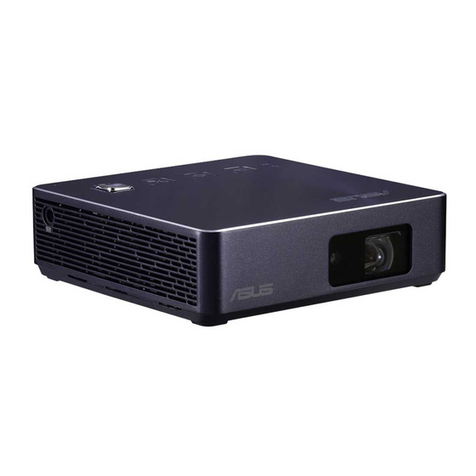
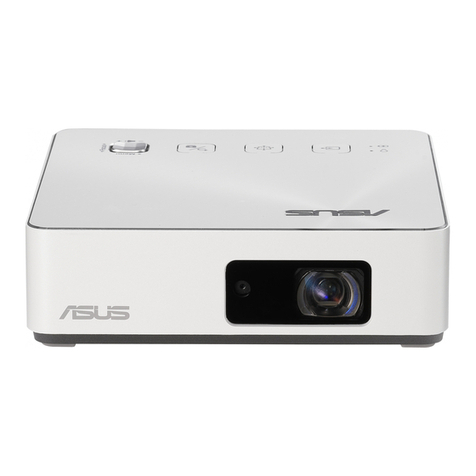
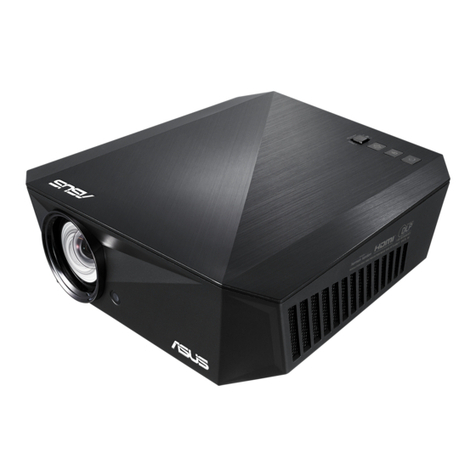
Asus AiGuru S1 Guide

LED projector
E-Manual
S1
December 2013
First Edition
E8806

2
LED projector E-Manual
COPYRIGHT AND WARRANTY INFORMATION
No part of this manual, including the products and software described in it, may be
reproduced, transmitted, transcribed, stored in a retrieval system, or translated into any
language in any form or by any means, except documentation kept by the purchaser for
backup purposes, without the express written permission of ASUSTeK COMPUTER INC. (“ASUS”).
Product warranty or service will not be extended if: (1) the product is repaired, modied or
altered, unless such repair, modication of alteration is authorized in writing by ASUS; or (2)
the serial number of the is defaced or missing.
ASUS PROVIDES THIS MANUAL “AS IS”WITHOUT WARRANTY OF ANY KIND, EITHER EXPRESS
OR IMPLIED, INCLUDING BUT NOT LIMITED TO THE IMPLIED WARRANTIES OR CONDITIONS
OF MERCHANTABILITY OR FITNESS FOR A PARTICULAR PURPOSE. IN NO EVENT SHALL ASUS,
ITS DIRECTORS, OFFICERS, EMPLOYEES OR AGENTS BE LIABLE FOR ANY INDIRECT, SPECIAL,
INCIDENTAL, OR CONSEQUENTIAL DAMAGES (INCLUDING DAMAGES FOR LOSS OF PROFITS,
LOSS OF BUSINESS, LOSS OF USE OR DATA, INTERRUPTION OF BUSINESS AND THE LIKE), EVEN
IF ASUS HAS BEEN ADVISED OF THE POSSIBILITY OF SUCH DAMAGES ARISING FROM ANY
DEFECT OR ERROR IN THIS MANUAL OR PRODUCT.
Products and corporate names appearing in this manual may or may not be registered
trademarks or copyrights of their respective companies, and are used only for identication or
explanation and to the owners’ benet, without intent to infringe.
SPECIFICATIONS AND INFORMATION CONTAINED IN THIS MANUAL ARE FURNISHED FOR
INFORMATIONAL USE ONLY, AND ARE SUBJECT TO CHANGE AT ANY TIME WITHOUT NOTICE,
AND SHOULD NOT BE CONSTRUED AS A COMMITMENT BY ASUS. ASUS ASSUMES NO
RESPONSIBILITY OR LIABILITY FOR ANY ERRORS OR INACCURACIES THAT MAY APPEAR IN THIS
MANUAL, INCLUDING THE PRODUCTS AND SOFTWARE DESCRIBED IN IT.
Copyright © 2013 ASUSTeK COMPUTER INC. All Rights Reserved.
LIMITATION OF LIABILITY
Circumstances may arise where because of a default on ASUS’ part or other liability, you are
entitled to recover damages from ASUS. In each such instance, regardless of the basis on which
you are entitled to claim damages from ASUS, ASUS is liable for no more than damages for
bodily injury (including death) and damage to real property and tangible personal property;
or any other actual and direct damages resulted from omission or failure of performing legal
duties under this Warranty Statement, up to the listed contract price of each product.
ASUS will only be responsible for or indemnify you for loss, damages or claims based in
contract, tort or infringement under this Warranty Statement.
This limit also applies to ASUS’suppliers and its reseller. It is the maximum for which ASUS, its
suppliers, and your reseller are collectively responsible.
UNDER NO CIRCUMSTANCES IS ASUS LIABLE FOR ANY OF THE FOLLOWING: (1) THIRD-
PARTY CLAIMS AGAINST YOU FOR DAMAGES; (2) LOSS OF, OR DAMAGE TO, YOUR RECORDS
OR DATA; OR (3) SPECIAL, INCIDENTAL, OR INDIRECT DAMAGES OR FOR ANY ECONOMIC
CONSEQUENTIAL DAMAGES (INCLUDING LOST PROFITS OR SAVINGS), EVEN IF ASUS, ITS
SUPPLIERS OR YOUR RESELLER IS INFORMED OF THEIR POSSIBILITY.
SERVICE AND SUPPORT
Visit our multi-language web site at http://support.asus.com

LED projector E-Manual
3
Table of Contents
About this manual ............................................................................................. 5
Conventions used in this manual ............................................................... 6
Typography......................................................................................................... 6
Multi-language versions ................................................................................ 6
Safety precautions ............................................................................................. 7
Using your LED projector............................................................................... 7
Servicing and replacement of parts .......................................................... 7
Caring for your LED projector ...................................................................... 8
Proper disposal.................................................................................................. 8
Chapter 1: Knowing your LED projector
Features ...............................................................................................................10
Top view.............................................................................................................10
Extended features ..........................................................................................12
Flashlight ..............................................................................................................12
Emergency light mode....................................................................................13
Front view..........................................................................................................14
Rear view ...........................................................................................................15
Right side...........................................................................................................17
Left side .............................................................................................................18
Bottom view .....................................................................................................19
Chapter 2: Setting up
Operating your LED projector .....................................................................22
1. Connect the LED projector to the power adapter..........................22
AC power cord requirements........................................................................24
2. Connect the LED projector to your device........................................25
3. Press the power button. ..........................................................................26
4. Open the lens cover and adjust the focus ring. ..............................27
Screen size and projection distance table................................................28

4
LED projector E-Manual
Chapter 3:Using the LED projector
Using your LED projector for the first time.............................................30
Operating the onscreen display menu.....................................................31
Adjusting your LED projector's settings ..................................................32
Onscreen display menu options.................................................................33
Volume .............................................................................................................33
Brightness..........................................................................................................33
Contrast .............................................................................................................34
Splendid.............................................................................................................34
When powered by battery only ...................................................................35
Connected to a power outlet........................................................................35
Aspect Ratio......................................................................................................36
Projection Position.........................................................................................36
Setup .............................................................................................................37
Information.......................................................................................................37
Turning off your LED projector....................................................................38
Appendices
Federal Communications Commission Statement ..............................40
Canadian Department of Communications Statement.....................41
Global Environmental Regulation Compliance and Declaration ...41
ASUS Recycling/Takeback Services ...........................................................41
Support PC Timings.........................................................................................42
HDMI (PC) ........................................................................................................42
HDMI (Video)....................................................................................................42
Specifications for S1 LED projector............................................................43

LED projector E-Manual
5
About this manual
This manual provides information about the hardware and software
features of your LED projector through the following chapters:
Chapter 1: Knowing your LED Projector
This chapter details the parts of your LED projector and its
accompanying remote control.
Chapter 2: Setting up
This chapter shows you how to set up your LED projector and
use its parts for input device connection.
Chapter 3: Using the LED projector
This chapter describes the features of the LED projector’s control
panel buttons and how to use them to launch the functions of
your LED projector.
Appendices
This section includes safety notices for your LED projector.

6
LED projector E-Manual
Conventions used in this manual
To highlight key information in this manual, some text are presented
as follows:
IMPORTANT! This message contains vital information that must be
followed to complete a task.
NOTE: This message contains additional information and tips that
can help complete tasks.
WARNING! This message contains important information that must
be followed to keep you safe while performing tasks and prevent
damage to your LED projector's data and components.
Typography
Bold = This indicates a menu or an item that must be selected.
Italic = This indicates sections that you can refer to in this manual.
Multi-language versions
Download other language versions of this E-Manual via this website:
http://support.asus.com
LED projector E-Manual
7
Safety precautions
Using your LED projector
• Refer to the manual and take note of the safety instructions
before operating your LED projector.
• Follow the notes and warnings stated in the user manual.
• Do not place your LED projector on uneven or unstable surfaces.
• Do not use your LED projector in smoky environments. Smoke
residue may cause build-up on critical parts and damage the
LED projector or decrease its performance.
• Do not use damaged power cords, accessories, and other
peripherals with your LED projector.
• Keep the LED projector’s plastic packages out of the reach of
children.
• Do not block or place anything near the LED projector’s
ventilation holes. Doing so may cause internal heat build-up
that can degrade picture quality and damage the projector.
• Ensure that the operating voltage of your LED projector
matches the voltage of your power source.
Servicing and replacement of parts
• Do not disassemble or attempt to service this LED projector by
yourself. Contact your local ASUS service center for assistance.
• Risk of explosion if battery is replaced by an incorrect type.
Dispose used batteries according to safety instructions and
contact your local ASUS service center for assistance.
• When replacing parts of your LED projector, purchase items
as specied by ASUS and contact your local service center for
assistance.

8
LED projector E-Manual
Caring for your LED projector
• Switch o then unplug the LED projector from the power outlet
before cleaning it.
• When cleaning the LED projector’s housing, use a clean soft
cloth dampened with water or a mix of water and neutral
detergent. Wipe it dry using a soft dry cloth.
• Ensure that the lens is cool before cleaning it. Gently wipe the
lens using a lens cleaning paper. Do not touch the lens with
your hands.
• Do not use liquid or aerosole cleaners, benzene, or thinners on
your LED projector.
• Never operate this LED projector immediately after moving it
from a cold location. When the LED projector is exposed to a

drastic change in temperature, moisture may condense on the
lens and its other internal parts. To prevent this, use the unit two
(2) hours after an extreme or sudden change in temperature
occurs.
Proper disposal
Do not throw your LED projector in municipal waste. This
product has been designed to enable proper reuse of parts
and recycling. The symbol of the crossed out wheeled bin
indicates that the product (electrical, electronic equipment
and mercury-containing button cell battery) should not
be placed in municipal waste. Check local regulations for
disposal of electronic products.
Do not throw the battery in municipal waste. The symbol
of the crossed out wheeled bin indicates that the battery
should not be placed in municipal waste.

LED projector E-Manual
9
Chapter 1: Knowing your LED
projector
Chapter 1:
Knowing your LED
projector

10
LED projector E-Manual
Features
Top view
Control panel buttons
The control panel buttons allow you to navigate the onscreen
display menu. Individually, these buttons also correspond to a
specic LED projector setting as indicated below.
Splendid/Exit Left/Volume
down
MENU/OK Right/
Volume up
NOTE: For more information on using the control panel buttons to
access your LED projector’s settings, refer to Chapter 3: Using your LED
projector
Other manuals for AiGuru S1
2
Table of contents
Other Asus Projector manuals