www.atlona.com | toll free: 1-877-536-3976
For International: 1-408-962-0515 9
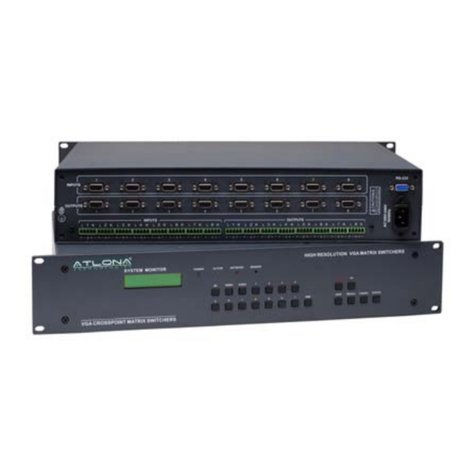
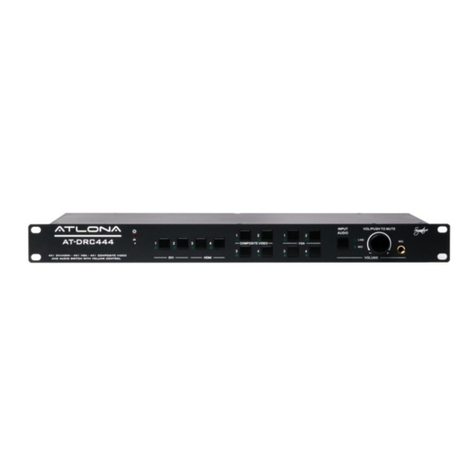
7.3. Operation Controls For AT-VGA3201, AT-VGA0808-A, AT-VGA1608-A
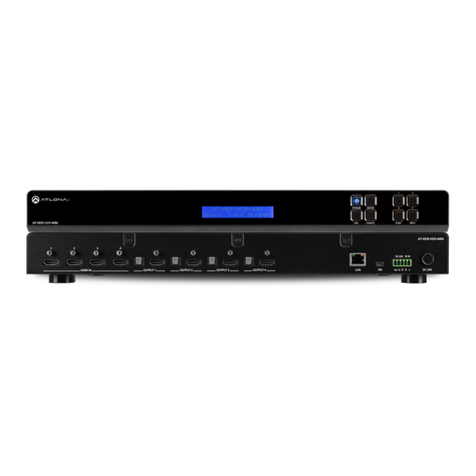
VGA8X8 V2.0 LCD display: Real time monitor of the operations and status
“1,2…8”
Input Keypads: Keys to select input channels.
“AV”
AV Synchronal button: To transfer video and audio signals synchronously by the switcher
Example: To transfer both video and audio signals from input channel No.3 to output channel No.6.
Operation: Press buttons in the following order “3”, “AV”, “6”, “END”, “ENTER”
“VIDEO”
Video button: To transfer only video signals from input channels to output channels
Example: To transfer video signals from input channel No.3 to output channel No.10.
Operation: Press buttons in the following order “3”, “VIDEO”, “1”, “0”, “END”,“ENTER”
“AUDIO”
Audio button: To transfer only audio signals from input channel to output channel
Example: To transfer audio signals from input channel No.12 to output channel No.6.
Operation: Press buttons in the following order “1”, “2”, “AUDIO”, “6”, “END”,“ENTER”
“ /”
Break button: To break different channels in a command
Example: To transfer video and audio signals from input channel No.1 to output channel No.2,13,6 at the
same time
Operation: Press buttons in the following order “1”, “AV”, “2”, “/”, “1”,“3”, “/”, “6”, “END”, “ENTER”
“END”
Ending command button: To nish inputting a command.
“ENTER”
Execute button: To perform a command after inputting it.
“ALL”
All button: To transfer an input channel to all output channels or switch off all the output VGA Matrix Switcher
System channels
Example1: To transfer video and audio signals from input channel No.7 to all output channels
Operation: Press buttons in the following order “7”, “ALL”
Note: This command does not need to be followed by “END” & “ENTER”
Example2: To transfer all input signals to the corresponding output channels in another word, to switch to this
status: 1->1, 2->2, 3->3, 4->4……16->16.
Operation: Press buttons in the following order “ALL”, “1”
Example3: To switch off all the output channels
Operation: Press buttons in the following order “ALL”, “2”
“SAVE”
Save button: To save the present operation to a preset command
Example: To save the present operation to the preset command No.2
Operation: Press buttons in the following order “SAVE”, “2”
Note: There are altogether 10 preset commands ranged from No.0 to No.10.
“RECALL”
Recall button: To recall the preset command
Example: To recall the preset command No.2
Operation: Press buttons in the following order “RECALL”, “2”
“CANCEL”
Cancel button: To return to the standby status without performing any commands Example: To cancel the
input instructions “1”, “AV”, “2”, “END”
Operation: Just press button“CANCEL” after the above inputs