manuals.online logo
Brands
  1. Home
  2. •
  3. Brands
  4. •
  5. Audiovox
  6. •
  7. Car Video System
  8. •
  9. Audiovox 1181291 User manual

Audiovox 1181291 User manual

This manual suits for next models

5

Other Audiovox Car Video System manuals
Audiovox VME 9309TSB User manual

Audiovox

Audiovox VME 9309TSB User manual

Audiovox MM850 User manual

Audiovox

Audiovox MM850 User manual

Audiovox MMD102 User manual

Audiovox

Audiovox MMD102 User manual

Audiovox VME 9325BTA - User manual

Audiovox

Audiovox VME 9325BTA - User manual

Audiovox Mobile Video VOD128A User manual

Audiovox

Audiovox Mobile Video VOD128A User manual

Audiovox VOD102 - DVD Player With LCD Monitor User manual

Audiovox

Audiovox VOD102 - DVD Player With LCD Monitor User manual

Audiovox VOD80 Quick start guide

Audiovox

Audiovox VOD80 Quick start guide

Audiovox VM9224 User manual

Audiovox

Audiovox VM9224 User manual

Audiovox VOD10PS2 - Car - 16:9 Flipdown Monitor User manual

Audiovox

Audiovox VOD10PS2 - Car - 16:9 Flipdown Monitor User manual

Audiovox Mobile Video 128-8342 User manual

Audiovox

Audiovox Mobile Video 128-8342 User manual

Audiovox Mobile Video VOD100 User manual

Audiovox

Audiovox Mobile Video VOD100 User manual

Audiovox VOD1048 User manual

Audiovox

Audiovox VOD1048 User manual

Audiovox AVXMTG13UA User manual

Audiovox

Audiovox AVXMTG13UA User manual

Audiovox D1812PKG - 8" Portable DVD Player D1812pk User manual

Audiovox

Audiovox D1812PKG - 8" Portable DVD Player D1812pk User manual

Audiovox LCM0701TV User manual

Audiovox

Audiovox LCM0701TV User manual

Audiovox HR9000PKG User manual

Audiovox

Audiovox HR9000PKG User manual

Audiovox VBP4000 - VBP 4000 DVD Player User manual
Audiovox

Audiovox VBP4000 - VBP 4000 DVD Player User manual

Audiovox VOD 808 User manual

Audiovox

Audiovox VOD 808 User manual

Audiovox 50-0311x-015 Series User manual

Audiovox

Audiovox 50-0311x-015 Series User manual

Audiovox MMD92 User manual

Audiovox

Audiovox MMD92 User manual

Audiovox SLOT-IN AVD400 User manual

Audiovox

Audiovox SLOT-IN AVD400 User manual

Audiovox MMD85 - 8.5 Inch Dropdown Video Monitor User manual

Audiovox

Audiovox MMD85 - 8.5 Inch Dropdown Video Monitor User manual

Audiovox PAV1510DTV Manual

Audiovox

Audiovox PAV1510DTV Manual

Audiovox VM9414 User manual

Audiovox

Audiovox VM9414 User manual

Popular Car Video System manuals by other brands

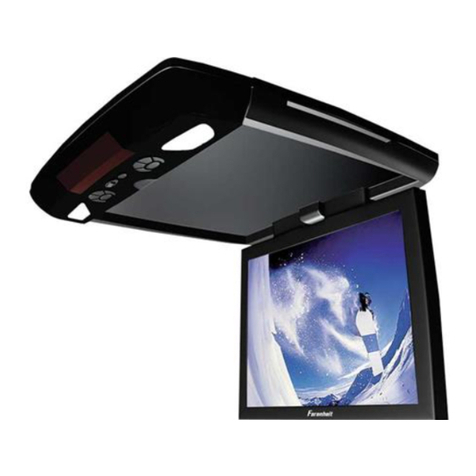
Farenheit MD-1510CM instruction manual

Farenheit

Farenheit MD-1510CM instruction manual

Mazda Connect manual

Mazda

Mazda Connect manual

RCA DRC97983 Manual de usuario

RCA

RCA DRC97983 Manual de usuario

Panasonic CY-VHD9401U Service manual

Panasonic

Panasonic CY-VHD9401U Service manual

Stinger HEIGH10 RB10RAM13B installation manual

Stinger

Stinger HEIGH10 RB10RAM13B installation manual

Alpine IVA-W203 - 6.5" Touch Screen 2-DIN DVD In-Dash... owner's manual

Alpine

Alpine IVA-W203 - 6.5" Touch Screen 2-DIN DVD In-Dash... owner's manual

Eonon E1057 instructions

Eonon

Eonon E1057 instructions

Milion D2223 user manual

Milion

Milion D2223 user manual

Metra Electronics 99-8153 installation instructions

Metra Electronics

Metra Electronics 99-8153 installation instructions

Voxx Electronics HR8MA1 owner's manual

Voxx Electronics

Voxx Electronics HR8MA1 owner's manual

Axxera AV604Bi quick start guide

Axxera

Axxera AV604Bi quick start guide

Clarion NX706E owner's manual

Clarion

Clarion NX706E owner's manual

Pyle view PLDN74BTi owner's manual

Pyle view

Pyle view PLDN74BTi owner's manual

Clarion NX602 quick start guide

Clarion

Clarion NX602 quick start guide

RCA DRC6296 - Twin 9" Mobile DVD System Manual Del Usuario

RCA

RCA DRC6296 - Twin 9" Mobile DVD System Manual Del Usuario

Fiat Uconnect 5.0 manual

Fiat

Fiat Uconnect 5.0 manual

Lanzar SVDVD5 owner's manual

Lanzar

Lanzar SVDVD5 owner's manual

Eonon E1060 instructions

Eonon

Eonon E1060 instructions

manuals.online logo
manuals.online logoBrands
  • About & Mission
  • Contact us
  • Privacy Policy
  • Terms and Conditions

Copyright 2025 Manuals.Online. All Rights Reserved.

INSTALLATION INSTRUCTIONS
FOR
50-0210F-002 SERIES 1181291
50-0210F-003 SERIES 1181292
50-0210F-004 SERIES 1181293
SUBURBAN
OVERHEAD CONSOLE for use with FLIPDOWN VIDEO SYSTEM
These instructions are intended for use only by experienced professionals in the automotive
customizing business. Special tools and equipment, as well as specialized handling and care
of product during installation, may be required. Before beginning this installation, carefully read
through the following instructions. Use extreme care when cutting headliner material.
Check for wiring or other componentry above headliner material. Cut only where indicated.
Materials/ Tools required for this installation:
1. #2 Phillips screwdriver 2. Powered screwdriver or drill with adapter
3. T-45 TORX bit driver 4. Razor knife or similar
5. Awl or similar tool 6. 1/4” hex socket bit
7. 7/64" drill bit 8. Small chisel
9. Audiovox Series 640/650 Video Module
FOR USE IN VEHICLES WITH FACTORY INSTALLED
OVERHEAD CONSOLE ONLY.
July 7, 1999
Printed in the U.S.A
INSTALLATION INSTRUCTION # 44-0019E
2
MATERIALS PROVIDED FOR INSTALLATION:
ITEM Description
QTY
1SCREW, # 8 X 3/4" HWH
,TEK,Z1 4
2SCREW, # 8 X 2 1/2" PFH ,ZII 3
3SCREW, # 8 X 1 1/4" PWH ,BZ 4
4CONSOLE 1
5MOUNTING BRACKET 1
6REAR LIGHT 1
7
REAR LIGHT TRIM
1
8PLYWOOD, 3/8" X 6" X 14" 1
9
SCREW, # 6 X 1/2"
10
10 SCREW, 6-32 X 3/4" 6
11 WASHER, 3.5 mm 4
INSTALLATION INSTRUCTION # 44-0019E July 7, 1999
Printed in the U.S.A
3
I. PREPARATION OF VEHICLE INTERIOR
1. Remove the O.E.M. compartment console
currently mounted to inner roof of vehicle.
Remove (1) one # 8 X 1 3/4" screw from recess
in front of console near rear view mirror. Pull
front of O.E.M. console down to access wiring.
Disconnect all wiring from console. Pull console
forward to release rear retainers from inner roof
recess near center of vehicle. Remove console
and lay it in a safe place. See Figure 1.
2. Turn console over and place on a covered surface.
Remove plastic molded assembly from cloth covered
trim ring. Using a 7/64” drill bit, drill through the
center of the (10) ten plastic pins which secure
console together. See Figure 2. CAUTION:
Do not drill deeper than 1/2" or you may drill
through console in some areas. Using a small
chisel, carefully remove the head of the (10) ten
plastic pins. Unsnap the wiring connector secured to
clip on trim ring and separate console from trim ring.
See Fig. 2.
FIGURE 1
FIGURE 2
4
3. Discard trim ring. See Figure 3.
Using a razor knife, carefully trim the (10) ten
plastic pins flush with the shoulder.
See Figure 4.
FIGURE 3
FIGURE 4
5
4. Remove OEM dome light and rear air
conditioning control head. Disconnect
wiring and set control head aside in a
safe place. Remove the OEM ground
screw near the center dome light
assembly if applicable. See Figure 5.
5. Cut the headliner material between dome
light opening and the front openings for
OEM pod retainer arms. Caution: Before
cutting material, check for wiring or
other componentry above headliner.
Cut only where indicated. See Figure 6.
FIGURE 5
FIGURE 6
6
6. Install the rear mounting bracket (item 5 pg 2 )
in the O.E.M. dome light area. Align the front
mounting tabs with the openings in the metal
inner roof openings previously used to support
the rear pod retainers. Slide bracket to rear of
vehicle until flange contacts rear edge of
recessed area. See Figure 7.
7. Secure bracket to sheetmetal frame using four
(4) # 8 x 3/4" HWH TEKS screws ( item 1 pg
2 ). Secure O.E.M. ground wire (if applicable)
using one of the screws. See Figure 8.
FIGURE 7
FIGURE 8
7
8. If vehicle is equipped with an electronic
compass, unsnap the wire harness clip
and relocate toward center of vehicle.
See Figure 9.
9. Remove and retain the two ( 2 ) door
scuff plates on driver’s side. See Fig. 10.
FIGURE 9
FIGURE 10
8
10. Remove and retain the handle which mounts to
top of the “B” pillar.
11. Unsnap the cover from upper and lower mounting
bracket for seat belt. Remove and retain TORX
head bolt and bracket. Carefully pull panel away
from side of vehicle. Unsnap upper door trim from
headliner and lay aside. See Figure 11.
12. Measure 7” from rear A/C control
opening toward rear of vehicle. Using
a razor knife, carefully cut an opening
that is 4” wide x 8” long. Make sure
that the 4” width is centered in the
vehicle. See Figure 12.
13. Insert the 6” x 14” piece of plywood
(item 8 pg 2 ) through opening and
rotate 90°.
FIGURE 11
FIGURE 12
9
14. Route all accessory wiring, video and audio cables, and any other added component requirements to
their respective places in the vehicle. Refer to component installation instructions for wiring
diagrams.For Suburban applications, the suggested routing of the video system cable is as follows:
•Above headliner from video system to B-pillar.
•Down the B-pillar to the floor.
•Route the separate power and ground leads from this point to convenience center located just
forward of the emergency brake pedal. Connect red power lead to an accessory controlled
source. Ground the black negative lead to the chassis.
•Route the remaining wiring ( RCA plugs, Mini AMP connector, and Remote Sensor extension )
to the video system is to be used as a television, install the antenna above the headliner per
instructions included in the video system.
15. Re-install the B-pillar cover, upper handle, and door trim. Reattach the seat belt bolt and re-torque
to manufacturer’s recommended setting. Replace trim pieces previously removed from upper and
lower seat belt.
FIGURE 13
10
II. PREPARATION OF CONSOLE FOR INSTALLATION
1. Position the O.E.M. console in the front recess
area of the new console (item 4 pg 2 ). Carefully fit
the two together, aligning the rear compartment
hinge arms through the slots in the recess pocket
area. See figure 14.
2. Secure the O.E.M. compartment assembly into the
console recess using (10) ten # 6 X 1/2" screws
( item 9 pg 2 ). Start all screws before tightening
beginning with the front center, rear center, then
alternately on each side. See figure 15. Caution:
Do not overtighten screws.
FIGURE 14
FIGURE 15