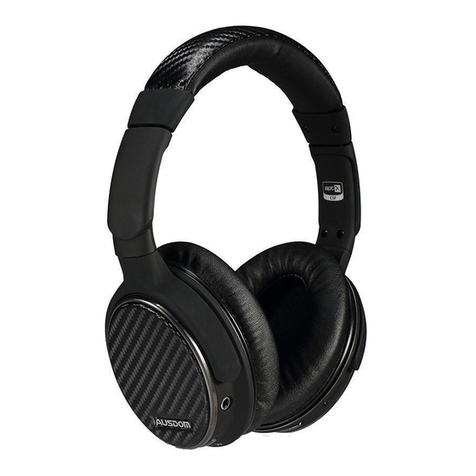
ausdom M07 User manual

User’s Manual
Wireless Headset
MODEL: M07

1. Product feature
2. Package content
3. Button function
a) Great for travel:soft, comfortable,solid and foldable
headset construction for long time use.
b) Wireless V4.0 technology allows M07 to communicate with
your Wireless enabled device within 10 meters range.
c) Optional connection via 3.5mm audio cable for streaming
music without worrying battery dead.
d) Powerful and rich bass speaker brings you amazing audio
enjoyment.
Thank you for purchasing AUSDOM M07 headset with
Wireless 4.0 technology. We encourage you to read this quick
installation guide thoroughly to get the most of this innovative
wireless headset.
Note: Please read the user’s manual carefully before using,
and keep it properly for future reference.
- Wireless headset
- Micro USB charging cable
- 3.5mm audio cable
- User’s manual
a. Previous track/V+
b. Play/pause/power on/off
EN-1

EN-2
4. Charging
5. Powering on and off
ATTENTION: Fully charge the headset before the first
use.
Advanced operation
Connect the USB charging cable to any powered USB port
and to the USB jack on the right ear cup. The red LED indicator
will be on while charging. Charge time is typically 2-3 hours for
the first charge and 1-2 hours for subsequent charges. When
the battery is fully charged the red LED indicator will turn off.
Note: You can also use the Wireless function when the unit is
charging, but leaving the M07 on can prolong charging time.
The headset can also be turned off and used with the included
audio cable while charging. This will not affect charge time.
When the battery is low, the red LED will flash. M07 will also
provide a low battery voice notification. Playtime varies according
to volume level and audio content .
a) To power on, press and hold the PLAY/PAUSE button for
approximately 2-3 seconds, the blue indicator light will flash
quickly; it will automatically connect to last connected device.
b) To power off, press and hold the PLAY/PAUSE button for
approximately 3-5 seconds. When turning off, the red LED
light will flash quickly for about 1-2 seconds, then turn off.
6. Pairing with wireless devices
Note: Before installing this product, please make sure your
computer or laptop has the built-in Wireless feature available.
c. Next track/V-
d. 3.5mm line-in jack
e. LED indicator
f. Microphone
g. Micro USB interface for charging

EN-3
1) Make sure the headset is off.
2) Activate the Wireless program in your computer to begin set
up.
3) The “Search new device” screen will be displayed.
4) Place both devices not more than one meter away from
each other.
5) Press and hold the power button on the headphone until it
powers on but don’t let go just yet. Continue holding down on
the power button until you see the LED indicator flashes blue
and red alternately, which means your headphone is in“pairing
mode”waiting to be paired with your device.
6) As soon as the system detects the new device and you see
“AUSDOM M07”,then select the “AUSDOM M07”to pair.
7) If your computer ask you to enter the PIN code=0000(4
zero). You will be asked to enter a PIN code, please use
“0000”.Once successfully paired, the headset blue LEDs will
be always on.
Note: The headset will turn off if not paired within 10-12
minutes.
a. Pairing the headsets with your computer
1) Make sure the headset is off.
2) Place both devices not more than one meter away from
each other.
3) Press and hold the power button on the headphone until it
powers on but don’t let go just yet. Continue holding down on
the power button until you see the LED indicator flashes blue
and red alternately, which means your headphone is in“pairing
mode”waiting to be paired with your device.
4) Activate Wireless on your phone and set it to search for new
devices.
5) Select the “AUSDOM M07”to pair, once successfully paired,
the headset blue LEDs will be always on.
b. Pairing the headsets with your phone
If your computer is not Wireless-enabled, you must purchase
a Wireless dongle, preferably version 2.1 or above.

EN-4
7. Connecting to paired devices
M07 must have been previously paired with your device
before you can connect.
Control Instructions
1) Volume Controls
2) Phone Calls Controls
When M07 is turned on and not in pairing mode, M07 will pair
with the last paired device automatically when it is on.
Note: On some PC and Mac computer you will need to
manually enable Wireless audio every time you connect .
3) Media Playback Controls
Function Operation Notes
Increase volume Short press the
Volume up V+ button
Decrease volume Short press the Volume
Down V- button
When the Volume reaches
the minimum or maximum
level the headset will
produce a short tone
Status Function Operation
Answer a call
Reject a call
Short press the PLAY/PAUSE
button
Press and hold the PLAY/PAUSE
button for approximately 3 seconds
Incoming call
End a call
Cancel dialing
Short press the PLAY/PAUSE
button
Short press the PLAY/PAUSEbutton
Call in progress
Dial a call
Transfer call to
headset Press and hold the PLAY/PAUSE
for approximately 2 seconds
Call in progress,
phone handset
active
Answer new call
and hang up
current call
Short press the PLAY/PAUSE
button
Call in progress,
second
incoming call
Remove hang up
current call to
answer first call
Long press the PLAY/PAUSE
button
Call in progress,
remove hang up
call

EN-5
8. Using a mobile phone or M07
- When there is an incoming call, the headset will ring.
- Single press the power button to answer an incoming call.
You may also press the answer button on your cellular phone
to receive the call in your headset. Music playback pauses
temporarily.
- To end a call, simply press the power button once again.
Note: if you answer or make a call while listening to media, the
media will be paused until the call has ended.
4) Additional Functionality
5) LED Status indicator
Status Function Operation
Skip to next track
Restart the
track/previous track
Long press V+ button
Long press V- button
Either media
playing or
stopped
Play media
Pause media playback
Press the Play/Pause button
Press the Play/Pause button
No media
Playing
Media playing
During Charging Red LED light on
Red LED light off
Blue LED light will flash twice every 1second
Full charge
Call in progress
Blue LED light will flash once every 1-2second
Standby(unconnected)
Blue LED light on
Standby(connected)
Red LED light will flash twice every second
Incoming call
Blue LED light will flash once every second
Unconnected to
Wireless device
Red LED light will flash once every second
Low battery
Red and Blue LED light will flash in an
alternating manner
Pairing
Action/Status Button Function Sounds
Double press the PLAY/PAUSE
button, the headset will make a
redial to your last called number /
Redial last
number

EN-6
M07 comes with a 3.5mm audio jack on the left ear cup and
an audio cable for wired use. This allows to use in flight
entertainment devices, devices that don’t have Wireless or
aren’t paired, or when the battery is depleted.
Note: The microphone can't work when using the headset as
a wired headset.
9. Using as a wired headset
Microphone Unit: Φ4*1.5mm
Directivity: Omni-directional
S.P.L:-42±3dB S.P.L at 1KHz
Impedance:≤2.2KΩ
Frequency response:100Hz-10,000Hz
Operating voltage:2V
11. Specifications
Microphone spec
Speaker diameter: Φ40mm
Impedance: 32Ω
S.P.L: 95±3dB S.P.L at 1KHz
Rated power: 20mW
Aggregate capability:40mW
Frequency response: 20Hz-20,000Hz
Speaker Spec
Wireless spec
The M07 is covered by a 1-year manufacturer warranty. For
more information, visit www.ausdom.com/warranty.
10. Warranty
Likewise, you may also end the call directly using your cell
phone.
- As soon as your hang up, music playback resumes automati-
cally.

EN-7
Note: Features and technical specifications are subject to
change without notice, we apologize for any inconvenience.
Wireless version: 4.0
Wireless distance: 10m
Transmission frequency: 2.40GHz-2.48GHz
Transmission power: Class 2 0.025-2.5Mw
Support profile: HSP/HFP/A2DP/AVRCP
Battery type: 250mah rechargeable lithium battery
Charging port: Micro USB
Running time: About 12 hours talking/About 12 hours music
playing time
Standby time: More than 1200 hours
Charging time: 2-3 hours
Operating temperature: 0℃-40℃
Storage temperature: -20℃-60℃
Battery spec

DE-1
1. Produkteigenschaften
2. Verpackungsinhalt
3. Tastenfunktion
a) Großartig zum Reisen: solider und faltbar Kopfhörer aufbau
für langjährigen Gebrauch.
b) Die Wireless V4.0 Technologie ermöglicht es dem M07,
sich mit Ihren WirelessfähigenGeräten in einem 10 Meter
Bereich zu verbinden.
c) Eine zusätzliche Verbindung durch ein 3,5 mm Audiokabel
für Musikstreaming, ohne sich um eine leere Batterie Sorgen
zu machen.
d) Kraftvolle und satte Bass-Lautsprecher liefern Ihnen einen
unglaublichen Audiogenuss.
Wir bedanken uns für Ihren Kauf des AUSDOM M07 Kopfhörers
mit drahtloser Technologie; wir bitten Sie diese Schnellanlei-
tung gründlich zu lesen, um diesen neuartigen drahtlosen
Kopfhörer am besten nutzen zu können.
Hinweis: Bitte lesen Sie diese Bedienungsanleitung sorgfältig
durch, bevor Sie es nutzen, und Sie sie richtig für die Zukunft
zu halten.
- Wireless-Kopfhörer
- Micro-USB-Kabel
- 3,5 mm Audiokabel
- Benutzerhandbuch

DE-2
4. Aufladen
5. EIN und AUS
ACHTUNG: Laden Sie den Kopfhörer vor dem ersten
Gebrauch vollständig auf.
Verbinden Sie das USB-Ladekabel mit einem eingeschaltetem
USB-Anschluss und dem USB-Eingang an der rechten
Ohrmuschel. Während des Ladensleuchtet die rote LED-
Anzeige auf.Die Ladezeit beträgt normalerweise beim ersten
Mal 3-6 Stunden,danach 2-3 Stunden.Wenn die Batterie voll
aufgeladen ist, stellt sich die rote LED-Anzeige aus.
Hinweis: Sie können während des Ladens die Wireless-Funk-
tion benutzen, aber dieBenutzung des M07 kann die L
adezeit verlängern.Der Kopfhörer kann auch ausgeschaltet
werden und während des Ladens mit dembeigelegten
Audiokabel benutzt werden.Dies beeinflusst die Ladezeit nicht.
Bei schwacher Batterie blinkt das rote LED.M07 informiert Sie
auch perSprach-benachrichtigung über den niedrigen
Batteriestand. Die Wiedergabedauer variiert abhängig von der
Lautstärke und dem Audioinhalt.
a) Zum Einschalten drücken und halten Sie die
Ein/Aus-Tastefür etwa 2-4 Sekunden, Siehören einen
Hinweiston und das blaue LED blinkt einmal pro Sekunde.
b) Zum Ausschalten drücken und halten Sie die
Ein/Aus-Tastefür etwa 2-4 Sekunden, Siehören einen
Hinweiston und das rote LED blinkt schnell während etwa 1-2
Sekunden.
a. Letzter Track/ V+
b. Abspielen/Pause/EIN und AUS
c. Nächster Track/ V-
d. 3.5 mm Line-In-Eingang
e. LED-Anzeige
f. Mikrofon
g. Micro-USB-SchnittstellezumAufladen
Table of contents
Languages:
Other ausdom Headset manuals