Using Your Alto8060 Headphones
with Other Mobile Devices
Toggle Audio / Calls betweenPC and 2nd Device
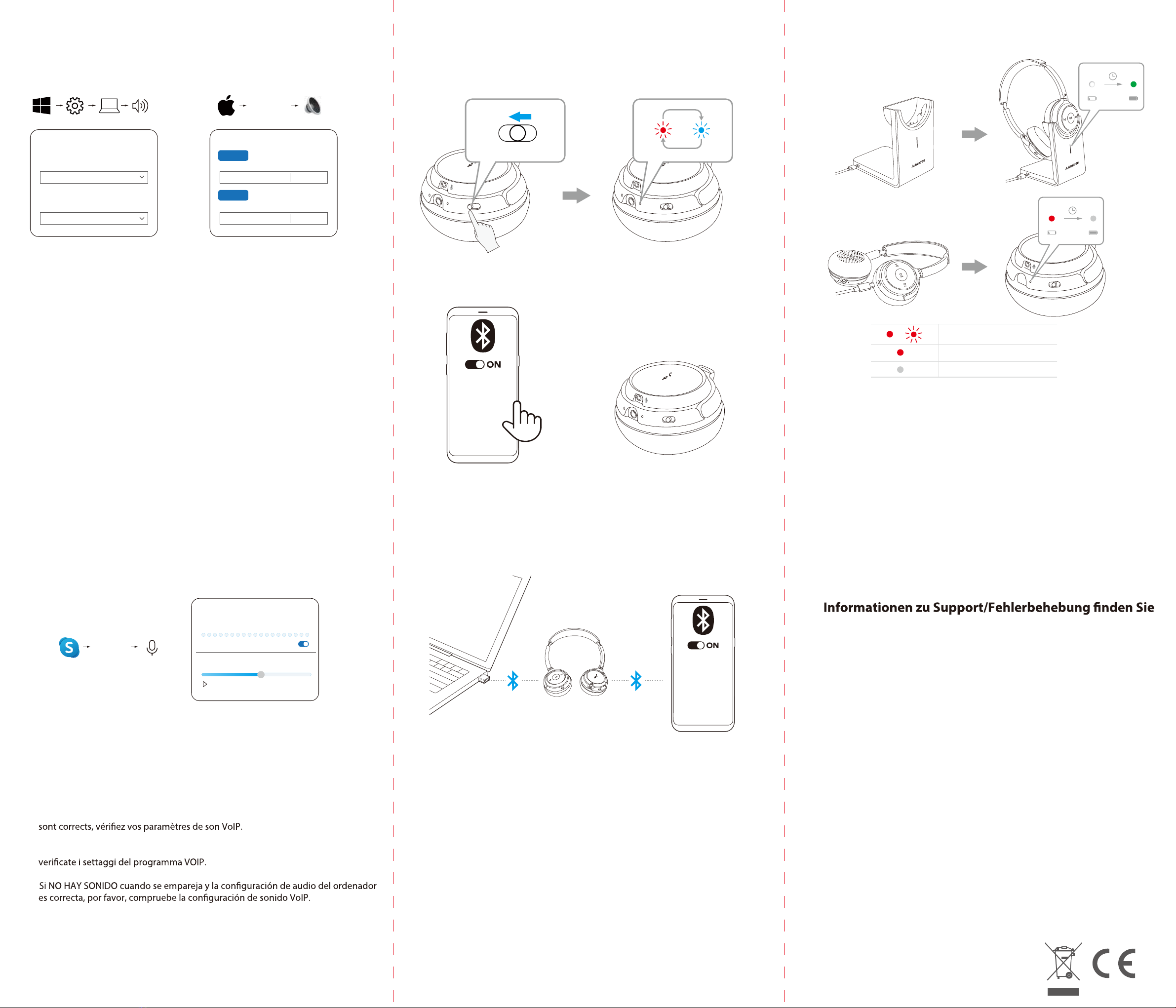
Charging
EN: Still no sound? Mic no sound? Please see further
support/troubleshoot on support.avantree.com
DE: Immernochkein Ton? Mikrofon kein Ton? Weitere
unter support.avantree.com
FR: Toujours pas de son ? Le micro ne fonctionne pas ?
Consultez notre site support.avantree.com pour
d’autres solutions de dépannage
IT:
Non sentite ancora il suono? Il microfono non funziona?
Cortesemente controllate il support Avantree
all’indirizzo support.avantree.com
ES: ¿Todavía no hay sonido? ¿Micrófono sin sonido?
Consulte más en soporte/solución de problemas en
support.avantree.com
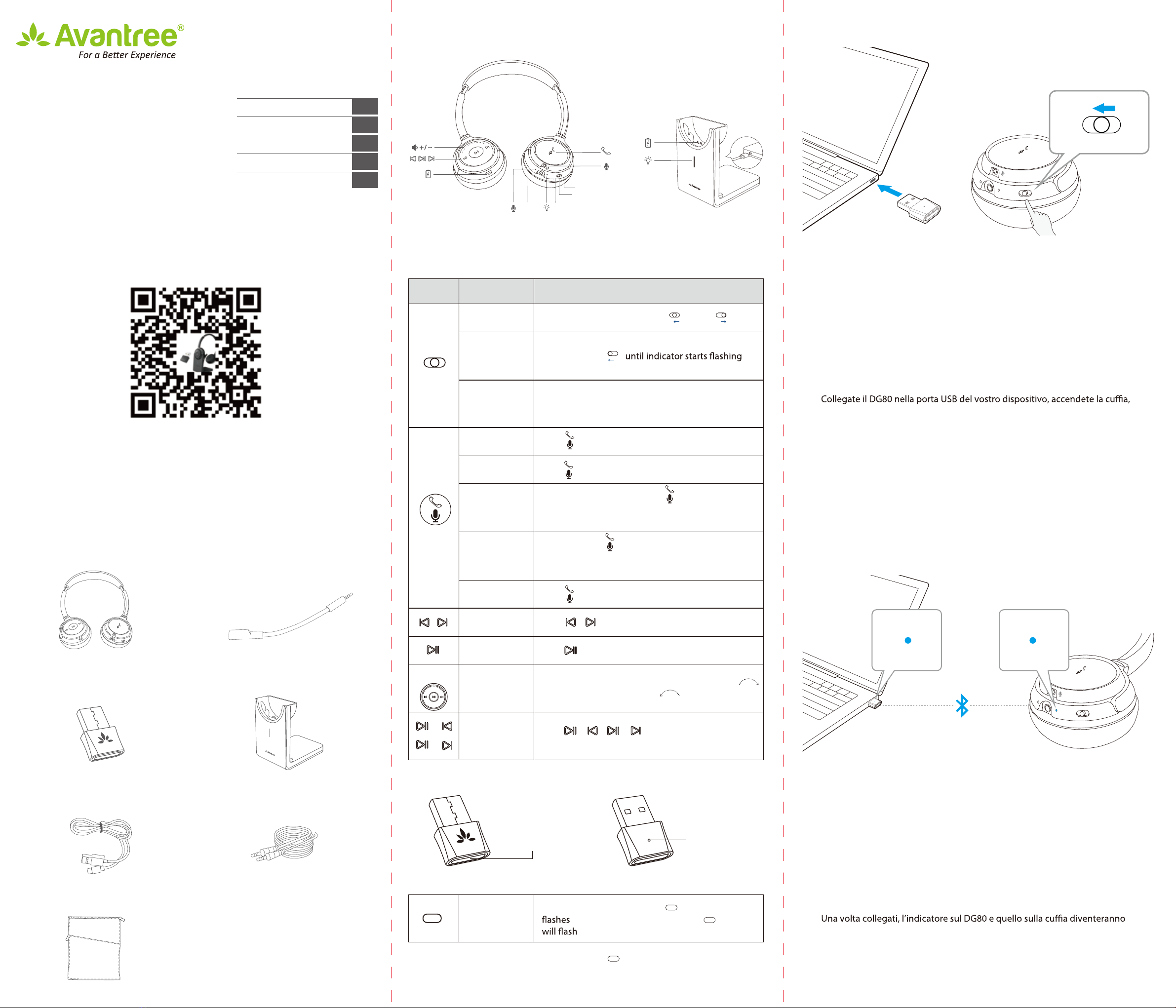
Connect USB charging cable to USB wall adapter rated at (DC 5V / 0.5-2A)
Verify Computer Audio Settings
Sound
Output
Choose your output device
Input
Choose your input device
Avantree DG80 SET
Avantree DG80 SET
Settings System Sound
Sound
Avantree
DG80 SET
Bluetooth
Output
Select a device for sound output:
Avantree
DG80 SET
Bluetooth
Input
Select a device for sound input:
System
Preferences...
Sound
Audio
Avantree DG80 SETMicrophone
Automatically adjust microphone settings
Avantree DG80 SETSpeakers
Test Audio
···
Settings
Audio & Video
0 1 2 3 4 5 6 7 8 9 10
EN Please set “Avantree DG80 SET”as the default audio input / output device
DE Bitte stellen Sie „Avantree DG80 SET“ als Standard-Audio-Ein-/Ausgabegerät ein.
FR Sélectionnez “Avantree DG80 SET” en tant que périphérique audio d’entrée /
sortie par défaut.
IT Settate “Avantree DG80 SET” come dispositivo preferito per l’audio in ingresso e
uscita.
ES Por favor, establezca "Avantree DG80 SET" como el dispositivo de entrada /
salida de audio predeterminado.
EN If there is NO SOUND when paired and computer’s audio settings are correct, please
check your VoIP sound settings.
DE Wenn nach der Kopplung KEIN TON zu hören ist und die Audioeinstellungen des
Computers korrekt sind, überprüfen Sie bitte Ihre VoIP-Soundeinstellungen.
FR S'il n'y a AUCUN SON lors de l'appairage et que les paramètres audio de l'ordinateur
IT Se NON SENTITE il suono quando collegate al computer e i settaggi sono corretti,
ES
Dispose of the packaging and this product
in accordance with the latest provisions. Z-PKQG-HT8060-V1
PAIR OFF
ON
PAIR OFF
ON
PAIR OFF
ON
PAIR OFF
ON
PAIR OFF
ON
Accessory
Accessory
Avantree AH6-P
Avantree Aria
MY DEVICES
EN Pause or end the audio / call on the current device (either by pressing the corre-
sponding button on the headphones or directly from the active device). Then play
audio or make a call on the 2nd device - the audio will automatically switch to this
device.
DE Unterbrechenoderbeenden Sie das Audio / den Anruf auf dem aktuellenGerät
(entwederdurchsDrücken der entsprechenden Taste am Kopfhöreroderdirekt am
aktivenGerätaus). Spielen Sie dann Audio ab odertätigen Sie einenAnruf auf dem 2.
Gerät - das Audio wechseltautomatischzudiesemGerät.
FR Mettreen pause ou _n à l'audio / appels sur l'appareilactuel (soitenappuyant sur le
bouton correspondant du casque, soitdirectement à partir de l'appareilactif).
Ensuite, écoutez de l'audiooupassez un appel sur le 2ème appareil - l'audiopasser-
aautomatiquement à cetappareil.
IT Mettere in pausa o terminarel'audio/chiamatasuldispositivocorrente (premendo il
pulsantecorrispondentesullecu_e o direttamente dal dispositivoattivo). Quindi-
riproducil'audio o fai una chiamatasulsecondodispositivo:l'audiopassaautomatica-
mente a questodispositivo.
ES Pause o _nalice el audio/llamadaen el dispositivo actual (ya sea pulsando el botón-
correspondienteen los auriculares o directamentedesde el dispositivoactivo). A
continuación, reproduzca audio o realice una llamadaen el 2º dispositivo - el audio
cambiaráautomáticamente a estedispositivo.
Connected Connected
Accessory
Accessory
Avantree AH6-P
Avantree Aria
MY DEVICES
DE: +49 32221097297
(11am-9pm, CET, Mon-Sat )
UK: +44 20 8068 2023
(9am-6pm, GMT, Mon-Sat)
FR: + 33 176340312
(11am-9pm, CET, Mon-Sat )
IT: +39 06 9480 3330
(9am-6pm, CET, Mon-Sat )
ES: + 34 931786261
(9am-6pm, CET, Mon-Sat )
AU: + 61 2 8310 9897
(11am-7pm, Sydney Time, Mon-Fri)
USA / Canada: +1800 232 2078
(US Toll Free, 9am-6pm PST, Mon-Fri )
Charging
Battery Low
Charging Complete
/
(for US / UK / EU ) if you need one.
USB-Ladegerät (für USA / UK / EU), wenn Sie eines benötigen.
USB mural GRATUIT (pour US / UK / EU ).
IT:
Nota:
contattaci
al
[email protected] per
il
caricabatterie
da
parete
USB
GRATUITO
(per Stati Uniti / Regno Unito / UE ) se ne hai bisogno.
GRATIS (para EE. UU. / Reino Unido / UE) si lo necesita.