manuals.online logo
Brands
  1. Home
  2. •
  3. Brands
  4. •
  5. Avaya
  6. •
  7. UPS
  8. •
  9. Avaya 500 - 1440 VA User manual

Avaya 500 - 1440 VA User manual

This manual suits for next models

4

Other Avaya UPS manuals

Avaya 9135 6000 VA Setup guide

Avaya

Avaya 9135 6000 VA Setup guide

Avaya 1 Series User manual

Avaya

Avaya 1 Series User manual

Avaya RS9 Setup guide

Avaya

Avaya RS9 Setup guide

Avaya 9130 Setup guide

Avaya

Avaya 9130 Setup guide

Avaya S9RM Setup guide

Avaya

Avaya S9RM Setup guide

Avaya S9RM Setup guide

Avaya

Avaya S9RM Setup guide

Avaya RS9RM User manual

Avaya

Avaya RS9RM User manual

Avaya RS9 User manual

Avaya

Avaya RS9 User manual

Avaya PW5115 500 RM User manual

Avaya

Avaya PW5115 500 RM User manual

Avaya 4500 VA Setup guide

Avaya

Avaya 4500 VA Setup guide

Popular UPS manuals by other brands

AEG Protect 3.M 2.0 manual

AEG

AEG Protect 3.M 2.0 manual

Alpha Novus FXM 650 Installation and operation manual

Alpha

Alpha Novus FXM 650 Installation and operation manual

CyberPower RB12120X2A user manual

CyberPower

CyberPower RB12120X2A user manual

Pylontech Victron & Pylontech US5000 manual

Pylontech

Pylontech Victron & Pylontech US5000 manual

BEL LDX-U20 user manual

BEL

BEL LDX-U20 user manual

Mustek PowerMust 530(B) Plus Startup manual

Mustek

Mustek PowerMust 530(B) Plus Startup manual

Emerson Liebert NXL series Operation and maintenance manual

Emerson

Emerson Liebert NXL series Operation and maintenance manual

MAKELSAN BOXER SERIES user manual

MAKELSAN

MAKELSAN BOXER SERIES user manual

Block PC-0524-400-0 manual

Block

Block PC-0524-400-0 manual

CyberPower CP585LCD user manual

CyberPower

CyberPower CP585LCD user manual

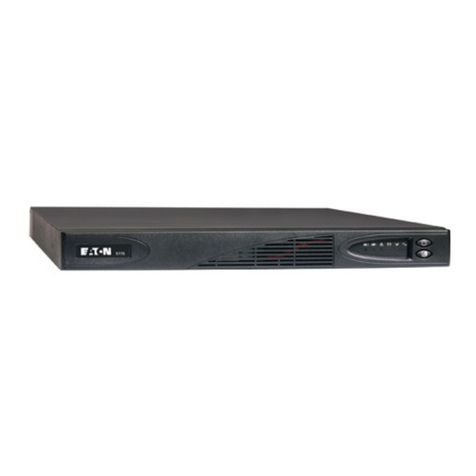
Eaton 3S Advanced user's guide

Eaton

Eaton 3S Advanced user's guide

CyberPower Office Tower Series UPS 1000 user manual

CyberPower

CyberPower Office Tower Series UPS 1000 user manual

CyberPower BM100 quick start guide

CyberPower

CyberPower BM100 quick start guide

Best Power 610 quick start guide

Best Power

Best Power 610 quick start guide

Best Power Unity/I UT3K user manual

Best Power

Best Power Unity/I UT3K user manual

Mustek PowerMust 400 Offline user manual

Mustek

Mustek PowerMust 400 Offline user manual

Xantrex Trace 512 UR-UPS owner's manual

Xantrex

Xantrex Trace 512 UR-UPS owner's manual

Forza SL-1501UL user manual

Forza

Forza SL-1501UL user manual

manuals.online logo
manuals.online logoBrands
  • About & Mission
  • Contact us
  • Privacy Policy
  • Terms and Conditions

Copyright 2025 Manuals.Online. All Rights Reserved.

FACT
SHEET
IP Telephony
Contact Centers
Mobility
Services
Solution Overview
The new Avaya 500-1440 VA rackmount UPS is the ideal
backup power solution for small-to-medium size businesses
and branch offices. Designed to prevent poor quality power
from bringing your customer’s business down, this Avaya
UPS continually regulates incoming voltage problems and
delivers battery backup when the power goes out. The slim
design and wide range of installation possibilities also
make it an extremely versatile UPS.
500 - 1440 VA
Rackmount UPS
Solution Benefits
Avaya’s new rackmount UPS delivers an array of
customer-focused benefits:
• Conserves valuable rack space with 1U rack height
• Doubles battery service life and gives you advanced
warning of the end of useful battery life with
Advanced Battery Management (ABM) technology
• Corrects incoming power fluctuations with Buck and
Boost voltage regulation
• Adapts to 1U rackmount, 0U sidemount, and
wallmount installations (all hardware included)
• Simplifies service with hot-swappable batteries
Solution Applications
Designed for rackmount applications, this new UPS
family from Avaya is designed to protect equipment such
as Avaya’s IP Office and Partner systems.
Model Selection Guide
Power Rating1SAP Code Input Output Unit Dimensions3
(VA/Watt) Connection Receptacles2Weight (lb.) (HxWxD, inches)
500/320 700427065 5-15P (4) 5-15R 35.2 1.73 (1U) x 17.3 x 22.8
750/520 700427073 5-15P (4) 5-15R 41.4 1.73 (1U) x 17.3 x 22.8
1000/670 700427081 5-15P (4) 5-15R 41.4 1.73 (1U) x 17.3 x 22.8
1440/1000 700427099 5-15P (4) 5-15R 48.6 1.73 (1U) x 17.3 x 22.8
1. 50/60 automatic frequency selection. 2. Divided into (2) Load Segments (receptacle groups). 3. Unit fits into standard 19 & 23-inch racks or can be wall-mounted and
Zero U rackmounted. Mounting hardware supplied.
Electrical
Nominal Voltage 120V; user-selectable for 110V
Input Voltage Ranges ±20% for nominal voltage at full load
for User-selectable Voltages
Operating Frequency 50/60 Hz, Auto-sensing
On Utility Voltage Regulation -10% to +6% of nominal
Voltage Wave Shape (on battery) Sine Wave
Battery
Battery Type Sealed, lead-acid; maintenance free
Battery Run Time Approximately 10 minutes, typical
Battery Replacement Hot-swappable internal batteries
Recharge Time Advanced charging for faster recovery. <3 hours to 90% usable capacity
Start-On-Battery Allows UPS operation without utility input
General
Topology Line-interactive
Mounting Hardware All hardware included for 1U rackmount, 0U sidemount, and wallmount installations
Transfer Time 2-4 ms typical
Diagnostics Self-test at power up
Communications
User Interface LED status display with AC power on, load Group, Overload, On Battery and General
Alarm indicators. Site Wiring Fault Indicator on rear panel.
Audible Alarms For various UPS alarm conditions, including: On Battery, Low Battery, Overload, UPS fault
Network transient Protector UL 497A, In/out jacks RJ45 (high voltage models network protection) & RJ11
Optional Communication Card Web/SNMP card
Standard Communications 1 x RS-232 Serial Port & 1 x USB Port
Power Management Software Software Suite CD and cable (bundled with UPS)
Environmental
Safety Markings UL; cUL
Safety Conformance UL 1778; UL497A; cUL (CAN/CSA C22.2, No. 107.1)
EMC Compliance FCC Part 15 subpart J Class A, ICES-003
RoHS Compliance Yes
Operating Temperature 0 to 40°C (32 to 104°F)
Surge Suppression ANSI C62.41 Category A (formerly IEEE 587)
Audible Noise Less than 40 dBA typical
Altitude Up to 3000M (10,000 ft) without derating
1. Due to continuing product improvement programs, all specifications are subject to change without notice.
Brief Technical Specifications1
© 2006 Avaya Inc.
All Rights Reserved. Avaya and the Avaya Logo are trademarks of Avaya Inc. and may be registered in
certain jurisdictions. All trademarks identified by the ®, SM or TM are registered trademarks, service marks
or trademarks, respectively, of Avaya Inc., with the exception of FORTUNE 500 which is a registered
trademark of Time Inc. All other trademarks are the property of their respective owners.
Printed in the U.S.A.
09/06 • MIS3141
About Avaya
Avaya enables businesses to achieve superior
results by designing, building and managing their
communications infrastructure and solutions. For
over one million businesses worldwide, including
more than 90 percent of the FORTUNE 500®, Avaya
embedded solutions help businesses enhance
value, improve productivity and create competitive
advantage by allowing people to be more productive
and create more intelligent processes that satisfy
customers.
For businesses large and small, Avaya is a world
leader in secure, reliable IP telephony systems,
communications applications and full life-cycle
services. Driving the convergence of embedded
voice and data communications with business
applications, Avaya is distinguished by its
combination of comprehensive, world-class
products and services. Avaya helps customers
across the globe leverage existing and new
networks to achieve superior business results.
COMMUNICATIONS
AT THE HEART OF BUSINESS
avaya.com