Avaya 9135 6000 VA Setup guide

Avaya 9135 6000 VA
Uninterruptible Power Systems
Site Preparation,
Installation and Operator’s Manual
www.powerware.com/avaya


Avaya 9135 6000 VA
Uninterruptible Power Systems
Site Preparation,
Installation and Operator’s Manual
www.powerware.com/avaya

Requesting a Declaration of Conformity
Units that are labeled with a CE mark comply with the following harmonized standards and EU directives:
SHarmonized Standards: EN 62040-1-1 and EN 62040-2; IEC 60950-1
SEU Directives: 73/23/EEC, Council Directive on equipment designed for use within certain voltage limits
93/68/EEC, Amending Directive 73/23/EEC
2004/108/EEC, Council Directive relating to electromagnetic compatibility
The EC Declaration of Conformity is available upon request for products with a CE mark. For copies of the EC
Declaration of Conformity, contact:
Eaton Power Quality Oy
Koskelontie 13
FIN-02920 Espoo
Finland
Phone: +358-9-452 661
Fax: +358-9-452 665 68
Avaya and the Avaya logo are trademarks of Avaya Inc. and may be registered in certain jurisdictions. Eaton and
LanSafe are registered trademarks and ConnectUPS is a trademark of Eaton Corporation or its subsidiaries and
affiliates. Phillips is a registered trademark of Phillips Screw Company. All other trademarks are property of their
respective companies.
ECopyright 2008 Avaya Inc. All rights reserved. No part of this document may be reproduced in any way without
the express written approval of Avaya.

Class A EMC Statements
FCC Part 15
NOTE This equipment has been tested and found to comply with the limits for a Class A digital device, pursuant to
part 15 of the FCC Rules. These limits are designed to provide reasonable protection against harmful interference
when the equipment is operated in a commercial environment. This equipment generates, uses, and can radiate
radio frequency energy and, if not installed and used in accordance with the instruction manual, may cause harmful
interference to radio communications. Operation of this equipment in a residential area is likely to cause harmful
interference in which case the user will be required to correct the interference at his own expense.
EN 62040-2
Some configurations are classified under EN 62040-2 as “Category C2 UPS.” For these configurations, the
following applies:
WARNING This is a category C2 UPS product. In a residential environment, this product may cause radio
interference, in which case the user may be required to take additional measures.

Special Symbols
The following are examples of symbols used on the UPS or accessories to alert you to important
information:
RISK OF ELECTRIC SHOCK - Observe the warning associated with the risk of electric shock
symbol.
CAUTION: REFER TO OPERATOR’S MANUAL - Refer to your operator’s manual for additional
information, such as important operating and maintenance instructions.
This symbol indicates that you should not discard the UPS or the UPS batteries in the trash. This
product contains sealed, lead-acid batteries and must be disposed of properly. For more information,
contact your local recycling/reuse or hazardous waste center.
This symbol indicates that you should not discard waste electrical or electronic equipment (WEEE) in
the trash. For proper disposal, contact your local recycling/reuse or hazardous waste center.

Avaya 9135 6000 VA UPS Site Preparation, Installation and Operator’s Manual S164201769 Rev 1 i
Table of Contents
1 Introduction 1.........................................................
2 Safety Warnings 3.....................................................
3 Installation 19..........................................................
Inspecting the Equipment 19................................................................
Checking the Accessory Kit 20..............................................................
Connecting the UPS Internal Battery 22........................................................
UPS Setup 23..........................................................................
Rackmount Setup 23...................................................................
Installing the Rail Kit 24................................................................
Tower Setup 30......................................................................
Installing the UPS 35.....................................................................
RPO Installation 37......................................................................
UPS Electrical Connections 38...............................................................
Recommended Upstream Protection 38.....................................................
Required Cable Cross-Sections 38.........................................................
Connecting the Power Cables 39..........................................................
UPS Rear Panel 41.......................................................................
4 Operation 43...........................................................
Control Panel Functions 43.................................................................
Turning the UPS On 44....................................................................
Starting the UPS on Battery 44..............................................................
Turning the UPS Off 45....................................................................
Operating Modes 45.....................................................................
Normal Mode 46.....................................................................
Eco Mode 46........................................................................
Battery Mode 46.....................................................................
Bypass Mode 47......................................................................
Display Functions 47.....................................................................
Access to Measurements 48................................................................
Access to UPS Setup 48...................................................................
Configuring the UPS for EBMs 50............................................................
Running Battery Tests 51..................................................................

TABLE OF CONTENTS
Avaya 9135 6000 VA UPS Site Preparation, Installation and Operator’s Manual S164201769 Rev 1
ii
Access to Maintenance 52.................................................................
Life Cycle Monitoring 53................................................................
Anticipate Maintenance 53..............................................................
ResetorDisableLCM 54................................................................
5 Additional UPS Features 55...............................................
USB Port 55............................................................................
Relay Port 56...........................................................................
6 Maintenance 59........................................................
Hot-Swapping the Power Module 59..........................................................
Hot-Swapping the Battery Tray 60............................................................
7 Specifications 61.......................................................
8 Troubleshooting 63......................................................
Troubleshooting LED 63...................................................................
Troubleshooting Not Requiring Avaya Service 64.................................................
Troubleshooting Requiring Avaya Service 65....................................................
Obtaining Service 66.....................................................................
Parts List 66...........................................................................

Avaya 9135 6000 VA UPS Site Preparation, Installation and Operator’s Manual S164201769 Rev 1 1
Chapter 1 Introduction
The Avaya®9135 uninterruptible power system (UPS) protects
your sensitive electronic equipment from the most common power
problems including power failures, power sags, power surges,
brownouts, line noise, high voltage spikes, frequency variations,
switching transients, and harmonic distortion.
Power outages can occur when you least expect it and power
quality can be erratic. These power problems have the potential to
corrupt critical data, destroy unsaved work sessions, and damage
hardware — causing hours of lost productivity and expensive repairs.
With the Avaya 9135, you can safely eliminate the effects of power
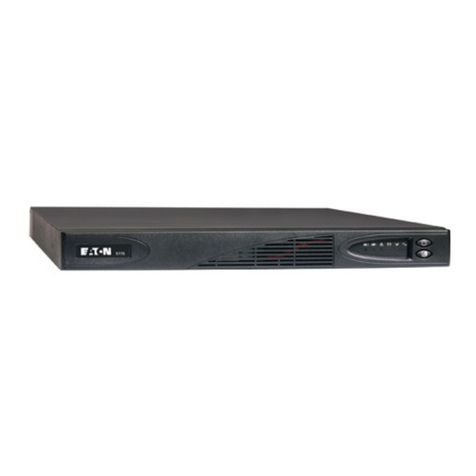
disturbances and guard the integrity of your equipment. Figure 1 shows
the Avaya 9135 UPS.
Figure 1. The Avaya 9135 UPS

INTRODUCTION
Avaya 9135 6000 VA UPS Site Preparation, Installation and Operator’s Manual S164201769 Rev 1
2
Providing outstanding performance and reliability, the Avaya 9135’s
unique benefits include:
SOnline UPS design with pure sine wave output. The UPS filters and
regulates incoming AC power and provides consistent power to your
equipment without draining the battery.
STwo-in-one form factor for using the UPS in a rack-mount
configuration or as a standalone cabinet.
SHours of extended runtime with up to six EBMs per UPS.
SStart-on-battery capability for powering up the UPS even if utility
power is not available.
SHot-swappable power module and battery tray that simplify
maintenance by allowing you to replace them safely without
powering down the critical load.
SShutdown control through the remote power-off (RPO) port.
STwo standard communication options with a USB port and an RS-232
serial port.
SAdvanced power management for graceful shutdowns and power
monitoring.
SNetwork Management Card for increased power protection and
control.
SBacked by worldwide agency approvals.
Table of contents
Other Avaya UPS manuals