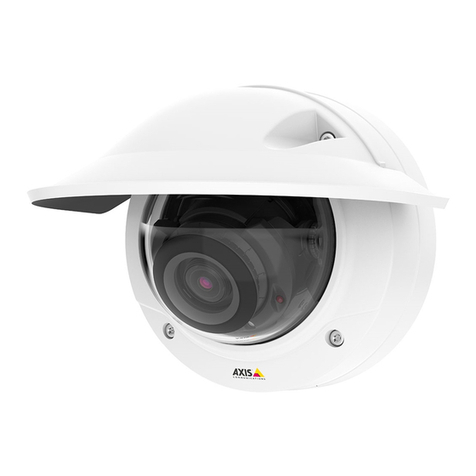
manuals.online logo
Brands
  1. Home
  2. •
  3. Brands
  4. •
  5. Axis
  6. •
  7. Security Camera
  8. •
  9. Axis P5635-E User manual

Axis P5635-E User manual

Other manuals for P5635-E

2

Other Axis Security Camera manuals

Axis P1355 User manual

Axis

Axis P1355 User manual

Axis P1343-E User manual

Axis

Axis P1343-E User manual

Axis P3367-V User manual

Axis

Axis P3367-V User manual

Axis P3935-RL User manual

Axis

Axis P3935-RL User manual

Axis Q1775-E User manual

Axis

Axis Q1775-E User manual

Axis Q6055-S User manual

Axis

Axis Q6055-S User manual

Axis Q6045 User manual

Axis

Axis Q6045 User manual

Axis Q6128-E User manual

Axis

Axis Q6128-E User manual

Axis Q3505-VE Mk II User manual

Axis

Axis Q3505-VE Mk II User manual

Axis P5532-E PTZ User manual

Axis

Axis P5532-E PTZ User manual

Axis P32-VE SERIES User manual

Axis

Axis P32-VE SERIES User manual

Axis Network Camera AXIS 221 User manual

Axis

Axis Network Camera AXIS 221 User manual

Axis Q6100-E User manual

Axis

Axis Q6100-E User manual

Axis M5000-G User manual

Axis

Axis M5000-G User manual

Axis P54 User manual

Axis

Axis P54 User manual

Axis P3384-VE User manual

Axis

Axis P3384-VE User manual

Axis AXIS 209FD-R User manual

Axis

Axis AXIS 209FD-R User manual

Axis P5514-E Series User manual

Axis

Axis P5514-E Series User manual

Axis AXIS 212 PTZ User manual

Axis

Axis AXIS 212 PTZ User manual

Axis Q3708-PVE User manual

Axis

Axis Q3708-PVE User manual

Axis P3925-R User manual

Axis

Axis P3925-R User manual

Axis NETWORK CAMERA 2100 User manual

Axis

Axis NETWORK CAMERA 2100 User manual

Axis P32 Series User manual

Axis

Axis P32 Series User manual

Axis AXIS Q1941-E PT User manual

Axis

Axis AXIS Q1941-E PT User manual

Popular Security Camera manuals by other brands

ADEMCO RapidDome Owners Operating & Installation Guide

ADEMCO

ADEMCO RapidDome Owners Operating & Installation Guide

EverFocus EBA2880 user manual

EverFocus

EverFocus EBA2880 user manual

Honeywell OptiCAM-IR Installation and setup guide

Honeywell

Honeywell OptiCAM-IR Installation and setup guide

Uniq UC-600 user manual

Uniq

Uniq UC-600 user manual

OPTICOM NVD-120-S datasheet

OPTICOM

OPTICOM NVD-120-S datasheet

Steren CCTV-221 instruction manual

Steren

Steren CCTV-221 instruction manual

Arm Electronics C420BCDNVFIR Features

Arm Electronics

Arm Electronics C420BCDNVFIR Features

Eneo PLD-2036PTZ installation guide

Eneo

Eneo PLD-2036PTZ installation guide

Panasonic KX-HCM230 operating instructions

Panasonic

Panasonic KX-HCM230 operating instructions

COP-USA CC15NV-SL Specifications

COP-USA

COP-USA CC15NV-SL Specifications

Active Silicon HARRIER H.264 quick start guide

Active Silicon

Active Silicon HARRIER H.264 quick start guide

Motorola Avigilon 1.3C-H5SL-BO1-IR installation guide

Motorola

Motorola Avigilon 1.3C-H5SL-BO1-IR installation guide

INSTEON 2864-232 user manual

INSTEON

INSTEON 2864-232 user manual

Wisenet XNB-6002 quick start guide

Wisenet

Wisenet XNB-6002 quick start guide

Vitek VTC-IR62NZ922 user guide

Vitek

Vitek VTC-IR62NZ922 user guide

Panasonic WV-SF342 Specifications

Panasonic

Panasonic WV-SF342 Specifications

SECO-LARM Dummy Camera VD-10PL Specifications

SECO-LARM

SECO-LARM Dummy Camera VD-10PL Specifications

COP-USA CD45AIR-S3 Specifications

COP-USA

COP-USA CD45AIR-S3 Specifications

manuals.online logo
manuals.online logoBrands
  • About & Mission
  • Contact us
  • Privacy Policy
  • Terms and Conditions

Copyright 2025 Manuals.Online. All Rights Reserved.

AXIS P5635-E PTZ Dome Network Camera
Installation Guide
Available from A1 Security Cameras
www.a1securitycameras.com email: [email protected]
Legal Considerations
Video and audio surveillance can be regulated by laws that
vary from country to country. Check the laws in your local
region before using this product for surveillance purposes.
This product includes one (1) H.2 4 decoder license and
one (1) AAC decoder license. To purchase further licenses,
contact your reseller.
Liabilit
Every care has been taken in the preparation of this
document. Please inform your local Axis ofce of any
inaccuracies or omissions. Axis Communications AB cannot
be held responsible for any technical or typographical errors
and reserves the right to make changes to the product and
manuals without prior notice. Axis Communications AB
makes no warranty of any kind with regard to the material
contained within this document, including, but not limited
to, the implied warranties of merchantability and tness for
aparticular purpose. Axis Communications AB shall not
be liable nor responsible for incidental or consequential
damages in connection with the furnishing, performance
or use of this material. This product is only to be used for
its intended purpose.
Intellectual Propert Rights
Axis AB has intellectual property rights relating to
technology embodied in the product described in this
document. In particular, and without limitation, these
intellectual property rights may include one or more of
the patents listed at www.axis.com/patent.htm and one or
more additional patents or pending patent applications in
the US and other countries.
This product contains licensed third-party software. See
the menu item “About” in the product’s user interface for
more information.
This product contains source code copyright Apple Computer,
Inc., under the terms of Apple Public Source License 2.0
(see www.opensource.apple.com/apsl). The source code is
available from https://developer.apple.com/bonjour/
Equipment Modications
This equipment must be installed and used in
strict accordance with the instructions given in the
user documentation. This equipment contains no
user-serviceable components. Unauthorized equipment
changes or modications will invalidate all applicable
regulatory certications and approvals.
Trademark Acknowledgments
AXIS COMMUNICATIONS, AXIS, ETRAX, ARTPEC and VAPIX
are registered trademarks or trademark applications of Axis
AB in various jurisdictions. All other company names and
products are trademarks or registered trademarks of their
respective companies.
Apple, Boa, Apache, Bonjour, Ethernet, Internet Explorer,
Linux, Microsoft, Mozilla, Real, SMPTE, QuickTime, UNIX,
Windows, Windows Vista and WWW are registered
trademarks of the respective holders. Java and all
Java-based trademarks and logos are trademarks or
registered trademarks of Oracle and/or its afliates.
UPnPTM is acertication mark of the UPnPTM Implementers
Corporation.
SD, SDHC and SDXC are trademarks or registered trademarks
of SD-3C, LLC in the United States, other countries or both.
Also, miniSD, microSD, miniSDHC, microSDHC, microSDXC
are all trademarks or registered trademarks of SD-3C, LLC
in the United States, other countries or both.
Regulator Information
Europe
This product complies with the applicable CE marking
directives and harmonized standards:
• Electromagnetic Compatibility (EMC) Directive
2004/108/EC. See Electromagnetic Compatibility (EMC)
on page 2.
• Low Voltage (LVD) Directive 200 /95/EC. See afety
on page 3.
• Restrictions of Hazardous Substances (RoHS) Directive
2011/ 5/EU. See Disposal and Recycling on page 3.
Acopy of the original declaration of conformity may be
obtained from Axis Communications AB. See Contact
Information on page 3.
Electromagnetic Compatibilit (EMC)
This equipment has been designed and tested to fulll
applicable standards for:
• Radio frequency emission when installed according to
the instructions and used in its intended environment.
• Immunity to electrical and electromagnetic phenomena
when installed according to the instructions and used
in its intended environment.
USA
Using an unshielded network cable (UTP) –This
equipment has been tested using an unshielded network
cable (UTP) and found to comply with the limits for a
Class Adigital device, pursuant to part 15 of the FCC Rules.
These limits are designed to provide reasonable protection
against harmful interference when the equipment is
operated in acommercial environment. This equipment
generates, uses, and can radiate radio frequency energy
and, if not installed and used in accordance with the
instruction manual, may cause harmful interference to
radio communications. Operation of this equipment in
aresidential area is likely to cause harmful interference
in which case the user will be required to correct the
interference at his own expense.
Using ashielded network cable (STP) –This equipment
has also been tested using ashielded network cable (STP)
and found to comply with the limits for aClass Bdigital
device, pursuant to part 15 of the FCC Rules. These limits
are designed to provide reasonable protection against
harmful interference in aresidential installation. This
equipment generates, uses and can radiate radio frequency
energy and, if not installed and used in accordance with
the instructions, may cause harmful interference to radio
communications. However, there is no guarantee that
interference will not occur in aparticular installation. If
this equipment does cause harmful interference to radio or
television reception, which can be determined by turning
the equipment off and on, the user is encouraged to try to
correct the interference by one or more of the following
measures:
• Reorient or relocate the receiving antenna.
• Increase the separation between the equipment and
receiver.
• Connect the equipment into an outlet on acircuit
different from that to which the receiver is connected.
• Consult the dealer or an experienced radio/TV
technician for help.
To be used in aresidential area or ademanding electrical
environment, the product shall be connected using a
shielded network cable (STP) that is properly grounded.
Canada
This digital apparatus complies with CAN ICES-3 (Class B).
The product shall be connected using ashielded network
Available from A1 Security Cameras

www.a1securitycameras.com email: [email protected]
cable (STP) that is properly grounded. Cet appareil
numérique est conforme àla norme CAN NMB-3 (classe B).
Le produit doit être connecté àl'aide d'un câble réseau
blindé (STP) qui est correctement mis àla terre.
Europe
This digital equipment fullls the requirements for RF
emission according to the Class Blimit of EN 55022. The
product shall be connected using ashielded network cable
(STP) that is properly grounded.
This product fullls the requirements for emission and
immunity according to EN 50121-4 and IEC 223 -4 railway
applications.
This product fullls the requirements for immunity
according to EN 1000- -1 residential, commercial and
light-industrial environments.
This product fullls the requirements for immunity
according to EN 1000- -2 industrial environments.
This product fullls the requirements for immunity
according to EN 55024 ofce and commercial
environments.
Australia/New Zealand
This digital equipment fullls the requirements for RF
emission according to the Class Blimit of AS/NZS CISPR 22.
The product shall be connected using ashielded network
cable (STP) that is properly grounded.
apan
この装置は、クラスB 情報技術装置です。この装置
は、家庭環境で使用することを目 的としています
が、この装置がラジオやテレビジョン受信機に近
接して使用されると、 受信障害を引き起こすこと
があります。 取扱説明書に従って正しい取り扱い
をして下さい。 本製品は、シールドネットワーク
ケーブル(STP)を使用して接続してください。また
適切に接地してください。
Korea
이기기는 가정용(B급) 전자파적합기기로서 주로
가정에서 사용하는 것을 목적으로 하며, 모든 지
역에서 사용할 수있습니다. 적절히 접지된 STP
(shielded twisted pair) 케이블을 사용하여 제품
을연결 하십시오.
Safet
This product complies with IEC/EN/UL 0950-1 and
IEC/EN/UL 0950-22, Safety of Information Technology
Equipment. The product shall be grounded either through a
shielded network cable (STP) or other appropriate method.
The power supply used with this product shall fulll
the requirements for Safety Extra Low Voltage
(SELV) and Limited Power Source (LPS) according to
IEC/EN/UL 0950-1.
Disposal and Rec cling
When this product has reached the end of its useful life,
dispose of it according to local laws and regulations. For
information about your nearest designated collection point,
contact your local authority responsible for waste disposal.
In accordance with local legislation, penalties may be
applicable for incorrect disposal of this waste.
Europe
This symbol means that the product shall not be
disposed of together with household or commercial waste.
Directive 2012/19/EU on waste electrical and electronic
equipment (WEEE) is applicable in the European Union
member states. To prevent potential harm to human health
and the environment, the product must be disposed of in
an approved and environmentally safe recycling process.
For information about your nearest designated collection
point, contact your local authority responsible for waste
disposal. Businesses should contact the product supplier for
information about how to dispose of this product correctly.
This product complies with the requirements of
Directive 2011/ 5/EU on the restriction of the use of
certain hazardous substances in electrical and electronic
equipment (RoHS).
China
This product complies with the requirements of the
legislative act Administration on the Control of Pollution
Caused by Electronic Information Products (ACPEIP).
Contact Information
Axis Communications AB
Emdalavägen 14
223 9 Lund
Sweden
Tel: +4 4 272 18 00
Fax: +4 4 13 1 30
www.axis.com
Support
Should you require any technical assistance, please contact
your Axis reseller. If your questions cannot be answered
immediately, your reseller will forward your queries through
the appropriate channels to ensure arapid response. If you
are connected to the Internet, you can:
• download user documentation and software updates
• nd answers to resolved problems in the FAQ database.
Search by product, category, or phrase
• report problems to Axis support staff by logging in to
your private support area
• chat with Axis support staff
• visit Axis Support at www.axis.com/techsup/
Learn More!
Visit Axis learning center www.axis.com/academy/ for
useful trainings, webinars, tutorials and guides.
Available from A1 Security Cameras
www.a1securitycameras.com email: [email protected]
English
Safet Information
Read through this Installation Guide carefully before
installing the product. Keep the Installation Guide for
future reference.
Hazard Levels
DANGER
Indicates ahazardous situation which, if not avoided, will
result in death or serious injury.
WARNING
Indicates ahazardous situation which, if not avoided, could
result in death or serious injury.
CAUTION
Indicates ahazardous situation which, if not avoided, could
result in minor or moderate injury.
NONO
NOTICETICE
TICE
Indicates asituation which, if not avoided, could result in
damage to property.
Other Message Levels
Important
Indicates signicant information which is essential for the
product to function correctly.
Note
Indicates useful information which helps in getting the
most out of the product.
Safet Instructions
NONO
NOTICETICE
TICE
• The Axis product shall be used in compliance with local
laws and regulations.
• Store the Axis product in adry and ventilated
environment.
• Avoid exposing the Axis product to shocks or heavy
pressure.
• Do not install the product on unstable brackets, surfaces
or walls.
• Use only applicable tools when installing the Axis
product. Using excessive force with power tools could
cause damage to the product.
•Do not use chemicals, caustic agents, or aerosol cleaners.
• Use aclean cloth dampened with pure water for
cleaning.
• Use only accessories that comply with the technical
specication of the product. These can be provided by
Axis or athird party.
• Use only spare parts provided by or recommended by
Axis.
• Do not attempt to repair the product yourself. Contact
Axis support or your Axis reseller for service matters.
• Do not point the camera lens toward the sun or other
high-intensity radiation sources because this could
cause damage to the camera.
Transportation
NONO
NOTICETICE
TICE
• When transporting the Axis product, use the original
packaging or equivalent to prevent damage to the
product.
Batter
The Axis product uses a3.0 VCR2032 lithium battery as the
power supply for its internal real-time clock (RTC). Under
normal conditions this battery will last for aminimum of
ve years.
Low battery power affects the operation of the RTC, causing
it to reset at every power-up. When the battery needs
replacing, alog message will appear in the product’s server
report. For more information about the server report, see
the product´s setup pages or contact Axis support.
The battery should not be replaced unless required, but if
the battery does need replacing, contact Axis support at
www.axis.com/techsup for assistance.
Lithium coin cell 3.0 Vbatteries contain
1,2-dimethoxyethane; ethylene glycol dimethyl
ether (EGDME), CAS no. 110-71-4.
WARNING
•Risk of explosion if the battery is incorrectly replaced.
• Replace only with an identical battery or abattery which
is recommended by Axis.
• Dispose of used batteries according to local regulations
or the battery manufacturer's instructions.
Dome Cover
NONO
NOTICETICE
TICE
• Be careful not to scratch, damage or leave ngerprints
on the dome cover because this could decrease image
quality. If possible, keep the protective plastic on the
dome cover until the installation is complete.
• Do not clean adome cover that looks clean to the eye
and never polish the surface. Excessive cleaning could
damage the surface.
• For general cleaning of the dome cover it is
recommended to use anon-abrasive, solvent-free
neutral soap or detergent mixed with pure water and a
soft, clean cloth. Rinse well with pure lukewarm water.
Dry with asoft, clean cloth to prevent water spotting.
• Never use harsh detergents, gasoline, benzene or
acetone etc. and avoid cleaning the dome cover in direct
sunlight or at elevated temperatures.
• Make sure the dome is attached in operation mode,
otherwise focus may be affected.
Français
Informations sur la sécurité
Lisez attentivement ce guide d'installation avant d'installer
l'appareil. Conservez le guide d'installation pour toute
référence ultérieure.
Niveaux de risques
DANGER
Indique une situation dangereuse qui, si elle n'est pas
évitée, entraînera le décès ou des blessures graves.
AVERTISSEMENT
Indique une situation dangereuse qui, si elle n'est pas
évitée, pourrait entraîner le décès ou des blessures graves.
ATTENTION
Indique une situation dangereuse qui, si elle n'est pas
évitée, pourrait entraîner des blessures légères ou modérées.
Available from A1 Security Cameras
www.a1securitycameras.com email: [email protected]
AA
AVIVI
VI
Indique une situation qui, si elle n'est pas évitée, pourrait
endommager l'appareil.
Autres niveaux de message
Important
Indique les informations importantes, nécessaires pour
assurer le bon fonctionnement de l’appareil.
Note
Indique les informations utiles qui permettront d’obtenir le
fonctionnement optimal de l’appareil.
Consignes de sécurité
AA
AVIVI
VI
• Le produit Axis doit être utilisé conformément aux lois
et règlementations locales en vigueur.
• Conserver ce produit Axis dans un environnement sec
et ventilé.
• Ne pas exposer ce produit Axis aux chocs ou aux fortes
pressions.
• Ne pas installer ce produit sur des supports, surfaces ou
murs instables.
• Utiliser uniquement des outils recommandés pour
l'installation de l'appareil Axis. L'application d'une force
excessive sur l'appareil avec des outils puissants pourrait
l'endommager.
• Ne pas utiliser de produits chimiques, de substances
caustiques ou de nettoyants pressurisés.
• Utiliser un chiffon propre imbibé d'eau pure pour le
nettoyage.
• Utiliser uniquement des accessoires conformes aux
caractéristiques techniques du produit. Ils peuvent être
fournis par Axis ou un tiers.
• Utiliser uniquement les pièces de rechange fournies ou
recommandées par Axis.
• Ne pas essayer de réparer vous-même ce produit.
Contacter l'assistance technique d'Axis ou votre
revendeur Axis pour des problèmes liés àl'entretien.
• Évitez de pointer l’objectif de la caméra vers le soleil ou
toute autre source de radiation de haute intensité. Cela
risque d’endommager la caméra.
Transport
AA
AVIVI
VI
• Lors du transport du produit Axis, utilisez l'emballage
d'origine ou un équivalent pour éviter d'endommager
le produit.
Batterie
Le produit Axis utilise une batterie au lithium CR2032
3,0 Vcomme alimentation de son horloge en temps réel
interne (RTC). Dans des conditions normales, cette batterie
aune durée de vie minimale de cinq ans.
Si la batterie est faible, le fonctionnement de l'horloge en
temps réel peut être affecté et entraîner sa réinitialisation à
chaque mise sous tension. Un message enregistré apparaît
dans le rapport de serveur du produit lorsque la batterie
doit être remplacée. Pour tout complément d'information
concernant le rapport de serveur, reportez-vous aux pages
de Conguration du produit ou contactez l'assistance
technique d'Axis.
La batterie doit être remplacée uniquement en cas de
besoin, et pour ce faire, contactez l'assistance technique
d'Axis àl'adresse www.axis.com/techsup et obtenir de l'aide.
Les piles boutons 3,0 Vau lithium contiennent du
1,2-diméthoxyéthane, éthylène glycol diméthyl éther
(EGDME), CAS N° 110-71-4.
AVERTISSEMENT
• Risque d'explosion si la batterie est remplacée de façon
incorrecte.
• Remplacez-la uniquement par une batterie identique ou
une batterie recommandée par Axis.
• Mettez au rebut les batteries usagées conformément
aux réglementations locales ou aux instructions du
fabricant de la batterie.
Couvercle de dôme
AA
AVIVI
VI
• Veillez àne pas rayer, endommager ou laisser
d'empreintes sur le couvercle du dôme car cela pourrait
altérer la qualité d'image. Laissez, si possible, la
protection en plastique sur le couvercle du dôme jusqu’à
la n de l’installation.
• Ne nettoyez pas le couvercle du dôme s'il semble propre
àl'œil nu et ne frottez jamais sa surface. Un nettoyage
excessif pourrait endommager la surface.
• Pour le nettoyage général du couvercle du dôme, il est
recommandé d'utiliser un produit non abrasif, un savon
neutre sans solvant ou un détergent mélangé avec de
l'eau pure et un chiffon doux propre. Rincez bien àl'eau
tiède pure. Séchez avec un chiffon doux et propre pour
éviter les tâches d'eau.
• N'utilisez jamais de détergents agressifs, d'essence, de
benzène ou d'acétone, etc. et évitez toute exposition
directe aux rayons du soleil ou àdes températures
élevées lors du nettoyage.
• Vériez que le dôme est xé en mode de fonctionnement,
sinon la mise au point peut en être affectée.
Deutsch
Sicherheitsinformation
Lesen Sie das Installationshandbuch sorgfältig durch
bevor sie das Produkt installieren. Bewahren Sie das
Installationshandbuch für zukünftige Zwecke auf.
Gefährdungsstufen
GEFAHR
Weist auf eine gefährliche Situation hin, welche, falls nicht
verhindert, zu Tod oder schweren Verletzungen führt.
WARNUNG
Weist auf eine gefährliche Situation hin, welche, falls nicht
verhindert, zu Tod oder schweren Verletzungen führen kann.
VORSICHT
Weist auf eine gefährliche Situation hin, welche, falls
nicht verhindert, zu geringfügiger oder mäßiger Verletzung
führen kann.
HINWEIHINWEI
HINWEI
Weist auf eine gefährliche Situation hin, welche, falls nicht
verhindert, zu Sachschäden führen kann.
Weitere Nachrichtenstufen
Wichtig
Weist auf wichtige Informationen hin, die den richtigen
Betrieb des Produkts gewährleisten.
Available from A1 Security Cameras
www.a1securitycameras.com email: [email protected]
Beachten
Weist auf nützliche Informationen hin, die die optimale
Verwendung des Produkts unterstützen.
Sicherheitsanweisungen
HINWEIHINWEI
HINWEI
• Die Anwendung des Axis Produkts muss unter Beachtung
der örtlich geltenden rechtlichen Bestimmungen
erfolgen.
• Lagern Sie das Axis Produkt in einer trockenen und
belüfteten Umgebung.
• Achten Sie darauf, dass das Axis Produkt weder Stößen
noch starkem Druck ausgesetzt ist.
• Installieren Sie das Produkt nicht an instabilen
Halterungen, Oberächen oder Wänden.
• Verwenden Sie bei der Installation des Axis Produkts
ausschließlich passende Werkzeuge. Ein zu großer
Kraftaufwand mit elektrischen Werkzeugen kann das
Produkt beschädigen.
• Verwenden Sie keine chemischen, ätzenden oder
aerosolhaltigen Reinigungsmittel.
• Verwenden Sie zum Reinigen ein sauberes, mit
destilliertem Wasser angefeuchtetes Tuch.
• Verwenden Sie nur Zubehör, das den technischen
Daten des Produkts entspricht. Dieses ist von Axis oder
Drittanbietern erhältlich.
• Verwenden Sie ausschließlich Ersatzteile die von Axis
bereitgestellt oder empfohlen werden.
• Versuchen Sie nicht, das Produkt selbstständig zu
reparieren. Wenden Sie sich bezüglich Reparatur und
Wartung an den Axis Support oder Ihren Axis Händler.
• Richten Sie das Kameraobjektiv nicht direkt auf die
Sonne oder andere starke Lichtquellen, um eine
Beschädigung der Kamera zu vermeiden.
Transport
HINWEIHINWEI
HINWEI
• Bei Bedarf transportieren Sie das Axis Produkt in
der Originalverpackung oder einer entsprechenden
Verpackung, so dass Schäden vermieden werden.
Batterie
Das Axis-Produkt ist mit einer 3,0 V-CR2032-Lithium-
Batterie ausgestattet, mit der die interne Echtzeituhr
(RTC) versorgt wird. Unter normalen Bedingungen hat die
Batterie eine Lebensdauer von mindestens fünf Jahren.
Bei entladener Batterie ist der Betrieb der Echtzeituhr
nicht mehr gewährleistet, sodass die Uhr bei jedem
Systemstart zurückgesetzt wird. Sie erhalten eine
Protokollnachricht im Serverbericht des Produkts, wenn ein
Batteriewechsel erforderlich ist. Weitere Informationen
über den Serverbericht nden Sie auf den Setup-Seiten des
Produkts, oder wenden Sie sich an den Axis Support.
Die Batterie sollte nur bei Bedarf ersetzt werden. Wenden
Sie sich in diesem Fall an den Axis Support unter
www.axis.com/techsup.
Lithium-Knopfzellen (3,0 V) enthalten 1,2-Dimethoxyethan;
Ethylenglycoldimethylether (EGDME), CAS-Nr. 110-71-4.
WARNUNG
•Explosionsgefahr bei fehlerhaftem Batteriewechsel.
• Die Batterie darf nur durch eine identische Batterie oder
eine von Axis empfohlene Batterie ersetzt werden.
• Verbrauchte Batterien sind gemäß den örtlichen
Vorschriften oder den Anweisungen des Herstellers zu
entsorgen.
Kuppelabdeckung
HINWEIHINWEI
HINWEI
• Achten Sie darauf die Kuppelabdeckung weder zu
zerkratzen, zu beschädigen oder darauf Fingerabdrücke
zu hinterlassen, da dies die Bildqualität beeinträchtigen
kann. Falls möglich entfernen Sie die Schutzfolie erst
nachdem die Installation abgeschlossen ist.
• Säubern Sie niemals eine Kuppelabdeckung, wenn
diese sauber erscheint, und polieren Sie keinesfalls die
Oberäche. Zu häuges Säubern kann die Oberäche
beschädigen.
• Für die normale Reinigung der Kuppelabdeckung werden
eine nicht-scheuernde, lösungsmittelfreie neutrale
Seife oder ein entsprechendes Reinigungsmittel mit
destilliertem Wasser und ein sauberer, weicher Lappen
empfohlen. Spülen Sie die Kuppelabdeckung gründlich
mit lauwarmem destilliertem Wasser ab. Trocknen Sie
die Kuppelabdeckung mit einem weichen, sauberen
Lappen, um Wasserecken zu vermeiden.
• Verwenden Sie niemals aggressive Reinigungsmittel,
Benzin, Benzol oder Aceton usw. Reinigen Sie die
Kuppelabdeckung nicht bei direkter Sonneneinstrahlung
oder höheren Temperaturen.
• Die Kamera darf nur mit angebrachter Kuppel betrieben
werden, damit der Fokus nicht beeinträchtigt wird.
Italiano
Informazioni di sicurezza
Leggere con attenzione la guida all'installazione prima di
installare il dispositivo. Conservare questo documento per
usi futuri.
Livelli di pericolo
PERICOLO
Indica una situazione pericolosa che, se non evitata,
provoca morte olesioni gravi.
AVVERTENZA
Indica una situazione pericolosa che, se non evitata, può
provocare la morte olesioni gravi.
ATTENZIONE
Indica una situazione pericolosa che, se non evitata, può
provocare lesioni medie ominori.
AA
AVVI OVVI O
VVI O
Indica una situazione che, se non evitata, può danneggiare
la proprietà.
Altri livelli di messaggio
Importante
Indica informazioni importanti, essenziali per il corretto
funzionamento del dispositivo.
Nota
Indica informazioni utili che aiutano ad ottenere il massimo
risultato dal dispositivo.
Informazioni di sicurezza
AA
AVVI OVVI O
VVI O
•Il dispositivo Axis deve essere utilizzato in conformità
alle leggi ealle disposizioni locali.
Available from A1 Security Cameras
www.a1securitycameras.com email: [email protected]
• Conservare il dispositivo Axis in un ambiente asciutto
eventilato.
• Evitare di esporre il dispositivo Axis aurti opressioni
eccessive.
• Non installare il dispositivo su supporti, superci opareti
instabili.
• Utilizzare solo strumenti applicabili quando si installa
il dispositivo Axis. Se si utilizza una forza eccessiva
con strumenti non adatti èpossibile causare danni al
dispositivo.
• Non utilizzare sostanze chimiche, agenti caustici o
detergenti aerosol.
• Utilizzare un panno pulito inumidito in acqua pura per
la pulizia.
• Utilizzare solo accessori compatibili con le speciche
tecniche del dispositivo. Questi possono essere forniti da
Axis oda terze parti.
• Utilizzare solo parti di ricambio fornite oconsigliate da
Axis.
• Non tentare di riparare il dispositivo da soli. Contattare
l'assistenza oil rivenditore Axis per questioni relative
alla manutenzione.
•Non rivolgere l'obiettivo della telecamera verso il sole
oaltre sorgenti di radiazioni molto intense poiché si
potrebbe danneggiare la telecamera.
Trasporto
AA
AVVI OVVI O
VVI O
• Durante il trasporto del dispositivo Axis, utilizzare
l'imballaggio originale oequivalente per evitare danni al
dispositivo.
Batteria
Il dispositivo Axis utilizza una batteria al litio da
3,0 VCR2032 come alimentazione per il suo real-time clock
(RTC) interno. In condizioni normali questa batteria avrà
una durata minima di cinque anni.
Una bassa carica della batteria inuisce sul funzionamento
del RTC, facendolo resettare aogni accensione. Quando la
batteria deve essere sostituita, un messaggio di registro
viene visualizzato nel report server del dispositivo. Per
ulteriori informazioni sul report server, vedere le pagine di
congurazione del dispositivo ocontattare l'assistenza Axis.
La batteria non deve essere sostituita se non richiesto,
ma nel caso in cui questo fosse necessario, contattare
il supporto Axis all'indirizzo www.axis.com/techsup per
assistenza.
Batteria abottone al litio 3,0 Vcontengono
1,2-dimetossietano; etere dimetilico di glicole etilenico
(EGDME), CAS n. 110-71-4.
AVVERTENZA
• Rischio di esplosione se la batteria viene sostituita in
modo errato.
• Sostituire solo con una batteria identica ouna batteria
consigliata da Axis.
• Smaltire le batterie usate in base alle normative locali o
alle istruzioni del produttore della batteria.
Coperchio della cupola
AA
AVVI OVVI O
VVI O
• Fare attenzione anon grafare, danneggiare olasciare
impronte sul coperchio della cupola, perché potrebbe
diminuire la qualità dell'immagine. Se possibile, tenere
la protezione in plastica sul coperchio della cupola no
aquando l'installazione non sarà completata.
• Non pulire il coperchio della cupola che allo sguardo
sembra pulito enon lucidare la supercie. Una pulizia
eccessiva potrebbe danneggiare la supercie.
• Per la pulizia generale del coperchio della cupola, si
consiglia di utilizzare un sapone neutro odetergente non
abrasivo con acqua pura eun panno morbido epulito.
Sciacquare bene con acqua pura tiepida. Asciugare con
un panno morbido epulito per evitare macchie d'acqua.
• Non usare mai detergenti aggressivi, benzina, benzene o
acetone ecc ed evitare di pulire il coperchio della cupola
alla luce diretta del sole oatemperature elevate.
• Assicurarsi che la cupola venga collegata in modalità
operativa in modo da non alterare la messa afuoco.
Español
Información de seguridad
Lea esta Guía de instalación con atención antes de instalar
el producto. Guarde la Guía de instalación para poder
consultarla en otro momento.
Niveles de peligro
PELIGRO
Indica una situación peligrosa que, si no se evita, provocará
lesiones graves ola muerte.
ADVERTENCIA
Indica una situación peligrosa que, si no se evita, puede
ATENCIÓN
provocar lesiones graves ola muerte.
Indica una situación peligrosa que, si no se evita, puede
provocar lesiones moderadas oleves.
AA
AVI OVI O
VI O
Indica una situación peligrosa que, si no se evita, puede
provocar daños materiales.
Otros niveles de mensaje
Importante
Indica información importante que es fundamental para
que el producto funcione correctamente.
Nota
Indica información útil que ayuda aaprovechar el producto
al máximo.
Instrucciones de seguridad
AA
AVI OVI O
VI O
• El producto de Axis debe utilizarse de acuerdo con las
leyes ynormativas locales.
• Almacene el producto de Axis en un entorno seco y
ventilado.
• Evite la exposición del producto de Axis achoques oa
una fuerte presión.
• No instale el producto en soportes, supercies oparedes
inestables.
• Utilice solo las herramientas correspondientes cuando
instale el producto de Axis. La aplicación de una fuerza
excesiva con herramientas eléctricas puede provocar
daños en el producto.
• No utilice limpiadores en aerosol, agentes cáusticos ni
productos químicos.
•Limpie con un paño limpio humedecido con agua pura.
• Utilice solo accesorios que cumplan con las
especicaciones técnicas del producto. Estos accesorios
los puede proporcionar Axis oun tercero.
Available from A1 Security Cameras
www.a1securitycameras.com email: [email protected]
• Utilice solo piezas de repuesto proporcionadas o
recomendadas por Axis.
• No intente reparar el producto usted mismo. Póngase
en contacto con el servicio de asistencia técnica de
Axis ocon su distribuidor de Axis para tratar asuntos
de reparación.
• No coloque el objetivo de la cámara apuntando hacia el
sol uotras fuentes de radiación de alta intensidad ya
que podría dañar la cámara.
Transporte
AA
AVI OVI O
VI O
• Cuando transporte el producto de Axis, utilice el
embalaje original oun equivalente para evitar daños
en el producto.
Batería
Este producto de Axis utiliza una batería de litio CR2032
de 3,0 Vcomo fuente de alimentación del reloj interno en
tiempo real. En condiciones normales, esta batería durará
un mínimo de cinco años.
Un nivel bajo de batería afectará al funcionamiento del reloj
en tiempo real, lo que provocará el restablecimiento de este
cada vez que se encienda el producto. Cuando sea necesario
sustituir la batería, aparecerá un mensaje de registro
en el informe del servidor del producto. Para obtener
más información sobre el informe del servidor, consulte
las páginas de conguración del producto opóngase en
contacto con el servicio de asistencia técnica de Axis.
La batería no debe sustituirse amenos que sea
necesario; no obstante, si precisa hacerlo, póngase en
contacto con el servicio de asistencia técnica de Axis en
www.axis.com/techsup para solicitar ayuda.
Las pilas tipo célula de litio de 3,0 Vcontienen
1,2-dimetoxietano; éter dimetílico de etilenglicol (EGDME),
n.º CAS 110-71-4.
ADVERTENCIA
• La sustitución incorrecta de la batería implica riesgo de
explosión.
• Sustituya la batería por una batería idéntica uotra
batería recomendada por Axis.
• Deseche las baterías usadas de conformidad con la
normativa local olas instrucciones del fabricante.
Cubierta del domo
AA
AVI OVI O
VI O
• Preste atención ano arañar, dañar odejar las huellas en
la cubierta del domo, puesto que esto puede provocar
una disminución de la calidad de imagen. Si es posible,
mantenga el plástico de protección en la cubierta del
domo hasta que se complete la instalación.
• No limpie la cubierta del domo si parece asimple vista
que está limpia ynunca pula la supercie. Una limpieza
excesiva podría dañar la supercie.
• Para realizar un procedimiento de limpieza general de
la cubierta del domo se recomienda usar detergente o
jabón neutros, sin disolventes yno abrasivos mezclados
con agua pura, yun paño suave ylimpio. Enjuague bien
con agua pura ytibia. Seque con un paño limpio ysuave
para evitar las manchas de gotas de agua.
• Nunca utilice detergentes abrasivos, gasolina, benceno,
acetona, etc. yevite limpiar la cubierta del domo a
temperaturas elevadas oen contacto directo con la luz
solar.
• Asegúrese de conectar el domo en modo de
funcionamiento, si no, el enfoque puede verse afectado.
日本語
安全情報
本製品を設置する前に、このインストールガイド
をよくお読みください。 インストールガイドは、
後で参照できるように保管しておいてください。
危険レベル
危険
回避しない場合、死亡または重傷につながる危
険な状態を示します。
警告
回避しない場合、死亡または重傷につながるおそ
れのある危険な状態を示します。
注意
回避しない場合、軽傷または中程度の怪我につな
がるおそれのある危険な状態を示します。
注記
回避しない場合、器物の破損につながるおそれの
ある状態を示します。
その他のメッセージレベル
重要
製品を正しく機能させるために不可欠な重要情報
を示します。
注意
製品を最大限に活用するために役立つ有用な情報
を示します。
安全手順
注記
• 本製品は、お使いになる地域の法律や規制に準
拠して使用してください。
• 本製品は乾燥した換気のよい環境に保管して
ください。
• 本製品に衝撃または強い圧力を加えないでく
ださい。
• 本製品を不安定なブラケット、表面、または壁
に設置しないでください。
• 本製品を設置する際には、適切な工具のみを使
用してください。 電動工具を使用して過剰な力
をかけると、製品が損傷することがあります。
• 化学薬品、腐食剤、噴霧式クリーナーは使用し
ないでください。
• 清掃には、きれいな水に浸した清潔な布を使
用してください。
• 製品の技術仕様に準拠したアクセサリーのみを
使用してください。 これらのアクセサリーは、
Axisまたはサードパーティから入手できます。
• Axisが提供または推奨する交換部品のみを使用
してください。
• 製品を自分で修理しないでください。 修理に
ついては、Axisサポートまたは販売代理店にお
問い合わせください。
• 太陽などの高輝度の光源にはカメラのレンズを
向けないでください。カメラが損傷すること
があります。
輸送
注記
• 本製品を運搬する際は、製品が損傷しないよう、
元の梱包か同等の梱包を使用してください。
Available from A1 Security Cameras
www.a1securitycameras.com email: [email protected]
バッテリー
本製品は、内部リアルタイムクロック (RTC) 用電
源として、3.0 VCR2032リチウムバッテリーを使
用します。 このバッテリーは、通常条件下で最
低5年間使用できます。
バッテリーが低電力状態になると、RTCの動作に
影響し、電源を入れるたびにRTCがリセットされ
ます。 バッテリーの交換が必要になると、製品の
サーバーレポートにログメッセージが表示されま
す。 サーバーレポートの詳細については、製品
の設定ページを参照するか、Axisサポートまでお
問い合わせください。
必要な場合以外はバッテリーを交換しないでくださ
い。バッテリーの交換が必要な場合は、Axisサポー
ト(
www.axis.com/techsup
) までご連絡ください。
リチウムコイン型3.0 V電池は、1,2‑ジメトキシ
エタン (エチレングリコールジメチルエーテル
(EGDME)、CAS番号110‑71‑4) を含有しています。
警告
• バッテリーは、正しく交換しないと爆発する
危険があります。
• 交換用バッテリーとしては、同一品またはAxisが
推奨するバッテリーのみを使用してください。
• 使用済みバッテリーは、地域の規制またはバッ
テリーメーカーの指示に従って廃棄してくださ
い。
ドームカバー
注記
• 画質低下の原因となるので、ドームカバーに傷
や指紋を付けたり、損傷しないように注意して
ください。 可能であれば、設置が完了するまで
ドームカバーに保護プラスチックを付けたまま
にしてください。
• 肉眼で見て汚れがない場合は、ドームカバーを
掃除しないでください。また、絶対に表面を磨
かないでください。 過度な清掃により、表面が
破損することがあります。
• ドームカバーの通常のクリーニングには、磨耗
防止タイプの無溶媒の中性石鹸またはきれいな
水で薄めた洗剤と、柔らかい清潔な布を使用す
ることをお勧めします。 洗浄後、きれいなぬる
ま湯でよくすすいでください。 水滴の跡が付か
ないよう、清潔な柔らかい布で拭いて乾かし
てください。
• 強力な洗剤、ガソリン、ベンジン、アセトンな
どは絶対に使用しないでください。また直射日
光が当たる場所や気温が上昇する場所での、
ドームカバーの清掃は避けてください。
• ドームは動作モードで取り付けてください。そ
のようにしない場合、フォーカスに影響する
場合があります。
Português
Informações de segurança
Leia com atenção este Guia de Instalação até onal antes
de instalar oproduto. Guarde oGuia de Instalação para
referência futura.
Níveis de perigo
PERIGO
Indica uma situação perigosa que, se não evitada, irá
ATENÇÃO
resultar em morte ou lesões graves.
Indica uma situação perigosa que, se não evitada, poderá
resultar em morte ou lesões graves.
CUIDADO
Indica uma situação perigosa que, se não evitada, poderá
resultar em lesões leves ou moderadas.
AA
AVI OVI O
VI O
Indica uma situação perigosa que, se não evitada, poderá
resultar em danos àpropriedade.
Outros níveis de mensagens
Importante
Indica informações signicativas que são essenciais para o
produto funcionar corretamente.
Nota
Indica informações úteis que ajudam aobter omáximo do
produto.
Instruções de segurança
AA
AVI OVI O
VI O
• Oproduto Axis deve ser usado em conformidade com as
leis eregulamentações locais.
• Armazene oproduto Axis em um ambiente seco e
ventilado.
• Evite expor oproduto Axis aimpactos ou pressão
elevada.
• Não instale oproduto em suportes, superfícies ou
paredes instáveis.
• Use apenas as ferramentas recomendadas ao instalar o
produto Axis. Ouso de força excessiva com ferramentas
elétricas poderia danicar oproduto.
• Não use produtos químicos, agentes cáusticos ou
limpadores aerossóis.
•Use um pano limpo úmido para limpar oproduto.
• Utilize apenas acessórios que atendam às especicações
técnicas do produto. Esses poderão ser fornecidos pela
Axis ou por terceiros.
• Utilize apenas peças sobressalentes fornecidas ou
recomendadas pela Axis.
• Não tente reparar oproduto por conta própria. Entre
em contato com osuporte ou seu revendedor Axis para
quaisquer questões relacionadas aserviços.
• Não aponte acâmera na direção do sol ou de outras
fontes de radiação de alta intensidade, pois isso poderá
causar danos àcâmera.
Transporte
AA
AVI OVI O
VI O
• Ao transportar oproduto Axis, use aembalagem original
ou equivalente para evitar danos ao produto.
Bateria
Este produto Axis usa uma bateria de lítio CR2032 de
3,0 Vcomo fonte de alimentação para seu relógio interno
de tempo real (RTC). Em condições normais, aduração
mínima da bateria será de cinco anos.
Se acarga da bateria estiver baixa, aoperação do RTC será
afetada, fazendo com que ele seja reiniciado toda vez que
osistema for ligado. Quando for necessário substituir a
bateria, uma mensagem de log será exibida no relatório do
servidor do produto. Para obter mais informações sobre o
Available from A1 Security Cameras
www.a1securitycameras.com email: [email protected]
relatório do servidor, consulte as páginas de conguração
do produto ou entre em contato com osuporte da Axis.
Abateria não deverá ser substituída amenos que necessário.
No entanto, se for preciso trocá-la, entre em contato com
osuporte da Axis em www.axis.com/techsup para obter
auxílio.
As baterias tipo célula de íons de lítio de 3,0 Vcontêm
1,2-dimetoxietano; etileno glicol éter dimetílico (EGDME),
nº CAS 110-71-4.
ATENÇÃO
• Atroca incorreta da bateria poderá representar risco
de explosão.
• Substitua somente por uma bateria idêntica ou uma
bateria recomendada pela Axis.
• Descarte as baterias usadas de acordo com as
regulamentações locais ou as instruções do fabricante
da bateria.
Cobertura dome
AA
AVI OVI O
VI O
• Cuidado para não arranhar, danicar ou deixar
impressões digitais na cobertura dome, pois isso
poderia prejudicar aqualidade da imagem. Se possível,
mantenha oplástico protetor na cobertura dome até
que ainstalação seja concluída.
• Não limpe uma dome que pareça limpo ejamais faça o
polimento da superfície. Alimpeza excessiva poderia
danicar asuperfície.
• Para alimpeza geral de uma dome, recomenda-se
usar sabão ou detergente neutro não abrasivo esem
solventes dissolvido em água eum pano macio limpo.
Enxágue bem com água limpa emorna. Seque com
um pano macio elimpo para impedir osurgimento de
manchas de água.
• Nunca utilize detergentes abrasivos, gasolina, benzeno
ou acetona, etc. Além disso, evite limpar acobertura do
domo sob luz do sol direta ou em temperaturas elevadas.
• Certique-se de que adome esteja xada no modo de
operação. Caso contrário, ofoco poderá ser afetado.
РУССКИЙРУССКИЙ
РУССКИЙ
СведенияСведения
Сведения попо
по безопасностибезопасности
безопасности
Перед установкой изделия внимательно
ознакомьтесь сруководством по установке.
Сохраните его для дальнейшего использования.
УровниУровни
Уровни опасностиопасности
опасности
OПП
ПACHO
Опасная ситуация,которая,если ее не устранить,
приведет ксмерти или опасным травмам.
ОСТОРОЖНООСТОРОЖНО
ОСТОРОЖНО
Опасная ситуация,которая,если ее не устранить,
может привести ксмерти или опасным травмам.
BHИИ
ИMAHИИ
ИE
Опасная ситуация,которая,если ее не устранить,
может привести ктравмам незначительной или
средней тяжести.
УВЕДОМЛЕНИЕУВЕДОМЛЕНИЕ
УВЕДОМЛЕНИЕ
Опасная ситуация,которая,если ее не устранить,
может вызвать повреждение имущества.
ПрочиеПрочие
Прочие уведомленияуведомления
уведомления
Важно
Означает существенную информацию,которая
важна для правильной работы изделия.
Примечание
Означает полезную информацию,которая
помогает использовать все возможности изделия.
ПравилаПравила
Правила безопасностибезопасности
безопасности
УВЕДОМЛЕНИЕУВЕДОМЛЕНИЕ
УВЕДОМЛЕНИЕ
• Это изделие Axis должно использоваться
всоответствии сместными законами и
нормативами.
• Камера Axis должна храниться всухом,хорошо
проветриваемом помещении.
• Не допускайте ударов или приложения
высокого давления ккамере Axis.
• Не монтируйте камеру на неустойчивых
кронштейнах,поверхностях или стенах.
• При установке камеры Axis используйте
только предназначенные для этого
инструменты.Приложение чрезмерных
усилий кинструментам может привести к
повреждению камеры.
• Не используйте химикалии,едкие вещества
или аэрозольные очистители.
• Для очистки используйте чистую ткань,
смоченную чистой водой.
• Используйте только принадлежности,которые
соответствуют техническим характеристикам
камеры.Они могут поставляться компанией
Axis или сторонним производителем.
• Используйте только запасные части,
поставляемые или рекомендованные
компанией Axis.
• Не пытайтесь отремонтировать камеру
самостоятельно.По вопросам обслуживания
обращайтесь вслужбу поддержки Axis или к
своему реселлеру Axis.
• Не направляйте объектив камеры на солнце
или другие источники излучения высокой
интенсивности,поскольку это может повредить
камеру.
ТранспортировкаТранспортировка
Транспортировка
УВЕДОМЛЕНИЕУВЕДОМЛЕНИЕ
УВЕДОМЛЕНИЕ
• При транспортировке устройства Axis
используйте оригинальную упаковку или
ее эквивалент во избежание повреждения
изделия.
БатареяБатарея
Батарея
Визделии Axis используется литиевая батарея
CR2032 снапряжением 3Ввкачестве источника
питания для внутренних часов реального
времени.При нормальных условиях данная
батарея способна работать не менее пяти лет.
Низкий заряд сказывается на работе часов
реального времени:при каждом включении
их настройки сбрасываются.Когда возникает
необходимость замены батареи,вотчете
сервера изделия появляется соответствующее
сообщение.Чтобы получить дополнительные
сведения об отчете сервера,см.страницы
Available from A1 Security Cameras
www.a1securitycameras.com email: [email protected]