Chapter2:Getting to KnowYour AxonBody 2Camera 4
Axon Body 2 Camera User Manual
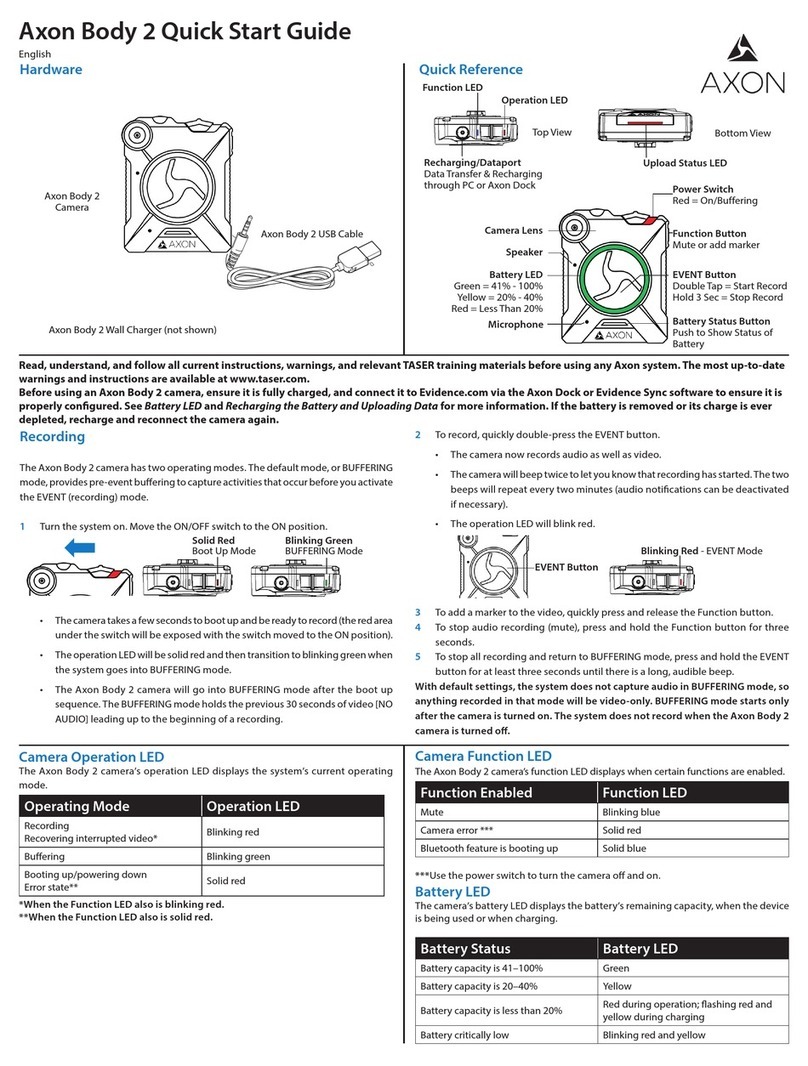
Battery Status Battery LED
BUFFERING mode (if configured) Blinking green
EVENT mode (if configured) Blinking red
Dual-Channel Microphone – For audio recording.
Upload Status LED
Indicates status when the camera is uploading data to the Evidence.com website via the Axon
Dock.
System Status Upload Status LED
Initial connection (momentary) Solid red (for 20 seconds or fewer)
In queue awaiting upload Solid yellow
Device ready (all videos uploaded successful-
ly) and fully charged
Solid green
Device not assigned, agency mismatch, cam-
era set in the oine mode, or device error
Blinking red
Uploading data Blinking yellow
Firmware update, internal battery charging,
extremely low battery, or memory full
Blinking red and yellow – DO NOT remove the
camera from the Axon Dock
Transfer error, device re-trying to transfer Blinking green and yellow
Network error (no connection) Blinking red, yellow, and then green (cycling all
colors)
Axon Dock has no communication with the
camera. Contact Axon customer service.
LED o
Lens – The camera lens.
Pressing buttons causes the Axon Body 2 camera to emit audio alerts (beeps) to indicate system
actions. See Chapter 4: Notification Reference Tables for more information.
Accessories
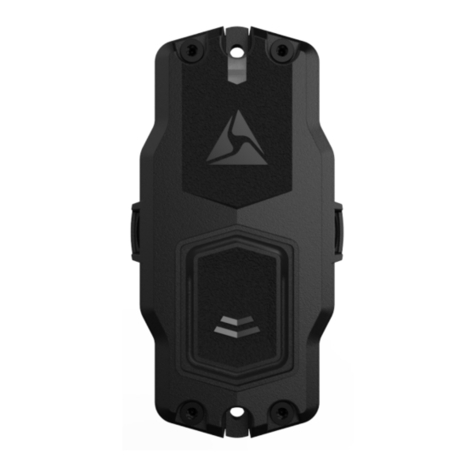
The Axon Body 2 camera is designed to work with the new Axon RapidLock mounting system.
The Axon RapidLock mounting system consists of the attachment piece (called the key) on the
camera and the various mounting options including the attachment receiver (called the lock). To
engage the Axon RapidLock, insert the key of the camera into the lock of the mount and turn it
90 degrees counterclockwise (when you are looking straight at the mount). To release the camera
from the mount, turn the camera 90 degrees clockwise.
The various mounts that use this system can be used with a wide variety uniforms, and holds the
camera to your shirt, patrol vest, jacket, or belt.