manuals.online logo
Brands
  1. Home
  2. •
  3. Brands
  4. •
  5. Axxess
  6. •
  7. Automobile Accessories
  8. •
  9. Axxess ax-adgm01 User manual

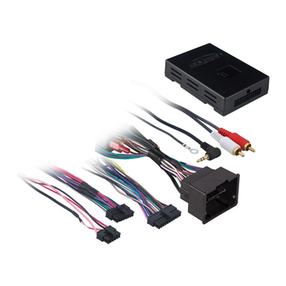
Axxess ax-adgm01 User manual

Other Axxess Automobile Accessories manuals

Axxess AX-AB-HN1 User manual

Axxess

Axxess AX-AB-HN1 User manual

Axxess AXDSPX-HK3 User manual

Axxess

Axxess AXDSPX-HK3 User manual

Axxess AXDSPX-MZ1 User manual

Axxess

Axxess AXDSPX-MZ1 User manual

Axxess GMOS-LAN-02 User manual

Axxess

Axxess GMOS-LAN-02 User manual

Axxess AXGMLN-01 User manual

Axxess

Axxess AXGMLN-01 User manual

Axxess AXi-HA20-R User manual

Axxess

Axxess AXi-HA20-R User manual

Axxess XSVI-1731-NAV User manual

Axxess

Axxess XSVI-1731-NAV User manual

Axxess AXDSPL-NI1 User manual

Axxess

Axxess AXDSPL-NI1 User manual

Axxess AXGMLN-09 User manual

Axxess

Axxess AXGMLN-09 User manual

Axxess AXi-MBEIRC-R User manual

Axxess

Axxess AXi-MBEIRC-R User manual

Axxess AX-AM-AU91 User manual

Axxess

Axxess AX-AM-AU91 User manual

Axxess GMOS-MOST-01 User manual

Axxess

Axxess GMOS-MOST-01 User manual

Axxess AXDSPX-GL10 User manual

Axxess

Axxess AXDSPX-GL10 User manual

Axxess AXDSPL-TY4 User manual

Axxess

Axxess AXDSPL-TY4 User manual

Axxess AXDSPL-CH4 User manual

Axxess

Axxess AXDSPL-CH4 User manual

Axxess NITO-01 User manual

Axxess

Axxess NITO-01 User manual

Axxess AXDSPX-CH3 User manual

Axxess

Axxess AXDSPX-CH3 User manual

Axxess AX-AM-MB91 User manual

Axxess

Axxess AX-AM-MB91 User manual

Axxess HDCC-02 User manual

Axxess

Axxess HDCC-02 User manual

Axxess AXDSPX-FD2 User manual

Axxess

Axxess AXDSPX-FD2 User manual

Axxess AX-GMCL2-SWC User manual

Axxess

Axxess AX-GMCL2-SWC User manual

Axxess AXDSPX-VW2 User manual

Axxess

Axxess AXDSPX-VW2 User manual

Axxess AXGMLN-03 User manual

Axxess

Axxess AXGMLN-03 User manual

Axxess AXDSPX-TY2 User manual

Axxess

Axxess AXDSPX-TY2 User manual

Popular Automobile Accessories manuals by other brands

Magneti Marelli AC161 Installation instruction

Magneti Marelli

Magneti Marelli AC161 Installation instruction

FDI uEZ GUI Start here

FDI

FDI uEZ GUI Start here

JCROffroad JT Install instructions

JCROffroad

JCROffroad JT Install instructions

Rostra VOXXElectronics 250-1930 owner's guide

Rostra

Rostra VOXXElectronics 250-1930 owner's guide

TOP VEHICLE TECH GR3FORD5 installation manual

TOP VEHICLE TECH

TOP VEHICLE TECH GR3FORD5 installation manual

Safe Fleet PRIME DESIGN AR-2000-BLK manual

Safe Fleet

Safe Fleet PRIME DESIGN AR-2000-BLK manual

Skoda Fabia Combi 5J Fitting instructions

Skoda

Skoda Fabia Combi 5J Fitting instructions

Camcar 40077 Al Mounting instructions

Camcar

Camcar 40077 Al Mounting instructions

Camcar 40089 AL Mounting instructions

Camcar

Camcar 40089 AL Mounting instructions

Impac Tradesman 2000 installation manual

Impac

Impac Tradesman 2000 installation manual

DVB OFFROAD BRSB-01 installation manual

DVB

DVB OFFROAD BRSB-01 installation manual

Safari Snorkel SS385HF installation guide

Safari Snorkel

Safari Snorkel SS385HF installation guide

ULTIMATE SPEED 279746 Assembly and Safety Advice

ULTIMATE SPEED

ULTIMATE SPEED 279746 Assembly and Safety Advice

SSV Works DF-F65 manual

SSV Works

SSV Works DF-F65 manual

ULTIMATE SPEED CARBON Assembly and Safety Advice

ULTIMATE SPEED

ULTIMATE SPEED CARBON Assembly and Safety Advice

Witter F174 Fitting instructions

Witter

Witter F174 Fitting instructions

WeatherTech No-Drill installation instructions

WeatherTech

WeatherTech No-Drill installation instructions

TAUBENREUTHER 1-336050 Installation instruction

TAUBENREUTHER

TAUBENREUTHER 1-336050 Installation instruction

manuals.online logo
manuals.online logoBrands
  • About & Mission
  • Contact us
  • Privacy Policy
  • Terms and Conditions

Copyright 2025 Manuals.Online. All Rights Reserved.

INSTALLATION INSTRUCTIONS FOR PART AX-ADGM01
CAUTION: Metra recommends disconnecting the
negative battery terminal before beginning any
installation. All accessories, switches, and especially
air bag indicator lights must be plugged in before
reconnecting the battery or cycling the ignition.
NOTE: Refer to the instructions included with the
aftermarket radio.
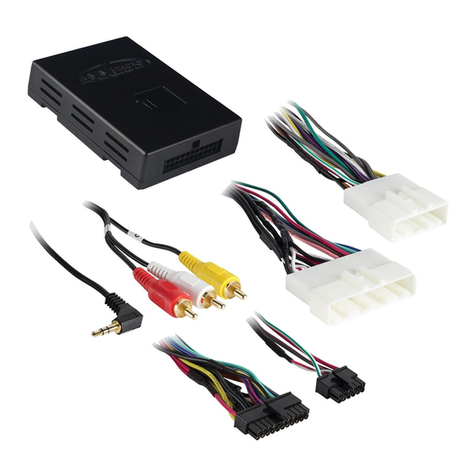
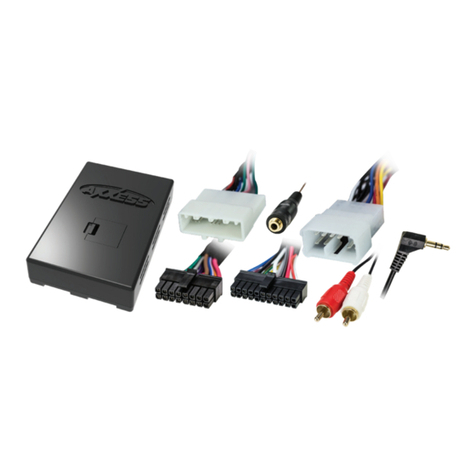
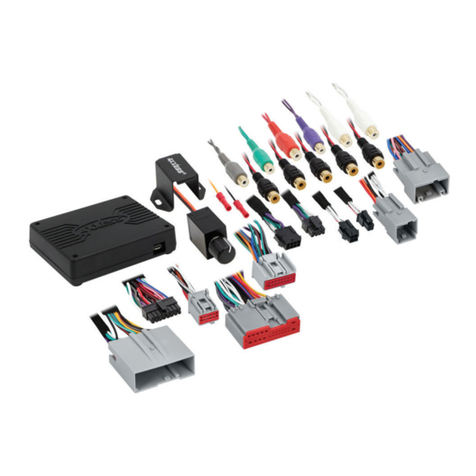
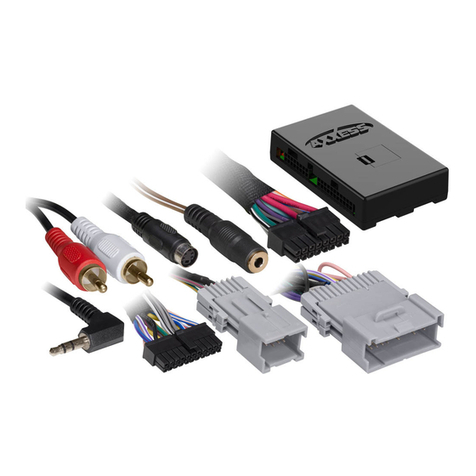
• 22-pin to 30-pin GM harness
• 4-pin to 4-pin resistor pad harness
INTERFACE COMPONENTS
• Cutting tool • Tape • Crimping tool
• Connectors (i.e. butt-connectors, bell caps, etc.)
TOOLS REQUIRED
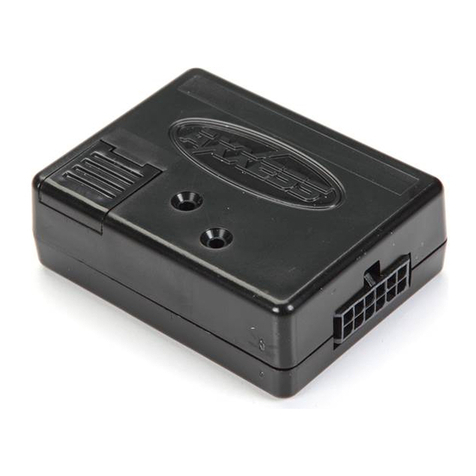
AX-ADGM01
GM LAN29 vehicles 2006-up
The AX-ADGM01 is designed to and MUST be used with the AX-ADBOX1 or AX-ADBOX2 (sold seperately).
Please refer to AX-ADBOX1 or AX-ADBOX2 for 16-pin connector instructions.
BUICK
Enclave 2007-up
Lucerne 2006-2011
CADILLAC
Escalade 2007-up* **
DTS 2006-2011*
SRX 2007-2009
CHEVROLET
Avalanche 2007-up* **
Cheyenne 2013**
Equinox 2007-2009
Express 2008-up
Impala 2006-up
Monte Carlo 2006-2007
Silverado (new body) 2007-up**
Suburban 2007-up
Tahoe 2007-up
Traverse 2009-up
GMC
Acadia 2007-up
Savanna 2008-up
Sierra 2007-up* **
Yukon 2007-up* **
HUMMER
H2 2008-2009*
PONTIAC
Torrent 2007-2009
SATURN
Outlook 2007-2009
Vue 2008-2009
SUZUKI
XL-7 2007-2009
APPLICATIONS
* These vehicles have a digital amp option. Please refer
to the RPO list located in the glove box and if code UQA
or UQS appears you have a digital amplifier.
** In 2012 and up if the vehicle is equipped with OE
navigation you must use the GMOS-LAN-07.
INSTALLATION INSTRUCTIONS FOR PART AX-ADGM01
From the 16-pin harness with
stripped leads
(included with interface)
• Connect the White wire to the left
front positive speaker output of the
aftermarket radio.
• Connect the White/Black wire to the
left front negative speaker output of
the aftermarket radio.
• Connect the Gray wire to the right
front positive speaker output of the
aftermarket radio.
• Connect the Gray/Black wire to the
right front negative speaker output
of the aftermarket radio.
Installing the Interface
Only make the following connections
if the vehicle contains a digitally
amplified system
• Connect the Green wire to the
radio’s left rear positive
speaker output.
• Connect the Green/Black wire to
the radio’s left rear negative
speaker output.
• Connect the Purple wire to the
radio’s right rear positive
speaker output.
• Connect the Purple/Black wire
to the radio’s right rear negative
speaker output.
From the 22-way harness:
The Black/Yellow wire will be
discussed later on in the instructions.
The DIN plug is not used in this
application.
From the 30-way harness:
• Connect the Black wire to the
ground wire of the aftermarket radio
• Connect the RCA’s to the AUX in on
the aftermarket radio (if equipped)
•Satellite information will be
displayed on D.I.C.
• Connect the Yellow wire to the con-
stant wire of the aftermarket radio.
• If the vehicle is amplified disconnect
the 4-pin harness located between
the 30-way and 22-way connector
and connect the supplied 4-pin to
4-pin resistor pad.
Only make these connections if you
do not have a digital amplifier
Amplified vehicles:
• Connect the Violet wire to the
right rear positive wire of the
aftermarket radio.
• Connect the Violet/Black wire to
the right rear negative wire of the
aftermarket radio.
• Connect the Green wire to the
left rear positive wire of the
aftermarket radio.

• Connect the Green/Black wire to
the left rear negative wire of the
aftermarket radio.
Non-amplified vehicles:
• Cut the resistors from the Green,
Green/Black, Purple, Purple/
Black right below the heat shrink.
• Connect the Violet wire to the
right rear positive wire of the
aftermarket radio.
• Connect the Violet/Black wire to
the right rear negative wire of the
aftermarket radio.
• Connect the Green wire to the
left rear positive wire of the
aftermarket radio.
INSTALLATION INSTRUCTIONS FOR PART AX-ADGM01
Installing the Interface Video and RSE Harness
3
• Connect the Green/Black wire to
the left rear negative wire of the
aftermarket radio.
12-Way Harness:
This harness is for the ASWC-1
(sold separately). Please refer to the
ASWC-1 instructions for programming.
Installing the AX-ADGM01
1. With the connections completed,
plug the 22- and 16-pin
harnesses into the AX-ADGM01
2. Plug the 30-pin GM harness into
the vehicle side harness, and plug
the aftermarket radio harness into
the aftermarket radio
3. Reconnect the negative
battery terminal.
4. Initialize the interface by cycling
the key by turning the ignition on
for 30-seconds then back off, and
then back on again to test the radio.

Backup camera harness
Connect the Yellow RCA to the
aftermarket radios backup camera
video input.

RSE harness
Connect the “From rear A/V input”
RCA’s to the aftermarket radios audio/
video input. Plug Yellow in to video
in, Red to right audio in, and White to
left audio in. Connect the “To overhead
screen” RCA’s to the aftermarket radios
audio/video output. Plug Yellow in to
video out, Red to right audio out, and
White to left audio out. Connect the
Black wire with the ring terminal
to ground.
OE Satellite (if equipped)
• To listen to the factory satellite,
change the source of the radio
to AUX.
• Press and hold the SOURCE button
for three seconds.
• The driver’s information center,
located in the center of your
instrument cluster, will now display
your satellite information.
• To exit Satellite mode press and hold
SOURCE for (3) seconds.
Listed below are the functions of the
steering wheel controls:
Source - Changes source of the radio/
enters and exits Satellite mode
Track up - Changes track on radio/
satellite station
Track down - Changes track on radio/
satellite station
Volume up - Enter
Continued on back
INSTALLATION INSTRUCTIONS FOR PART AX-ADGM01
Testing the AX-ADGM01
• Turn the ignition on, and then turn the
aftermarket radio on.
• Push the OnStar button, the radio should turn
off (radio will mute if mute wire is connected),
you should hear OnStar. Push the OnStar cancel
button, the radio should come back on.
Chime Volume Adjustment
1. With car on, shut off car and leave keys in
ignition. Open the car door and leave it open.
Chimes will be heard.
2. Wait 10-seconds, then with a small screwdriver
adjust the potentiometer fully counterclockwise
(all the way left), then clockwise to raise chime
level and counterclockwise to lower the
chime level.
3. When the volume is at the desired level, remove
the keys from the ignition. This will lock the
chime volume at its current level.
Audio Level Adjustment
1. Start your vehicle and turn on the radio having
audio playing.
2. Turn your aftermarket radio’s volume up
3/4 of the way.
3. With a small screwdriver adjust the potentiom-
eter clockwise to raise the audio level and
counterclockwise to lower the audio level.
4. Once at desired level your audio adjustment
is complete.
OnStar Level Adjustment
To adjust the OnStar volume level find the Black/
Yellow wire on the 16-pin harness. Push the blue
OnStar button, while the voice is speaking tap the
Black/Yellow wire to ground. Once the volume is
set it will stay at that volume until the Black/
Yellow wire is tapped to ground again. This can
be set during installation and then left alone. If
user adjustment is desired, the customer may
also tap volume up or down on the steering
wheel (if equipped) to adjust the OnStar level.