manuals.online logo
Brands
  1. Home

  2. •
  3. Brands
  4. •
  5. Bacharach
  6. •
  7. Measuring Instrument
  8. •
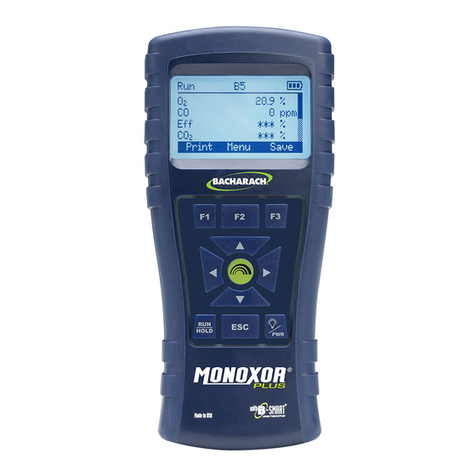
  9. Bacharach MONOXOR XR User manual

Bacharach MONOXOR XR User manual

Other manuals for MONOXOR XR

1

Other Bacharach Measuring Instrument manuals

Bacharach Neutronics Mini-ICS User manual

Bacharach

Bacharach Neutronics Mini-ICS User manual

Bacharach Parasense GRM2 CO2 Series Manual

Bacharach

Bacharach Parasense GRM2 CO2 Series Manual

Bacharach MGC100 Operation manual

Bacharach

Bacharach MGC100 Operation manual

Bacharach QV2 Manual

Bacharach

Bacharach QV2 Manual

Bacharach 2810 Troubleshooting guide

Bacharach

Bacharach 2810 Troubleshooting guide

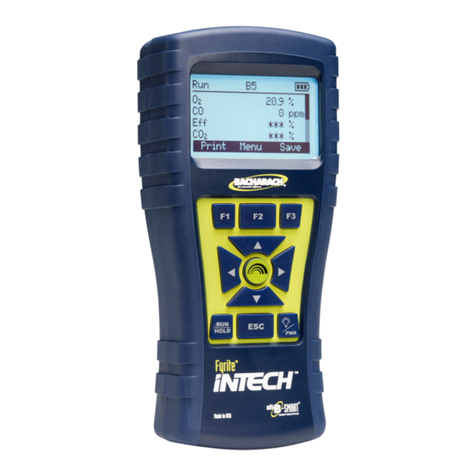
Bacharach Fyrite INTECH User manual

Bacharach

Bacharach Fyrite INTECH User manual

Bacharach MONOXOR XR User manual

Bacharach

Bacharach MONOXOR XR User manual

Bacharach LS-20B User manual

Bacharach

Bacharach LS-20B User manual

Bacharach 3010 Operation manual

Bacharach

Bacharach 3010 Operation manual

Bacharach 11-9026 User manual

Bacharach

Bacharach 11-9026 User manual

Bacharach AGM-MZ User manual

Bacharach

Bacharach AGM-MZ User manual

Bacharach 19-8104 Troubleshooting guide

Bacharach

Bacharach 19-8104 Troubleshooting guide

Bacharach Neutronics LEGEND ID RI-2018 Series User manual

Bacharach

Bacharach Neutronics LEGEND ID RI-2018 Series User manual

Bacharach PUR-CHECK PRO User manual

Bacharach

Bacharach PUR-CHECK PRO User manual

Bacharach CO2 Analyzer 3150 Instruction Manual

Bacharach

Bacharach CO2 Analyzer 3150 Instruction Manual

Bacharach PUR-CHEK PRO User manual

Bacharach

Bacharach PUR-CHEK PRO User manual

Bacharach MANOMETER GAS PRESSURE GAUGE User manual

Bacharach

Bacharach MANOMETER GAS PRESSURE GAUGE User manual

Bacharach Draftrite User manual

Bacharach

Bacharach Draftrite User manual

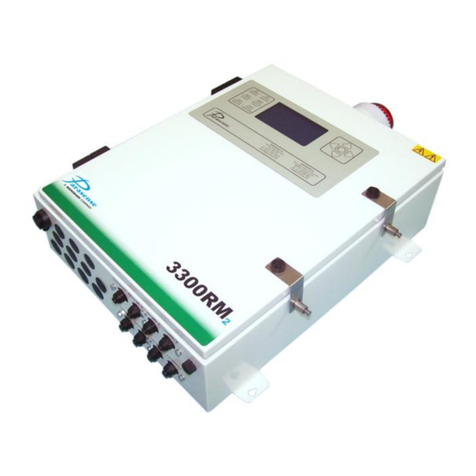
Bacharach Parasense 3300RM2 Manual

Bacharach

Bacharach Parasense 3300RM2 Manual

Bacharach 3015-4286 Manual

Bacharach

Bacharach 3015-4286 Manual

Bacharach High Flow Sampler User manual

Bacharach

Bacharach High Flow Sampler User manual

Bacharach 300 User manual

Bacharach

Bacharach 300 User manual

Bacharach HGM-MZ User manual

Bacharach

Bacharach HGM-MZ User manual

Bacharach Comfort Chek 400 User manual

Bacharach

Bacharach Comfort Chek 400 User manual

Popular Measuring Instrument manuals by other brands

Powerfix Profi 278296 Operation and safety notes

Powerfix Profi

Powerfix Profi 278296 Operation and safety notes

Test Equipment Depot GVT-427B user manual

Test Equipment Depot

Test Equipment Depot GVT-427B user manual

Fieldpiece ACH Operator's manual

Fieldpiece

Fieldpiece ACH Operator's manual

FLYSURFER VIRON3 user manual

FLYSURFER

FLYSURFER VIRON3 user manual

GMW TG uni 1 operating manual

GMW

GMW TG uni 1 operating manual

Downeaster Wind & Weather Medallion Series instruction manual

Downeaster

Downeaster Wind & Weather Medallion Series instruction manual

Hanna Instruments HI96725C instruction manual

Hanna Instruments

Hanna Instruments HI96725C instruction manual

Nokeval KMR260 quick guide

Nokeval

Nokeval KMR260 quick guide

HOKUYO AUTOMATIC UBG-05LN instruction manual

HOKUYO AUTOMATIC

HOKUYO AUTOMATIC UBG-05LN instruction manual

Fluke 96000 Series Operator's manual

Fluke

Fluke 96000 Series Operator's manual

Test Products International SP565 user manual

Test Products International

Test Products International SP565 user manual

General Sleep Zmachine Insight+ DT-200 Service manual

General Sleep

General Sleep Zmachine Insight+ DT-200 Service manual

Sensa Core Lacto Spark user manual

Sensa Core

Sensa Core Lacto Spark user manual

VOLTCRAFT UTS-1980 operating instructions

VOLTCRAFT

VOLTCRAFT UTS-1980 operating instructions

EBCHQ 94915 Operation manual

EBCHQ

EBCHQ 94915 Operation manual

Balluff BIP LD2-T017-01-EP-S4 Series user guide

Balluff

Balluff BIP LD2-T017-01-EP-S4 Series user guide

Pulsar IMP Lite Series instruction manual

Pulsar

Pulsar IMP Lite Series instruction manual

ETCR 6800 user manual

ETCR

ETCR 6800 user manual

manuals.online logo
manuals.online logoBrands
  • About & Mission
  • Contact us
  • Privacy Policy
  • Terms and Conditions

Copyright 2025 Manuals.Online. All Rights Reserved.

FULL
MEDIUM
LOW REPLACE
IMPORTANT: Perform power-up and initialization in
fresh air to ensure proper calibration.
1. Perform a visual inspection of the analyzer, sample probe
and hose assemblies.
Check for signs of splits and / or cracks in the sample tubing.
Assemble, clean and dry the water trap.
2. Press Power Key to initiate 60-second warm-up.
Address / acknowledge any faults or errors discovered
during initialization.
 Ensurebatterieshavesucientchargebeforeoperation.
WARNING:This analyzer is not intended to be used as a
safety device.
WARNING:This analyzer has not been designed to be
intrinsicallysafeforuseinareasclassiedashazardous
locations.
CAUTION:Perform routine maintenance (replacing sensors,
calibrating, etc.) as outlined in the user manual.
IMPORTANT: Comply with all local and national laws, rules
and regulations associated with this equipment. Operators
should be aware of the regulations and standards in their
industry / country for the operation of this analyzer.
8T-Stack Port
9USB Port
10 Sample Gas Port
11 Water Trap / Filter
Assembly
12 Standard Probe*
1IrDA Port
2Function Keys
3Navigation Keys
4Enter Key
5Run / Hold Key
6Escape Key
7Power / Backlight Key
*Optional; may not be included
with all product congurations.
Combustion & Emissions
P/N: 0019-9374 | December 2019 Revision 0
Quick Start
Guide
High Range COAnalyzer
for Commercial & Light Industrial Use
3. Component Overview
1. Introduction
The Monoxor®XR is a portable exhaust gas analyzer designed to
measure high CO concentrations discharged from forklifts and other
combustion engines burning propane, gasoline, diesel, LPG and CNG.
Please read and strictly follow the contents of this document for
information on the operation and maintenance of the analyzer.
For more detailed product information, scan here or
visit www.mybacharach.com to access the Monoxor®
XR User Manual (P/N 0019-9376).
2. Safety Instructions
4. Hardware Setup
3. Firmly connect sample tubing and thermocouple to the
appropriate ports at the analyzer’s base.
5032 ppmCO
10109 ppmMax
0 ppmMin
140 ˚FTemp
Hold
Print Menu Save
Run
Print Menu Save
5032 ppmCO
10109 ppmMax
0 ppmMin
140 ˚FTemp
Toggle
Run / Hold
Modes
Pittsburgh, PA USA | Dublin, IRE | Stanardsville, VA, USA | Toronto, CAN
mybacharach.com | [email protected]
CAUTION: The probe may be hot after analysis and can
cause bodily harm and / or damage the analyzer. Allow the
probesucient time to coolbeforehandling or storing in
the supplied instrument case.
The probe and sample line may become dirty during normal
use and should be cleaned regularly to ensure proper
function. The following maintenance should be performed
after each use:
Allow the analyzer to purge in fresh air for a minimum of
1-minute.
Disconnect the probe and remove excess moisture from
the water trap, sample line and probe.
Clean debris from probe and analyzer.
SavePrint
WARNING: When testing an appliance, a full visual
inspection should be performed to ensure its safe operation.
IMPORTANT:The IrDA printer must be positioned within
8 to 16 inches (20 to 41 cm) from the analyzer at an angle
not greater than 60°.
1. Insert the probe at the appropriate sample point based on
the equipment type.
Be sure to avoid diltution of the sample gas.
2. Press Run Key to to start the sample pump and begin
analysis. After the results have stabilized, press the Hold
Key to stop the pump.
The status of the pump is indicated at the top of the
analyzer screen.
5. Operation Overview 6. Combustion App
8. Parts & Accessories
Exhaust Probe Description:
P/N:
Fits most tailpipe assemblies.
0024-8265
IrDA Printer Description:
P/N:
Print reports directly from the Monoxor®
XR without a wired connection.
0024-1400
Rubber Boot Description:
P/N:
Additional protection and integrated
magnet for hands-free operation.
0024-1461
B-Smart®CO Sensor P/N 0024-1795
Water Trap Filter P/N 0007-1644 (contains 3 lters)
Product Description / Part Number
IMPORTANT:Use only original equipment components
with this device.
3. Adjust combustion equipment and retest as needed to
verify proper / optimal operation.
4. After stopping the pump, results may be saved to the
analyzer’s internal memory, printed using the optional IrDA
printer and / or shared via the companion mobile app.
Press F3 / Function Key to save test results.
Press F1 / Function Key to print.
The Monoxor®XR uses a smartphone application to share
customizable reports. To download the Combustion App, scan
here or visit www.mybacharach.com/apps.
7. Post-Analysis Maintenance
1. After stopping the pump, press the RIGHT () Navigation
Key to display a QR code.
2. Launch the Combustion App on a compatible mobile device.
3. Select “QR Scanner” from the app’s home screen and use
the mobile device’s camera to scan the QR code.
8-16"
(20 - 41 cm)
60° max.