SENSOR SETUP
Connecting Cables
Before connecting cables, be sure the power supply is OFF. See CAUTION on page 6. For
complete sensor specifications and hookup diagrams, see pages 17-18.
Power
The power source is user-supplied.
Alone, the sensor requires 22 to 26V dc; with
a maximum current of 250 mA(exclusive of
loads and the current required by the PRC1
controller and optional LEDR140 light
source).
Using the PRC1 controller, the maximum
current is 450 mA. Using the LEDR140 light
source, the maximum current is 550 mA.
Using both, the maximum current is 750 mA.
Connect the Brown wire of the sensor cable
(MQDC-6 Series) to +V and the Blue wire to
dc common.Attach the connector end of the
cable to the sensor.
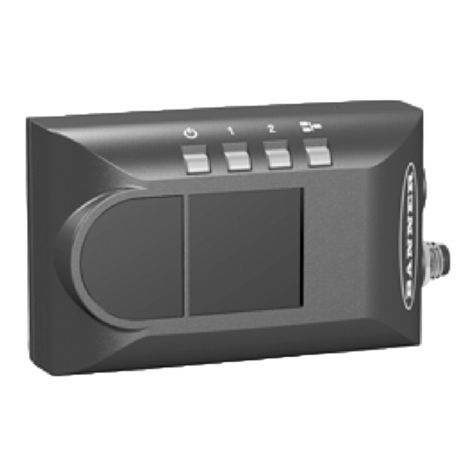
Controller
Acoiled cord with modular plugs is supplied
with the PRC1 controller.
Insert one plug into the controller and the
other plug into the sensor. Be sure the plugs
click into place.
Trigger Input
Connect the Pink wire of the sensor cable to
the user-supplied trigger device.
The default trigger input setting accepts
signals from a trigger device with an NPN
(current sinking) output. If the trigger device
output is PNP (current sourcing), use the
PRC1 controller to reconfigure the sensor.
Signal Output
The sensor provides three SPST solid-state
contacts which may be individually
programmed for either NPN (current sinking)
or PNP (current sourcing). Each output is
capable of switching up to 26V dc max at
50 mAmax. Outputs are protected against
continuous overload or short circuit.
Note: Output loads must not be returned to
any voltage greater than +V.
Configure the sensor cable output wires as
follows: White = Output #1, Black = Output
#2, Gray = Output #3. Use the PRC1
controller to set sensor output parameters.
P1B65Q
PRC1
MQDC-6 Series
Cable
Coiled Cord
(Supplied with PRC1)
To Power Source,
Trigger Device,and
Output Receivers
Controller
SETUP ROI TEACH
LOAD
HELP ENTER
RUN
MAIN RUN
P/F RUN
JUDGE
CONFIG MAIN
MENU IMAGE
CNTRL
TM
Controller Connection to the Sensor
8
CAUTION
Avoid
sensor damage
caused by ESD see
page 6.
!
56910 12/1/99 11:38 AM Page 8