manuals.online logo
Brands
  1. Home
  2. •
  3. Brands
  4. •
  5. Behringer
  6. •
  7. Recording Equipment
  8. •
  9. Behringer Minicom COM800 User manual

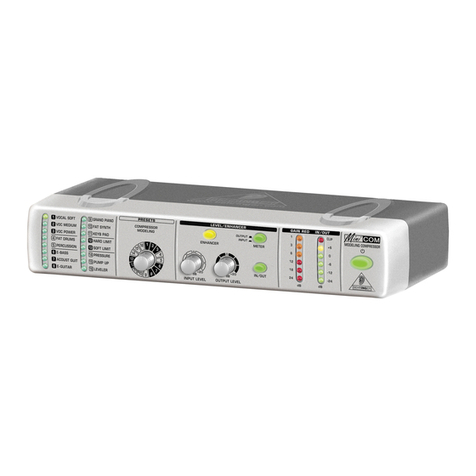
Behringer Minicom COM800 User manual

Other manuals for Minicom COM800

1

Other Behringer Recording Equipment manuals

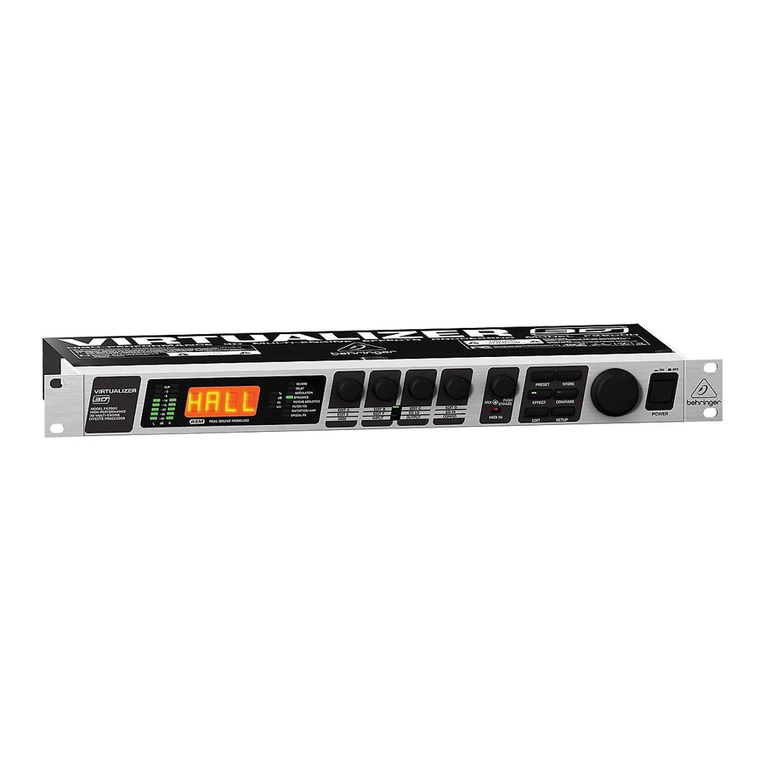
Behringer VIRTUALIZER DSP1000 User manual

Behringer

Behringer VIRTUALIZER DSP1000 User manual

Behringer B-CONTROL Operating instructions

Behringer

Behringer B-CONTROL Operating instructions

Behringer PODCASTUDIO User manual

Behringer

Behringer PODCASTUDIO User manual

Behringer EUROPOWER PMP500 User manual

Behringer

Behringer EUROPOWER PMP500 User manual

Behringer 911A User manual

Behringer

Behringer 911A User manual

Behringer FCA1616 User manual

Behringer

Behringer FCA1616 User manual

Behringer 2500 Series User manual

Behringer

Behringer 2500 Series User manual

Behringer Virtualizer Pro DSP2024P User manual

Behringer

Behringer Virtualizer Pro DSP2024P User manual

Behringer VIRTUALIZER 3D FX2000 User manual

Behringer

Behringer VIRTUALIZER 3D FX2000 User manual

Behringer X-UF User manual

Behringer

Behringer X-UF User manual

Behringer EX3200 User manual

Behringer

Behringer EX3200 User manual

Behringer TDF1616 User manual

Behringer

Behringer TDF1616 User manual

Behringer Europower PMX660M User manual

Behringer

Behringer Europower PMX660M User manual

Behringer MicroMIX MX400 User manual

Behringer

Behringer MicroMIX MX400 User manual

Behringer Tube Composer T1952 User manual

Behringer

Behringer Tube Composer T1952 User manual

Behringer MODULIZER PRO DSP1224P User manual

Behringer

Behringer MODULIZER PRO DSP1224P User manual

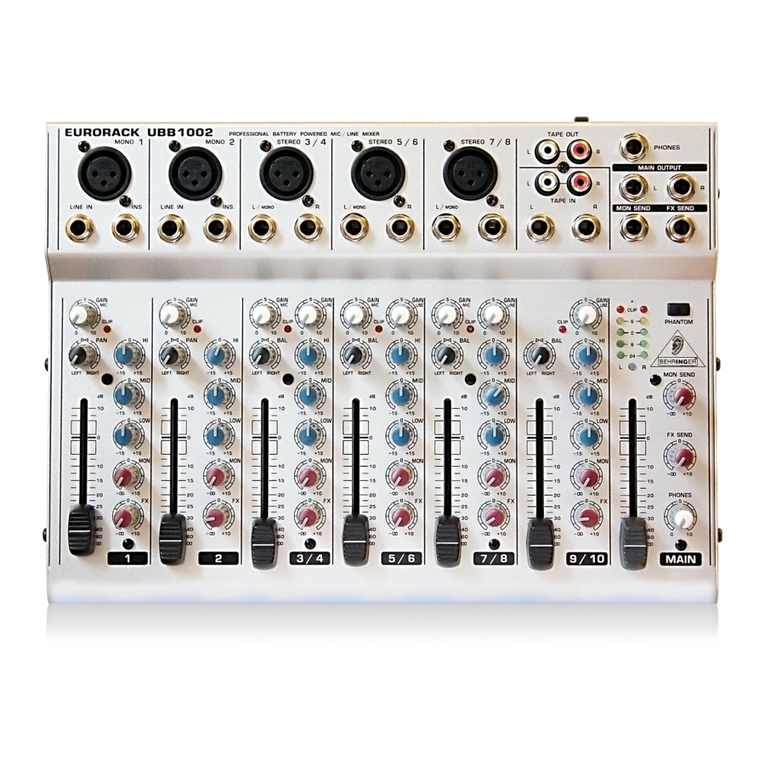
Behringer EURORACK UBB1002 User manual

Behringer

Behringer EURORACK UBB1002 User manual

Behringer VIRTUALIZER PRO DSP1000P User manual

Behringer

Behringer VIRTUALIZER PRO DSP1000P User manual

Behringer B-Control Fader BCF2000 User manual

Behringer

Behringer B-Control Fader BCF2000 User manual

Behringer FEEDBACK DESTROYER FBQ1000 User manual

Behringer

Behringer FEEDBACK DESTROYER FBQ1000 User manual

Behringer B-Control Fader BCF2000 User manual

Behringer

Behringer B-Control Fader BCF2000 User manual

Behringer Minicom COM800 User manual

Behringer

Behringer Minicom COM800 User manual

Behringer MiniFBQ FBQ800 User manual

Behringer

Behringer MiniFBQ FBQ800 User manual

Behringer Ultragraph PRO FBQ6200HD User manual

Behringer

Behringer Ultragraph PRO FBQ6200HD User manual

Popular Recording Equipment manuals by other brands

ThermoFisher Scientific Dionex DRS 600 Installation checklist

ThermoFisher Scientific

ThermoFisher Scientific Dionex DRS 600 Installation checklist

Shure ANIUSB-Matrix user guide

Shure

Shure ANIUSB-Matrix user guide

Nady Audio HE-1 user guide

Nady Audio

Nady Audio HE-1 user guide

AUDAC APM 01 User manual & installation guide

AUDAC

AUDAC APM 01 User manual & installation guide

Teac GF-350 owner's manual

Teac

Teac GF-350 owner's manual

Fractal Audio MFC-101 MARK III owner's manual

Fractal Audio

Fractal Audio MFC-101 MARK III owner's manual

bmcm USB-OI16 manual

bmcm

bmcm USB-OI16 manual

HHB BurnIT CDR-830 Service manual

HHB

HHB BurnIT CDR-830 Service manual

GE VersaMax IC200CPUE05 manual

GE

GE VersaMax IC200CPUE05 manual

IntesisBox MH-RC-MBS-1 user manual

IntesisBox

IntesisBox MH-RC-MBS-1 user manual

Attero Tech unD4l user manual

Attero Tech

Attero Tech unD4l user manual

Sennheiser UI 765 instruction manual

Sennheiser

Sennheiser UI 765 instruction manual

Sony RCD-W1 Operating Instructions  (primary... Service manual

Sony

Sony RCD-W1 Operating Instructions (primary... Service manual

Roland Planet-P  MKS-10 owner's manual

Roland

Roland Planet-P MKS-10 owner's manual

Roland BOSS GT-PRO Turbostart

Roland

Roland BOSS GT-PRO Turbostart

8x8 Inc Valcom V-2001A manual

8x8 Inc

8x8 Inc Valcom V-2001A manual

Waves SUB Align user guide

Waves

Waves SUB Align user guide

Mitsubishi Electric MAC-334IF-E installation manual

Mitsubishi Electric

Mitsubishi Electric MAC-334IF-E installation manual

manuals.online logo
manuals.online logoBrands
  • About & Mission
  • Contact us
  • Privacy Policy
  • Terms and Conditions

Copyright 2025 Manuals.Online. All Rights Reserved.

Users manual
Version 1.0 October 2005
DEUTSCH
MINICOM COM800
2
MINICOM COM800
CAUTION: To reduce the risk of electric shock,
do not remove the top cover (or the
rear section). No user serviceable
parts inside; refer servicing to
qualified personnel.
WARNING: To reduce the risk of fire or electric
shock, do not expose this appliance
to rain and moisture. The apparatus
shall not be exposed to dripping or
splashing and no objects filled ith
liquids, such as vases, shall be
placed on the apparatus.
This symbol, herever it appears,
alerts you to the presence of
uninsulated dangerous voltage
inside the enclosurevoltage that
may be sufficient to constitute a risk
of shock.
This symbol, herever it appears,
alerts you to important operating and
maintenance instructions in the
accompanying literature. Please
read the manual.
IMPORTANT SAFETY INSTRUCTIONS
DETAILED SAFETY INSTRUCTIONS:
1) Read these instructions.
2) Keep these instructions.
3) Heed all arnings.
4) Follo all instructions.
5) Do not use this apparatus near ater.
6) Clean only ith dry cloth.
7) Do not block any ventilation openings. Install in accordance ith the manufacturers instructions.
8) Do not install near any heat sources such as radiators, heat registers, stoves, or other apparatus
(including amplifiers) that produce heat.
9) Do not defeat the safety purpose of the polarized or grounding-type plug. A polarized plug has t o
blades ith one ider than the other. A grounding type plug has t o blades and a third grounding prong.
The ide blade or the third prong are provided for your safety. If the provided plug does not fit into your
outlet, consult an electrician for replacement of the obsolete outlet.
10) Protect the po er cord from being alked on or pinched particularly at plugs, convenience receptacles,
and the point here they exit from the apparatus.
11) Only use attachments/accessories specified by the manufacturer.
12) Use only ith the cart, stand, tripod, bracket, or table specified by the manufacturer, or sold ith the
apparatus. When a cart is used, use caution hen moving the cart/apparatus combination to avoid injury
from tipping over.
13) Unplug this apparatus during lightning storms or hen unused for long periods of time.
14) Refer all servicing to qualified service personnel. Servicing is required hen the apparatus has been
damaged in any ay, such as po er supply cord or plug is damaged, liquid has been spilled or objects
have fallen into the apparatus, the apparatus has been exposed to rain or moisture, does not operate
normally, or has been dropped.
15) CAUTION - These service instructions are for use by qualified service personnel only. To reduce the
risk of electric shock do not perform any servicing other than that contained in the operation instructions
unless you are qualified to do so.

3
MINICOM COM800
DEUTSCH
COM800
MINICOM
Ultra-Compact Stereo Modeling Compressor with 16 Presets
sUltra-compact 9.5" stereo modeling compressor for studio and stage
applications
s16 awesome preset models for the most typical compression applications
(vocal, drums, guitar, eyboard, etc.)
sDedicated Compressor Modeling control with LEDs indicating the selected
dynamics program
sIntegrated Enhancer for brilliant, lively audio even with heavy compression
sIKA (Interactive Knee Adaptation) program-adaptive compression circuitry
combines the advantages of hard and soft nee characteristics
sAccurate 6-digit LED Input/Output meter, plus 6-digit LED Gain Reduction
meter for precise level indication
sOperating levels can be selected using the I/O Level switch
sHigh-quality potentiometers and illuminated switches for long-term reliability
sUltra low-noise audio operational amplifiers and state-of-the-art VCAs offer
outstanding sound performance
sAll Mini Series models can be stac ed on top of each other to create an ultra-
compact signal processor solution
sHigh-quality components and exceptionally rugged construction ensure long
life
sConceived and designed by BEHRINGER Germany
4
MINICOM COM800
FOREWORD
Dear Customer,
welcome to the community of Mini eries users and thank
you very much for expressing your confidence in
BEHRINGER products by purchasing the COM800. It is
one of my most pleasant tasks to write this letter to you,
because it is the culmination of many months of hard work
delivered by our engineering team to reach a very ambitious
goal: to design an outstanding device whose high level of
functionality will give you maximum performance.
The task to design our new MINICOM certainly meant a
great deal of responsibility. You, the discerning user and
musician, were the focus of our entire development efforts.
It also meant a lot of work and night shifts to accomplish
this goal. But it was fun, too. Developing a product usually
brings a lot of people together, and what a great feeling it is
when everybody who participated in such a project can be
proud of what weve achieved.
It is our philosophy to share our joy with you, because you
are the most important member of the BEHRINGER family.
With your highly competent suggestions for new products
youve greatly contributed to shaping our company and
making it successful. In return, we guarantee you uncompromising quality as well as excellent
technical and audio properties at an extremely favorable price. All of this will enable you to fully
unfold your creativity without being hampered by budget constraints.
We are often asked how we can make it to produce such high-grade devices at such unbelievably
low prices. The answer is quite simple: its you, our customers! Many satisfied customers means
large sales volumes enabling us to get better conditions of purchase for components, etc. Isnt it
only fair to pass this benefit back to you? Because we know that your success is our success, too!
I would like to thank all people whose help on Project MINICOM COM800 has made it all possible.
Everybody has made very personal contributions, starting from the designers of the unit via the
many staff members in our company to you, the user of BEHRINGER products.
My friends, its been worth the trouble!
Thank you very much,
Uli Behringer
5
MINICOM COM800
DEUTSCH
TABLE OF CONTENTS
1. INTRODUCTION .......................................................................................... 5
1.1 Before you get started .......................................................................................................... 6
1.1.1 hipment .................................................................................................................... 6
1.1.2 Initial operation ........................................................................................................... 6
1.1.3 Online registration ...................................................................................................... 6
2. CONTROL ELEMENTS AND CONNECTIONS ........................................... 7
2.1 The front ............................................................................................................................... 7
2.2 The rear ................................................................................................................................ 8
3. THE PRESETS OF THE MINICOM ............................................................. 9
3.1 Preset categories .................................................................................................................. 9
3.2 The presets in detail .......................................................................................................... 10
4. THE MINICOM IN PRACTICE ................................................................... 11
4.1 How to set levels correctly ..................................................................................................11
4.1.1 The I/O LEVEL switch .............................................................................................. 11
4.1.2 ignal adjustment ..................................................................................................... 11
4.2 Giving instruments more presence ................................................................................... 12
4.2.1 Using the MINICOM as a traditional compressor ................................................... 12
4.3 Giving music productions more punch .............................................................................. 12
4.3.1 Using the MINICOM as a maximizer ...................................................................... 13
5. INSTALLATION .......................................................................................... 14
5.1 Connection options and audio connections ...................................................................... 14
5.1.1 The MINICOM in the insert path ............................................................................. 14
5.1.2 The MINICOM as a mix-signal compressor connected in series ........................... 15
6. SPECIFICATIONS ...................................................................................... 16
7. OTHER MINI PRODUCTS ......................................................................... 17
8. WARRANTY ............................................................................................... 18
1. INTRODUCTION
Thank you for showing your confidence in BEHRINGER products by purchasing the MINICOM
COM800. The MINICOM COM800 is a preset compressor that allows you to raise both the loudness
and punch of your audio material quickly and effectively. ince a lot of experience is required to be
able to adjust the parameters of a compressor, the COM800 comes with 16 user-friendly presets for
the most common applications to make things easier. These presets are based on tried-and-tested
compressor settings and are optimized for a high level of usability. You can simply trust your ears
when choosing the most appropriate setting and thus focus on what really counts: your music.
Despite its ease of use the COM800 gives you all the functions of a fully-featured compressor. For
example, you can use it as a mono compressor for individual signals, such as vocals, guitar, bass,
etc. or as a master compressor for stereo mix signals. The downstream enhancer makes up for
high-frequency loss due to high compression ratios, and the gain reduction display keeps you informed
about the actual amount of compression applied. After all, you dont want to leave anything to
chance.
With the COM800 youll always be set for success!
1. INTRODUCTION
6
MINICOM COM800
1.1 Be ore you get started
1.1.1 Shipment
Your COM800 was carefully packed at the assembly plant to assure secure transport. hould the
condition of the cardboard box suggest that damage may have taken place, please inspect the unit
immediately and look for physical indications of damage.
+Damaged equipment should NEVER be sent directly to us. Please inform the dealer
from whom you acquired the unit immediately as well as the transportation company
from which you too delivery. Otherwise, all claims for replacement/repair may be
rendered invalid.
+Please always use the original pac aging to avoid damage due to storage or shipping.
+Never let unsupervised children play with the COM800 or with its pac aging.
+Please dispose of all pac aging materials in an environmentally friendly fashion.
1.1.2 Initial operation
Be sure that there is enough space around the unit for cooling. To avoid overheating, do not place
the COM800 on top of power amps or near radiators, etc.
+To power the COM800, use only the power supply unit that is delivered with your
equipment.
+Please ensure that the unit is installed and operated only by people qualified to do so.

During installation and operation the user must have sufficient electrical contact to
earth. Electrostatic discharge may affect the operation of the unit.
1.1.3 Online registration
Please do remember to register your new BEHRINGER equipment right after your purchase by
visiting www.behringer.com (alternatively www.behringer.de) and kindly read the terms and conditions
of our warranty carefully.
hould your BEHRINGER product malfunction, our goal is to have it repaired as quickly as possible.
To arrange for warranty service, please contact the retailer from whom the equipment was purchased.
hould your BEHRINGER dealer not be located in your vicinity, you may directly contact one of our
subsidiaries. Corresponding contact information is included in the original equipment packaging
(Global Contact Information/European Contact Information). hould your country not be listed, please
contact the distributor nearest you. A list of distributors can be found in the support area of our
website (www.behringer.com/support).
Registering your purchase and equipment with us helps us process your repair claims quicker and
more efficiently.
Thank you for your cooperation!
1. INTRODUCTION
7
MINICOM COM800
DEUTSCH
2. CONTROL ELEMENTS AND CONNECTIONS
2.1 The ront
Fig. 2.1: Front panel control elements of the COM800
The two LED displays show the preset currently selected. One LED is assigned to each preset.
The LED of the active preset lights up.
+The presets are grouped in six different categories (see chapter 3.1).
Use the PRESETS control to select one of the 16 different effect presets.
Use the NPUT LEVEL control to adjust the input signal level. This determines to a great
extent how much compression is applied. If the level is too low, it may happen that the
compressor does not work, irrespective of the preset selected. Therefore, a sufficiently high
input level should be chosen, as described in chapter 4.1.
The ENHANCER button activates a compensation circuit which boosts the treble range and
thus makes up for any high-frequency loss that may result from high compression ratios.
Use the OUTPUT LEVEL control to raise the loudness of the mix signal and benefit from the
dynamic range achieved by compression.
Use the METER button to choose whether the LED display shows the NPUT or OUTPUT
signals. Always monitor the output level when raising it with the OUTPUT LEVEL control .
The N/OUT button enables/disables the signal processing circuitry of the COM800. The
COM800 works only when this button is lit. If it does not show, the input signal is routed directly
to the output without any processing.
The GA N RED LEDs display the amount by which the signal level is reduced due to the
compression process. The display reads from top to bottom, i.e. the lowest amount of reduction
is shown by the top LED, while all the LEDs down to the bottom LED light up when maximum
gain reduction is applied.
The LED display allows you to monitor the input and output levels. It comprises 6 LEDs. Use
the highest input/output levels possible, so that the compressor works most effectively.
When the CL P LED lights up, this indicates that distortion may occur within the circuitry of
the COM800. In this case, the signal level must be reduced.
The switch turns your MINICOM COM800 on and off. The switch lights up when the unit is
switched on.
2. CONTROL ELEMENT AND CONNECTION
8
MINICOM COM800
+Merely switching the unit off does not mean that it is fully disconnected from the
mains. To disconnect the unit from the mains, pull out the mains connector. Please
ma e sure before installation that the mains connector has not been damaged. If
you do not use the unit for an extended period of time, please disconnect it at the
mains.
2.2 The rear
Fig. 2.2: Rear panel connectors of the COM800
The COM800 is connected to the mains using a 2-pole POWER connector jack. A matching
mains adaptor is included with the unit.
+Always use the mains adaptor supplied with the unit to avoid damage to your
COM800.
The two OUTPUT connectors are on 1/4" jacks and provide an unbalanced left/right signal.
When you select a mono preset, both jacks will provide the same mono signal.
The /O LEVEL switch determines the level used by the signal processing circuitry of the
COM800: -10 dBV (home recording level) or +4 dBu (studio level).
+Ma e sure to set the correct reference level that matches the operating level used
by other equipment connected. Otherwise, distortion may be caused and your
COM800 will not function optimally (see chapter 4.1).
The two NPUT connectors are on 1/4" jacks. Always use balanced patch cords with 1/4" plugs
or standard insert cables (unbalanced connection). Mono signals should be connected to the
L jack.
SER AL NUMBER.
2. CONTROL ELEMENT AND CONNECTION
9
MINICOM COM800
DEUTSCH
3. THE PRESETS OF THE MINICOM
The COM800 comes with a total of 16 different presets. These pre-programmed compressor settings
save you a lot of work and trouble. Depending on the application in question they give you the
desired results. You dont have to be familiar with the complex parameters of a compressor for your
music to benefit from the use of the COM800.
ome presets are designed for stereo signals, some can be used for mono signals only. Depending
on the preset chosen you can use your COM800 to process single or mix signals.
+When using a mono preset only one mono signal can be processed with the COM800.
In this case please use the INPUT jac L (MONO) . It is not possible to process
two mono signals independently of each other!
3.1 Preset categories
The COM800 features presets for compressing individual signals (e.g. guitar, drums, etc.) or stereo/
mix signals (e.g. keyboard, main mix, sub-groups). To give you a better overview, the presets are
grouped in six categories based on typical applications.
&DWHJRU\ $SSOLFDWLRQ 6LJQDOW\SH
Vocals
(presets 1-3)
Optimized settings for vocal parts with lots
of punch and presence using different
degrees of compression. Individual signals
Drums + percussion
(presets 4-5) Special presets with optimized control times
for powerful percussion sounds. Individual/stereo signals
Guitars
(presets 6-8) Adapted control behavior for powerful
electric and punchy acoustic guitars. Individual signals
Keyboards
(presets 9-11) Maximized sound density for electronic
keyboard sounds and piano. Stereo signals

Limiter
(presets 12-13)
Mastering presets ensuring effective
loudness maximization and level limiting for
“mighty mixes”. Mix signals

All-round/special
(presets 14-16) Presets for special applications. Individual/mix signals
Table 3.1: The preset categories of the M N COM
3. THE PRE ET OF THE MINICOM
10
MINICOM COM800
3.2 The presets in detail
The 16 presets of the MINICOM have been optimized for a variety of applications. Feel free to use them
for other purposes too. In the end, only the sound achieved determines hether or not a preset is the right
one for the desired result.
&DWHJRU\ 1R 3UHVHW (IIHFW 7\SH
1VOCAL
SOFT Moderate compression with sufficient dynamics for optimum
integration of vocals in the mix. Ideal for ballads. Mono
2
VOC
MEDIUM
Medium compression which brings the vocals in the mix to the
foreground, but leaves enough room for vocal dynamics. Ideal for
hip-hop and pop. Mono
3VOC
POWER Strong compression for a very present vocal sound without any
compromise. Ideal for dance, hard rock and heavy metal. Mono
4FAT DRUMS Fat sound for bass and snare drum, which retains the high-energy
attack phase of the instrument. Mono
5 PERCUSS. Dense and present sound for drums/percussion. Stereo
6E-BASS Powerful compression, which gives electric basses presence in the
lower frequency range that you can actually feel. Mono
7
ACOUST
GUIT
Increases the presence of the signal and makes the characteristic
plucking sounds of acoustic guitars audible, so that they don’t get
drowned out in the mix. Mono
8E-GUITAR Produces the hard-edge sound of distorted electric guitars with
constant presence. Mono
9GRAND
PIANO Limits the enormous dynamics of the piano for a more consistent
sound, which better integrates into the mix and has more punch. Stereo
10 FAT SYNTH Fat sound for aggressive “forefront” synth sounds. Stereo
11 KEYB PAD Reduces the dynamic range of keyboard pad sounds, which can
make a mix rather muddy with their excessive dynamic range. Stereo
12 HARD LIMIT The ultimate loudness raiser for aggressive and high-energy
productions. Ideal for dance, pop and rock. Stereo
13 SOFT LIMIT
Produces a round, consistent and fat mastering sound. Ideal for hip-
hop, chill out and trance. Stereo
14 PRESSURE All-round preset for more punch and loudness. Ideal for important
solo instruments. Mono/
Stereo
All-round/
special 15 PUMP UP Compression with audible control processes, which is desired in
this case and produces trendy “pumping” effects. Ideal for drum
sounds.
Mono/
Stereo
16 LEVELER Keeps the level constant without limiting level peaks. Ideal to adapt
tracks with different loudness to each other, e.g. for CD
compilations.
Mono/
Stereo
Limiter
Vocals
Drums +
percussion
Guitars
Keyboards
Table 3.2: M N COM presets and ideal areas of application
3. THE PRE ET OF THE MINICOM