manuals.online logo
Brands
  1. Home
  2. •
  3. Brands
  4. •
  5. Behringer
  6. •
  7. Recording Equipment
  8. •
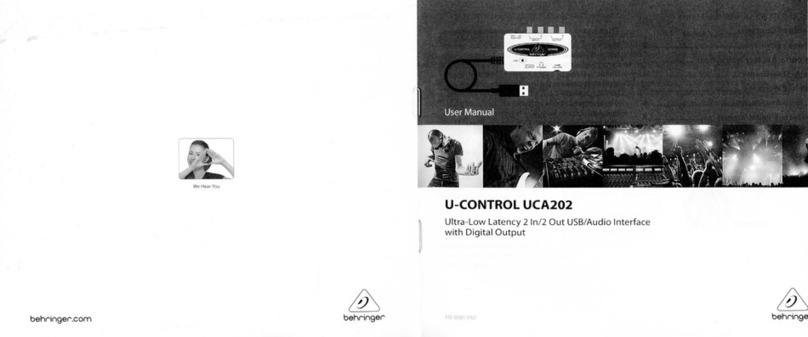
  9. Behringer U-Control UMX610 User manual

Behringer U-Control UMX610 User manual

Other manuals for U-Control UMX610

1

This manual suits for next models

2

Other Behringer Recording Equipment manuals

Behringer PM1 User manual

Behringer

Behringer PM1 User manual

Behringer 2500 Series User manual

Behringer

Behringer 2500 Series User manual

Behringer ULTRA-CURVE PRO DSP8024 User manual

Behringer

Behringer ULTRA-CURVE PRO DSP8024 User manual

Behringer Tube Composer T1952 User manual

Behringer

Behringer Tube Composer T1952 User manual

Behringer X V-AMP User manual

Behringer

Behringer X V-AMP User manual

Behringer 921 User manual

Behringer

Behringer 921 User manual

Behringer EX3200 User manual

Behringer

Behringer EX3200 User manual

Behringer ULTRAFLEX PRO EX3200 User manual

Behringer

Behringer ULTRAFLEX PRO EX3200 User manual

Behringer FEEDBACK DESTROYER PRO FBQ2496 User manual

Behringer

Behringer FEEDBACK DESTROYER PRO FBQ2496 User manual

Behringer B-Control NANO BCN44 User manual

Behringer

Behringer B-Control NANO BCN44 User manual

Behringer Ultra-dyne Pro DSP9024 User manual

Behringer

Behringer Ultra-dyne Pro DSP9024 User manual

Behringer SRC Series User manual

Behringer

Behringer SRC Series User manual

Behringer ULTRA-DI DI400P User manual

Behringer

Behringer ULTRA-DI DI400P User manual

Behringer ULTRADRIVE DCX2496LE User manual

Behringer

Behringer ULTRADRIVE DCX2496LE User manual

Behringer Bass V-Amp Pro User manual

Behringer

Behringer Bass V-Amp Pro User manual

Behringer ADT1616 User manual

Behringer

Behringer ADT1616 User manual

Behringer 904A User manual

Behringer

Behringer 904A User manual

Behringer Multicom Pro MDX4400 User manual

Behringer

Behringer Multicom Pro MDX4400 User manual

Behringer Xenyx 1222FX User manual

Behringer

Behringer Xenyx 1222FX User manual

Behringer ULTRADRIVE PRO DCX2496 Mounting instructions

Behringer

Behringer ULTRADRIVE PRO DCX2496 Mounting instructions

Behringer B-Control Fader BCF2000 User manual

Behringer

Behringer B-Control Fader BCF2000 User manual

Behringer monitor2usb User manual

Behringer

Behringer monitor2usb User manual

Behringer 2500 Series User manual

Behringer

Behringer 2500 Series User manual

Behringer Eurorack MX1604A User manual

Behringer

Behringer Eurorack MX1604A User manual

Popular Recording Equipment manuals by other brands

ThermoFisher Scientific Dionex DRS 600 Installation checklist

ThermoFisher Scientific

ThermoFisher Scientific Dionex DRS 600 Installation checklist

Shure ANIUSB-Matrix user guide

Shure

Shure ANIUSB-Matrix user guide

Nady Audio HE-1 user guide

Nady Audio

Nady Audio HE-1 user guide

AUDAC APM 01 User manual & installation guide

AUDAC

AUDAC APM 01 User manual & installation guide

Teac GF-350 owner's manual

Teac

Teac GF-350 owner's manual

Fractal Audio MFC-101 MARK III owner's manual

Fractal Audio

Fractal Audio MFC-101 MARK III owner's manual

bmcm USB-OI16 manual

bmcm

bmcm USB-OI16 manual

HHB BurnIT CDR-830 Service manual

HHB

HHB BurnIT CDR-830 Service manual

GE VersaMax IC200CPUE05 manual

GE

GE VersaMax IC200CPUE05 manual

IntesisBox MH-RC-MBS-1 user manual

IntesisBox

IntesisBox MH-RC-MBS-1 user manual

Attero Tech unD4l user manual

Attero Tech

Attero Tech unD4l user manual

Sennheiser UI 765 instruction manual

Sennheiser

Sennheiser UI 765 instruction manual

Sony RCD-W1 Operating Instructions  (primary... Service manual

Sony

Sony RCD-W1 Operating Instructions (primary... Service manual

Roland Planet-P  MKS-10 owner's manual

Roland

Roland Planet-P MKS-10 owner's manual

Roland BOSS GT-PRO Turbostart

Roland

Roland BOSS GT-PRO Turbostart

8x8 Inc Valcom V-2001A manual

8x8 Inc

8x8 Inc Valcom V-2001A manual

Waves SUB Align user guide

Waves

Waves SUB Align user guide

Mitsubishi Electric MAC-334IF-E installation manual

Mitsubishi Electric

Mitsubishi Electric MAC-334IF-E installation manual

manuals.online logo
manuals.online logoBrands
  • About & Mission
  • Contact us
  • Privacy Policy
  • Terms and Conditions

Copyright 2025 Manuals.Online. All Rights Reserved.

behringer.com
Continued on next page
Unleash your creativity with
100 virtual instruments and take o
with 50 VST eects plus an unlimited
number of sound creations
Velocity-sensitive USB/MIDI keyboard
featuring 25/49/61 high-quality
full-size keys and unbeatable
programming versatility, real-time
control and playability
USB audio interface included, for
recording and playback of any digital
music le. Works with your PC or
Mac computer—no setup or
drivers required
Revolutionary energyXT2.5
Compact music production
software included with feature-
rich audio/MIDI sequencer that
loads almost instantaneously on all
computer platforms
Plug and play with Mac OS X,
Windows XP and Vista 32-bit
operating systems
8 real-time rotary controls plus
10 assignable switches
Freely assign MIDI control changes to
the modulation wheel, volume fader
and pedal port for ultimate exibility
Full 128 tone range via the octave
shift function with multi-purpose
LED status indication
Separate MIDI Out allows controlling
external samplers, synths and
other equipment
Runs via USB, batteries or a power
adapter (not included)
High-quality components and
exceptionally rugged construction
ensure long life
Conceived and designed by
BEHRINGER Germany
The Ultimate Studio in a Box:
25-/49-/61-Key USB/MIDI Controller
Keyboard with USB/Audio Interface,
100 Software Instruments, 50 VST
Eects and energyXT2.5 Compact
BEHRINGER Edition Music Production
Software and NI Kore Player Software
Sound Module
U-CONTROL
UMX610 / UMX490
UMX250
Keyboard Controllers
The UMX MIDI Controller is an
extremely exible master keyboard with
a control section for a wide range of
applications. Do you need independent
control of hardware synthesizers or
general MIDI sound modules? How
about control over eects devices?
Maybe you just want to operate
sequencing software or computer
plug-ins from a convenient remote
location? UMX Series controllers provide
total exibility and tremendous ease of
use, allowing you to realize your ideas
intuitively.
What is a MIDI Controller?
Simply put, a MIDI controller gives
you the power to take command of
any hardware device or software that
understands MIDI (Musical Instrument
Digital Interface). This means that
MIDI-addressable eects processors
(such as delays, reverbs, etc.) and audio
recording and editing software can
be controlled with a single piece of
hardware, a MIDI controller. This can
be very handy indeed when you have
lots of devices spread out all over
your studio or workstation space.
The MIDI controller sends a control
message to the device or program
you’re using that turns notes
on and o, adjusts the volume
or changes any one of many
addressable parameters.
22 assignable controllers
When it comes to remote
control, you get 8 knobs,
10 assignable switches, 2 wheels
(Pitch Bend & Modulation), 1 pedal
port and 1 fader, for a total of
22 assignable controllers — which
means total control of your operating
environment. Once you’ve assigned
the parameters for a particular
scenario, simply store it in your
user preset.
Playability
All UMX Series controllers feature
our custom-designed key-bed, which
has been praised by some of the
industry’s top product reviewers and
players alike for its responsiveness
and playability.

Page 2 of 4
U-CONTROL
UMX610
UMX490
UMX250
More Than Just MIDI
As an added bonus, we’ve included
our UCA222 USB Audio Interface to
access your PC or Mac computer’s
audio capability. You can use the

UCA222 to connect sound modules
directly to any free computer USB
port and listen to either the input or
output signal via
headphones or
through active
studio monitors.
The UCA222
also features an
additional S/PDIF
optical output
for direct digital
conversion and
is completely
powered via
USB—no external power supply
needed. With its dual analog mono
inputs, any line-level device, such as a
mixer or tape deck, can be connected
hassle-free to your computer.
Here are a just few reasons you need a
UMX controller:
For playing external sound•
modules, rack synthesizers and
virtual instruments
For editing sound parameters of•
synthesizers, sound samplers and
GM/GS/XG sound generators
Controlling parameters on•
outboard equipment and software
plug-ins, such as eects processors,
compressors and digital equalizers
Remotely controlling•
software mixers (functions
for volume, pan, mute, etc.)
Live control of volume and•
sound parameters of sound
modules on stage
Unleash Your Creativity With More Than
100 Instruments and Eects Plug-Ins
We’ve included over 100 virtual
instruments plus more than 50 eects
plug-ins to get you rockin’right
out of the box! Jam with a virtual
e-piano or take o with breathtaking
synthesizer sounds. Tweak your
sounds with creative tube amps and
multi-FX plus high-end studio reverbs,
equalizers, compressors, choruses and
many more.
Even More Ready-to-Play Sounds
Included with each UMX controller
is the Native Instruments’KORE PLAYER
with a production-ready 300 MB
sound library. KORE PLAYER includes

Continued on next page
R1-R8 high-
resolution
rotary
controllers
B1-B8
button
controllers
Table with
factory-set
controller
assignments
Keyboard
legend shows
special functions
performed by
individual keys
USER
MEMORY
button —
recalls internal
memory
ASSIGN
button
VOLUME/
DATA fader
OCTAVE
SHIFT
buttons —
±3 octaves
PITCH
BEND
wheel
MODULATION
wheel
Keybed with
25/49/61
velocity
sensitive keys
Page 3 of 4
U-CONTROL
UMX610
UMX490
UMX250
six Native
Instruments
sound engines
and provides
ready-to-
play sounds
that can be
browsed and tweaked via its ultra-intuitive
interface. We’ve also included a coupon, which

can be used to download even more sounds.
energyXT2.5 Compact BEHRINGER Edition
We’ve also included XT Software’s
energyXT2.5 Compact BEHRINGER Edition so
you can take your recording projects to the
next level. This amazing DAW (Digital Audio
Workstation) makes it easy to manipulate your
audio and MIDI les, turning song ideas into
stunning CD or web-ready recordings. And
it works in all platforms, including Windows
XP, Vista, Mac OSX and Linux. energyXT2.5
contains its own multi-FX
processor, along with a
built-in synthesizer and a
drum machine, both
of which can be accessed directly. To
learn more about energyXT2.5 Compact
BEHRINGER Edition, visit http://behringer.com/
EN/Support/energyXT2.5-Compact-
BEHRINGER-Edition.aspx
Power supply options
Because they need to be ready for action in
a variety of venues, UMX Series controllers can
draw operating power from any free USB port
on your PC or Mac computer, 3 AA batteries or
the optional external power supply.
If you need help with your live or recording
MIDI environment, the UMX Series puts total
control right at your ngertips.
c
on
t
a
i
ns
it
s own mu
lti
-
FX
processor, alo
ng
with a
built-in synthesizer an
d
d
rum mac
h
ine
,
b
ot
h
Recording Hookup
energyXT2.5 Compact
software included
Sound-Module
USB MIDI
Live Performance Hookup
XENYX 2222FX
MIDI out
Right
o
Left out
MIDI Sound-Module
B415DSP Active Loudspeakers
UMX250
Page 4 of 4
behringer.com
©2010 Red Chip Company Ltd.Technical specifications and appearance subject to change without notice.The information contained herein is correct at the time of printing.
All trademarks (except BEHRINGER, the BEHRINGER logo, U-CONTROL and XENYX) mentioned belong to their respective owners, and such use neither constitutes a claim of the trademarks by Behringer
nor affiliation of the trademark owners with Behringer. Mac and Mac OS are trademarks of Apple Computer, Inc., registered in the U.S. and other countries.Windows andWindowsVista are registered
trademarks of Microsoft Corporation in the United States and other countries.VST is a trademark of Steinberg MediaTechnologies GmbH. EnergyXT2.5 and the enerygyXT logo are trademarks of XT Software
AS. BEHRINGER accepts no liability for any loss which may be suffered by any person who relies either wholly or in part upon any description, photograph or statement contained herein. 985-10000-00410
For service, support or more information contact the BEHRINGER location nearest you:
Europe Tel.: +49 2154 9206 4149, Fax: +49 2154 9206 4199
USA/Canada Tel.: 1 425 672 0816, Fax: +1 425 673 7647
Singapore Tel.: +65 5845 1800, Fax: +65 6214 0275
Australia Tel.: +61 3 9877 7170, Fax: +61 3 9877 7870
Japan Tel.: +81 3 5281 1180, Fax: +81 3 5281 1181
U-CONTROL
UMX610
UMX490
UMX250
USB CONNECTIONS
Type Type B; USB1.1
MIDI CONNECTIONS
Type 5-pin DIN plug OUT
CONTROL ELEMENTS
Controller 1 control wheel with center reset
1 control wheel without center reset
8 rotary knobs
1 fader
Buttons 12 buttons
UMX250
Keyboard 25 keys; velocity-sensitive
UMX490
Keyboard 49 keys; velocity-sensitive
UMX610
Keyboard 61 keys; velocity-sensitive
SWITCH PLUG
Foot pedal ¼" mono jack with automatic
polarity recognition
POWER SUPPLY
USB
Battery 3 x 1.5 Volt Mignon (Type“AA”)
Power connector 2 mm DC jack, negative center 9 V,
100 mA DC, regulated
USA/Canada 120 V~, 60 Hz
China/Korea 220 V~, 50 Hz
UK/Australia 230 V~, 50 Hz
Europe 230 V~, 50 Hz
Japan 100 V~, 50–60 Hz
Power consumption
UMX250 max. 0.9 W
UMX610 max. 0.9 W
UMX490 max. 0.9 W
DIMENSIONS/WEIGHT
UMX250
Dimensions (W x H x D) approx. 8.47 x 3.8 x 19.47"
215 x 97 x 495 mm
UMX610
Dimensions (W x H x D) approx. 8.47 x 3.8 x 38.97"
215 x 97 x 990 mm
UMX490
Dimensions (W x H x D) approx. 8.47 x 3.8 x 32 .47"
215 x 97 x 825 mm
UMX250
Weight approx. 4.9 lbs / 2.24 kg
UMX490
Weight approx. 8.6 lbs / 3.90 kg
UMX610
Weight approx. 10.34 lbs / 4.69 kg
BEHRINGER is constantly striving to maintain the highest professional standards. As a result
of these eorts, modications may be made from time to time to existing products without
prior notice. Specications and appearance may dier from those listed or illustrated.