manuals.online logo
Brands
  1. Home
  2. •
  3. Brands
  4. •
  5. Belkin
  6. •
  7. Docking Station
  8. •
  9. Belkin F5X016 - Home Kit For Xpress User manual

Belkin F5X016 - Home Kit For Xpress User manual

This manual suits for next models

1

Other Belkin Docking Station manuals

Belkin F4U093 User manual

Belkin

Belkin F4U093 User manual

Belkin F8E461 User manual

Belkin

Belkin F8E461 User manual

Belkin TuneSync F5U255ea User manual

Belkin

Belkin TuneSync F5U255ea User manual

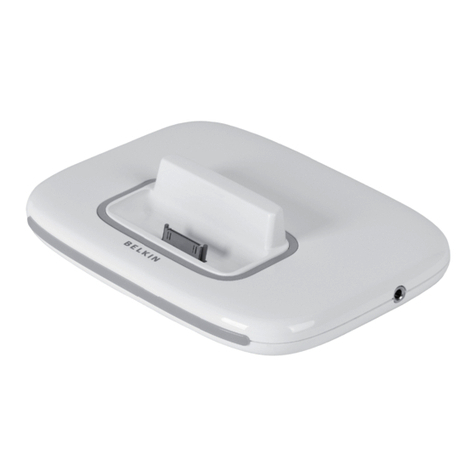
Belkin Thunderbolt 3 Dock Plus Instruction Manual
Belkin

Belkin Thunderbolt 3 Dock Plus Instruction Manual

Belkin Thunderbolt 3 Dock Pro Instruction Manual

Belkin

Belkin Thunderbolt 3 Dock Pro Instruction Manual

Belkin F8E461 User manual

Belkin

Belkin F8E461 User manual

Belkin F8Z901 User manual

Belkin

Belkin F8Z901 User manual

Belkin F4U095 Assembly instructions

Belkin

Belkin F4U095 Assembly instructions

Belkin F8Z082-BLK - TuneTalk - Digital Player Voice Recording... User manual

Belkin

Belkin F8Z082-BLK - TuneTalk - Digital Player Voice Recording... User manual

Belkin TuneDok User manual

Belkin

Belkin TuneDok User manual

Belkin F5U120-PC User manual

Belkin

Belkin F5U120-PC User manual

Belkin TUNEBASE FM FOR IPOD User manual

Belkin

Belkin TUNEBASE FM FOR IPOD User manual

Belkin F5U273 User manual

Belkin

Belkin F5U273 User manual
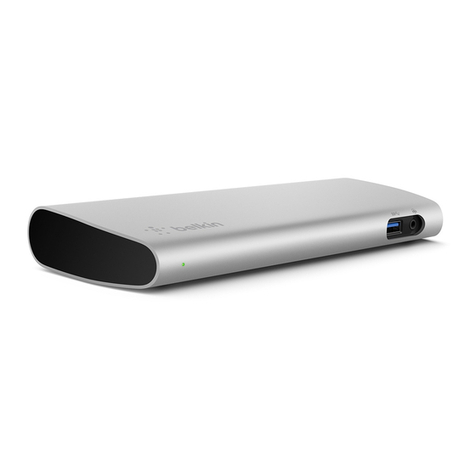
Belkin Valet F8J183 User manual

Belkin

Belkin Valet F8J183 User manual

Belkin Dual Video Docking Stand User manual

Belkin

Belkin Dual Video Docking Stand User manual

Belkin F5U273au User manual

Belkin

Belkin F5U273au User manual

Belkin F8E467 User manual

Belkin

Belkin F8E467 User manual

Belkin Valet F8J183 Instruction Manual

Belkin

Belkin Valet F8J183 Instruction Manual

Belkin F8Z065 User manual

Belkin

Belkin F8Z065 User manual

Belkin B2B043eaC00 User manual

Belkin

Belkin B2B043eaC00 User manual

Belkin F5U273ea User manual

Belkin

Belkin F5U273ea User manual

Belkin F5U216 User manual

Belkin

Belkin F5U216 User manual

Belkin F8J088 User manual

Belkin

Belkin F8J088 User manual

Popular Docking Station manuals by other brands

Durr Dental VISTACAM2 Installation and operating instructions

Durr Dental

Durr Dental VISTACAM2 Installation and operating instructions

DLO TransDock Direct user manual

DLO

DLO TransDock Direct user manual

Lenovo USB-C Mini Dock user manual

Lenovo

Lenovo USB-C Mini Dock user manual

Sony Dream Machine XDR-DS12iP user manual

Sony

Sony Dream Machine XDR-DS12iP user manual

ATEN UC-2000 user manual

ATEN

ATEN UC-2000 user manual

Xcellon HDD-202 user manual

Xcellon

Xcellon HDD-202 user manual

Dok CR09 user guide

Dok

Dok CR09 user guide

Philips BTM630/12 quick start guide

Philips

Philips BTM630/12 quick start guide

IOGear Travel Pro GUD3C09 quick start guide

IOGear

IOGear Travel Pro GUD3C09 quick start guide

iHome iP15 instruction manual

iHome

iHome iP15 instruction manual

VITURE ONE MOBILE DOCK quick start guide

VITURE ONE

VITURE ONE MOBILE DOCK quick start guide

CipherLab 8001 quick guide

CipherLab

CipherLab 8001 quick guide

Pyle PIPDSP2 owner's manual

Pyle

Pyle PIPDSP2 owner's manual

Targus DOCK315EUZ user guide

Targus

Targus DOCK315EUZ user guide

Philips DC190/79 user manual

Philips

Philips DC190/79 user manual

Akasa DuoDockX3 AK-DK08U3-BK user manual

Akasa

Akasa DuoDockX3 AK-DK08U3-BK user manual

Sirius Satellite Radio SUBX2082808a Installation and user guide

Sirius Satellite Radio

Sirius Satellite Radio SUBX2082808a Installation and user guide

OWC Thunderbolt Dock user guide

OWC

OWC Thunderbolt Dock user guide

manuals.online logo
manuals.online logoBrands
  • About & Mission
  • Contact us
  • Privacy Policy
  • Terms and Conditions

Copyright 2025 Manuals.Online. All Rights Reserved.

Belkin Tech Support
US: 310-898-1100, ext. 2263
800-223-5546, ext. 2263
Europe: 00 800 223 55 460
Australia: 1800 235 546
New Zealand: 0800 235 546
Belkin Corporation
501 West Walnut Street
Los Angeles, CA 90220, USA
310-898-1100
310-898-1111 fax
Belkin Ltd.
Express Business Park, Shipton Way
Rushden, NN10 6GL, United Kingdom
+44 (0) 1933 35 2000
+44 (0) 1933 31 2000 fax
Belkin B.V.
Boeing Avenue 333
1119 PH Schiphol-Rijk, The Netherlands
+31 (0) 20 654 7300
+31 (0) 20 654 7349 fax
Belkin Ltd.
7 Bowen Crescent, West Gosford
NSW 2250, Australia
+61 (0) 2 4372 8600
+61 (0) 2 4372 8603 fax
© 2006 Belkin Corporation. All rights reserved. All trade names are registered trademarks
of respective manufacturers listed. The XM logo and RoadyXT are either trademarks or
registered trademarks of XM Satellite Radio.
F5X016
P75189
Home Kit for Xpress
Home Kit for Xpress
Home Kit for Xpress
Home Kit for Xpress
Home Kit for Xpress
Home Kit for Xpress
Home Kit for Xpress
Home Kit for Xpress
Home Kit for Xpress
Home Kit for Xpress
Home Kit for Xpress
Home Kit for Xpress
Home Kit for Xpress
Home Kit for Xpress
Home Kit for Xpress
Home Kit for Xpress
Home Kit for Xpress
Home Kit for Xpress
Home Kit for Xpress
Home Kit for Xpress
Home Kit for Xpress
Home Kit for Xpress
Home Kit for Xpress
Home Kit for Xpress
TM
TM
TM
and RoadyXT
and RoadyXT
and RoadyXT
and RoadyXT
and RoadyXT
and RoadyXT
and RoadyXT
and RoadyXT
and RoadyXT
and RoadyXT
and RoadyXT
and RoadyXT
and RoadyXT
and RoadyXT
and RoadyXT
and RoadyXT
and RoadyXT
and RoadyXT
®
®
User Manual
User Manual
User Manual
User Manual
User Manual
User Manual
User Manual
User Manual
User Manual
User Manual
User Manual
User Manual
User Manual
1
Introduction
Congratulations and thank you for purchasing the Home Kit for Xpress and
RoadyXT from Belkin. Now you can enjoy your Delphi RoadyXT or Audiovox®
Xpress in the home with the convenience and style of Belkin’s industry-leading
industrial design. Please be sure to read all the instructions in this User Manual so
that you can get the most from your Belkin product.
What’s in the box?
Your Home Kit for Xpress and RoadyXT includes these components:
• Home Dock for XM (1)
• Adapter Sleeve for RoadyXT (2)
• Adapter Sleeve for Xpress (3)
• 5V Power Adapter (4)
• Home Antenna for XM (5)
• Wireless IR Remote Control* (6)
• 6 ft. Y Audio Cable (7)
*Please review note on page 6 regarding the removal
of the clear plastic tab from the battery tray before use.
3
6
7
2



































4
5














1
2
The Belkin Home-Dock unit is capable of docking either the Audiovox Xpress or the
Delphi RoadyXT. Please locate the adapter that corresponds to your receiver and
insert it into the Home Dock. (Fig. 1)
NOTE: Once the adapter has been inserted
into the Home Dock, we strongly advise against the removal and reinstallation
of the receiver adapter as you may damage the Home-Dock unit.
Make sure that the dock connector on the
bottom of the receiver is on the
same side as the connectors on the
Home Dock, then gently slide the receiver
onto your Home Dock. (Fig. 2)
How to Attach your XM Plug-n-Play Receiver to the Belkin Home Dock
Fig. 2
Fig. 1





















3
Mount or place the Home Antenna for XM to a location with a clear view of the
southern sky where direct line of sight to the XM satellites is available. (For more
information on antenna setup, see “Setting up the Home Antenna for Best XM
Reception”on page 7.) Connect the Home Antenna to the “antenna” port on the
back of your Belkin Home Dock.
How to Attach the Home Antenna to the Belkin Home Dock


4
Attach the red and white RCA cables to the corresponding red and white
connectors on your home audio-receiver system or amplifier. Connect the 3.5mm
headphone line to the “line out” port on the back of your Belkin Home Dock.
How to Attach the 6 ft. Y Audio Cable to the Belkin Home Dock



 
5
Attach the Home Adapter for XM to your 120V AC outlet and connect
the other end of the Home Adapter to the “power in” port on the back of your
Belkin Home Dock.
How to Attach the 5V Power Adapter to the Belkin Home Dock
  
6
Carefully lift your XM receiver from the Home Dock in a gentle, upward motion.
Removal of Clear Plastic Tab before Use of the Infrared Remote Control
A clear plastic tab has been placed in the battery compartment of the remote
control to prevent drainage of battery power during shipping. Please remember to
pull out this tab prior to using your remote control.
How to Remove your XM Receiver from the Belkin Home Dock







7
Setting up the Home Antenna for Best XM Reception
For the best XM reception, your Home Antenna should have an unobstructed line
of sight to the XM satellites in the southern sky. In major metropolitan areas, XM’s
network of ground repeaters will also help signal coverage. The base of the Home
Antenna is ported for mounting your antenna on any surface with fasteners.














8
What this warranty covers.
Belkin Corporation warrants to the original purchaser of this Belkin product that the
product shall be free of defects in design, assembly, material, or workmanship.
What the period of coverage is.
Belkin Corporation warrants the Belkin product for one year.
What will we do to correct problems?
Product Warranty.
Belkin will repair or replace, at its option, any defective product free of charge (except for
shipping charges for the product).
What is not covered by this warranty?
All above warranties are null and void if the Belkin product is not provided to Belkin
Corporation for inspection upon Belkin’s request at the sole expense of the purchaser, or
if Belkin Corporation determines that the Belkin product has been improperly installed,
altered in any way, or tampered with. The Belkin Product Warranty does not protect
against acts of God (other than lightning) such as flood, earthquake, war, vandalism, theft,
normal-use wear and tear, erosion, depletion, obsolescence, abuse, damage due to
low voltage disturbances (i.e. brownouts or sags), non-authorized program, or system
equipment modification or alteration.
How to get service.
To get service for your Belkin product you must take the following steps:
1.
Contact Belkin Corporation at 501 W. Walnut St., Compton CA 90220, Attn: Customer
Service, or call (800)-223-5546, within 15 days of the Occurrence. Be prepared to
provide the following information:
a.
The part number of the Belkin product.
b.
Where you purchased the product.
c
When you purchased the product.
d.
Copy of original receipt.
2.
Your Belkin Customer Service Representative will then instruct you on how to forward
your receipt and Belkin product and how to proceed with your claim.
Belkin Corporation Limited 1-Year Product Warranty