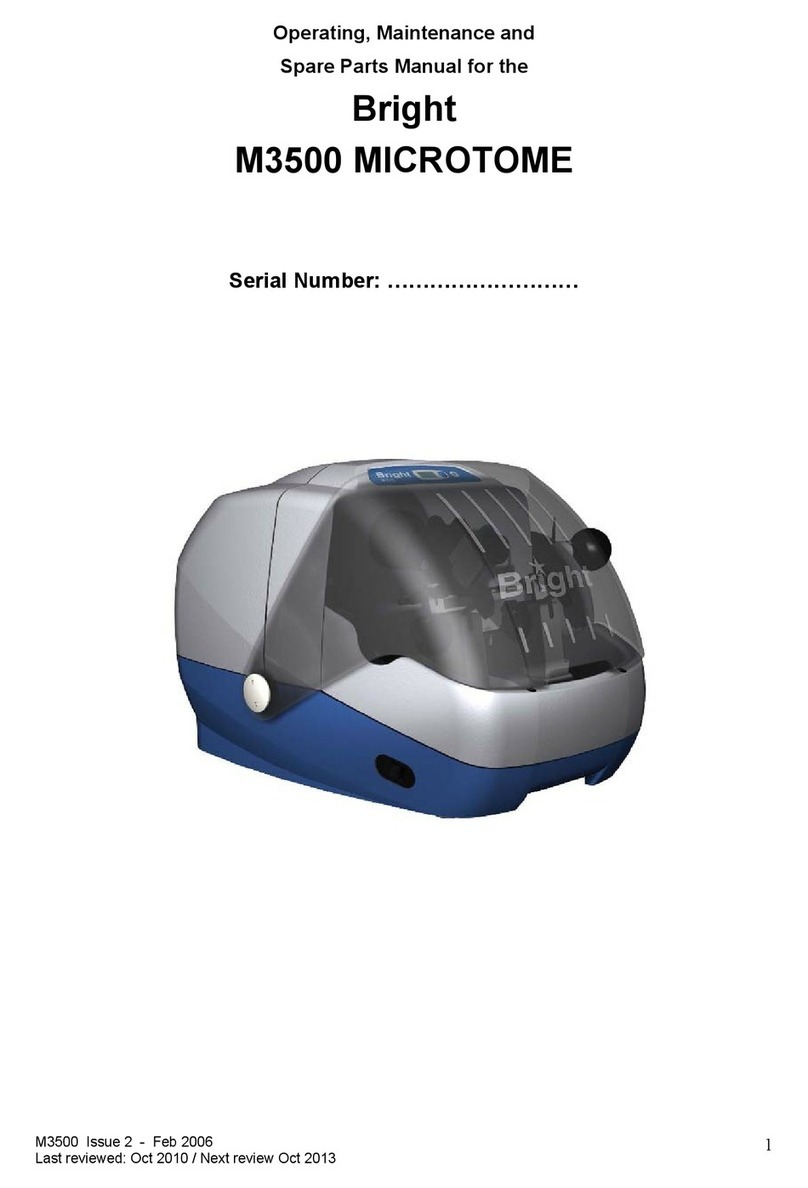
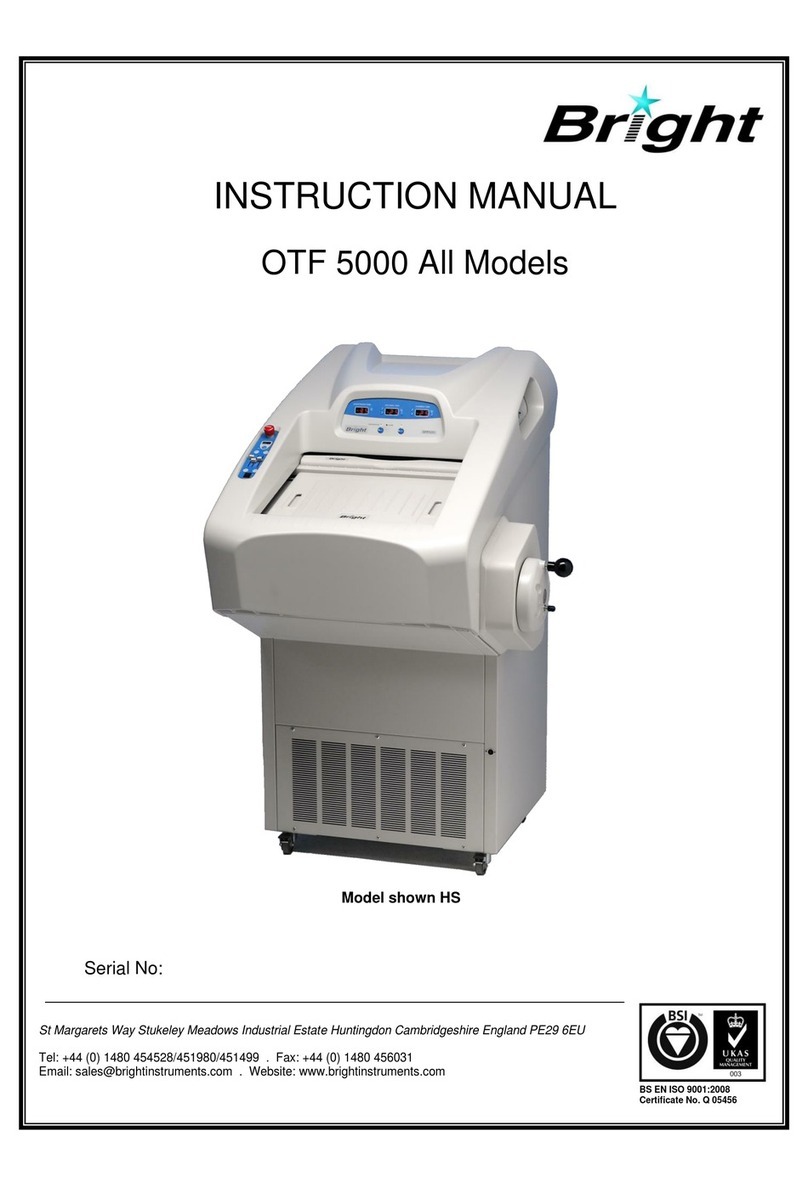
BRIGHT OTF6000 User manual

Instruments
Instruments
Instruments
Instruments
Instruments
Instruments
OTF6000
Cryostat
Manual

Bright Instruments 2
Contents
SAFETY WARNINGS 4
Low Temperature 4
Knives / Blades 5
SAFETY INFORMATION 6
Consumer Protection 6
ELECTRICAL 6
MICROTOME KNIVES & BLADES 6
OPERATION 7
LOW TEMPERATURES 7
ACCESSORIES 7
PRODUCT SAFETY SUGGESTIONS 7
DECONTAMINATION CERTIFICATES 8
WARRANTY 9
1 INTRODUCTION 10
1.1 Receipt of Product 10
1.1.1 Receipt and unpacking 10
1.1.2 Receipt 10
1.1.3 Unpacking 10
1.1.4 Unpacking Procedure 10
1.2 Assembly and Installation 11
1.2.1 Fitting the Hand Wheel 11
1.2.2 Drain Tube and Plug 11
1.2.3 Frost Elimination Cover 11
1.2.4 Positioning 11
1.2.5 Installation and removal of 12
microtome
1.3 Electrical 13
1.3.1 Settling 13
1.3.2 Electrical Requirements 13
1.3.3 Electrical Safety 13
2 OPERATING INSTRUCTIONS 14
2.1 Touchscreen 14
2.1.1 Lock Screen 14
2.1.2 Home Screen Low Spec 15
2.1.3 Home Screen High Spec 16
2.1.4 Temperature Settings: Specimen 17
2.1.5 Temperature Settings: Chamber 18
2.1.6 Motor Drive 19
2.1.7 Motor Drive: Temps Screen 20
2.1.8 Settings: User Account 21
2.1.9 Settings: Admin Account 22
2.1.10 Settings: UV Decontamination 23
2.1.11 Settings: Defrost Control 24
2.1.12 Settings: User Management 25
2.1.13 Settings: Set Clock 28
2.1.14 Settings: Event Log 29
2.2 Cabinet Controls 31
2.2.1 Around Touchscreen 31
2.2.2 Mains Switch 32
2.2.3 Handwheel 32
2.2.4 Quick Freezer Plate 32
2.2.5 Motorised Advanced/Rewind 32
2.2.6 Foot Switch 33
2.3 Microtome Controls Solid Knife 34
2.3.1 Knife Guard 34
2.3.2 Knife Holder 34
2.3.3 Anti-Roll Assembly 34
2.4 Microtome Controls Quick Rel. 35
2.4.1 Blade Guard 35
2.4.2 Anti-Roll Assembly 36
2.5 Common Microtome Controls 37
2.5.1 Knife Block Adjustment 37
2.5.2 Section Thickness Control 37

Bright Instruments 3
Contents Cont.
3 CUTTING AND COLLECTING 38
SECTIONS
3.1 Basic Freezing Techniques 38
3.1.1 Liquid Nitrogen 38
3.1.2 Carbon Dioxide (Gas) 38
3.1.3 Carbon Dioxide (Solid) 38
3.1.4 Freezer Plates 38
3.2 Fitting the Specimen 38
3.3 Trimming the Specimen 40
3.4 Section Cutting and Collection 40
3.5 Hints on Sectioning 40
3.6 Frozen Sectioning 41
3.6.1 Solutions Checklist 41
3.6.2 Specific Problems 42
3.7 Cutting Temperatures 43
3.7.1 Fresh Unfixed Tissue 43
3.7.2 Fixed Tissue 43
4 CARE & MAINTENANCE 44
4.1 Daily Care 44
4.2 Automatic Defrost Cycle 44
4.3 Total Defrosting 44
4.4 Microtome Knives 45
4.5 Operating in extreme conditions 45
4.6 Servicing and Repairs 45
4.6.1 UK 46
4.6.2 Rest of world 46
4.7 Simple Servicing/Repair 46
4.8 Decontamination 46
5 SPECIFICATIONS 48
5.1 Cryostat 48
5.2 5050 Microtome 49
ACCESSORIES 50
Product 51
Low Spec 51
High Spec 51
Equipment Options 52
Feed Screws for /MAR Option 52
Orientation 52
Object Holders 52
Knives & Blades 53
Anti-Roll Plates 53
Ancillary Items 53
MATERIAL SAFETY DATA SHEETS 54
Cryo-M-Bed 53581 55
Cryospray 1234ze 56
Low Temperature Oil 57491 62
REFERENCES & DRAWINGS 64
Figure 1. OTF6000 Cabinet 65
Figure 2. 5050 Microtome Solid Knife 66
Figure 3. 5050 Microtome Solid Knife 67
Anti-Roll Assembly
Figure 4. 5050 Microtome Quick 68
Release Feather Blade
Holder (QRFBH)
Figure 5. 5050 Microtome Quick 69
Release Feather Blade
Holder (QRFBH) Anti-Roll
Assembly
DECONTAMINATION CERTIFICATE 70
QUALITY SURVEY REPORT 71

Bright Instruments 4
SAFETY WARNING
Low temperatures are present in this
equipment. Extreme care should be taken.
DO NOT let bare skin come into contact
with metal surfaces.

Bright Instruments 5
SAFETY WARNING
Extremely sharp knives/blades.
Use knife/blade guards at all times.
Use correct tools for removal and insertion of knives/blades.
DO NOT leave knives/blades laying around.
Place knives/blades not in use, into box/wallet provided.

Bright Instruments 6
Safety Information
CONSUMER PROTECTION
The Consumer Protection Act 1987 Part 1,
refers to Product Liability. This legislation was
issued as a direct result of an EC Directive to
all member states and has been in force with
effect from 01 March 1988.
Bright Instrument Company Limited, ever
mindful of the need to ensure that their
products are not subject to misuse and/or
incorrect handling, have made it their aim to
communicate any possible dangers to their
customers.
Whilst Bright Instrument Company Limited
markets products manufactured to the highest
safety standards, it is in the interest of the
purchaser that he is aware of the resultant
dangers of misuse and/or incorrect handling
of these products.
Your attention is therefore drawn to the
following precautions:
Electrical Microtome Knives
& Blades
a. Warnings - A warning notice is fixed to
the instrument stating that it should be
disconnected from the power supply before
removing the panels. This warning should
be strictly observed. This cryostat is fitted
with an in line mains filter which may affect
portable appliance test results.
b. Fuses - Fuse ratings are clearly indicated
on all fuse panels adjacent to the fuse holder.
If and when replacement is necessary, the
correct fuse rating must be adhered to.
c. Earthing (Grounding) - A protective earth
terminal is fitted, and must be used in all two
wire installations.
NB. It is recommended the OTF6000
is plugged in via an electrical surge
protection unit.
Microtome knives can be hazardous in the
laboratory. Personnel should be made aware
of the dangers and observe the following
warnings:
a. Do not leave the microtome unattended
with an exposed knife in position. Remove the
knife, or cover it with the guards provided.
b. Do not leave knives lying around. Place
knives that are not in use in their boxes.
c. Do not carry knives unless secure in the
box provided.
d. Do not clean the knife along its length.
Wipe from the back edge of the cutting edge.
e. Remember that even used knives are
dangerous – they are still sharp and may
have been used to cut potentially infectious
specimens.
f. Dispose of used knives with the same care
as other sharp objects. On no account should
used knives be placed in waste bins.

Bright Instruments 7
Accessories
Low Temperatures
Operation
Product Safety
Suggestions
Fluids supplied as accessories with Bright
instruments, such as Cryospray 134,
Cryo-M-Bed and microtome oil, are strictly for
laboratory use only. They should not be taken
by mouth and precautions afforded to other
laboratory chemicals should be adhered to.
Parts of this instrument may attain
temperatures as low as -50ºC. It is important
to avoid bare skin touching things such as
cold surfaces. When in doubt, wear gloves.
Avoid touching the knife, it is cold as well as
sharp! Always use knife guards.
When placing object holders in the microtome,
when orientating, manipulating or in any way
placing fingers in a position above the knife
edge - ensure that the handwheel is locked
and knife guards are in position.
All Bright Instrument Company Limited
personnel are encouraged to make
suggestions regarding product safety. We
also welcome such suggestions from our
Customers. They may be submitted by
completing the appropriate (Safety) section
of the Quality Survey Report Form supplied
with all Bright instruments, or alternatively
by letter, telephone or email:
All communications should be direct to our
Warranty Assurance Department and will be
acknowledged.

Bright Instruments 8
Decontamination
Certificates
IMPORTANT
If the instrument or any part of it is to be
returned to Bright Instrument Company
Limited, a decontamination certificate must
accompany it, and please note the following:
a. If the instrument or any part of it has been
exposed to or been in contact with potential
pathogenic or radioactive material, it is
essential that it be decontaminated.
Set procedures are laid down by the Health
and Safety Executive for decontamination.
For the avoidance of doubt, we ask that
instruments or parts returned to us should be
accompanied by a completed decontamination
certificate. A copy of this can be found at
the back of this instruction manual and we
suggest you use a photocopy of this when
returning parts.
b. Alternatively you can download a
decontamination certificate from our website.
c. Should the instrument or any part of it be
received in a condition that Bright Instrument
Company Limited, consider to be a potential
biological hazard, the instrument or part will
be returned un-repaired at the expense of the
customer.
d. Overseas customers declarations must
indicate that the package contains ‘British
Returned Goods’. Failure to do so will involve
customs duty payable by us, which will be
invoiced to the sender.

Bright Instruments 9
Warranty
1. The Seller ‘s products are carefully
inspected and submitted to its standard tests.
2. The Seller warrants all its products to be
free from defects in workmanship and
materials under normal conditions of use and
service provided always:
a. That if any of the goods so manufactured
is alleged to be defective in workmanship and
material and is returned carriage paid, and
protected against damage in transit to the
Seller’s works at Luton within 12 months from
the date of despatch and if after examination
by the Seller that goods or part of them are
found to be so defective then the Seller will
repair or replace them free of charge and will
return them to the Buyer, carriage paid.
b. Where any part of the goods manufactured
by the Seller is repaired or replaced under
the terms of the foregoing warranty, such
warranty shall thereafter be limited to a
period of six months from the date when
the goods shall have been re-delivered
to the Buyer.
c. This warranty does not apply to any defects
caused by wear and tear, incorrect installation
abnormal conditions of working, accident,
misuse or neglect.
d. That save as in this clause herein before
expressed, the Seller shall not be under any
liability for negligence or otherwise in respect
of defects in goods delivered or for any injury,
damage or loss resulting from such defects
and the Seller’s liability under this clause shall
be in lieu of any warranty or condition implied
by law as to the quality or fitness for any
particular purpose of such goods.
e. This warranty is expressly in lieu of all
other warranties, guarantees or liabilities
expressed or implied by any of the Seller’s
Representatives or Agents.
Please see our separate Product Warranty
sheet for deliveries to the mainland UK.
WARNING: Before proceeding to Operating
Instructions, ensure you are familiar with
the contents of the pages marked ‘Safety
Information’. This instrument must only be
used by competent persons.

Bright Instruments 10
Based on the long-established and reliable
OTF cryostat range, the new OTF6000 brings
Bright cryostats completely up to date. New
styling with improved user ergonomics, the
latest blade systems in the ever-reliable and
powerful 5050 microtome, a huge choice of
options plus money-saving package deals
make these cryostats absolutely unique.
They are suitable for an endless range of
applications and in the correct configuration
are capable of cutting a wide diversity of
specimens from undecalcified bone to brain,
resins, plastics and plant tissue as well as
more usual soft tissue. Allowing full anti-roll
plate adjustment for perfect results coupled
with long lasting temperature stability, the
OTF6000 can truly be described as complete.
1.1 RECEIPT OF PRODUCT
1.1.1 RECEIPT AND UNPACKING
This instrument received a final test and
inspection prior to despatch from the factory.
The following instructions are given for the
re-assembly of the instrument, adjustments
and its correct use. If the instrument is
received before preparations for installation
are completed. It should be stored in a clean,
dry place and not exposed to dirty or damp
conditions.
1.1.2 RECEIPT
Immediately upon receipt of the instrument,
make a careful examination for evidence of
damage encountered in transit. If any damage
is found or suspected, notify both the carrier
and Bright Instrument Company Limited
immediately.
1.1.3 UNPACKING
All packing must be carefully removed and
parts checked against the enclosed packing
list. If any damage or discrepancy is noted,
please inform our agent/distributor or Bright
Instrument Company Limited immediately.
1.1.4 UNPACKING PROCEDURE
The following should be followed when the
instrument is received:
a. At least two people are required during the
unpacking.
b. Check that the outer packing is in good
order and does not show signs of serious
damage.
c. Remove the microtome from the case and
unpack it.
d. Remove and unpack the accessories.
1. Introduction

Bright Instruments 11
1.2 ASSEMBLY AND INSTALLATION
1.2.1 FITTING THE HANDWHEEL
Push the handwheel over the shaft on the
right side of the cabinet. Ensure the pin on
the shaft engages the slot in the centre of
the handwheel. Press firmly home, then fit and
tighten the centre screw. Using the special
tool provided (212-053).
1.2.2 DRAIN TUBE AND PLUG
A small drain plug is fitted to the bottom right
corner of the chamber, and a drain tube takes
defrost water to the waste liquid bottle on
the right hand side of the cabinet.
Pour approximately 100ml of water down the
drain hole and place the tapered plug into
position. The purpose of the water is to act as
a vapour lock to prevent the ingress of moist
laboratory air.
The drain plug should be left in position
except when cleaning is carried out.
1.2.3 FROST ELIMINATION COVER
Place the provided Frost Elimination cover
onto the Freezer Plate. The cover stops the
build up of frost on the Freezer Plate.
Freezer Plate
Frost
Elimination
Cover
1.2.4 POSITIONING
The instrument should be positioned on a
level floor. To ensure adequate ventilation,
leave a gap of 100mm minimum at the rear
of the cabinet. Ensure that the instrument
has been positioned away from direct, hot
sunlight and is in a location completely free
from draughts, e.g. fans, air conditioning units,
air inlets and air outlets etc. The instrument
is mounted on castors, two of which are
lockable, to give easy movement. To access
the lockable castors, the footrest cover must
be removed. To do this, lift then pull the
footrest towards you.
NOTE: Instrument should be placed on a
level floor.
1. Introduction

Bright Instruments 12
1.2 ASSEMBLY AND INSTALLATION
CONT.
1.2.5 INSTALLATION AND REMOVAL
OF THE MICROTOME
a. Fit the left hand shelf into position, press
down to ensure shelf is completely down.
WARNING: The microtome weighs
approximately 15kg. Ensure that adequate
precautions are taken to prevent injury, i.e.
back strain, when lifting and moving. The
use of an industrial, personal lifting belt is
highly recommended.
b. To fit the microtome, firstly ensure the
one-way coupling is in the correct orientation
(as pictured) so the microtome can slide into
position. Carefully push the microtome back
aim the back feet between the guides that
will guide the foot to the pin, push until it
won’t go back any further, it should fit snugly
into position.
Microtome
coupling
Drive Shaft
coupling
Slide on to
c. Plug the microtome into the socket located
on the right hand side of the chamber.
Line up white dashes
on socket and plug
White dashes
d. Fit the right hand shelf into position, press
down to ensure shelf is completely down.
e. Position the left and right debris trays
before sliding the front cover into position.
To remove the microtome and shelves repeat
all these steps in reverse.
1. Introduction

Bright Instruments 13
1.3 ELECTRICAL
1.3.1 SETTLING
During transit the oil in the compressor will
have been subject to movement, so it is
important to let the cryostat settle before
switching on. We recommend the instrument
is left standing for at least eight hours, and
preferably overnight, before switching on.
Moving the instrument around on its castors,
e.g. from one laboratory to another, will not
affect the compressor oil.
1.3.2 ELECTRICAL REQUIREMENTS
The supply cord of the instrument should be
connected to any ordinary electrical outlet
(minimum 13 amps for 220/240V), a 13 amp
fuse should be incorporated in the line.
(minimum 20 amps for 110/115V) Check the
voltage stamped on the nameplate, located on
the back of the cabinet, with your supply.
The connections are:
Brown - Positive (live)
Blue - Negative (neutral)
Yellow/Green - Earth (ground)
NB. It is recommended the OTF6000
is plugged in via an electrical surge
protection unit.
1.3.3 ELECTRICAL SAFETY
Where earth cables may have to be removed
from panels for servicing or repair purposes,
care should be taken to replace them when
replacing the panel. Earth points are identified
by a yellow and green striped circular sticker.
Where earth connections are taken through
connectors, then the connector must be
rated to take the maximum fault current.
The machine should be disconnected
before such connectors are separated for
servicing purposes.
This cryostat is fitted with an in-line mains
filter which may affect portable appliance
test results.
1. Introduction Cont.

Bright Instruments 14
2.1 TOUCHSCREEN
2.1.1 LOCK SCREEN.
2. Operation Instructions
Present Tag To StartCryostat OTF6000
Instruments
15.0°C
Chamber Temperature
Present Tag To StartCryostat OTF6000
Instruments
14.3°C
Chamber Temperature
DECONTAMINATION DUE
Present Tag To StartCryostat OTF6000
Instruments
12.6°C
Chamber Temperature
DEFROSTING
Present Tag To StartCryostat OTF6000
Instruments
10.5°C
Chamber Temperature
HIGH TEMP ALARM
Live chamber
temperature readings
Relevant task /
warning messages
NOTE: Window lock is active when this screen is displayed.
To unlock either present RFID key fob, or tap anywhere on touch
screen to enter passcode.

Bright Instruments 15
Quick Freeze
-45.0°C
Chamber
21.0 °C
Specimen
-36.5°C
End SessionSettings
00002
<< MICROTOME >>Rewind Advance
HandWheel Counter
Light Off
2.1 TOUCHSCREEN
CONT.
2.1.2 HOME SCREEN
(LOW SPEC ONLY)
2. Operation Instructions
Cont.
Rewind position
indicator. Turns
red when furthest
back.
Advance position
indicator. Turns
red when furthest
forward.
Sign out
Live reading
of Specimen
Temperature.
(Touch to set target)
Live reading
of Quick Freezer
bar temperature
Live reading
of Chamber
Temperature.
(Touch to set target)
Cut Counter.
Touch to reset.
Settings Menu Goes green when the microtome head
is at start of retraction.
Turn light on/off

Bright Instruments 16
Quick Freeze
1.0 °C
Chamber
3.0 °C
Specimen
4.5 °C
End SessionSettings Motor Drive Light Off
Defrost Scheduled
2.1 TOUCHSCREEN
CONT.
2.1.3 HOME SCREEN
(HIGH SPEC ONLY)
2. Operation Instructions
Cont.
Defrost Schedule
Confirmed
Sign out
Live reading
of Specimen
Temperature.
(Touch to set target)
Live reading
of Quick Freezer
bar temperature
Live reading
of Chamber
Temperature.
(Touch to set target)
Settings Menu Press to enter Cutting Zone controls
Turn light on/off

Bright Instruments 17
2.1 TOUCHSCREEN
CONT.
2.1.4 TEMPERATURE
SETTINGS: SPECIMEN
2. Operation Instructions
Cont.
Actual
14.6 °C
Target
Exit
Presets
Fatty
Harder
Soft
Brain
-19.5°C
Specimen Temperature
Target Specimen
Temperature
Return to
Home Screen
Increase
Target Specimen
Temperature
Decrease Target Specimen Temperature
Live reading
Current Specimen
Temperature
Recommended
Preset Cutting
Temperatures
(Selecting will
change both
specimen
and chamber
temperatures
to the preset
parameters)

Bright Instruments 18
2.1 TOUCHSCREEN
CONT.
2.1.5 TEMPERATURE
SETTINGS: CHAMBER
2. Operation Instructions
Cont.
Actual
-22.5°C
Target
Exit
Presets
Fatty
Harder
Soft
Brain
-23.0°C
Chamber Temperature
Recommended
Preset Cutting
Temperatures
(Selecting
will change
both chamber
and specimen
temperatures
to the preset
parameters)
Target Chamber
Temperature
Increase
Target Chamber
Temperature
Live reading
Current Chamber
Temperature
Return to
Home Screen Decrease Target Chamber Temperature

Bright Instruments 19
2.1 TOUCHSCREEN
CONT.
2.1.6 MOTOR DRIVE
(HIGH SPEC ONLY)
2. Operation Instructions
Cont.
Motor Drive
Cutting Zone
Temps
Exit
Continuous
<< < > >>
<< MICROTOME >>Rewind Advance
Speed
Zone Position
Zone Size
STOP START
Adjusts the
starting point of
the cutting zone
Adjusts size
of cutting zone
Adjusts speed
of cutting stroke.
Return to
Home Screen
Slow
Speed
Rewind
Fast
Speed
Advance
Fast
Speed
Rewind
Slow
Speed
Advance
Shows Temps
Screen readings
(See next page)
Switch between
‘Continuous’ and
‘Single’ cutting
Stop and Start
the microtome
cutting
Rewind position
indicator. Turns
red when furthest
back.
Advance position
indicator. Turns
red when furthest
forward.
CAUTION: To avoid mechanical damage, before using the advance/
rewind feature set either the thickness to zero microns or move the
microtome head to the bottom of its cutting stroke.
Bottom of cutting stroke
Top of cutting stroke

Bright Instruments 20
Quick Freeze
-45.0°C
Chamber
21.0 °C
Specimen
-36.5°C
End SessionSettings
00002
<< MICROTOME >>Rewind Advance
HandWheel Counter
Light Off
Rewind position
indicator. Turns
red when furthest
back.
Advance position
indicator. Turns
red when furthest
forward.
Sign out
Live reading
of Specimen
Temperature.
Live reading
of Quick Freezer
bar temperature
Live reading
of Chamber
Temperature.
Cut Counter.
Touch to reset.
Settings Menu
Turn light on/off
2.1 TOUCHSCREEN
CONT.
2.1.7 MOTOR DRIVE:
TEMPS SCREEN
(HIGH SPEC ONLY)
2. Operation Instructions
Cont.
Goes green when the microtome head
is at start of retraction.
Table of contents
Other BRIGHT Laboratory Equipment manuals
Popular Laboratory Equipment manuals by other brands

MicroCal
MicroCal VP-ITC user manual

Julabo
Julabo CORIO CD-B13 operating manual

Biotage
Biotage Selekt Safety & Maintenance Checklist

Monmouth Scientific
Monmouth Scientific Ductaire TITAN DT1000 operating & maintenance manual

Agilent Technologies
Agilent Technologies 5DX manual

Miele professional
Miele professional A 315 operating instructions