manuals.online logo
Brands
  1. Home
  2. •
  3. Brands
  4. •
  5. Broadrack
  6. •
  7. LCD Drawer
  8. •
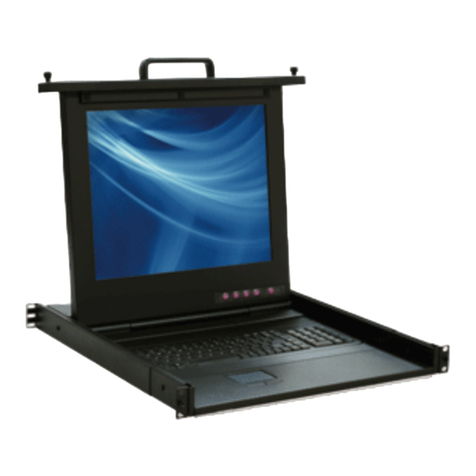
  9. Broadrack EC 17 Series User manual

Broadrack EC 17 Series User manual

Other manuals for EC 17 Series

1

This manual suits for next models

1

Other Broadrack LCD Drawer manuals
Broadrack PD Series User manual

Broadrack

Broadrack PD Series User manual

Broadrack EC 17 User manual

Broadrack

Broadrack EC 17 User manual

Broadrack Unicorn 15 User manual

Broadrack

Broadrack Unicorn 15 User manual

Broadrack EC 17 Series User manual

Broadrack

Broadrack EC 17 Series User manual

Broadrack KSR-11508-DVI User manual

Broadrack

Broadrack KSR-11508-DVI User manual

Broadrack KDR Series User manual

Broadrack

Broadrack KDR Series User manual

Popular LCD Drawer manuals by other brands
VADANIA VA1045 manual

VADANIA

VADANIA VA1045 manual

Acnodes KD 8228 user manual

Acnodes

Acnodes KD 8228 user manual
Ameriwood 9524328PCOM manual

Ameriwood

Ameriwood 9524328PCOM manual

Kesseböhmer TANDEM solo Mounting instructions
Kesseböhmer

Kesseböhmer TANDEM solo Mounting instructions

Crystal Image Technologies RMD-151-A Series user manual
Crystal Image Technologies

Crystal Image Technologies RMD-151-A Series user manual

APW Wyott Ease Extreme HDX-1-120 Installation and operating instructions
APW Wyott

APW Wyott Ease Extreme HDX-1-120 Installation and operating instructions
NTI RACKMUX-V17-N Installation and operation manual

NTI

NTI RACKMUX-V17-N Installation and operation manual

Austin Hughes CyberView L120 user manual

Austin Hughes

Austin Hughes CyberView L120 user manual

Uplift Desk STR018 manual

Uplift Desk

Uplift Desk STR018 manual

StarTech.com DuraView RACKCONS1501 instruction manual

StarTech.com

StarTech.com DuraView RACKCONS1501 instruction manual

GRASS DWD XP manual

GRASS

GRASS DWD XP manual

Acnodes KDC 81932 user manual

Acnodes

Acnodes KDC 81932 user manual

Acnodes RK1200T user manual

Acnodes

Acnodes RK1200T user manual

montpellier WD140BG Installation and operating instructions
montpellier

montpellier WD140BG Installation and operating instructions
Austin Hughes Electronics CyberView RKP215-801 user manual

Austin Hughes Electronics

Austin Hughes Electronics CyberView RKP215-801 user manual

Fricosmos 485402 quick start guide

Fricosmos

Fricosmos 485402 quick start guide
Crystal Image Technologies RM-FD117A user manual
Crystal Image Technologies

Crystal Image Technologies RM-FD117A user manual

KinAn XL1808 quick start guide

KinAn

KinAn XL1808 quick start guide

manuals.online logo
manuals.online logoBrands
  • About & Mission
  • Contact us
  • Privacy Policy
  • Terms and Conditions

Copyright 2025 Manuals.Online. All Rights Reserved.

EC 17 / 19 Series
Single Rail LCD Console
Quick Installation Guide
Rev 2.0
Single Rail LCD Console QIG
1
Notes:
1. Please check all peripherals according the list before installation. To make sure
that the whole unit was not damaged and lost during shipping process. If you
encounter any problem, please contact your dealer.
2. Before installation, make sure all peripherals and computer have been turned
off.
3. The cabinet depth range must be in 508 ~ 809 mm for 17”LCD console (548 ~
849 mm for 19”LCD console.). Contact your dealer for deeper cabinet
application.
4. Reliable grounding of rack-mounted equipment should be maintained. Particular
attention should be given to supply connections other than direct connections to
the branch circuit.
Hardware kits contents:
1. Rail with front and rear bracket x 2
2. Screw (length = 6 mm) x 6
Install steps:
1. Adjust rail until one screw appear. Loose (Not release) two rear screws then
adjust rear bracket to fit your cabinet.
Rail
Single Rail LCD Console QIG
2
2. Install front and rear bracket on cabinet.
3. Tight-up two rear screws.
4. Repeat step 1~3 for the other side.
5. Pull rail until it lock and keep the part A in front of the rail (Both sides).Then
push console into left and right rails. DO NOT removes protective tapes.
Part A
Tape
Single Rail LCD Console QIG
3
6. Pull rail–release switch (left and right at the same time) then push console to
the end.
7. Install two screws in rear of the console (Both sides). Remove protective
tapes.
8. Finish installation as below.
Rail-release switch
Single port