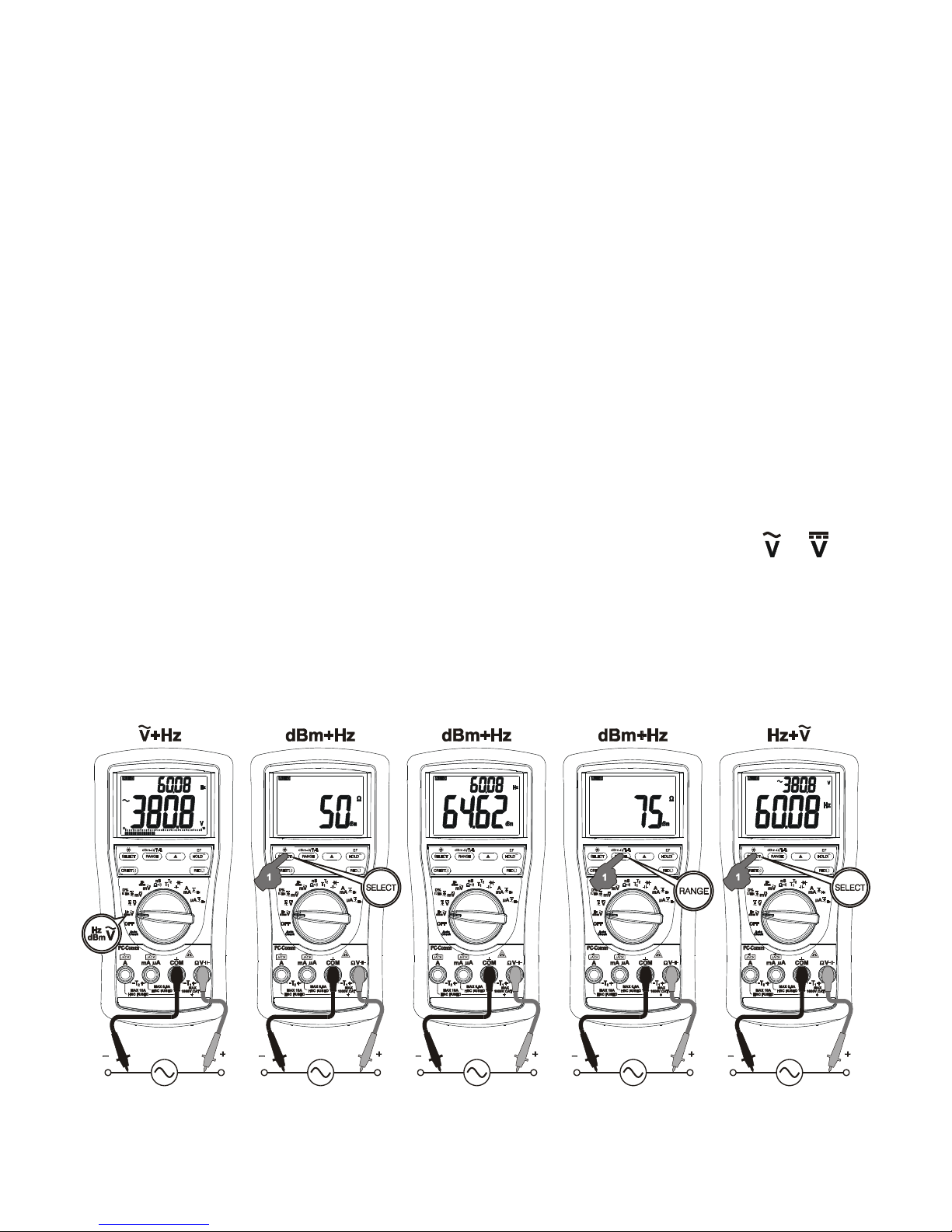
measurements normally set the most appropriate trigger level. You can also press the
RANGE button momentarily to select another trigger level (voltage range) manually. If the
Hz reading becomes unstable, select higher voltage range to avoid electrical noise. If the
reading shows zero, select lower voltage range.
Note: In dBm +Hz function, power up default reference impedance will be displayed for 1
second before displaying the dBm readings. Press dBm- (RANGE) button momentary to
select different reference impedance of 4, 8, 16, 32, 50, 75, 93, 110, 125, 135, 150, 200,
250, 300, 500, 600, 800, 900, 1000, up to 1200. Last selection will be saved as power up
default for repeat measurement convenience. Manual trigger level selection on Hz reading
is not available.
DC+ACV +ACV (Models 525s, 521s, 829s only), DCV, DCV +ACV functions
Press the SELECT button momentarily to select the subject functions in sequence. Last
selection will be saved as power up default for repeat measurement convenience.
Models 525s, 521s, 829s:
DCmV, DCmV +ACmV, DC+ACmV +ACmV, Logic-Level Hz & Duty%
Press the SELECT button momentarily to select the subject functions in sequence. Last
selection will be saved as power up default for repeat measurement convenience.
Models 827s, 822s, 821s:
DCmV, DCmV +ACmV, Logic-Level Hz & Duty%
Press the SELECT button momentarily to select the subject functions in sequence. Last
selection will be saved as power up default for repeat measurement convenience.