manuals.online logo
Brands
  1. Home
  2. •
  3. Brands
  4. •
  5. Casio
  6. •
  7. Watch
  8. •
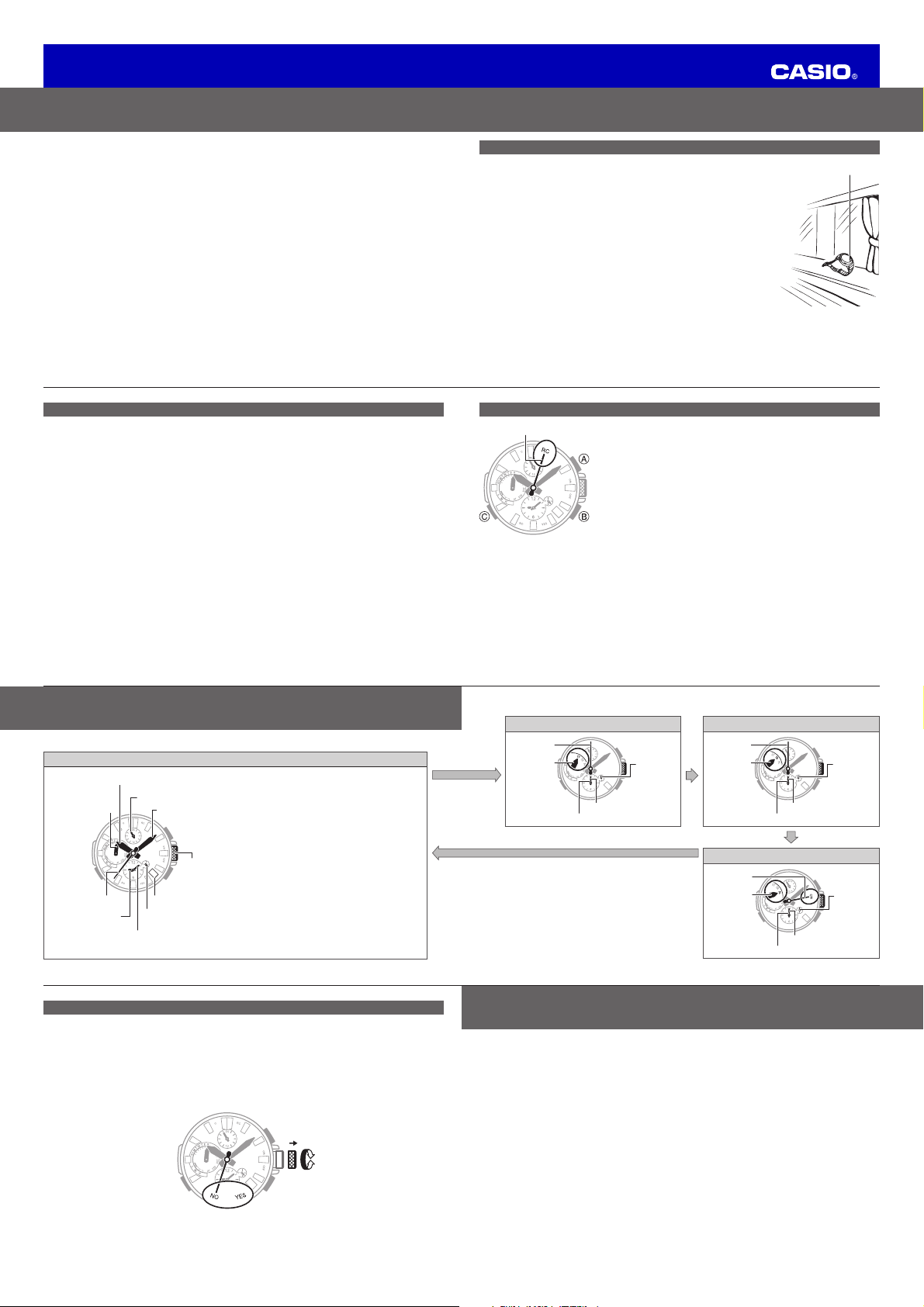
  9. Casio 5526 MRG User manual

Casio 5526 MRG User manual

Other Casio Watch manuals

Casio 5255 User manual

Casio

Casio 5255 User manual

Casio 5679 User manual

Casio

Casio 5679 User manual

Casio 1995 User manual

Casio

Casio 1995 User manual

Casio 5089 User manual

Casio

Casio 5089 User manual

Casio 3218 User manual

Casio

Casio 3218 User manual

Casio SGW100B - SGW100B-3V User manual

Casio

Casio SGW100B - SGW100B-3V User manual

Casio 2038 User manual

Casio

Casio 2038 User manual

Casio 4389 User manual

Casio

Casio 4389 User manual

Casio 5230 User manual

Casio

Casio 5230 User manual

Casio 1591 User manual

Casio

Casio 1591 User manual

Casio 1570 User manual

Casio

Casio 1570 User manual

Casio 5472 User manual

Casio

Casio 5472 User manual

Casio 5226 User manual

Casio

Casio 5226 User manual

Casio 2036 User manual

Casio

Casio 2036 User manual

Casio 5524 User manual

Casio

Casio 5524 User manual

Casio 5529 User manual

Casio

Casio 5529 User manual

Casio Databank DBC30 User manual

Casio

Casio Databank DBC30 User manual

Casio 3419 User manual

Casio

Casio 3419 User manual

Casio 5303 User manual

Casio

Casio 5303 User manual

Casio MRW-S300H series User manual

Casio

Casio MRW-S300H series User manual

Casio 2994 User manual

Casio

Casio 2994 User manual

Casio 3446 User manual

Casio

Casio 3446 User manual

Casio 510 User manual

Casio

Casio 510 User manual

Casio 4734 User manual

Casio

Casio 4734 User manual

Popular Watch manuals by other brands

Piaget 560P Instructions for use

Piaget

Piaget 560P Instructions for use

Armitron pro sport MD0346 instruction manual

Armitron

Armitron pro sport MD0346 instruction manual

West Marine BlackTip 13411293 Instruction Booklet and Care Guide

West Marine

West Marine BlackTip 13411293 Instruction Booklet and Care Guide

Jaeger-leCoultre HYBRIS MECHANICA CALIBRE 184 manual

Jaeger-leCoultre

Jaeger-leCoultre HYBRIS MECHANICA CALIBRE 184 manual

FOREVER iGO PRO JW-200 user manual

FOREVER

FOREVER iGO PRO JW-200 user manual

Relic OS10 quick start guide

Relic

Relic OS10 quick start guide

MyKronoz ZeClock manual

MyKronoz

MyKronoz ZeClock manual

Strikes and Spares SASM80 E-manual

Strikes and Spares

Strikes and Spares SASM80 E-manual

Christopher Ward C1000 Owner's handbook

Christopher Ward

Christopher Ward C1000 Owner's handbook

Lotus ILMFS01 instruction manual

Lotus

Lotus ILMFS01 instruction manual

Chronos Manufactures Chrono Diamond Thyrso 10400 instruction manual

Chronos Manufactures

Chronos Manufactures Chrono Diamond Thyrso 10400 instruction manual

Pandora WATCH2 quick guide

Pandora

Pandora WATCH2 quick guide

Suunto X6 user guide

Suunto

Suunto X6 user guide

Seiko N830 instruction manual

Seiko

Seiko N830 instruction manual

MotionX 365 user guide

MotionX

MotionX 365 user guide

Aplus GV18 user guide

Aplus

Aplus GV18 user guide

Garmin VENU SQ 2 owner's manual

Garmin

Garmin VENU SQ 2 owner's manual

QCY Watch GTC manual

QCY

QCY Watch GTC manual

manuals.online logo
manuals.online logoBrands
  • About & Mission
  • Contact us
  • Privacy Policy
  • Terms and Conditions

Copyright 2025 Manuals.Online. All Rights Reserved.

User’s Guide 5526 (MRG)
E-7
Charge Level Indication
xThe current charge level is temporarily indicated right after you enter the Timekeeping Mode.
See “Mode Reference Guide” (page E-12).
L: Insufficient (low)
M: Good (medium)
H: Good (high)
Battery Alerts
xLow Battery
In the Timekeeping Mode, second hand jumps every two seconds (Low Battery Alert).
xDead Battery
In the Timekeeping Mode, all hands stopped.
E-6
Charging the Watch
xWhen you are not wearing the watch, leave it where its face (solar panel) is
exposed to bright light for charging.
xTo help ensure stable operation, expose the face of the watch to about a half
day of direct sunlight each month to charge it.
xWhile wearing the watch, take care so your sleeve does not block its face
(solar panel) from light. Charging efficiency may be reduced if the face (solar
panel) is blocked from light, even partially.
Caution
xThe case of the watch may become extremely hot when charging. Guard against burn injury.
Power Saving
xLeaving the watch in a dark location for about one hour between 10:00 p.m. and 5:50 a.m. will cause
the second hand to stop.
xLeaving the watch in a dark location for about one week will cause all hands to stop.
E-5
Bluetooth®is a registered trademark or trademark of Bluetooth SIG, Inc. of the United States.
Your watch has a Mobile Link function that allows it to communicate with a Bluetooth®mobile phone
and adjust its time settings to match those of the mobile phone.
xThis product complies with or has received approval under radio laws in various countries and
geographic areas. Use of this product in an area where it does not conform to or where it has not
been approved under applicable radio laws may be punishable under local laws. For details, visit
http://world.casio.com/ce/BLE/.
xUse of this product inside of an aircraft is restricted by the aviation laws of each country. Be sure to
obey instructions provided by flight personnel concerning use of devices such as this product.
E-4
Contents
Features .............................................................................................................................................. E-2
Charging the Watch............................................................................................................................ E-6
Timekeeping (Current Time and Day Adjustment) ............................................................................. E-8
Timekeeping (Based on a Time Calibration Signal) ........................................................................... E-9
Appropriate Signal Reception Location (Time Calibration Signal).................................................... E-9
Time Calibration Signal Auto Receive.......................................................................................... E-10
Time Calibration Signal Manual Receive...................................................................................... E-11
Mode Reference Guide..................................................................................................................... E-12
Using the Watch in a Medical Facility or Aircraft .......................................................................... E-14
Time Zone setting ............................................................................................................................. E-15
To configure Home Time differential ........................................................................................... E-16
Dual Time setting ....................................................................................................................... E-17
Configuring Time and Date Settings Manually ................................................................................ E-18
Specifications ................................................................................................................................... E-19
Operating Precautions...................................................................................................................... E-21
User Maintenance............................................................................................................................. E-27
E-3
◆Alarm...................................................................................................................... Page E-13
The watch can be configured to sound a tone when the preset alarm time is reached.
BE-2
Features
Your watch provides you with the features and functions described below.
◆Solar powered operation........................................................................................Page E-6
The watch generates electrical power from sunlight and other types of light, and uses it to charge a
battery that powers operation.
◆Accurate timekeeping.............................................................................................Page E-8
Timekeeping is kept accurate using information provided by receipt of a time calibration signal and by
communication with a phone.
◆Dual time display...................................................................................................Page E-17
You can view the time in your current location, plus the time in one more time zone. The Mobile Link
function can be used to specify a World Time City setting so the sub-dial indicates the current time
there.
◆Stopwatch..............................................................................................................Page E-13
The stopwatch measures elapsed time up to 24 hours in one-second increments.
◆Timer ......................................................................................................................Page E-13
The timer counts down from a preset start time, and the watch sounds a tone when the countdown
reaches zero.
E-1
ENGLISH
Congratulations upon your selection of this CASIO watch.
To ensure that this watch provides you with the
years of service for which it is designed, carefully
read and follow the instructions in this manual,
especially the information under “Operating
Precautions” and “User Maintenance”.
Be sure to keep all user documentation handy
for future reference.
xKeep the watch’s face exposed to light as
much as possible (page E-6).
Important!
xFor details about how to adjust the current
time zone, time, and day settings, see
“Timekeeping (Current Time and Day
Adjustment)” (page E-8).
Note that CASIO COMPUTER CO., LTD. assumes no responsibility for any damage or loss suffered
by you or any third party arising through the use of your watch or its malfunction.
For details about how to use this watch and for
troubleshooting information, go to the website
below.
http://world.casio.com/manual/wat/
MA1711-EC © 2017 CASIO COMPUTER CO., LTD.
User’s Guide 5526 (MRG)
E-15
Time Zone setting
Important!
xIn order to prevent loss of water resistance and damage due to impact, make sure that the crown is
fully pushed in to its normal position after operating it.
xFor details about summer time settings and time zone settings, refer to the Operation Guide available
at the CASIO website.
http://world.casio.com/manual/wat/
E-14
Using the Watch in a Medical Facility or Aircraft
xDisable auto time adjustment whenever you are in a medical facility, and aircraft, in any other area
where radio wave reception and connection with a phone are prohibited or restricted.
xDisabling auto time adjustment disables time calibration signal auto receive and auto connection with
a phone.
xPress Bonce and then pull out the crown to the first click. The second hand will move to Y (YES)
(auto receive enabled) or N (NO) (auto receive disabled). To disable auto time adjustment, rotate the
crown to move the second hand to N (NO). To enable auto time adjustment, rotate the crown to
move the second hand to Y (YES). After the setting is the way you want, push the crown back in to its
normal position.
30
E-13
C
Stopwatch Mode Countdown Timer Mode
30
xStart
xStop
Seconds
xResetxEnters the
Countdown
Timer Mode
Points to ST
Hours
Minutes
Hours
(0 to 24)
C
30
xStart
xStop
Seconds
xResetxEnters the
Alarm Mode
Points to TR
Hours
Minutes
Hours
(0 to 24)
C
Alarm Mode
* The A-side of the dial indicates an a.m. time, while
the P-side indicates a p.m. time.
xHold down Cfor about four seconds to establish
a Bluetooth connection with a phone. For details,
refer to the Operation Guide available at the CASIO
website.
http://world.casio.com/manual/wat/
30
xIllumination
Alarm on
xAlarm offxEnters the
Timekeeping
Mode
Points to AL
Hours
Minutes
Hours
(0 to 24)
xHolding down Cfor two seconds in any mode returns to the Timekeeping Mode.
E-12
Mode Reference Guide
xUse Cto navigate between modes.
Timekeeping Mode
30
Minute hand
Day of the week
hand
24-hour hand
Hour hand
Second hand Day Indicator
Crown
CB
A
Dual time hour hand Dual time 24-hour hand*
Dual time minute hand
xPressing Aturns on the illumination.
xTo swap your Home Time with the Dual Time,
hold down Afor threeseconds.
xTo view the result of last time calibration by
time signal reception or Mobile Link, press
Bonce.
xTo trigger a time calibration by Mobile Link
manually, hold down Bfor 0.5seconds.
xTo trigger a time calibration signal reception
operation manually, hold down Bfor
1.5seconds.
xTo search for the phone (while the watch
is connected with it), hold down Bfor
3.5seconds.
xPress Conce to enter the Stopwatch Mode.
C
E-11
Time Calibration Signal Manual Receive
1. Hold down Bfor at least two seconds until the second hand moves
to RC (Receive). If the second hand is a position other than RC, keep
Bdepressed until it moves to RC.
2. Place the watch near a window.
xThe time setting will be adjusted automatically when a signal receive
operation is successful.
xCalibration signal reception normally takes anywhere from about two
to 10 minutes. It can take as long as 20 minutes.
xBest reception is in the middle of the night.
xIf you are unable to receive a signal, check the Operation Guide
available at the CASIO website to ensure the watch is in a suitable
location.
http://world.casio.com/manual/wat/
30
Second hand
E-10
Time Calibration Signal Auto Receive
Important!
xTo perform time calibration signal auto receive, the watch must be in the Timekeeping Mode. See
“Mode Reference Guide” (page E-12).
● Leave the watch in a location that is appropriate for time calibration signal reception between
the hours of midnight and 5:00 a.m. See “Appropriate Signal Reception Location (Time
Calibration Signal)” (page E-9).
xThe second hand will point to RC while time calibration signal reception is in progress.
xReception normally takes anywhere from about two to ten minutes, but it can take as long as
20minutes.
xWhen the receive operation is successful, the time and day settings will be adjusted automatically.
E-9
Timekeeping (Based on a Time Calibration Signal)
Appropriate Signal Reception Location (Time Calibration Signal)
xKeep the watch away from metal and position it so its 6 o’clock side is
facing a window. Avoid moving the watch as much as possible and do
not perform any watch operations while a signal receive operation is in
progress.
● You may experience time calibration signal reception problems in
the areas described below.
-Among or near buildings
-While riding in a vehicle
-Near household appliances, office machines, mobile phones, etc.
-On a construction site, in an airport, or any other location where radio
wave interference occurs
-Near high-voltage lines
-In mountainous areas or behind a mountain
xAlways check the time setting on the day there should be a switch
between standard time and summer time (DST). If the setting is not
correct (due to signal reception failure), turn DST on or off manually as
required.
6 o’clock
E-8
Timekeeping (Current Time and Day Adjustment)
● Timekeeping is kept accurate using information provided by a time calibration signal and by
communication with a mobile phone.
xTime calibration signals can be received using Auto Receive or Manual Receive (page E-9).
xTo set the current time and day, normally use the procedure under “Time Calibration Signal Auto
Receive” (page E-10).
xFor information about how to adjust time using a phone, refer to the Operation Guide available at
the website below.
http://world.casio.com/manual/wat/
xIf you are in an area where a time calibration signal cannot be received or if you cannot connect
with a phone for some reason, adjust time and date settings manually (page E-18).
Important!
xIf you feel that the current time and/or day indicator are not in the correct positions, you can adjust
their alignment. For details, see the Operation Guide available at the CASIO website.
xTime calibration signal reception is normally possible in the areas below.
Japan, China, North America, Europe
For details, see the Operation Guide available at the CASIO website.
xFor details about the following operations, refer to the Operation Guide available at the CASIO website:
Configuring Home City time differential (time zone), summer time, current time, and current date
settings manually.
http://world.casio.com/manual/wat/

User’s Guide 5526 (MRG)
E-20
Data Communication Specifications
Bluetooth®
Frequency Band: 2400MHz-2480MHz
Maximum Transmission: 0 dBm (1 mW)
Communication range: 2 meters max. (depends on environment)
Stopwatch:
Measuring unit: 1 second
Measuring capacity: 23 hours 59 minutes, 59 seconds (24 hours)
Measuring mode: Elapsed time
Countdown Timer:
Setting unit: 1 minute
Countdown range: 24 hours
Measuring unit: 1 second
Alarm:
Setting unit: hour, minute
Other: LED light; Power Saving; Low battery alert; Auto Correction of Hand Home Positions
Power Supply: Solar panel and one rechargeable battery
Approximately 5 months
Not exposed to light under the conditions below.
•Auto time adjustment: 4 times/day
•Light: 1 operation/day
•Alarm: 1 operation/day
•Power saving: 6 hours/day
Specifications are subject to change without notice.
C
E-19
Specifications
Accuracy at normal temperature: ±15 seconds a month (When receive of a calibration signal or
communication with a phone for time adjustment is not possible.)
Timekeeping : Hour, minutes, seconds, day, day of the week
Calendar system: Full Auto-calendar pre-programmed from the year 2000 to 2099
Dual Time: Hour, minutes, 24-hour
Home Time swapping
Signal receive function: Auto receive, manual receive
Auto transmitter selection (for JJY, MSF/DCF77)
Receivable call signs: JJY (40 kHz/60 kHz), BPC (68.5 kHz), WWVB (60 kHz), MSF (60 kHz),
DCF77 (77.5 kHz)
Manual and auto standard time/summer time switching
Mobile Link Functions:
Auto Time Adjustment
Time setting automatically adjusted during a fixed time period.
One-touch Time Correction
Manual connection and time adjustment
Phone Finder
Watch operation sounds a tone on the connected phone.
Home Time swapping
Auto summer time switching
Automatic switching between standard time and summer time.
Hand position correction
E-18
Configuring Time and Date Settings Manually
● Pull out the crown to the second click. After holding down Cfor about one second, adjust the
time and date settings.
C
(Example: Setting to June 30, 2018)
C
(Hour)
Current time and
date setting (+)
Current time and
date setting (–)
(Month)(Day) (Year 1’s digit)
CC C
(Hour, minute)
C
(Year 10’s digit)
30
30
00
60
90 30
20
10
80 40
70 50
0
6
93
2
1
84
75
12
6
93
2
1
84
75
10
11
xOperation details: Operation Guide available at the CASIO website.
http://world.casio.com/manual/wat/
E-17
Dual Time setting
1. In the Timekeeping Mode, pull the crown out to the first click.
Example: To select New York (UTC Offset: –5 hours)
30
New York (55-second position)
Time zone setting (–)
Time zone setting (+)
xYou can view the current time in your current location, plus one other time (time in another time
zone, etc.)
xCounting from the 12 o’clock position, which represents 0 seconds, rotate the crown to align the
second hand with the desired second position. For information about representative cities for each
offset, refer to the City List (page L-1).
E-16
To configure Home Time differential
1. Pull the crown out to the second click.
Example: To select Tokyo (UTC Offset: +9 hours)
30
Time zone setting (–)
Time zone setting (+)
Tokyo (9-second position)
xCounting from the 12 o’clock position, which represents 0 seconds, rotate the crown to align the
second hand with the desired second position. For information about representative cities for each
offset, refer to the City List (page L-1).
L-3
UTC Offset/
GMT Differential
Second hand
position Representative Time Zone City Radio wave to be received
–8 52 Los Angeles*, Vancouver WWVB
–7 53 Denver*, Edmonton WWVB
–6 54 Chicago*, Mexico City WWVB
–5 55 New York*, Montreal WWVB
–4 56 Halifax*, Caracas WWVB
–3 57 Rio De Janeiro, Buenos Aires –
–2 58 Fernando de Noronha –
–1 59 Praia –
* Cities where auto receive is normally supported.
xBased on data as of January 2017.
xFor details about how to set the Home Time differential, World Time city, and summer time settings,
refer to the Operation Guide available at the CASIO website.
http://world.casio.com/manual/wat/
L-2
City (Time Zone) List
UTC Offset/
GMT Differential
Second hand
position Representative Time Zone City Radio wave to be received
0 0 London*, Dublin MSF/DCF77
+1 1 Paris*, Rome MSF/DCF77
+2 2 Athens*, Cairo MSF/DCF77
+3 3 Jeddah, Moscow –
+4 4 Dubai, Abu Dhabi –
+5 5 Karachi –
+6 6 Dhaka –
+7 7 Bangkok, Jakarta –
+8 8 Hong Kong*, Singapore BPC
+9 9 Tokyo*, Seoul JJY
+10 10 Sydney, Guam –
+11 11 Noumea, Port Vila –
+12 12 Wellington, Christchurch –
+13 13 Nukualofa –
+14 14 Kiritimati –
–12 48 Baker Island –
–11 49 Pago Pago –
–10 50 Honolulu, Papeete –
–9 51 Anchorage, Nome –
L-1
City (Time Zone) List