manuals.online logo
Brands
  1. Home
  2. •
  3. Brands
  4. •
  5. Castle Creations
  6. •
  7. Controllers
  8. •
  9. Castle Creations CC BEC 2.0 User manual

Castle Creations CC BEC 2.0 User manual

Other Castle Creations Controllers manuals
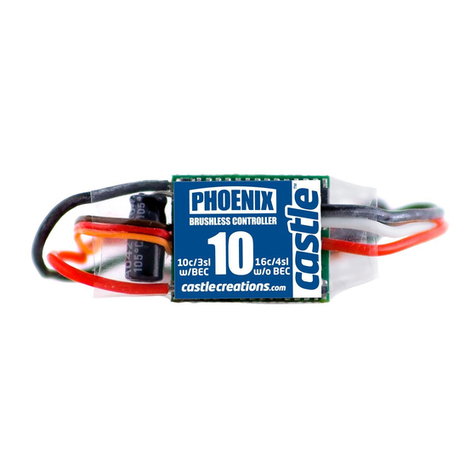
Castle Creations PHOENIX-10 User manual

Castle Creations

Castle Creations PHOENIX-10 User manual

Castle Creations CC BEC 010-0004-00 User manual

Castle Creations

Castle Creations CC BEC 010-0004-00 User manual

Castle Creations Phoenix -25 User manual

Castle Creations

Castle Creations Phoenix -25 User manual

Castle Creations Pixie-7 User manual

Castle Creations

Castle Creations Pixie-7 User manual

Castle Creations CC BEC User manual

Castle Creations

Castle Creations CC BEC User manual

Castle Creations CC BEC 10006301 User manual

Castle Creations

Castle Creations CC BEC 10006301 User manual

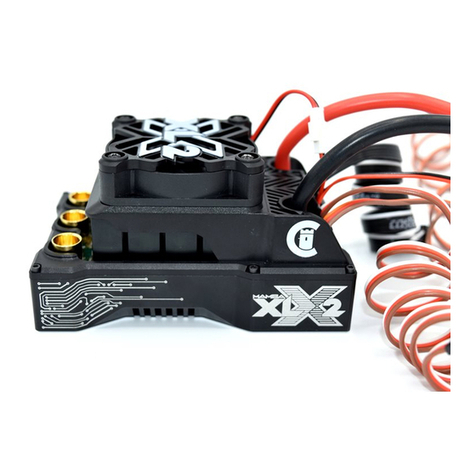
Castle Creations MAMBA XL X User manual

Castle Creations

Castle Creations MAMBA XL X User manual

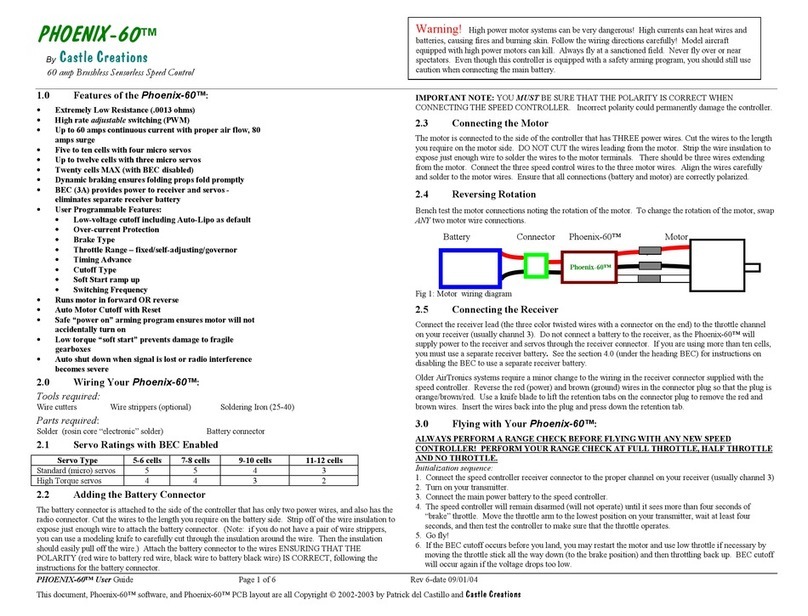
Castle Creations PHOENIX-60 User manual

Castle Creations

Castle Creations PHOENIX-60 User manual

Castle Creations Phoenix-80 User manual
Castle Creations

Castle Creations Phoenix-80 User manual

Castle Creations HYDRA XLX2 User manual

Castle Creations

Castle Creations HYDRA XLX2 User manual

Castle Creations Pixie-20 User manual

Castle Creations

Castle Creations Pixie-20 User manual

Castle Creations MAMBA XLX2 User manual

Castle Creations

Castle Creations MAMBA XLX2 User manual

Castle Creations PHOENIX-10 User manual

Castle Creations

Castle Creations PHOENIX-10 User manual

Castle Creations Phoenix-45 User manual
Castle Creations

Castle Creations Phoenix-45 User manual

Castle Creations MAMBA-25 User manual

Castle Creations

Castle Creations MAMBA-25 User manual

Castle Creations Pixie-20P User manual

Castle Creations

Castle Creations Pixie-20P User manual

Castle Creations Pixie-7P User manual

Castle Creations

Castle Creations Pixie-7P User manual

Castle Creations Mamba Micro X2 User manual

Castle Creations

Castle Creations Mamba Micro X2 User manual

Castle Creations MAMBA XLX2 User manual
Castle Creations

Castle Creations MAMBA XLX2 User manual

Popular Controllers manuals by other brands

Sunricher SR-ZV9003T3-RGBW-US Installation

Sunricher

Sunricher SR-ZV9003T3-RGBW-US Installation

Ksenia intro Installation and configuration manual

Ksenia

Ksenia intro Installation and configuration manual

Inovance CAN200 Series manual

Inovance

Inovance CAN200 Series manual

Gauzy LC6 FLEX Controller Installation and operation guide

Gauzy

Gauzy LC6 FLEX Controller Installation and operation guide

Viking SLP-1 Technical practice

Viking

Viking SLP-1 Technical practice

CKD KBX-30E-U Series instruction manual

CKD

CKD KBX-30E-U Series instruction manual

Sharp Energy Sun Flux User manual & installation guide

Sharp Energy

Sharp Energy Sun Flux User manual & installation guide

Yamaha RCX40 user manual

Yamaha

Yamaha RCX40 user manual

AB Quality PowerFlex 400 Frames D-H Service bulletin

AB Quality

AB Quality PowerFlex 400 Frames D-H Service bulletin

Yamaha MJC8 owner's manual

Yamaha

Yamaha MJC8 owner's manual

AL-KO ATC operating instructions

AL-KO

AL-KO ATC operating instructions

Savant SmartControl 2 Deployment guide

Savant

Savant SmartControl 2 Deployment guide

GameSir T3S user manual

GameSir

GameSir T3S user manual

Kostal inveor operating manual

Kostal

Kostal inveor operating manual

Emerson Yarway 20-55 Operating and safety instructions

Emerson

Emerson Yarway 20-55 Operating and safety instructions

CoCo ACM-LV24 Quick installation guide

CoCo

CoCo ACM-LV24 Quick installation guide

Brooks SLA5810/20 Installation and operation manual

Brooks

Brooks SLA5810/20 Installation and operation manual

SIGMA TEK SR 011 Technical manual

SIGMA TEK

SIGMA TEK SR 011 Technical manual

manuals.online logo
manuals.online logoBrands
  • About & Mission
  • Contact us
  • Privacy Policy
  • Terms and Conditions

Copyright 2025 Manuals.Online. All Rights Reserved.

• WATERPROOF
• WIDE INPUT RANGE 2S - 14S (6V - 58.8V)
• 15 AMP (5.25V@12S) PEAK OUTPUT CURRENT
• 4.75 - 12V ADJUSTABLE OUTPUT VOLTAGE
RECOMMENDED FOR:
• SURFACE • MARINE
• SEA PLANES • INDUSTRIAL
P/N: 010-0153-00
CC BEC COMPARISON CHART
CC BEC (for reference) CC BEC Pro (for reference) CC BEC 2.0 WP (in package)
010-0004-00 010-0004-01 010-0153-00
APPLICATIONS:
Crwlers, rcing, sport
plnes, night flyers
Helis, 1:5 scle crs, gint scle
plnes, UAS
Crwlers, mrine, se plnes, UAS, industril
DIMENSIONS:
L: 1.70” (43mm)
: 0.57” (15mm)
H: 0.48” (12mm)
L: 1.86” (47mm)
: 1.30” (33mm)
H: 0.86” (22mm)
L: 1.37” (35mm)
: 0.69” (18mm)
H: 0.75” (19mm)
WEIGHT:
0.5 oz (13g) 11.4 oz (40g) 11.0 oz (28g) 1
PEAK CURRENT:
10A 20A 15A (dependent upon input voltge nd
output voltge. See tble below.)
CONTINUOUS OUTPUT CURRENT:
2S - 3S: 7A
3S - 6S: 5A
2S - 4S: 15A
5S - 6S: 13A
7S - 8S: 11A
9S - 10S: 9A
11S - 12S:8A
4.75 - 6.0V output: 10A
6.25 - 8.5V output: 9A
8.75 - 10V output: 8A
10.25 - 12.0V output: 7A
ADJUSTABLE OUTPUT VOLTAGE:
4.8V to 9V 4.8V to 12.5V 4.75V to 12V 
DEFAULT SETTING
5.1V 5.1V 5.25V
MAX VOLTAGE:
6S LiPo (25.2V) Surfce: 8S (33.6V)
Airplnes: 10S (42V)
Helis ( no brke): 12S (50.2V)
Surfce: 12S (50.4V)
Air (no brke): 14S (58.8V)
Air (w/brke): 12S (50.4V)
1. eight with full length wires, power wires my be shortened to sve weight depending on ppliction
2. Rtings re determined with  5mph irflow t 77º F (25º C).
3. Adjustble vi Cstle Link, sold seprtely.
CC BEC 2.0 WP PEAK CURRENT RATING
OUTPUT VOLTAGE SETTING
LiPo Cells <5.5V 6V 7V 8V 9V 10V & 11V 12V
8S -14S 15A 14A 13A 12A 11A 10A 9A
4S - 6S 14A 13A 12A 12A 11A 10A 9A
3S 13A 12A 11A 11A 10A — —
2S 12A 11A 11A — — — —
This is  high power product with the potentil to be very
dngerous. Plese red the sfety informtion before
use. This product my contin chemicls known to the
Stte of Cliforni to cuse cncer nd or birth defects or
other reproductive hrm.
U.S. Ptent # , , , ,
, nd  - Other ptents pending.
Product designed and manufactured in Olathe, Kansas USA.
© 2017 CASTLE CREATIOS, IC. PKG: 095-0345-01 REVISIO DATE: 03/2017
OPEN FLAP FOR WIRING DIAGRAMS
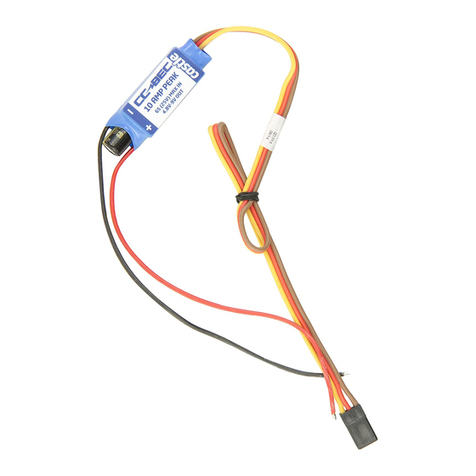
Single battery configuration
1. Solder the CC BEC 2.0 blck ground wire to ESC’s
blck bttery ground wire.
2. Solder the CC BEC 2.0 red power wire to ESC’s red
bttery power wire.
3. If your ESC hs n internl BEC, you must disconnect
the red wire on the ESC’s receiver led.
4. If your ESC does not hve n internl BEC, do OT
disconnect the red wire.
5. Plug both output leds of the CC BEC 2.0 into seprte
chnnels on your receiver.
Voltage Output
Defult setting: 5.25 volts. User selectble in 0.25 volt
increments between 4.75 nd 12 volts.
Cstle Link USB Interfce required to chnge output
voltge (sold seprtely).
Low Input Voltage
In the event tht the input voltge flls below the desired
output voltge, the CC BEC 2.0 output is essentilly equl
to the input level. CC BEC 2.0 cnnot output more voltge
thn the bttery it drws from. The CC BEC 2.0 will not
operte or produce ny output when input voltge drops
below 3.5 volts.
RF Noise
Alwys rnge check your model. This device should be
treted much like  speed control. Try to keep s much
distnce s possible between the rdio receiver nd
components nd the CC BEC unit.
Notes