FRESH COFFEE
M53 COFFEE MACHINE – CLEANING INSTRUCTIONS
DAILY CLEANING Each cleaning cycle will take 25 minutes.
Cleaning must be carried out at least once a day. TOTAL CLEANING TIME: 25 mins
YOU WILL NEED:
•Disposa le gloves
•Eye protection
•Cim ali Ecocleaner
(Cimbali code #610-004-114)
•Cim ali Ecojetsan
(Cimbali code #610-004-12)
•Cleaning rushes
(Cimbali code #BR20030)
•A jug or other suita le
container
Bean Hopper
Ta let Inlet
Unlock and lift open ta let inlet and
insert one Ecocleaner Ta let
CLOSE THE TABLET INLET
Lift the front flap to display cleaning
uttons. Press and hold the coffee
cleaning utton for 3-4 seconds
until ‘Group Washing’ appears on
the display
8 mins
Warning: water will e very hot!
Hot cleaning fluid will flow from the
dispense head. Wash cycle takes
a out 8 minutes. Wait until it finishes
1 3 4
7 8
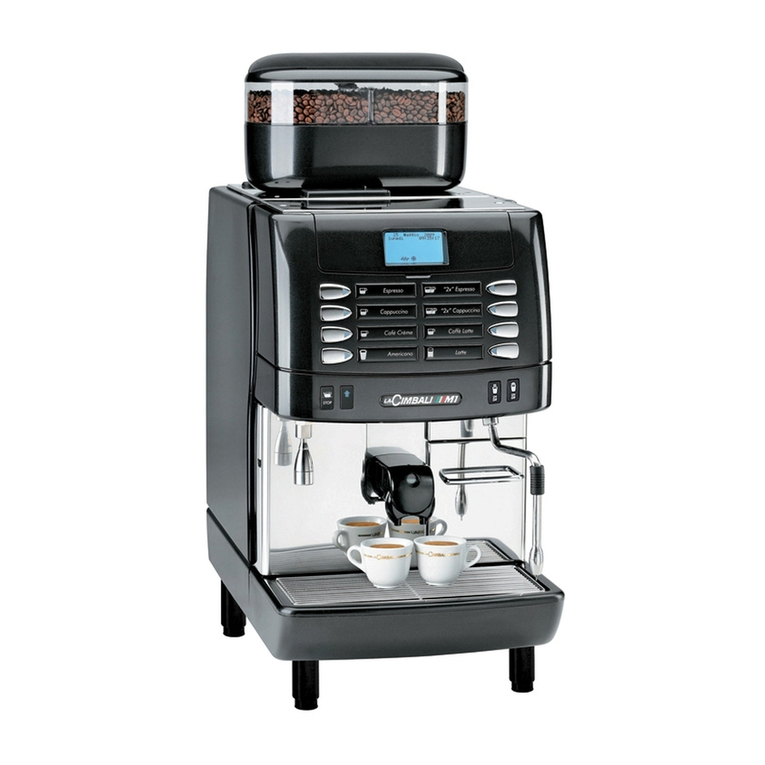
Coffee
Cleaning
Button
Display
Cleaning
uttons under
front flap
Drip Tray
Dispense Head
Power Switch on
left side of
machine
2
65
Press and hold the milk cleaning
utton for 3-4 seconds until ‘Milk
Washing’ appears on the display
IMPORTANT:
Always wear protective gloves
and eye protection when
dealing with chemicals
Ensure a cleaning sign is
displayed on coffee machine
during the cleaning cycle
The machine should not e
left unattended at any time
during the cleaning process as
this could cause a safety
hazard.
Coffee cannot e served once
the cleaning cycle has started .
It CANNOT e stopped, even if
the machine is switched off.
Prepare a jug of cleaning solution.
Mix 1 dose (50ml) of Ecojetsan in 1
litre of cold water
Fill another container/jug with clean,
cold water, immerse end of the milk
tu es and repeat steps 7 and 8
Remove milk from the milk chiller
and place all milk pipes in the
container/jug of solution
30 secs
Remove milk head y pulling directly
towards you.
Remove coffee and chocolate head y
pulling directly towards you
12
Warning: parts will e very hot! Warning: parts will e very hot!
Milk cleaner will flow from the
dispense head. Wash cycle takes
a out 30 seconds . Wait until it
finishes. Save remaining solution for
step 14
Warning: water will e very hot!
When the coffee & milk flushing is
complete the display will return to
normal SWITCH OFF POWER &
remove dispense head cover. NB. You
will find the switch underneath the
drip tray
10 11
Press and hold the milk cleaning
utton for 3-4 seconds until ‘Milk
Washing’ appears on the display
Milk
Cleaning
Button
9