manuals.online logo
Brands
  1. Home
  2. •
  3. Brands
  4. •
  5. COMECO
  6. •
  7. Transmitter
  8. •
  9. COMECO TRA1 User manual

COMECO TRA1 User manual

Other COMECO Transmitter manuals

COMECO TRA1 User manual

COMECO

COMECO TRA1 User manual

COMECO TRA1 User manual

COMECO

COMECO TRA1 User manual

COMECO TRA2 User manual

COMECO

COMECO TRA2 User manual

COMECO TRA1 User manual

COMECO

COMECO TRA1 User manual

COMECO PHG User manual

COMECO

COMECO PHG User manual

Popular Transmitter manuals by other brands

Seneca K120RTD installation manual

Seneca

Seneca K120RTD installation manual

Nautel GV40 installation manual

Nautel

Nautel GV40 installation manual

HumanTechnik cm-light operating instructions

HumanTechnik

HumanTechnik cm-light operating instructions

INOR APAQ C130 TC User instructions

INOR

INOR APAQ C130 TC User instructions

Linear DXS-64 operating instructions

Linear

Linear DXS-64 operating instructions

FeinTech ABT00102 instruction manual

FeinTech

FeinTech ABT00102 instruction manual

Geo Web Pack quick start guide

Geo

Geo Web Pack quick start guide

Inovonics EchoStream EN1210W installation instructions

Inovonics

Inovonics EchoStream EN1210W installation instructions

IKONNIK KA-6 quick start guide

IKONNIK

IKONNIK KA-6 quick start guide

Rohde & Schwarz SR8000 Series System manual

Rohde & Schwarz

Rohde & Schwarz SR8000 Series System manual

Audio Technica UniPak ATW-T93 Installation and operation

Audio Technica

Audio Technica UniPak ATW-T93 Installation and operation

NIVELCO EasyTREK SCA-300 Series Programming manual

NIVELCO

NIVELCO EasyTREK SCA-300 Series Programming manual

Honeywell 5816WMBR installation instructions

Honeywell

Honeywell 5816WMBR installation instructions

Kamstrup READy MTU Installation and operation guide

Kamstrup

Kamstrup READy MTU Installation and operation guide

Omega ZW Series user guide

Omega

Omega ZW Series user guide

ABB Field 264H Instructions for installation

ABB

ABB Field 264H Instructions for installation

Dejero EnGo 3x manual

Dejero

Dejero EnGo 3x manual

Rosemount 4600 Reference manual

Rosemount

Rosemount 4600 Reference manual

manuals.online logo
manuals.online logoBrands
  • About & Mission
  • Contact us
  • Privacy Policy
  • Terms and Conditions

Copyright 2025 Manuals.Online. All Rights Reserved.

Specifications
Input Signal
Output Signal
Output Linearity
ZERO Adjustment
SPAN Adjustment
Sensor Failure Reaction
Power Supply
Maximum Output Loop Load
Measurement Error
Self-heating Error
Temperature Drift
Operating Temperature / Humidity
Protection Class
T/C
4...20 mA, 2-wire
T/C voltage proportional
0...+4 mV
± 20% (average)
< 3.5 mA or > 23 mA, depending on terminal
8…32 VDC
800 Ωat 24V/20mA
0.3% from span
0.02%/mA at 24 V
0.02% from span for 1 °C
-30…80 °C / 0…95% RH
IP20
Warranty and Support
………………………….
serial number
………………………….
manufacturing date
QC check mark …….……(passed)
(stamp)
88 Slavyanska Str.
P.O.Box 378
Plovdiv 4000, BULGARIA
tel: +359 32 646523, 646524
fax: +359 32 634089, 646517
e-mail: support@comeco.org
QD-8.2.4-WC
Warranty
COMECO warrants this product
to be free from defects in materials
and workmanship for 2 years. If your unit
is found to be defective within that time,
we will promptly repair or replace it.
This warranty does not cover accidental
damage, wear or tear, or consequential
or incidental loss. This warranty
does not cover any defects caused
by wrong transportation, storage, installation,
or operating (see 'Specifications').
Technical support
In the unlikely event that you encounter
a problem with your COMECO device,
please call your local dealer or contact
directly our support team.
COMECO Inc., P.O.Box 378, Plovdiv 4000, BULGARIA, tel: +359 32 646523, 646524, fax: 634089
e-mail: [email protected]g, WWW.COMECOGROUP.COM
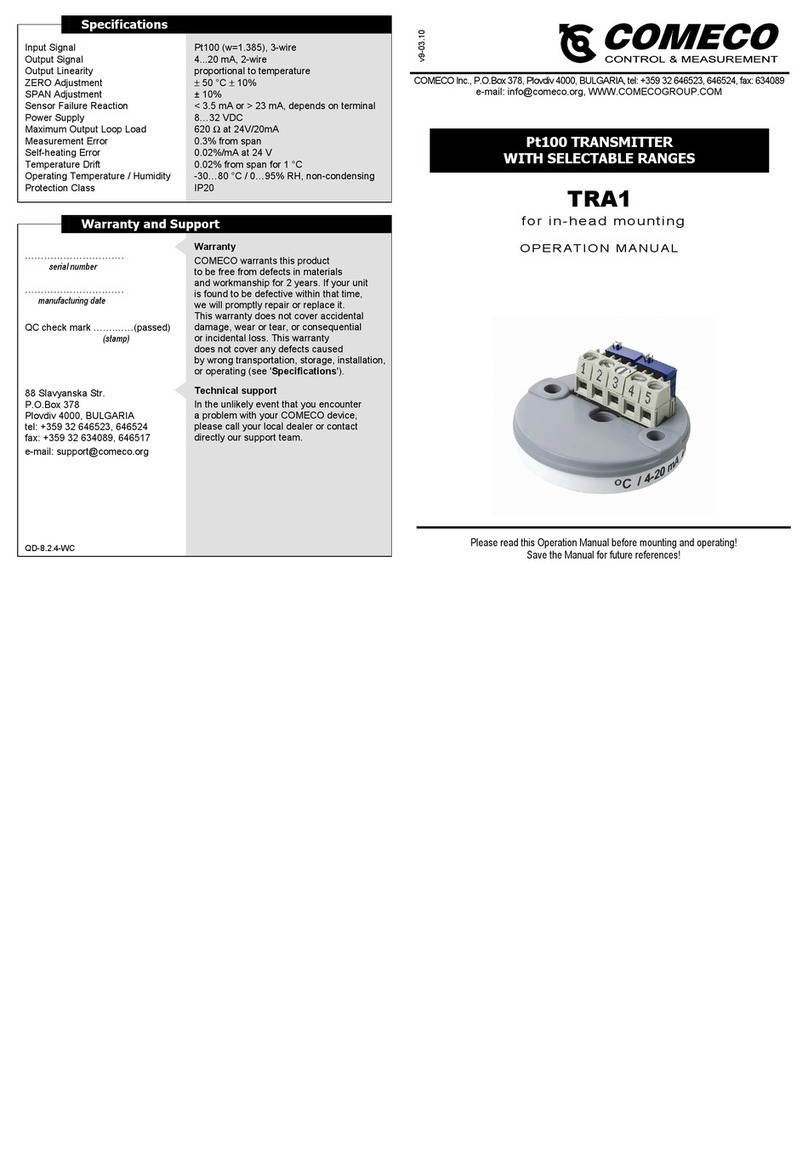
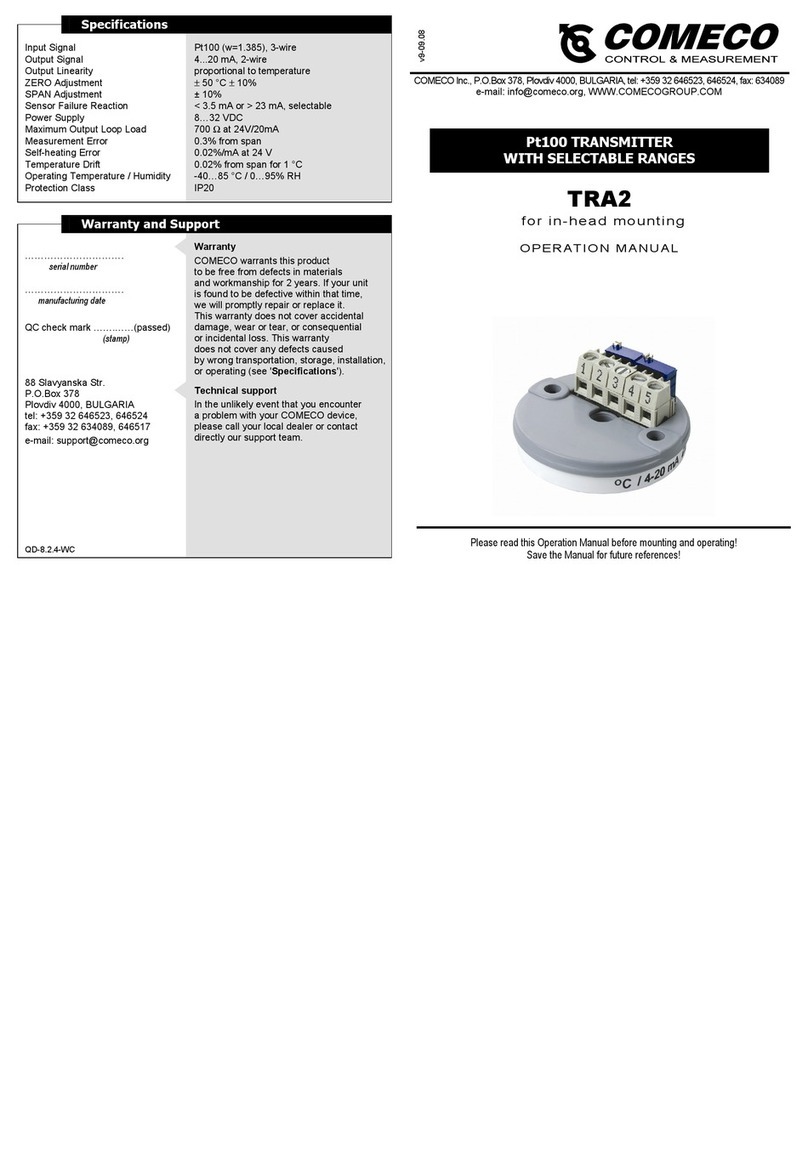
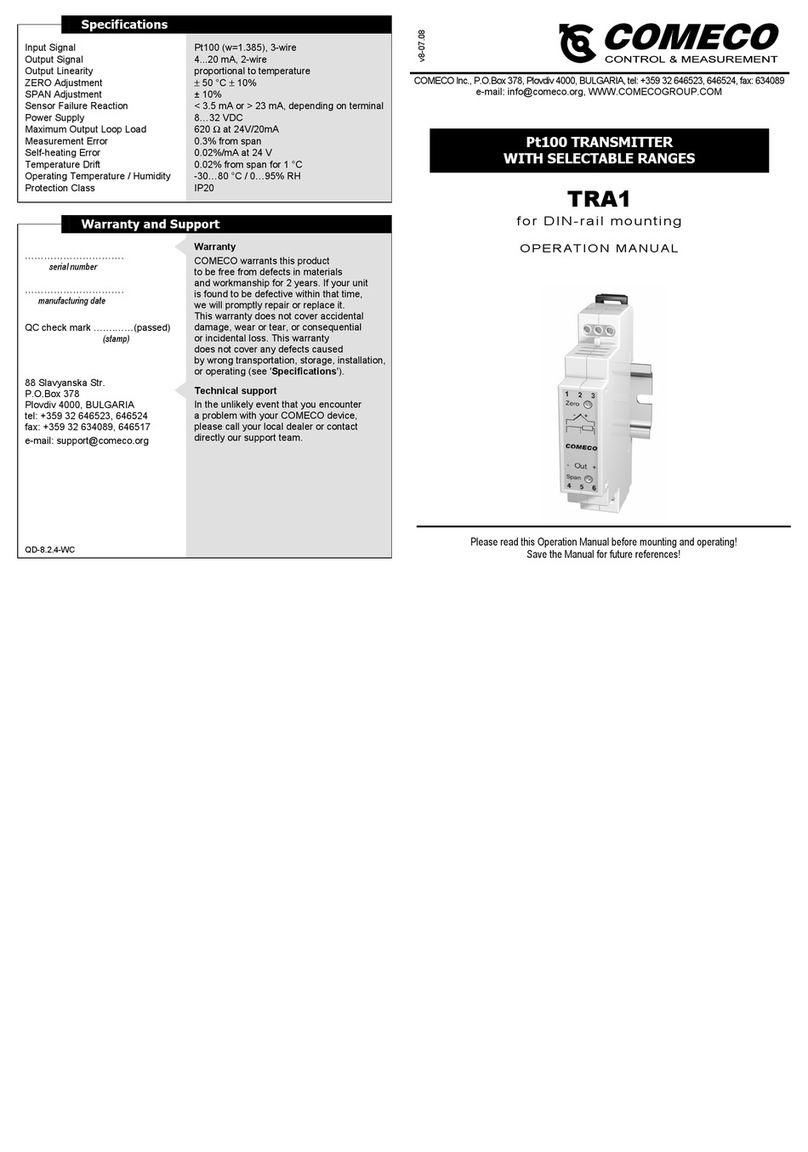
TRA1
for DIN-rail mounting
OPERATION MANUAL
Please read this Operation Manual before mounting and operating!
Save the Manual for future references!
T/C TRANSMITTER
WITH SELECTABLE RANGES
v8-06.09
Overview
The T/C transmitter TRA accepts
input signals from various thermocouple types.
It allows on-site selection of both the T/C type
and the input range and converts the input into
standard 2-wire 4…20 mA signal, proportional
to the thermocouple output voltage.
Mounting and Wiring
Mounting
TRA for DIN-rail mounting is designed
to be easily mounted on every 35 mm rail
conforming to EN50022.
Wiring
♦Connect the T/C sensor
to the transmitter input
as illustrated on the wiring diagram.
♦Wire the output current loop accordingly.
♦In order to minimize measuring errors,
make sure the connecting screws
are tightened enough.
Configuring and Calibrating
Case Opening
♦Insert the tip of appropriate screw-driver
into rectangular openings and press
as shown.
♦Repeat the above operation
from the opposite site of the case.
After closing the case,
do not forget to insert
the two black spring-type brackets.
Configuring and Calibrating
Configuration
To be carried out
before calibration!
♦Open the case to expose
the seven soldering jumpers,
each of which consisting
of 3 solder pads.
♦Set the desired T/C type
and input range by soldering
the respective jumper pads
according to the chart.
♦Close the plastic case.
Calibration
It is suggested that
the calibration be checked
at least once a year.
♦Connect the transmitter
(see 'Wiring').
♦Apply an input signal to give
an output of approx. 12 mA
and leave the unit for 15 min,
if possible, at the ambient
temperature it is intended
to work at.
♦Apply INmin corresponding
to the desired minimum
input signal.
♦Adjust ‘Zero’ potentiometer
to get Iout = 4.00 mA.
♦Apply INmax corresponding
to the desired maximum
input signal.
♦Adjust ‘Span’ potentiometer
to get Iout = 20.00 mA.
♦Repeat the last 4 steps
until readings converge.
♦Secure the potentiometers
with lacquer.