Temperature Controller and Temperature Set:The controller has a 3-digit display for displaying
chamber temperature or set point information. UP and DOWN arrow pads are used to change the
set point and controller mode of operation. To enter the set point mode of operation, press either the
UP or DOWN arrow pad one time. The display will start to blink, going from bright to dim. While
blinking, the display is showing the set point. To change the set point, use the UP and DOWN arrow
pads. If the arrow pads are not pressed for 5 seconds, the display will stop blinking and will read the
chamber temperature. After setting temperature, allow at least one hour for the chamber
temperature to stabilize and 24 hours for optimum stabilization.
Calibration: The 71L shaking incubator is calibrated at 37°C at the factory. The unit can be re-
calibrated after the chamber temperature has stabilized at the set point for several hours. Suspend
a certified reference thermometer in the chamber. Compare the unit’s display to the reference
thermometer. If there is an unacceptable difference, put the controller into calibration mode by
pressing both the UP and DOWN arrow pads at the same time until the two outside decimal points
begin to flash. While the decimal points are flashing, the display can be calibrated to match the
reference thermometer by pressing the UP or DOWN arrow pads until the display reads the correct
value. Allow the shaker incubator to stabilize again and recalibrate if necessary.
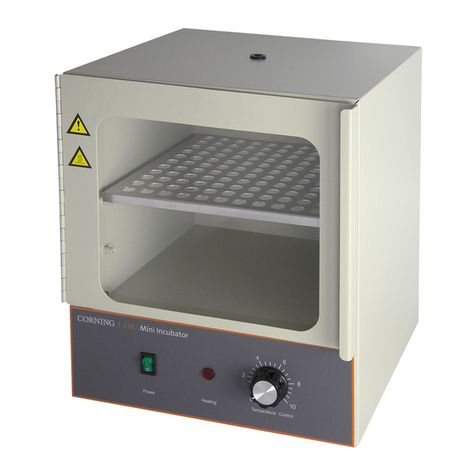
Heating Indicator:This indicator will illuminate GREEN when the controller is calling for heat from
the heater. This indicator will be on continuously while the oven heats up to the set temperature and
will then cycle on and off at the set temperature.
Safety Thermostat:The safety thermostat located on the back of the unit is manually set and
completely independent of the Main Temperature Controller. The safety guards against any failure
of the Main Controller that would allow temperature to rise past the safety set point. If the
temperature rises to the safety set point, the Safety takes control of the heating element and allows
continued use of the incubator until the problem can be resolved or service can be arranged.
Safety Indicator: This indicator will illuminate RED when the Safety Thermostat is activated.
Under normal operating conditions this indicator should never be on.
Chamber Light Switch: This switch turns the chamber light on and off when power is on.
SHAKER CONTROLS: The shaker controls are also microprocessor-based.
•RUN lamp: This lamp illuminates when the shaker is started and stays illuminated when the
shaker is running.
•Timer lamp: This lamp illuminates when the shaker display is in the time display mode
counting down the remaining run time or showing the set run time.
•RPM lamp: This lamp illuminates when the shaker display is speed display mode showing
the current shaking speed or showing the set shaking speed.
•STOP/START: This pad starts and stops the shaking mechanism and causes the RUN
lamp to be illuminated.
4