44072IG0101EN_Smart7_Installation-Guide_V1.0
vii
Table of contents
1Version history.........................................................................................................iii
2About this installation guide......................................................................................iv
2.1 Text conventions............................................................................................................................. iv
2.1.1 Terms and abbreviations.............................................................................................................................iv
2.1.2 Symbols .................................................................................................................................................... v
3Safety instructions ...................................................................................................ix
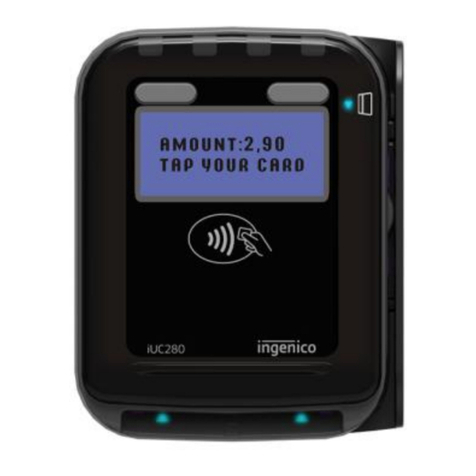
4Smart7 cashless reader models................................................................................ 1
4.1 Smart7 cashless reader with MDB machine interface........................................................................1
4.2 Smart7 cashless reader with RS-232 coin changer interface.............................................................1
5Configuration ........................................................................................................... 2
5.1 Using the GEN7 Configurator online tool ...........................................................................................2
5.1.1 Assigning Smart7 cashless readers to customers or locations..................................................................... 2
5.1.2 Configuring Smart7 cashless reader ........................................................................................................... 5
5.1.3 Default configuration .................................................................................................................................. 5
5.1.4 Setting Smart7 cashless reader parameters (example: Country and Company Code).................................... 5
5.1.5 Updating Smart7 cashless reader using a configuration file......................................................................... 7
5.1.5.1 Configuration archive file structure................................................................................................................................................... 7
5.1.5.2 Generating configuration file............................................................................................................................................................ 7
5.1.5.3 Loading configuration file onto cashless reader................................................................................................................................ 7
5.2 Summary of Smart7 cashless reader set-up and configuration..........................................................8
5.2.1 Setting up configuration ............................................................................................................................. 8
5.2.2 Generating configuration file....................................................................................................................... 8
5.2.3 Loading configuration file onto the Smart7 cashless reader ......................................................................... 9
5.2.3.1 From PC to the Smart7 cashless reader ........................................................................................................................................... 9
5.2.3.2 From USB flash drive to the Smart7 cashless reader ........................................................................................................................ 9
6Quick diagnostics using display messages and Status LEDs ................................... 10
6.1 Display messages (cashless reader with display only) ....................................................................10
6.2 Status LEDs................................................................................................................................... 10
7Support packages .................................................................................................. 11
7.1 Configuration data and settings (Config folder) ...............................................................................11
7.2 Logs.............................................................................................................................................. 12
7.3 Protocols.......................................................................................................................................12
7.4 Selections...................................................................................................................................... 13
7.5 Statistics ....................................................................................................................................... 13
7.6 Tag list ..........................................................................................................................................14