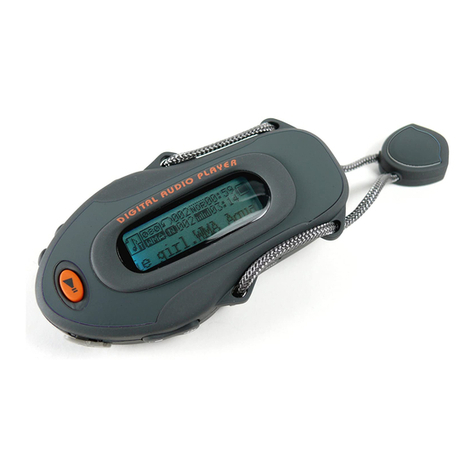
Curtis MP2012UK User manual

MP2012UK
User Manual
1. Overview
2. Unique Features
1. Elegant appearance and easy to use
2. Multi-Code Player - Supporting MP1, MP2, MP3, WMA
2.3 Drive Free U Disk - You may manage your files directly through
4.Switch on the power button to resume the song
210mm
297mm
4. Voice Play
Connect the earphone to player
1. Put the Power switch to ON
1.1
: To select previous music
: To select next music
2. To adjust the volume
2.1 Press+/- to adjust volume
1.USB Disk
The player could be use as standard USB disk with operating
system of Windows 2000 and above, Mac OS 10.3 and above,
Linux Redhat 8.0 and above (no driver needed) while Windows 98
need to set up driver
2. Battery
3. Remarks (Additional information for Adaptor purchase)
2.1 Make sure the power switch is on to charge, or the player
3.1 The adaptor must be conformed to following standard
could not be charged properly. The LED light 2 and LED light 1
are on when the player is charging, the light 1 will be off when
the battery is full
2.2 Disconnect the player and charger if you want to stop charging
3.1.2 Output: 5.2V 0.2V
3.1.3 Max.: 350mA
3.1.4 4 pins adaptor
3.1.1 Input: 100V - 240V, 50/60Hz
2.3 Turn off the player when you do not use player
3. Play Music
2.Switch on the power button and it will start to play automatically
5.Short Press PLAY to pause when file is playing
6.The LED light 1 is on when playing music
1.Make sure the switch is ON
3.Hold PLAY to turn off the player when the player is working
4. Function of the button
5. USB Disk
Play/Pause button
Forward button
Backward button
Earphone jack
LED light 1
ON/OFF button
LED light 2
Vol+ button
Output DC 5V 2
Shorted and Touch
GND Empty
Device” in “My Computer” on Windows2000 Operating
formats
“Portable
System or above without driver
Select music
7. Technical Specifications
Capacity 2GB
NA
USB 2.0 Full Speed
Interface
Max Playtime
Battery Type & Capacity
File Type
S/N ratio
Power Output
Operating System
Dimensions
Weight
Up to 4hrs
Li-Polymer Rechargeable (3.7V) 110mAh
Mp1, MP2 ,MP3, WMA
85~95Db
(L)5mW + (R)5mW(320hm)
Compatible with Windows2000/ XP
44.2 x 29.5 x 12.7
18g
Display
6. Trouble Shooting
- Check to see if battery is low
No Power - Check to see if the player is ON
- Check to see Volume is set “0” and connect the
earphone connects properly
- Make sure earphone is clean and in good status
- Damaged MP3 file may make noise and could not
be played. Make sure that the music file are not
damaged
- Check to see if USB cable is damaged and
connected properly
- Check to see if driver is installed correctly
- Check to see if memory space is enough
No sound from earphone
Failure of music download
6. Trouble Shooting
- Check to see if battery is low
No Power - Check to see if the player is ON
- Check to see Volume is set “0” and connect the
earphone connects properly
- Make sure earphone is clean and in good status
- Damaged MP3 file may make noise and could not
be played. Make sure that the music file are not
damaged
- Check to see if USB cable is damaged and
connected properly
- Check to see if driver is installed correctly
- Check to see if memory space is enough
No sound from earphone
Failure of music download
6. Trouble Shooting
- Check to see if battery is low
No Power - Check to see if the player is ON
- Check to see Volume is set “0” and connect the
earphone connects properly
- Make sure earphone is clean and in good status
- Damaged MP3 file may make noise and could not
be played. Make sure that the music file are not
damaged
- Check to see if USB cable is damaged and
connected properly
- Check to see if driver is installed correctly
- Check to see if memory space is enough
No sound from earphone
Failure of music download
USB port
Vol- button
Other Curtis MP3 Player manuals
Curtis
Curtis MPK2050 User manual
Curtis
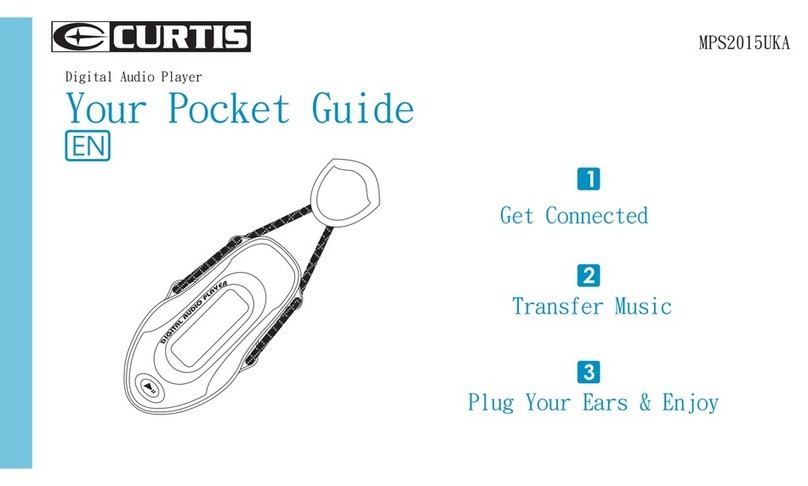
Curtis MPS2015UKA Your pocket User manual
Curtis
Curtis MPK1066UK User manual
Curtis
Curtis MPK2066 User manual
Curtis
Curtis MPS2015UK Guide User manual
Curtis
Curtis MPK1040 User manual
Curtis
Curtis MPK8854AUK User manual
Curtis
Curtis MP128 User manual
Curtis
Curtis MP4212 User manual
Curtis
Curtis MPK1021 User manual
Curtis
Curtis MP3512B User manual
Curtis
Curtis MPK8854UK User manual
Curtis
Curtis MPK1040 User manual
Curtis
Curtis MPK4050 User manual

Curtis
Curtis MPK8955UK User manual
Curtis
Curtis MP4213 User manual
Curtis
Curtis MP510 User manual
Curtis
Curtis MP228 User manual
Curtis
Curtis MP1004 User manual
Curtis
Curtis MPK8854AUK User manual