AUDIO AND SYNCHRONIZATION 6
3.2. Dissolving a SYNC Group
A SYNC group can only be dissolved when the system is idle. During recording and playing, dissolving a SYNC
group is prohibited for safety reasons.
When a MASTER or a SLAVE is removed from a SYNC group, the entire SYNC group is dissolved and all units are
then switching to stand-alone mode.
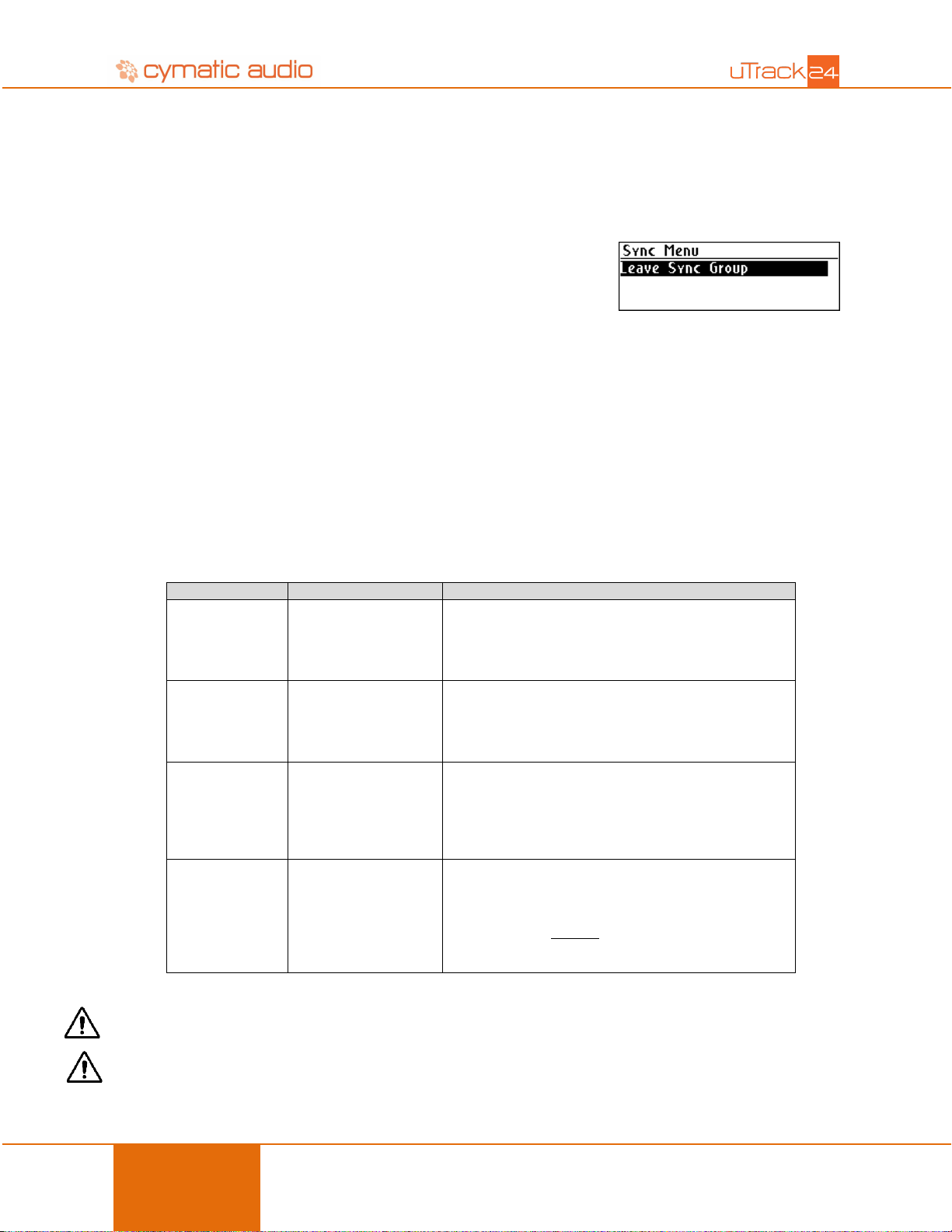
To dissolve a SYNC group, press the MENU button on the MASTER or on a
SLAVE unit, then go to “Sync” to dissolve your group:
4. AUDIO AND SYNCHRONIZATION
A SYNC group can be used in two ways:
a) Stacked Mode: Increase the number of tracks to a maximum of 96 audio channels
b) Redundant Mode: Run two identical systems in a redundant configuration
As with every digital audio system, all devices should be synchronized to the same clock source. In a SYNC group a
few more settings are required for proper operation throughout the work flow. But no worries, most of it is taken care
of by the MASTER by properly setting up the connected SLAVE units. Of course, important parameters that offer
flexibility are kept under your control.
The MASTER sets the correct sample rate on all
SLAVES, in recording and playback mode.
If you wish to change the sampling rate for new
recordings, change it on the MASTER unit only.
The MASTER sets the correct bit depth on all
SLAVES.
If you wish to change the bit depth for new recordings,
change it on the MASTER unit only.
MASTER and SLAVES can be set to independent
track counts.
For example, to create a 32-channel recorder set the
MASTER for 24 audio tracks and the SLAVE #1 to 8
audio tracks.
By default, all units in a SYNC group synchronize to
“PTP” which is a precision time protocol transferred
over the network.
If you need to synchronize to another clock, WCLK or
Digital I/O card, all units should be reconfigured for
this clock source.
Note: The changes in the MASTER will be sent to the SLAVES when the menu entry is left, and after a timeout.
Warning: Do not use differing clock modes on uTrack24 units within a SYNC group, to avoid clicks and pops due to
asynchronous operation.