manuals.online logo
Brands
  1. Home
  2. •
  3. Brands
  4. •
  5. Danfoss
  6. •
  7. Controllers
  8. •
  9. Danfoss NovoCon S 003Z8504 User manual

Danfoss NovoCon S 003Z8504 User manual

Other Danfoss Controllers manuals

Danfoss EKE 347 User manual

Danfoss

Danfoss EKE 347 User manual

Danfoss VLT 5000 Series User manual

Danfoss

Danfoss VLT 5000 Series User manual

Danfoss ADAP-KOOL AK-PC 781 User manual

Danfoss

Danfoss ADAP-KOOL AK-PC 781 User manual

Danfoss AMV213 User manual

Danfoss

Danfoss AMV213 User manual

Danfoss Cascade User manual

Danfoss

Danfoss Cascade User manual

Danfoss MCD3000 Series User manual

Danfoss

Danfoss MCD3000 Series User manual

Danfoss EKC 102C2 User manual

Danfoss

Danfoss EKC 102C2 User manual

Danfoss FCM305 56 User manual

Danfoss

Danfoss FCM305 56 User manual

Danfoss VLT Option Panel User manual

Danfoss

Danfoss VLT Option Panel User manual

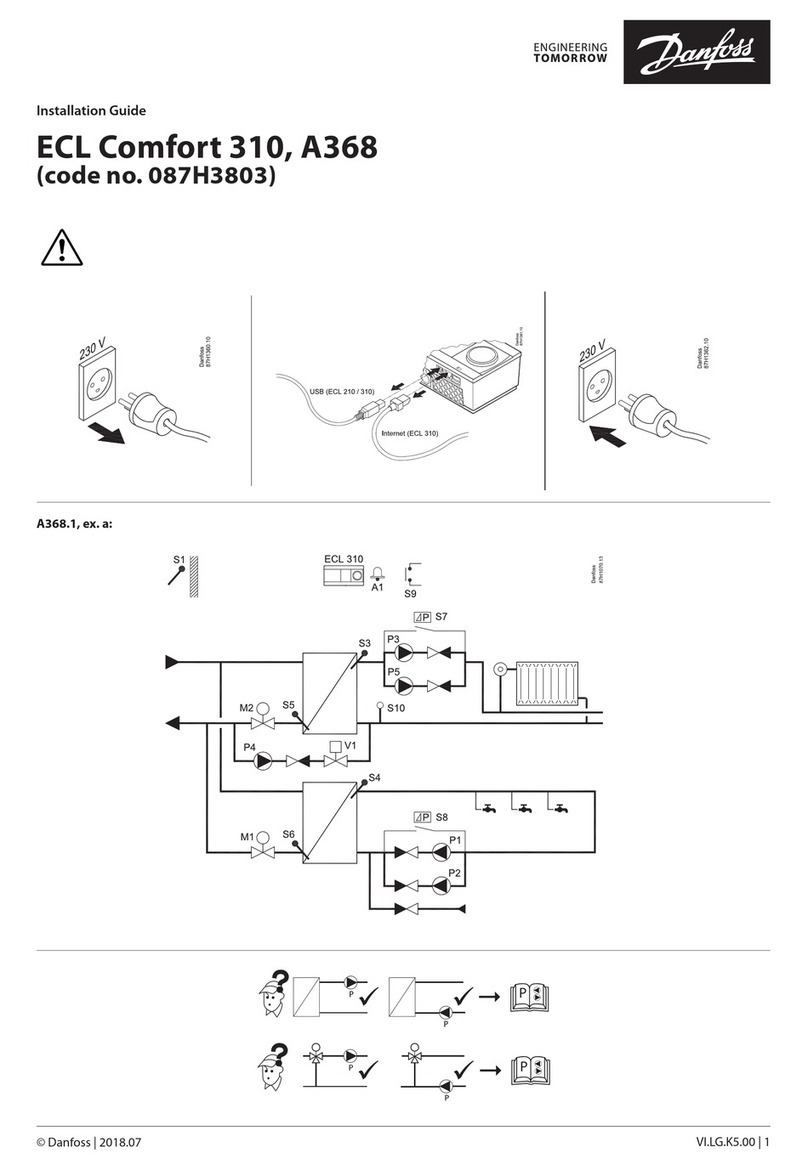
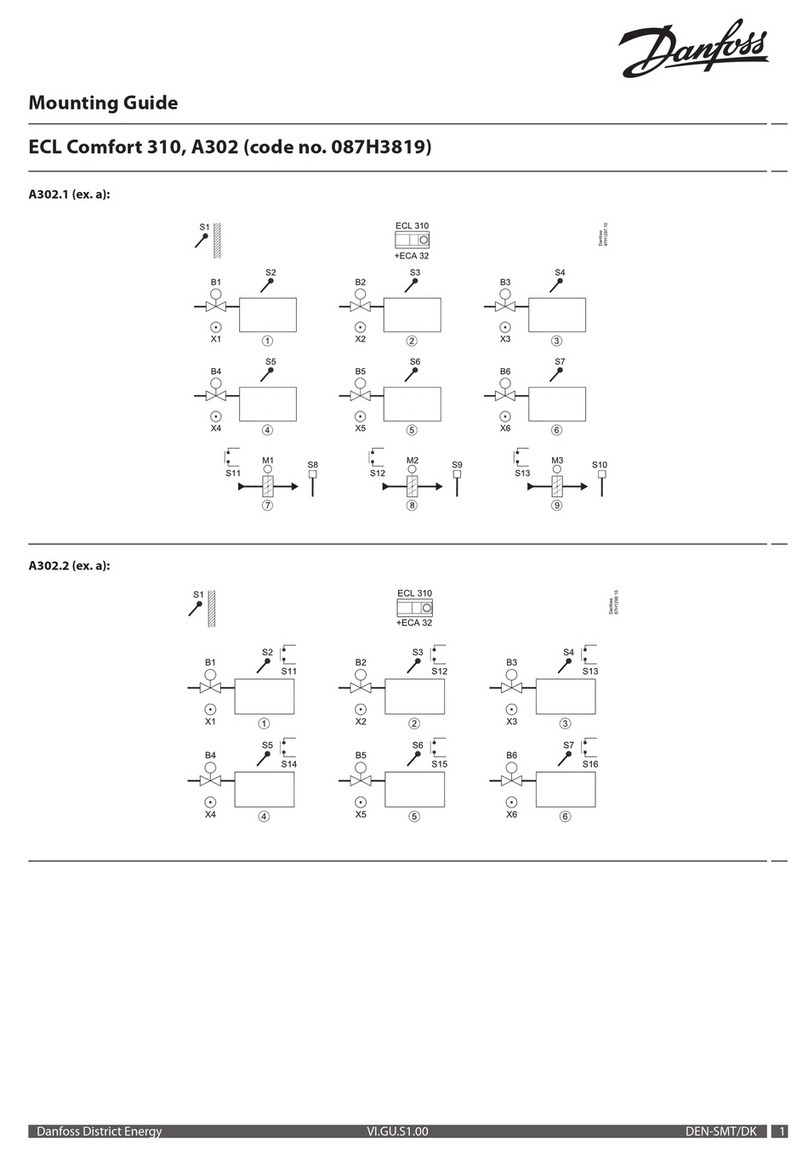
Danfoss ECL Comfort 310 Installation instructions manual

Danfoss

Danfoss ECL Comfort 310 Installation instructions manual

Danfoss 088U0200 User manual

Danfoss

Danfoss 088U0200 User manual

Danfoss AME 130H User manual

Danfoss

Danfoss AME 130H User manual

Danfoss VLT AutomationDrive FC 302 User manual

Danfoss

Danfoss VLT AutomationDrive FC 302 User manual

Danfoss VLT 5000 User manual

Danfoss

Danfoss VLT 5000 User manual

Danfoss AK-PC 572 User manual

Danfoss

Danfoss AK-PC 572 User manual

Danfoss ERC 213 User manual

Danfoss

Danfoss ERC 213 User manual

Danfoss AMV 20 SL User manual

Danfoss

Danfoss AMV 20 SL User manual

Danfoss EKC 368 User manual

Danfoss

Danfoss EKC 368 User manual

Danfoss PVED-CLS User manual

Danfoss

Danfoss PVED-CLS User manual

Danfoss ECL Comfort 210 User manual

Danfoss

Danfoss ECL Comfort 210 User manual

Danfoss erc 112 User manual

Danfoss

Danfoss erc 112 User manual

Danfoss AME86 User manual

Danfoss

Danfoss AME86 User manual

Danfoss AMV 110 NL User manual

Danfoss

Danfoss AMV 110 NL User manual

Danfoss EIM 365 User manual

Danfoss

Danfoss EIM 365 User manual

Popular Controllers manuals by other brands

Sunricher SR-ZV9003T3-RGBW-US Installation

Sunricher

Sunricher SR-ZV9003T3-RGBW-US Installation

Ksenia intro Installation and configuration manual

Ksenia

Ksenia intro Installation and configuration manual

Inovance CAN200 Series manual

Inovance

Inovance CAN200 Series manual

Gauzy LC6 FLEX Controller Installation and operation guide

Gauzy

Gauzy LC6 FLEX Controller Installation and operation guide

Viking SLP-1 Technical practice

Viking

Viking SLP-1 Technical practice

CKD KBX-30E-U Series instruction manual

CKD

CKD KBX-30E-U Series instruction manual

Sharp Energy Sun Flux User manual & installation guide

Sharp Energy

Sharp Energy Sun Flux User manual & installation guide

Yamaha RCX40 user manual

Yamaha

Yamaha RCX40 user manual

AB Quality PowerFlex 400 Frames D-H Service bulletin

AB Quality

AB Quality PowerFlex 400 Frames D-H Service bulletin

Yamaha MJC8 owner's manual

Yamaha

Yamaha MJC8 owner's manual

AL-KO ATC operating instructions

AL-KO

AL-KO ATC operating instructions

Savant SmartControl 2 Deployment guide

Savant

Savant SmartControl 2 Deployment guide

GameSir T3S user manual

GameSir

GameSir T3S user manual

Kostal inveor operating manual

Kostal

Kostal inveor operating manual

Emerson Yarway 20-55 Operating and safety instructions

Emerson

Emerson Yarway 20-55 Operating and safety instructions

CoCo ACM-LV24 Quick installation guide

CoCo

CoCo ACM-LV24 Quick installation guide

Brooks SLA5810/20 Installation and operation manual

Brooks

Brooks SLA5810/20 Installation and operation manual

SIGMA TEK SR 011 Technical manual

SIGMA TEK

SIGMA TEK SR 011 Technical manual

manuals.online logo
manuals.online logoBrands
  • About & Mission
  • Contact us
  • Privacy Policy
  • Terms and Conditions

Copyright 2025 Manuals.Online. All Rights Reserved.

AQ251486498741en-010501 | 1© Danfoss | 2020.10
NovoCon® S - High Accuracy Actuator
Operating Guide
❶
IP40
IP54
IP54
IP54
 
❸
❺
①
②
❼
NovoCon®analog cable
❻
Manuel Calibration: Press button ①
until two LED’s are turned on, and
then release again.
DIP switch: ②
Manual override: Adjust wheel ③
③
②
①
Common ground shall be
used for all devices on the
same network.
Digital port
Port for CO6 actuator or Energy cable, I/O cable,
analog cable or voltage booster.
Digital port
❷ ❹
Actuator NovoCon® ChangeOver6Flexible
 
Cable NovoCon®
Temperature I/O
Red Power 24V (in/out)
Black
Power ground (in/out)
Blue Ground T1, T2, V/mA input & V output signal
Grey V/mA input signal
White V output signal
T1
T2
NovoCon® Energy cable
- PT1000 surface sensors
NovoCon® Energy cable
- PT1000 immersed sensors
Red Power 24V
Black GND
Grey Analog input
Blue Analog input ground
NovoCon®digital cable
Red Power
Black
Green ´+´ non-inverting signal wire
White/green ´−´ inverting signal wire
Common ground for power
and bus signal wire
Purple O-ring
Actuator NovoCon®
ChangeOver6Red Power 24V
Black GND
White CO6 Control signal
Grey CO6 Feedback signal
Blue O-ring
Actuator NovoCon®
ChangeOver6Energy
NovoCon®
I/O cable
Red Power 24V
Black
Power ground
Blue Ground T1, T2, V/mA input & V output signal
Grey V/mA input signal
White V output signal
Yellow T1 or resistance input
Orange T2 or resistance input
73690900 / AQ251486498741en-0105012 | © Danfoss | DHS-SDBT/SI | 2020.10
NovoCon® S - High Accuracy Actuator
Part Name
部件名称
Hazardous Substances Table/有害物质含量表
Pb/铅Hg/汞Cd/镉Cr(VI)/
六价铬
PBB/
多溴联苯
PBDE/
多溴二苯醚
Union nut /
连接螺母 X O O O O O
O: Indicates that this hazardous substance contained in all of the homogeneous material for this part is below the limit requirement in GB/T 26572;
O: 表示该有害物质在该部件所有均质材料中的含量均在GB/T 26572规定的限量要求以下。
X: Indicates that this hazardous substance contained in at least one of the homogeneous material for this part is above the limit requirementw in GB/T 26572;
X: 表示该有害物质至少在该部件的某一均质材料中的含量超出GB/T 26572规定的限量要求。
NovoCon® S
Application mode:
MSV:9 / 32810
Digital control (default),
Analog control,
CO6 mode,
Inverted CO6 mode,
CO6 without alarms,
Inverted CO6 without alarms,
Analog CO6 mode,
Analog inverted CO6 mode
Select Valve Type
MSV:3 / 32802
(default AB-QM 4.0
ISO DN 15)
Design Flow Rate
AV:30 / 32796
Heating
AV:31 / 32798
Cooling

Select application
MSV:10 / 32811
Heating (default)
Cooling
Activate calibration
MSV:0 / 33284 state 2
or use manual
calibration

❽E100 VXX
281624
0030471
E100 VXX
281624
0030471
MADE IN SLOVENIA
NovoCon
S
003Z8504
Actuator for AB-QM DN10-32
Control signal: BACnet MS/TP, Modbus RTU, 0-10V, 0-20mA
®
6430 Nordborg, Denmark
Power: 24VAC/DC, 50/60 HZ
Force: 90N. Stroke: 7 mm. Speed: 3-24s/mm
Consumption: 3.3VA running. Standby 0.9W
IP54/40, -10T55
III
01
E100 VXX
281624
0030471
E100 VXX
281624
0030471
MADE IN SLOVENIA
NovoCon S
003Z8504
Actuator for AB-QM DN10-32
Control signal: BACnet MS/TP, Modbus RTU, 0-10V, 0-20mA
®
6430 Nordborg, Denmark
Power: 24VAC/DC, 50/60 HZ
Force: 90N. Stroke: 7 mm. Speed: 3-24s/mm
Consumption: 3.3VA running. Standby 0.9W
IP54/40, -10T55
III
01
01
Serial number and QR code can be removed from the
NovoCon® S label and added to installation drawing.
Device Object
Instance Number
Firmware update
We recommend to validate the firmware version before installation.
The latest firmware can be downloaded at www.novocon.com by selecting
the tab: Support files.
To avoid injury and damage to persons and devices, it is
absolutely necessary these instructions are carefully read and
observed prior to assembly and commissioning.
Necessary assembly, start-up, and maintenance work must be
performed only by qualified, trained and authorised personnel.
Switch off the power line before wiring the actuator.
Connect via safety isolating transformer.
Galvanic separations shall be provided for segments crossing buildings.
This product should be dismantled and its components sorted if
possible, in various groups before recycling or disposal.
Always follow the local disposal regulations.
Disposal instruction
Safety Note
Safety Note
If the NovoCon® S network is supplied with two or more AC
power boosters, caution must be observed when disconnecting
one of the transformers from the high voltage power line. As the
NovoCons are connected in a daisy chain, there may be high
voltage on the primary side of the disconnected power supply. Disconnect
always both the primary and secondary side of the transformer.
Safety Note
❾ ❿
⓫Initial configuration
DIP Switch
DIP Switches 1 to 7 are used to assign the MAC address manually. Default MAC address assignment
method is Auto MAC addressing for BACnet MS/TP and DIP Switches for Modbus RTU.
For termination of last unit on the field bus, turn DIP Switch 8 ON.
Dip switch 9 is not used.
Dip switch 10 is used to select between BACnet MS/TP (OFF=Default) and Modbus RTU (ON).
When the protocol is changed on DIP Switch 10, a power cycle is required.
12345678910
ON
OFF
⓬